Home » Anime » Dragon Ball

Power Up Your Art Skills: Learn How to Draw Vegeta in SSGSS Form

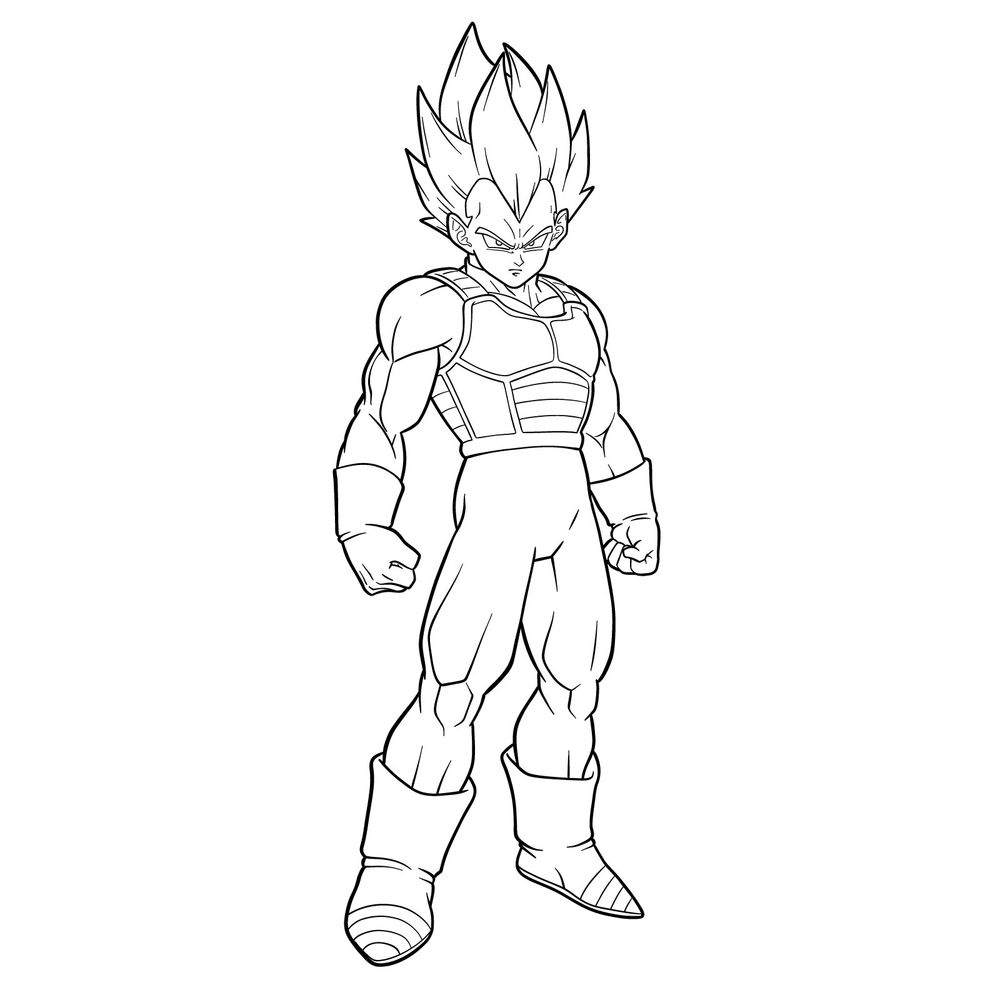
Are you a Dragon Ball FighterZ fan eager to learn how to draw Vegeta in SSGSS form? Look no further! Our step-by-step tutorial will guide you through the process of creating stunning artwork featuring this powerful Super Saiyan Blue character. Grab your pencils and let’s get started!

Vegeta in SSGSS: The Prideful Saiyan Warrior

Vegeta, the Saiyan prince, achieves the incredible Super Saiyan Blue (SSGSS) transformation through intense training alongside his rival, Goku, under the guidance of Whis, the attendant of the God of Destruction Beerus. As a playable character in Dragon Ball FighterZ, Vegeta showcases his immense power and the stunning visual representation of the Super Saiyan Blue transformation.

In Story Mode, Vegeta (SSGSS) can be unlocked once Vegeta (Super Saiyan)’s Link Skill reaches level 40. Although both Vegetas cannot be on the same team, this powerful form is a sight to behold and a fantastic addition to your Dragon Ball FighterZ roster.

Now that you know more about Vegeta in SSGSS form, let’s dive into the drawing tutorial and bring this mighty warrior to life on paper!

Essential Materials and Tools

Before we begin, gather the following materials and tools to create your Vegeta in SSGSS drawing:

  • Pencils (varying hardness for sketching and shading)
  • Erasers (kneaded and regular)
  • Paper (preferably sketch paper)
  • Inking pens or fine-tip markers

Step-by-Step Guide to Drawing Vegeta in SSGSS Form

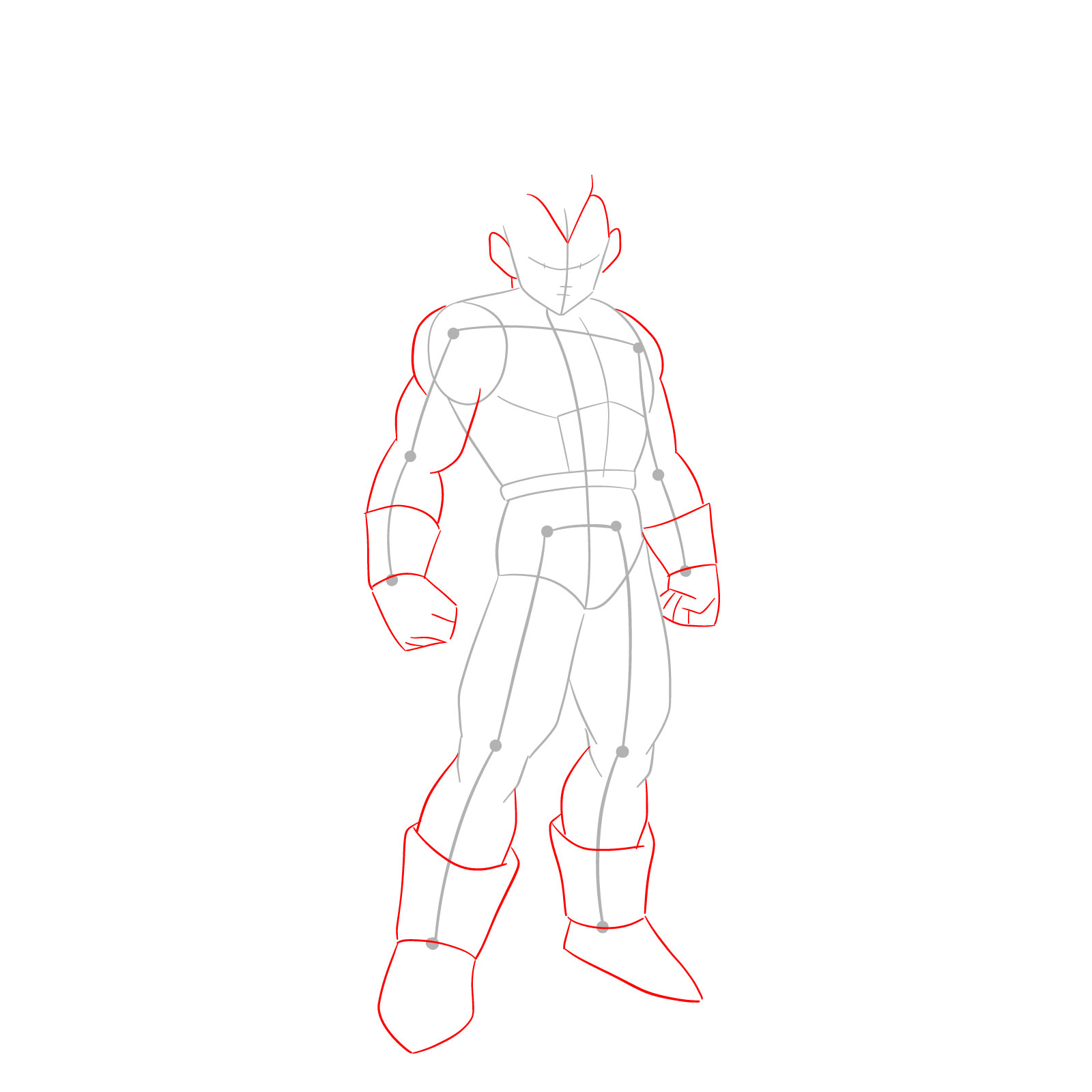
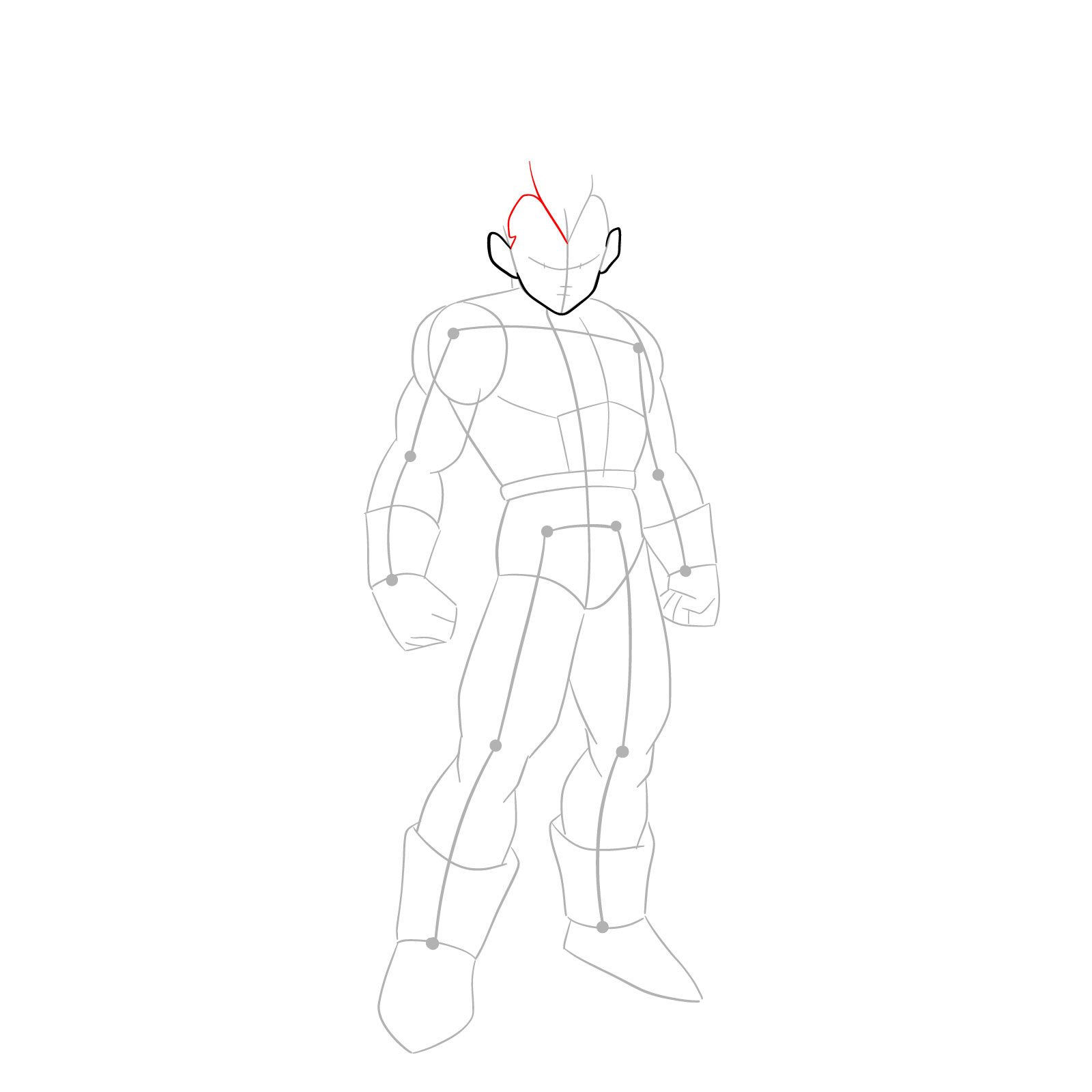
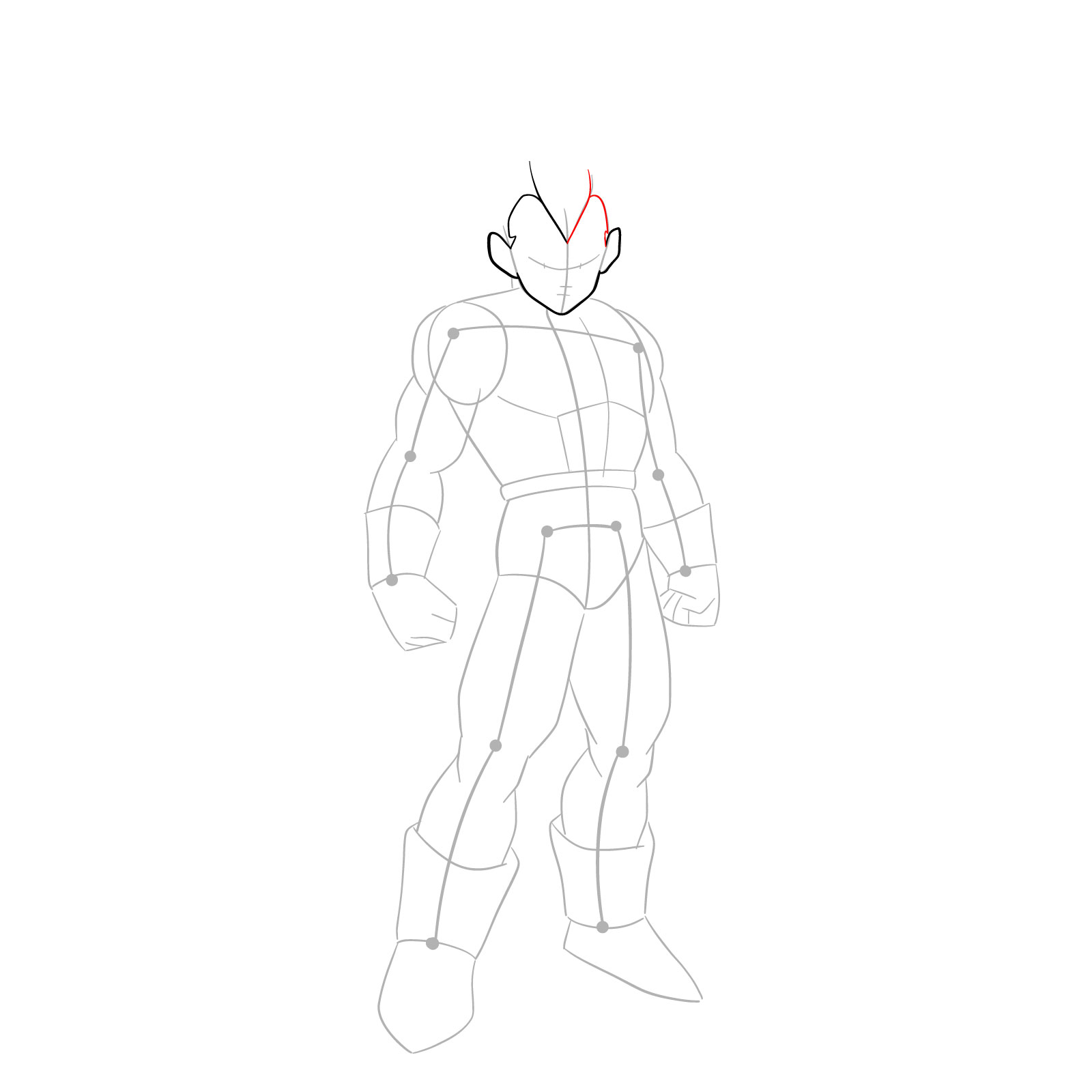
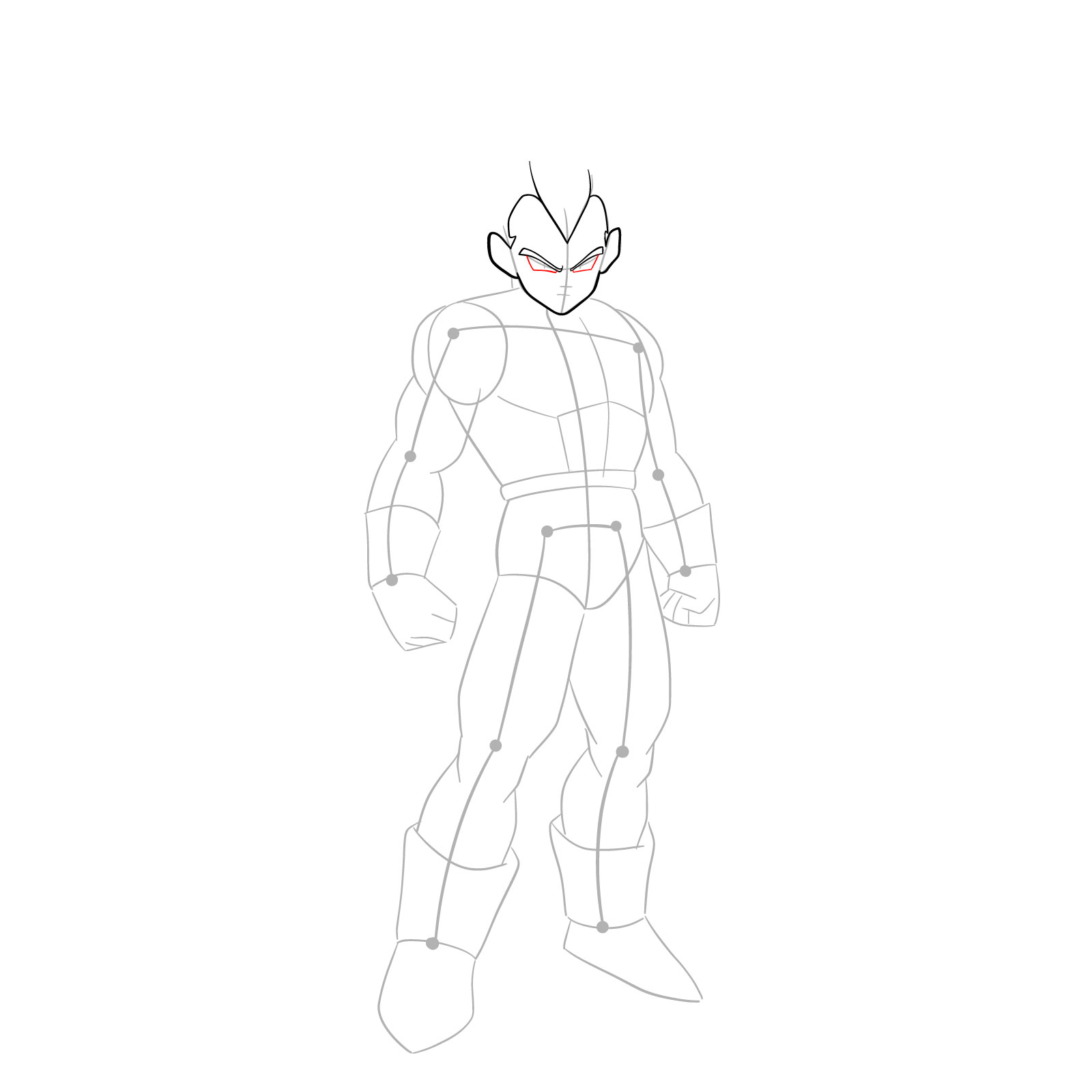
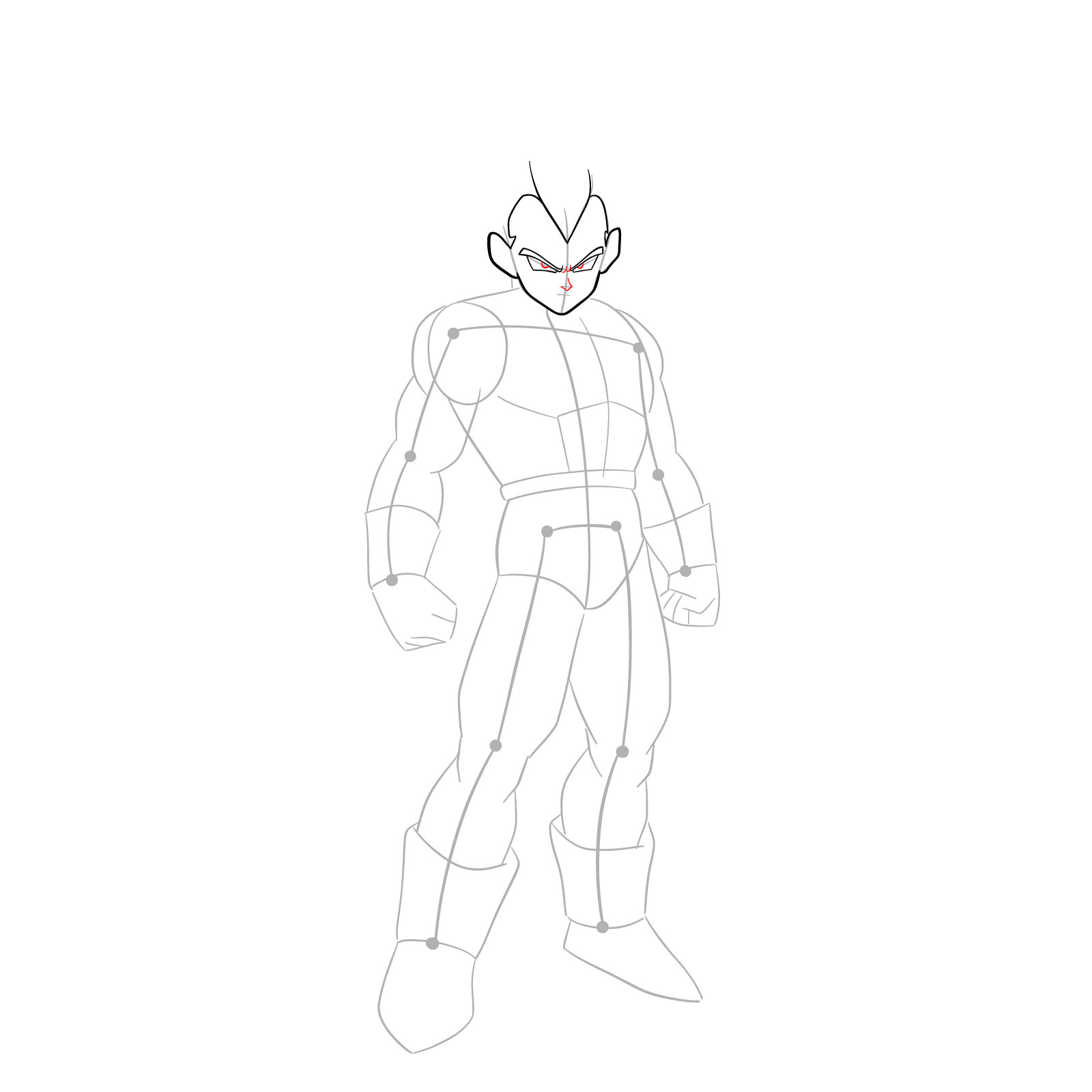
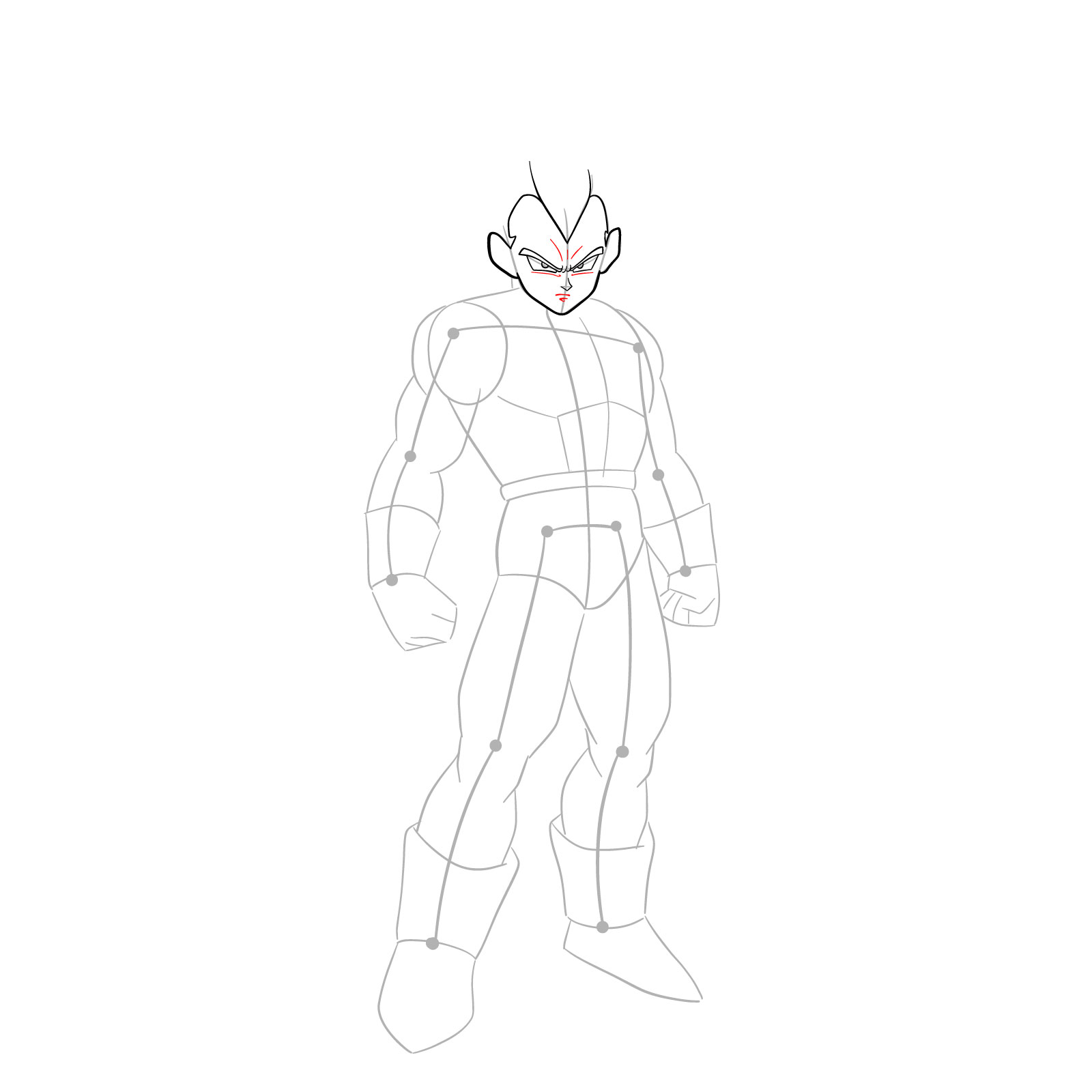
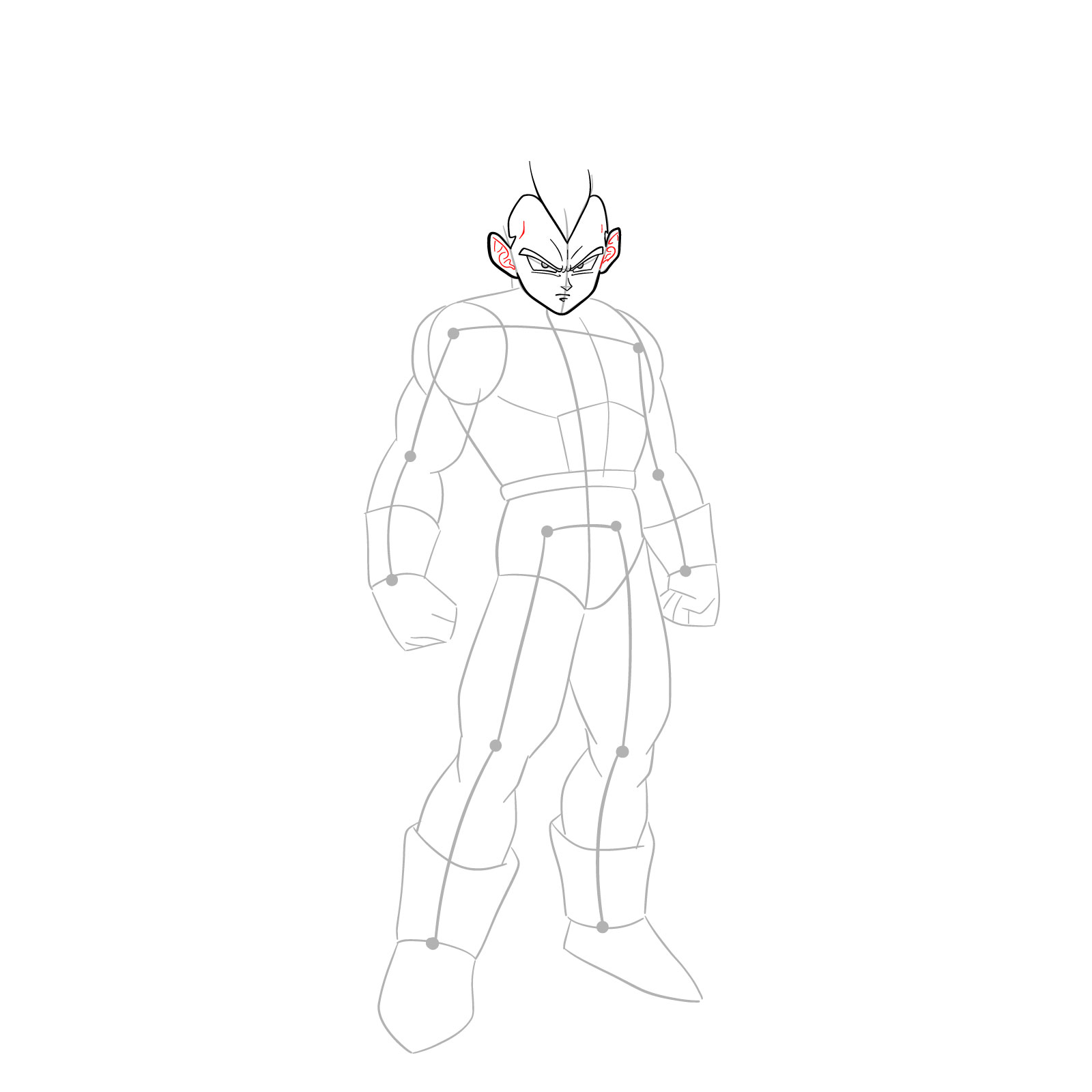
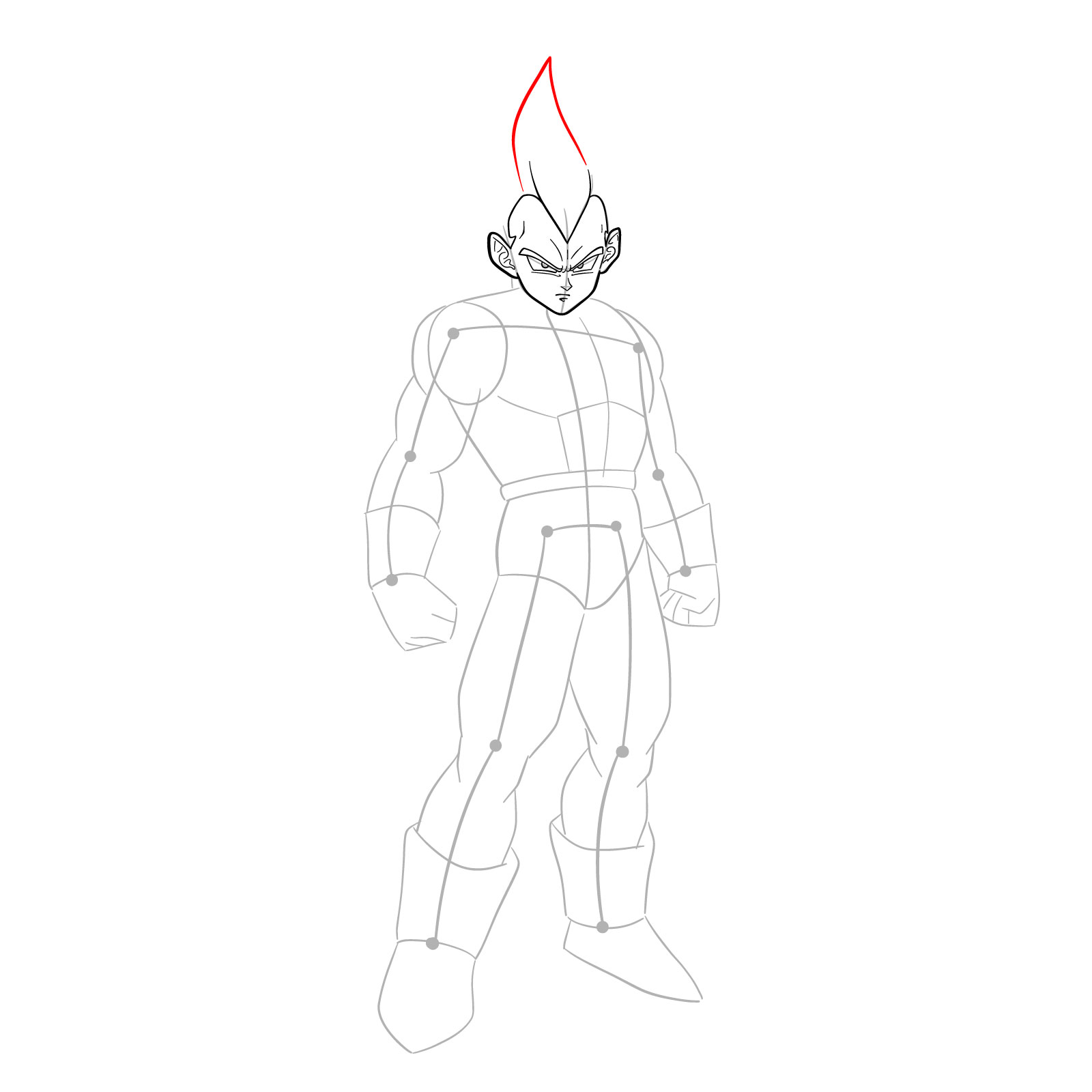
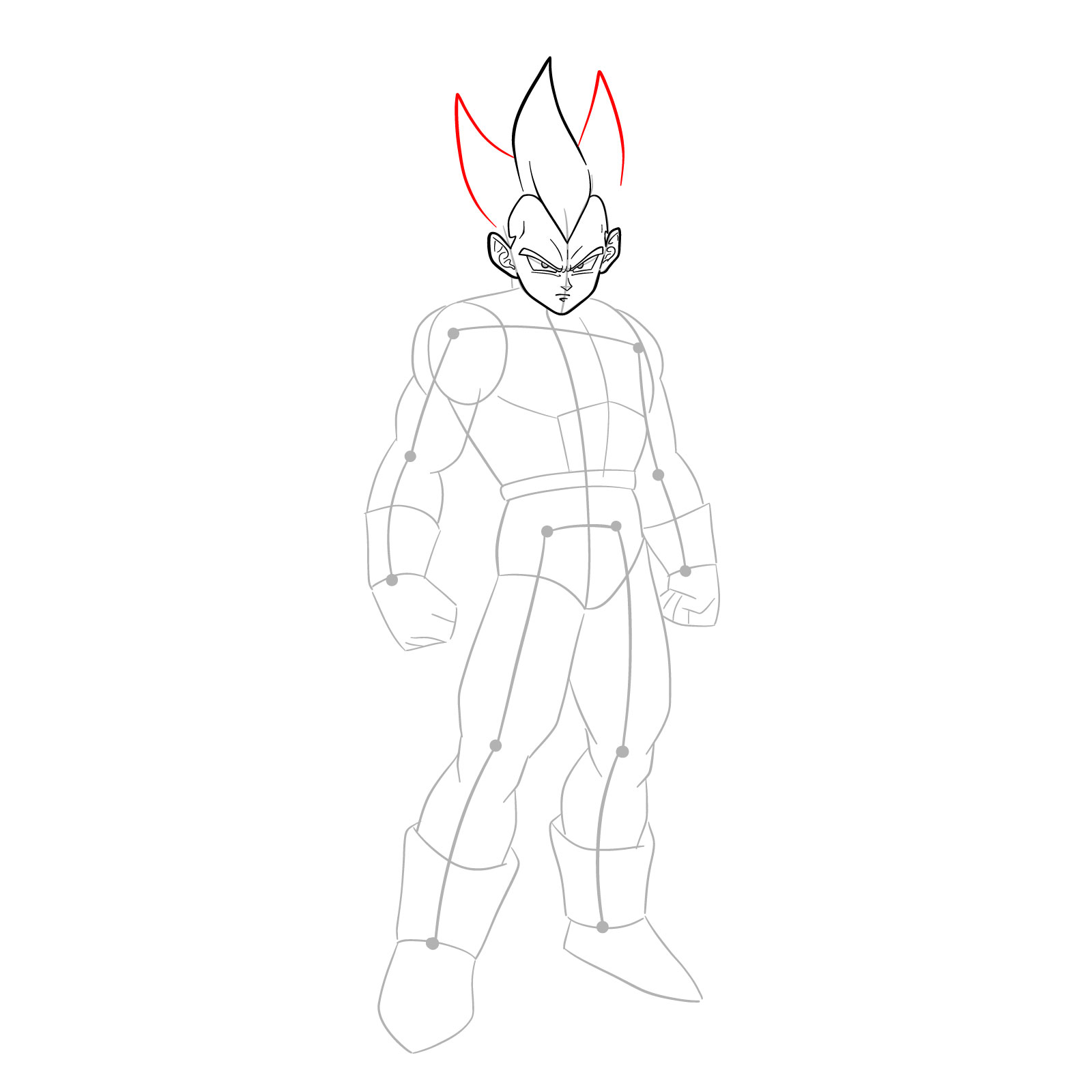
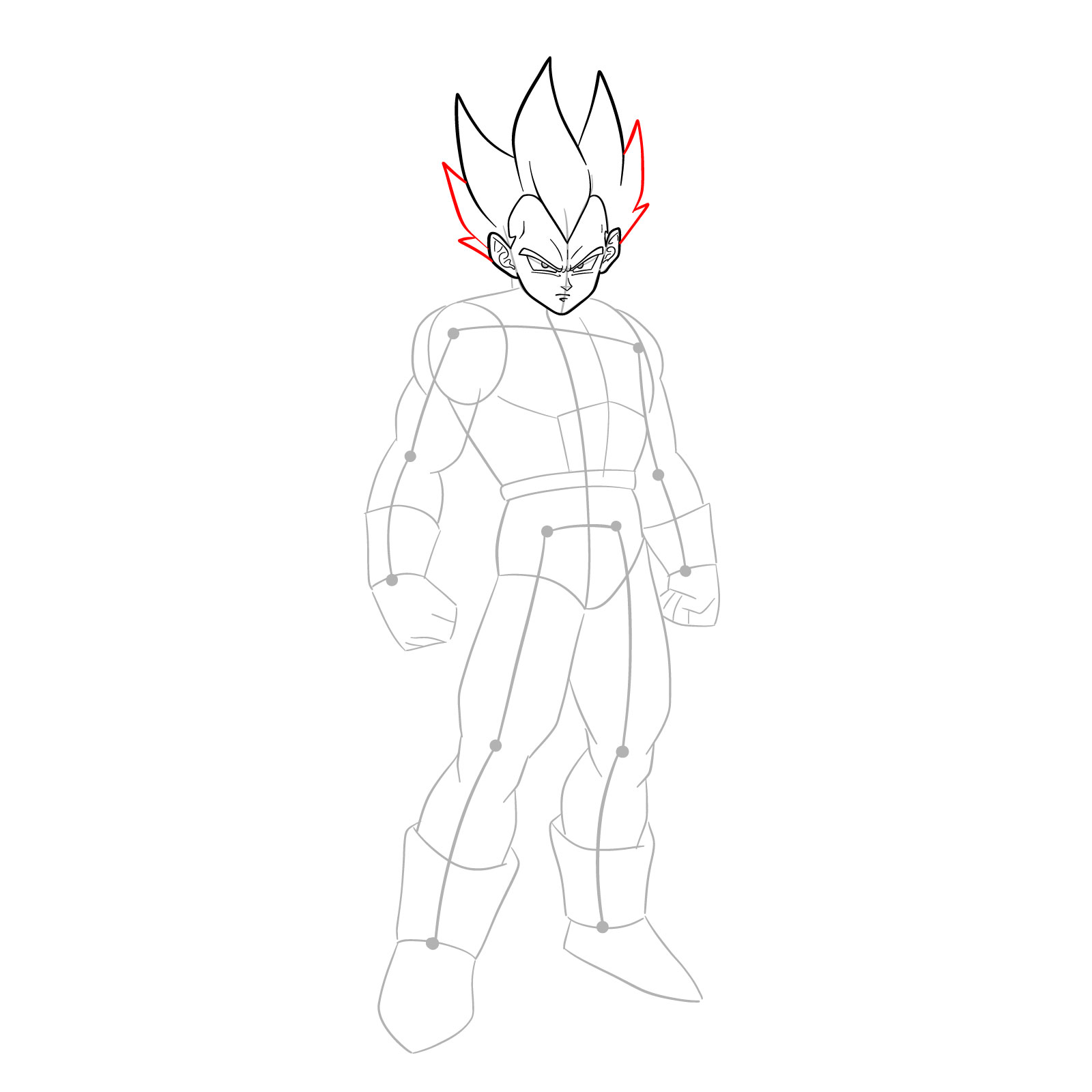
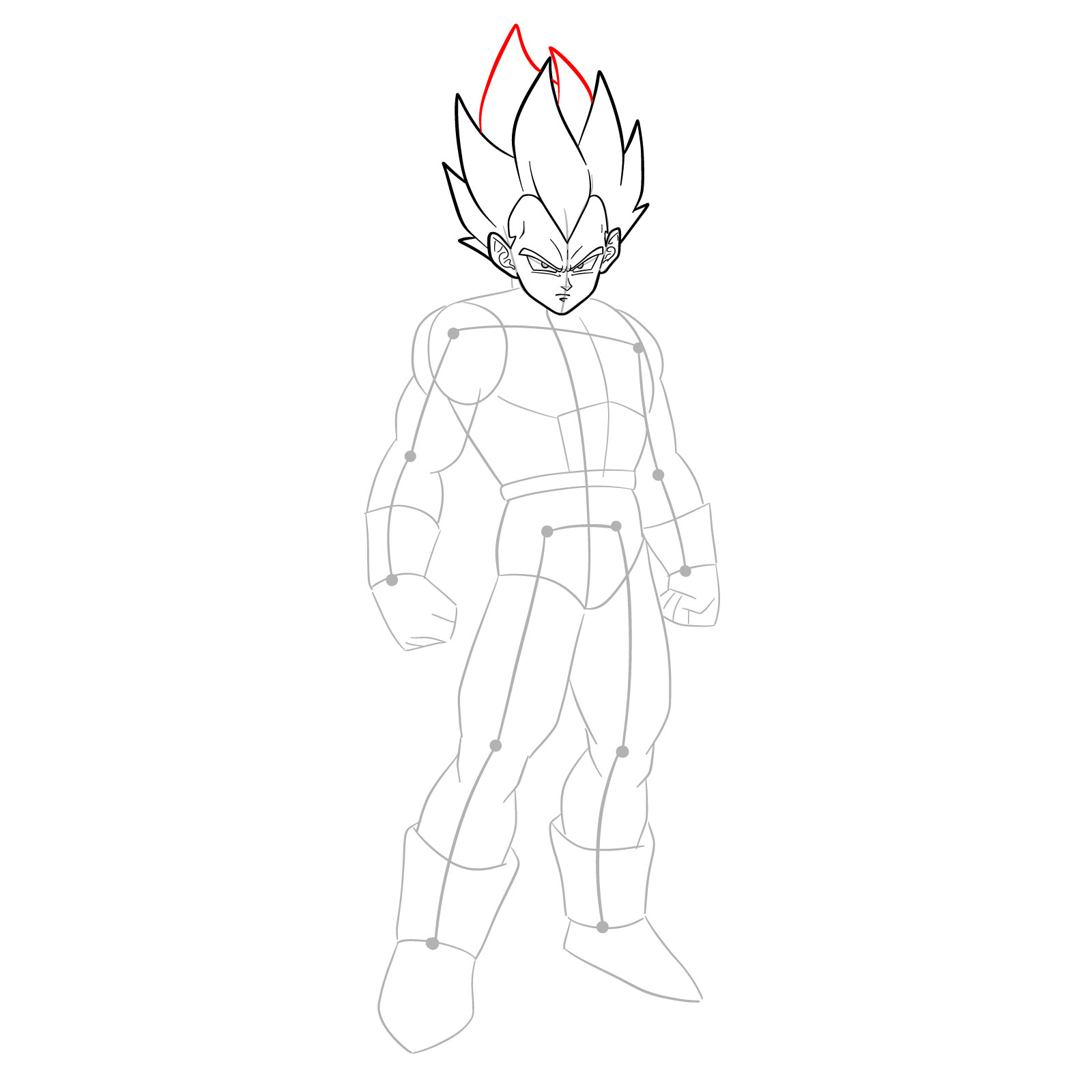
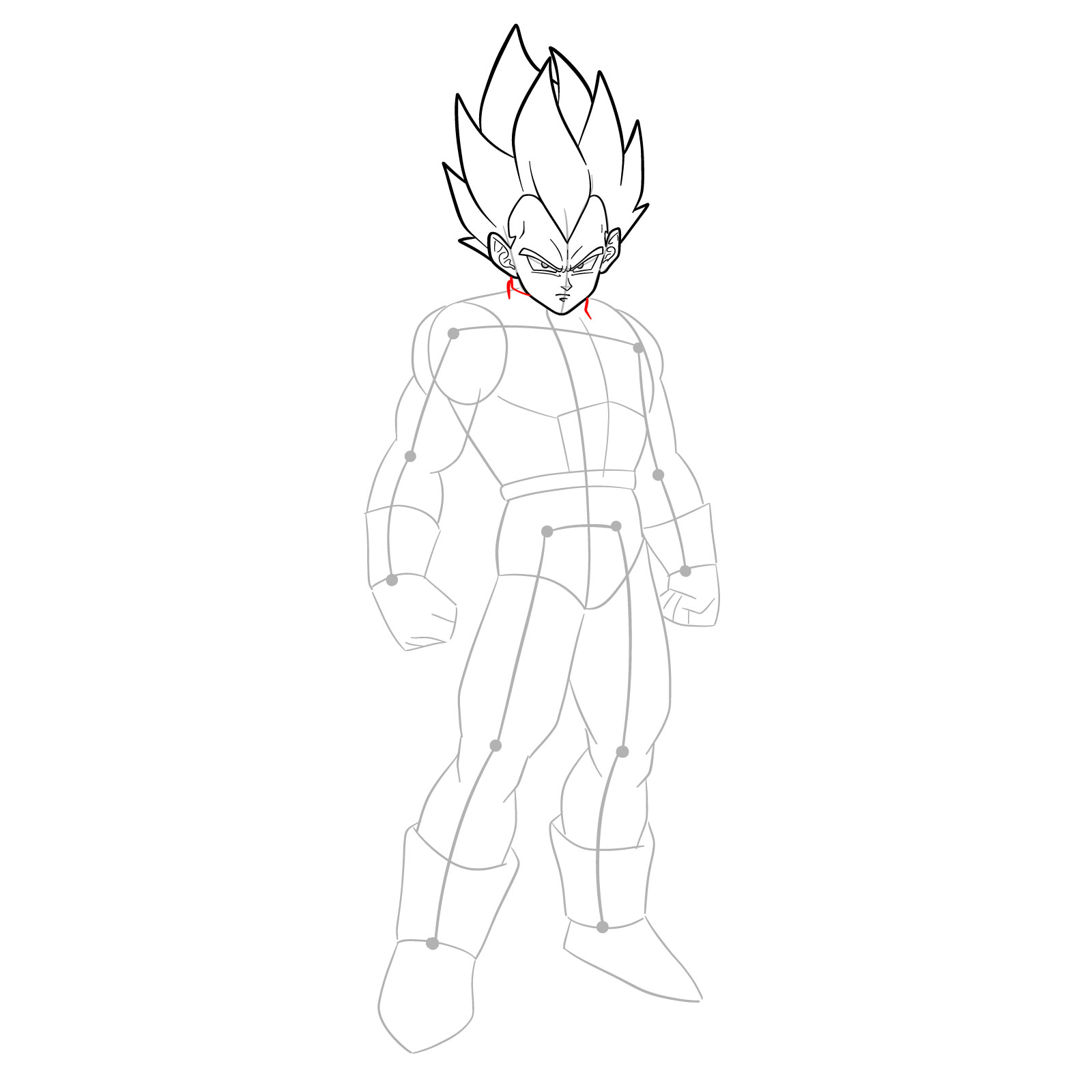
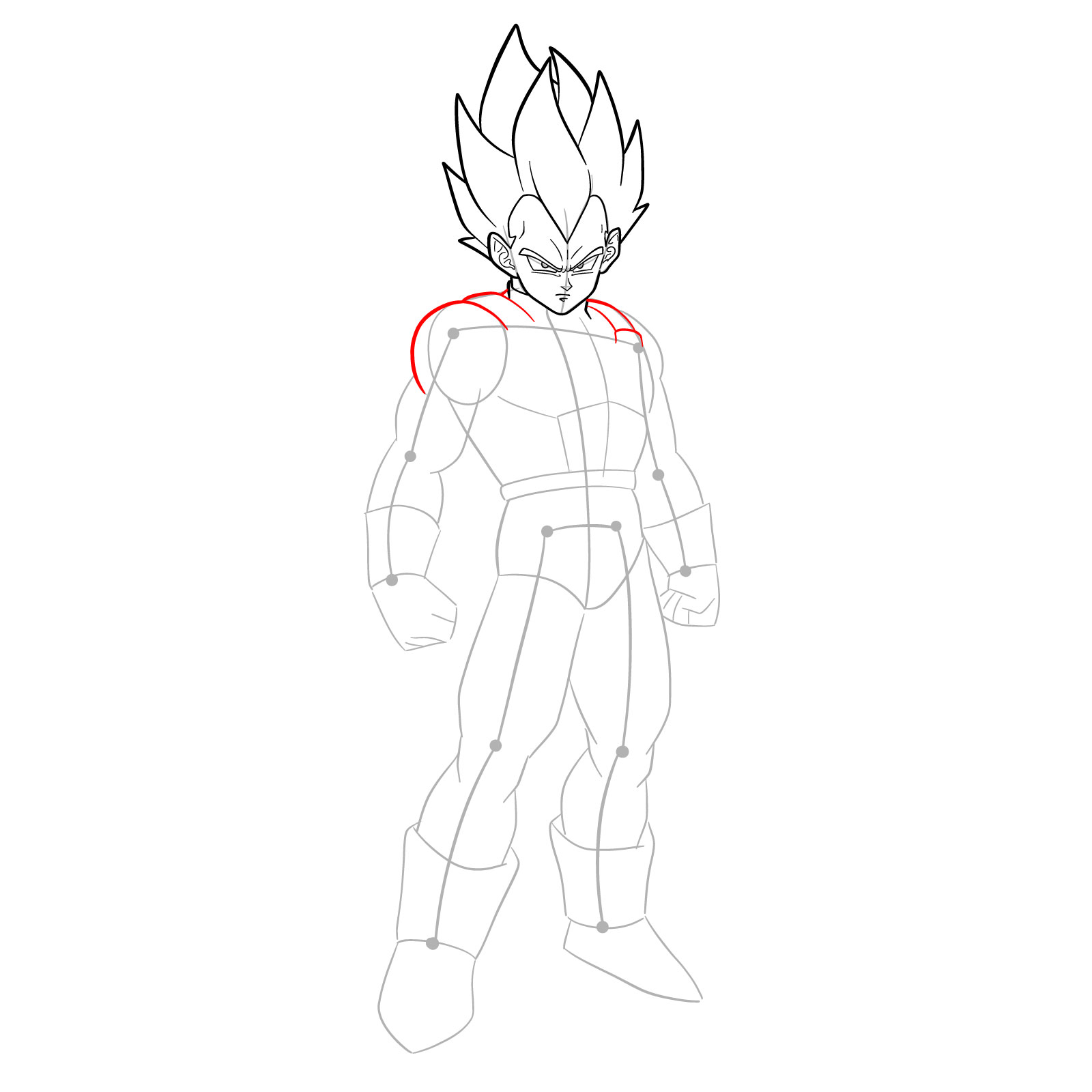
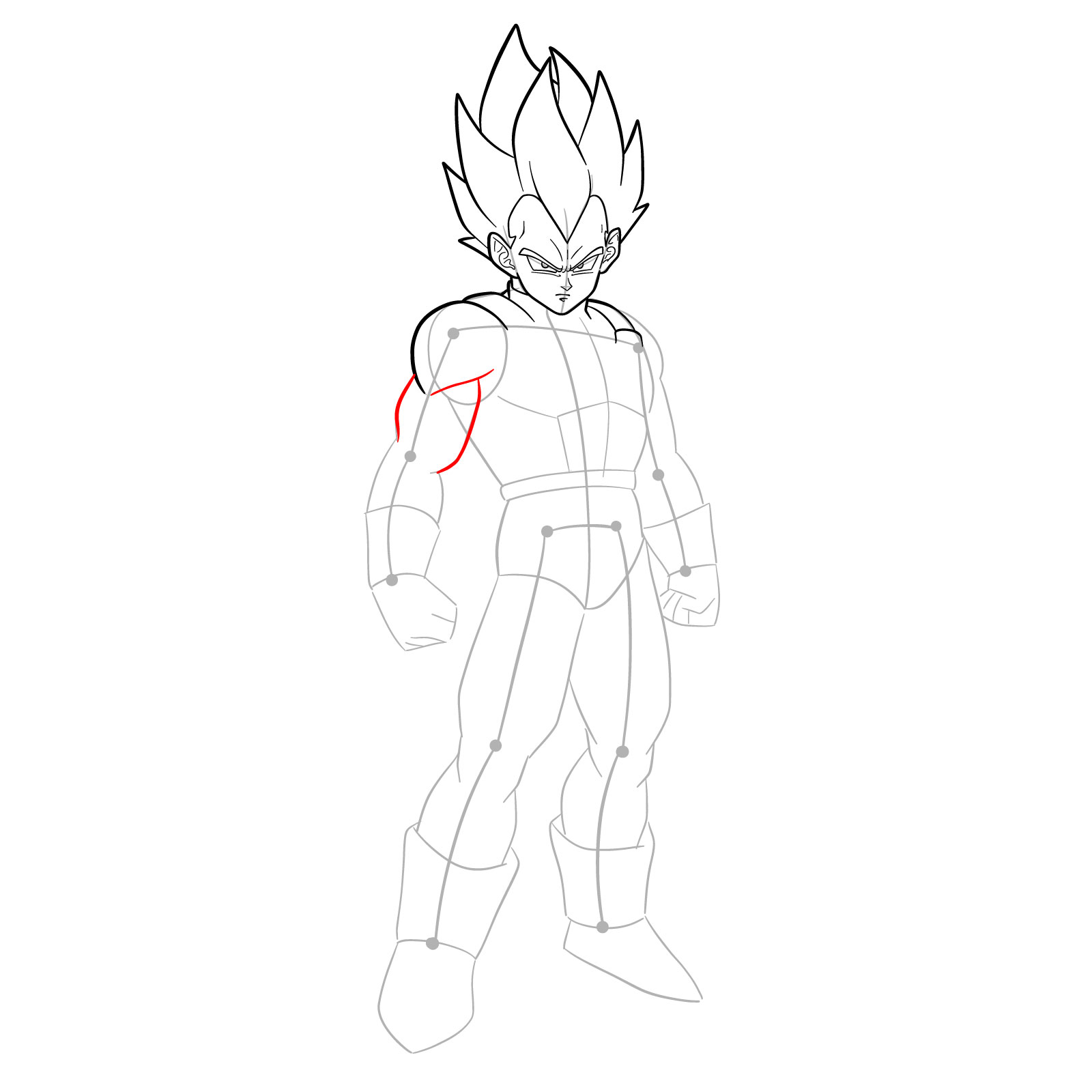
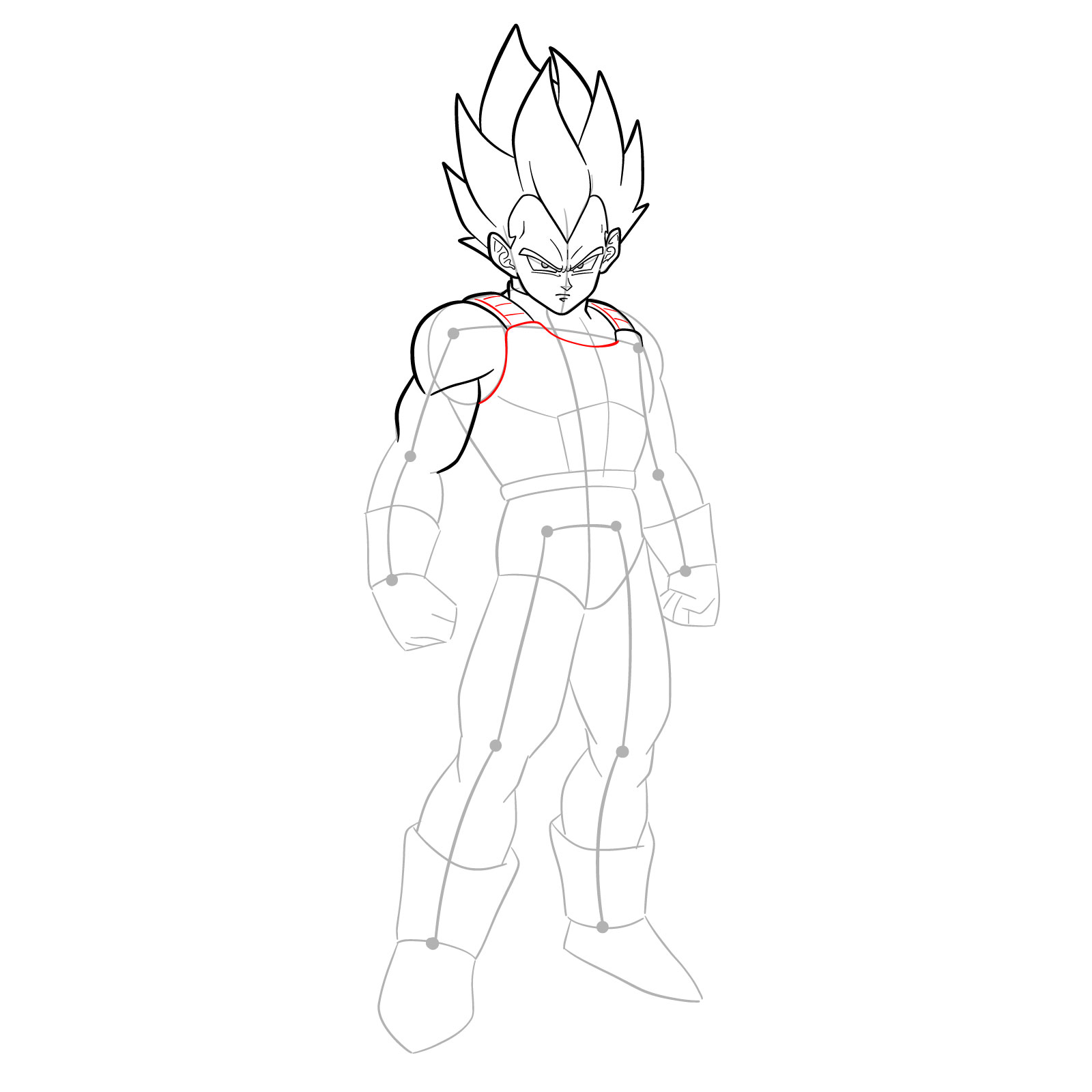
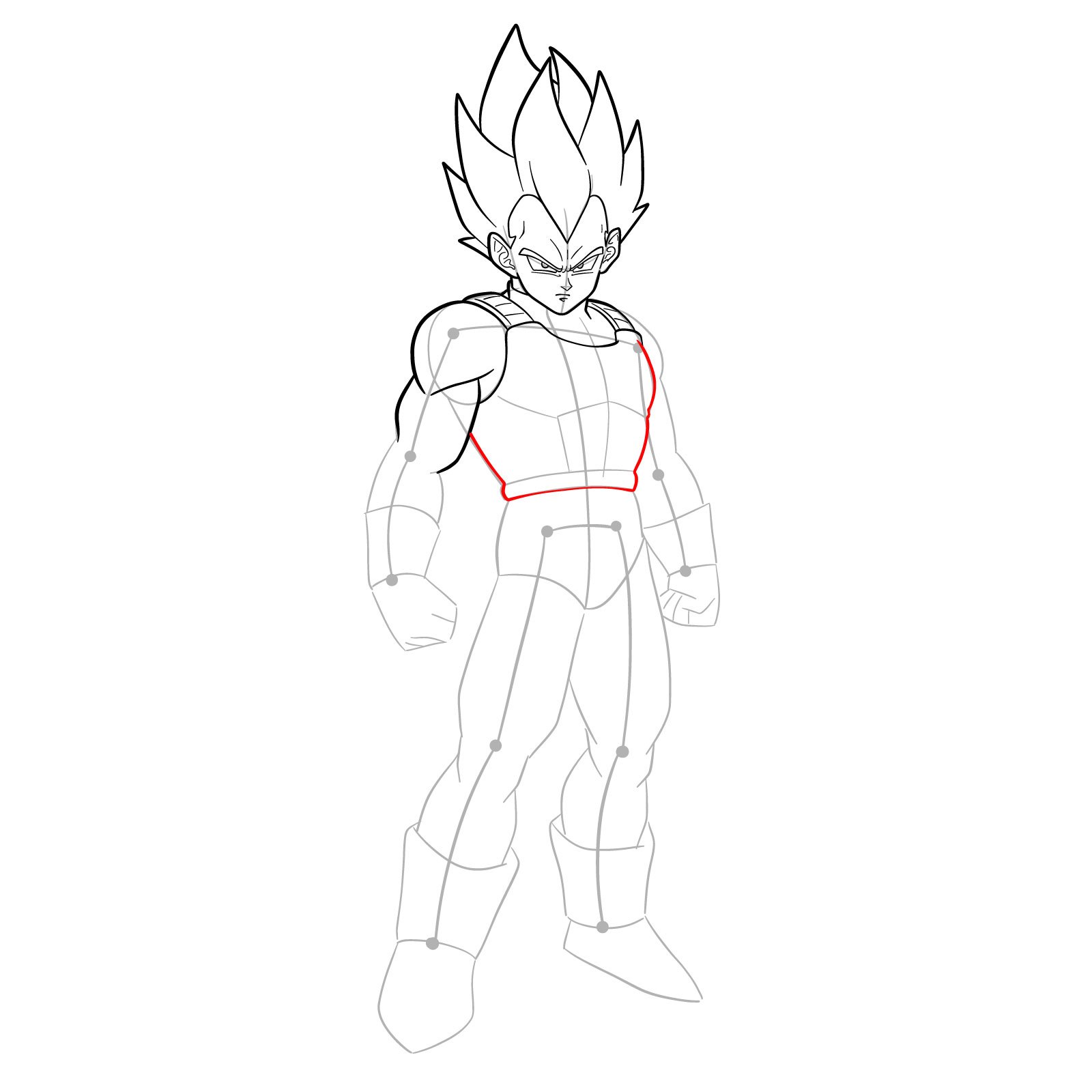
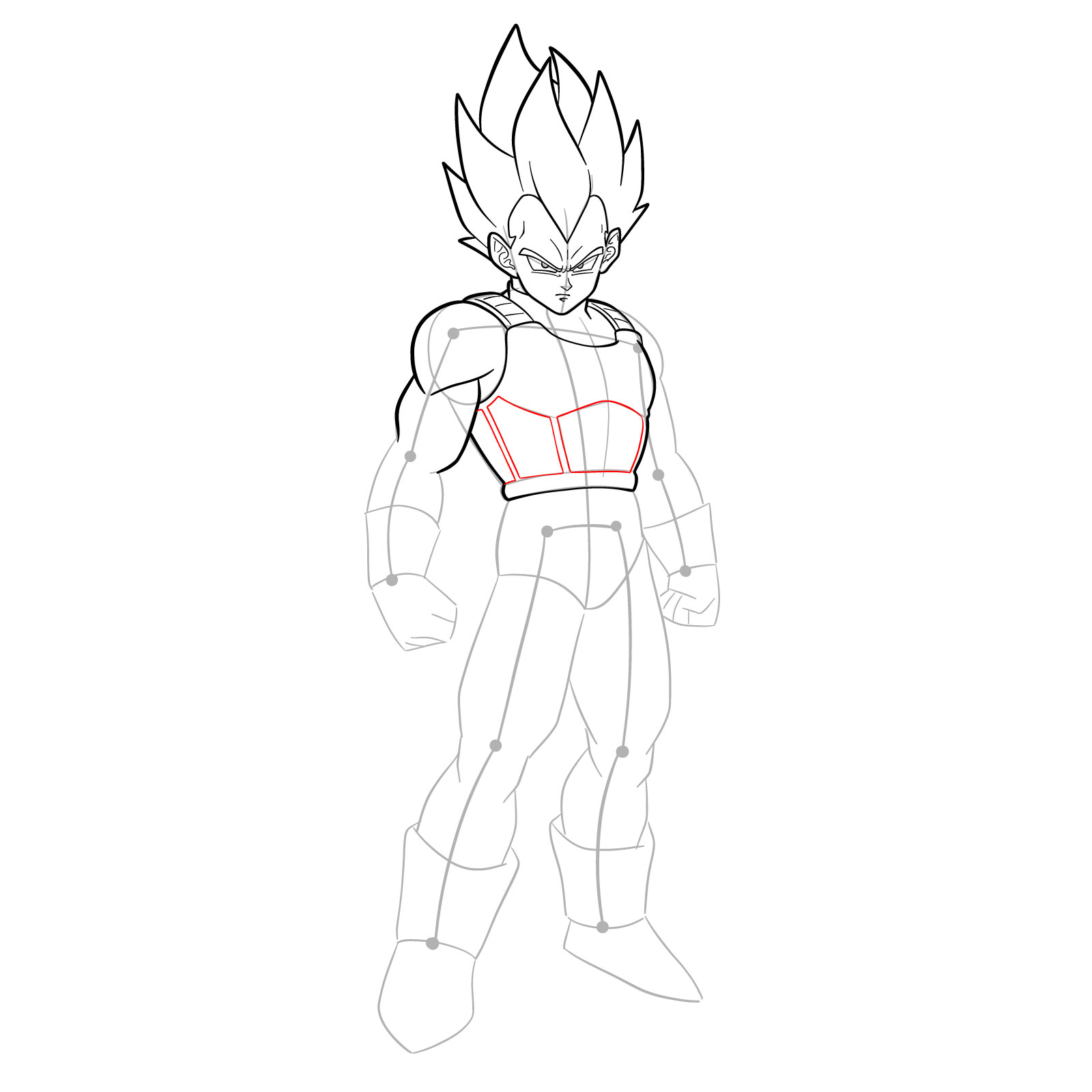
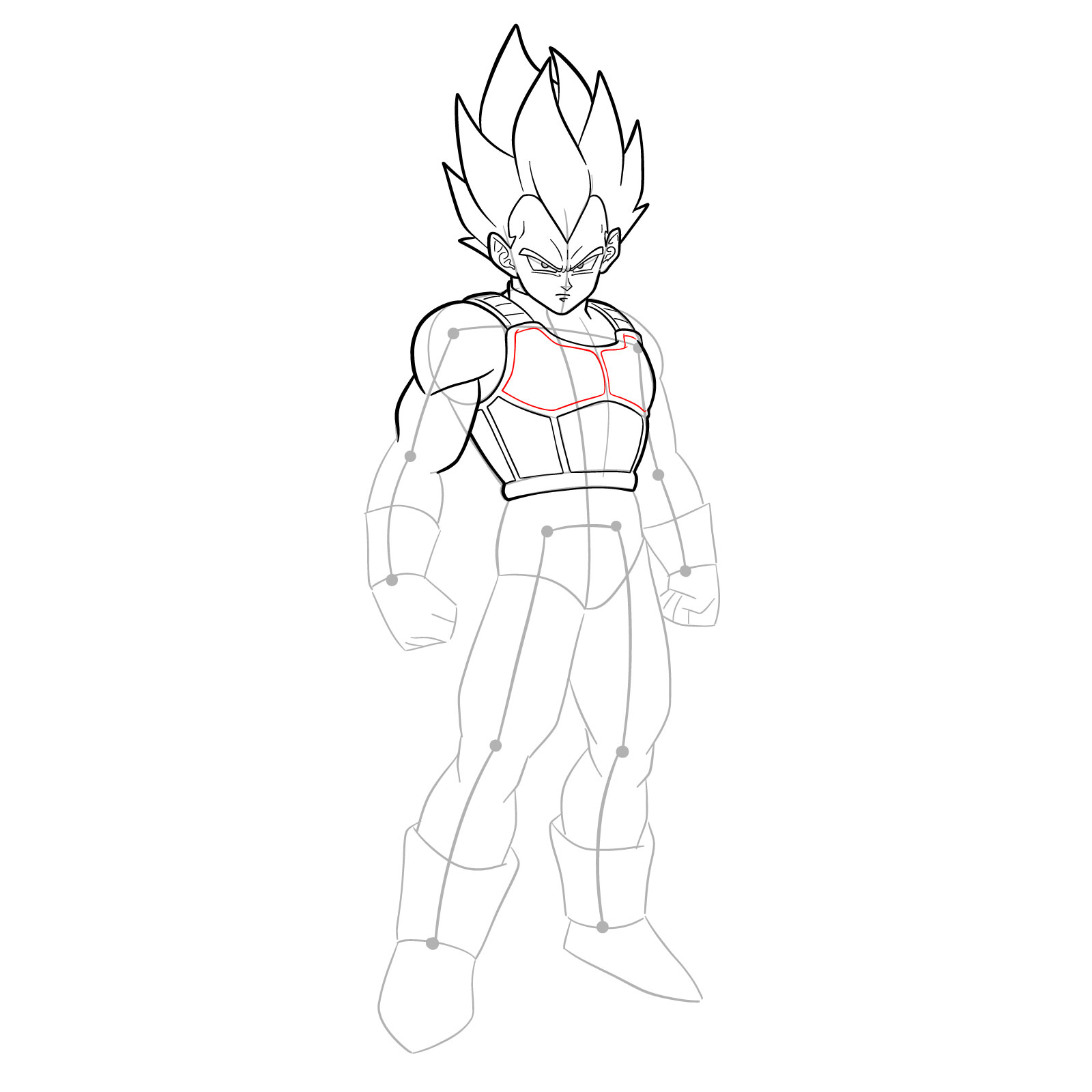
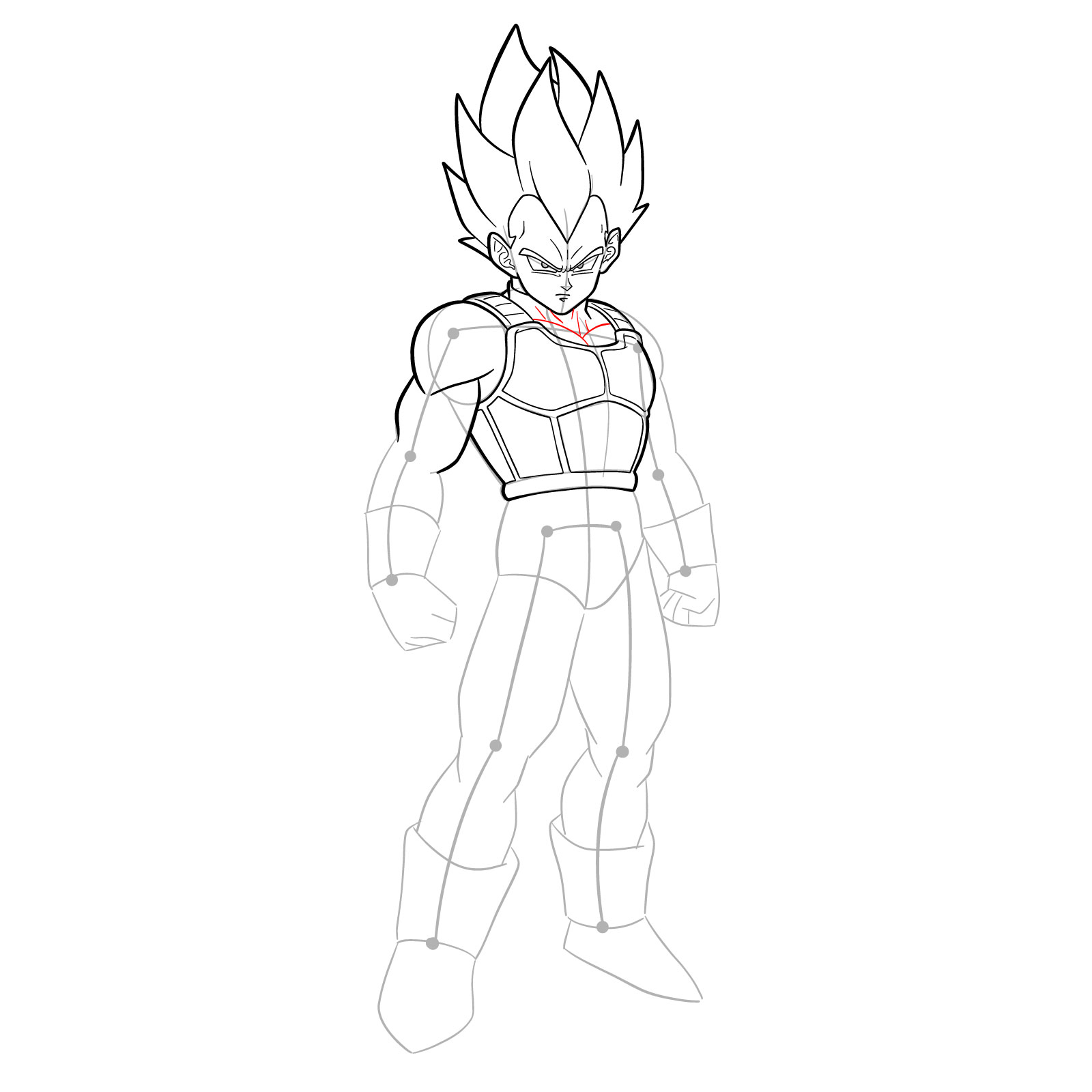
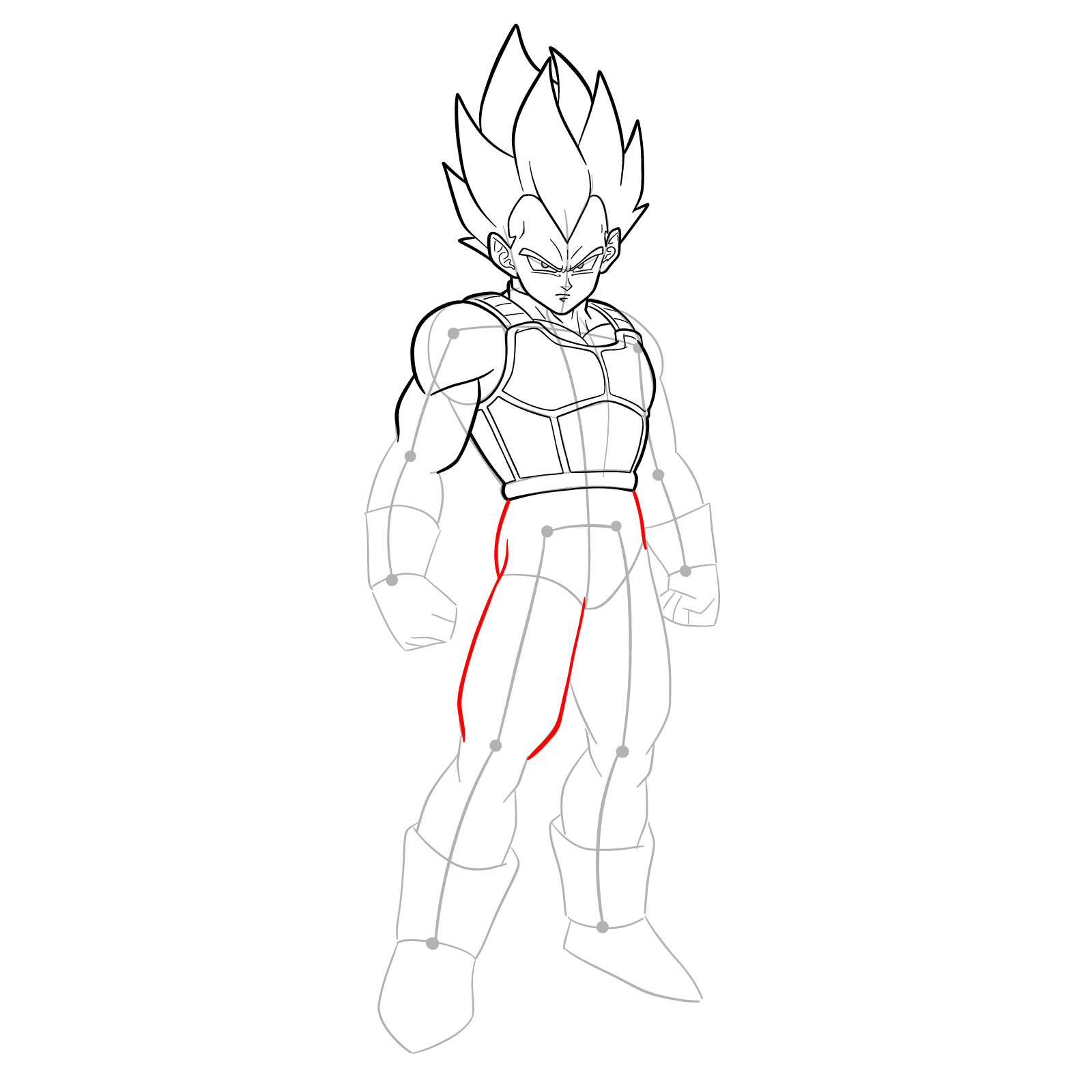
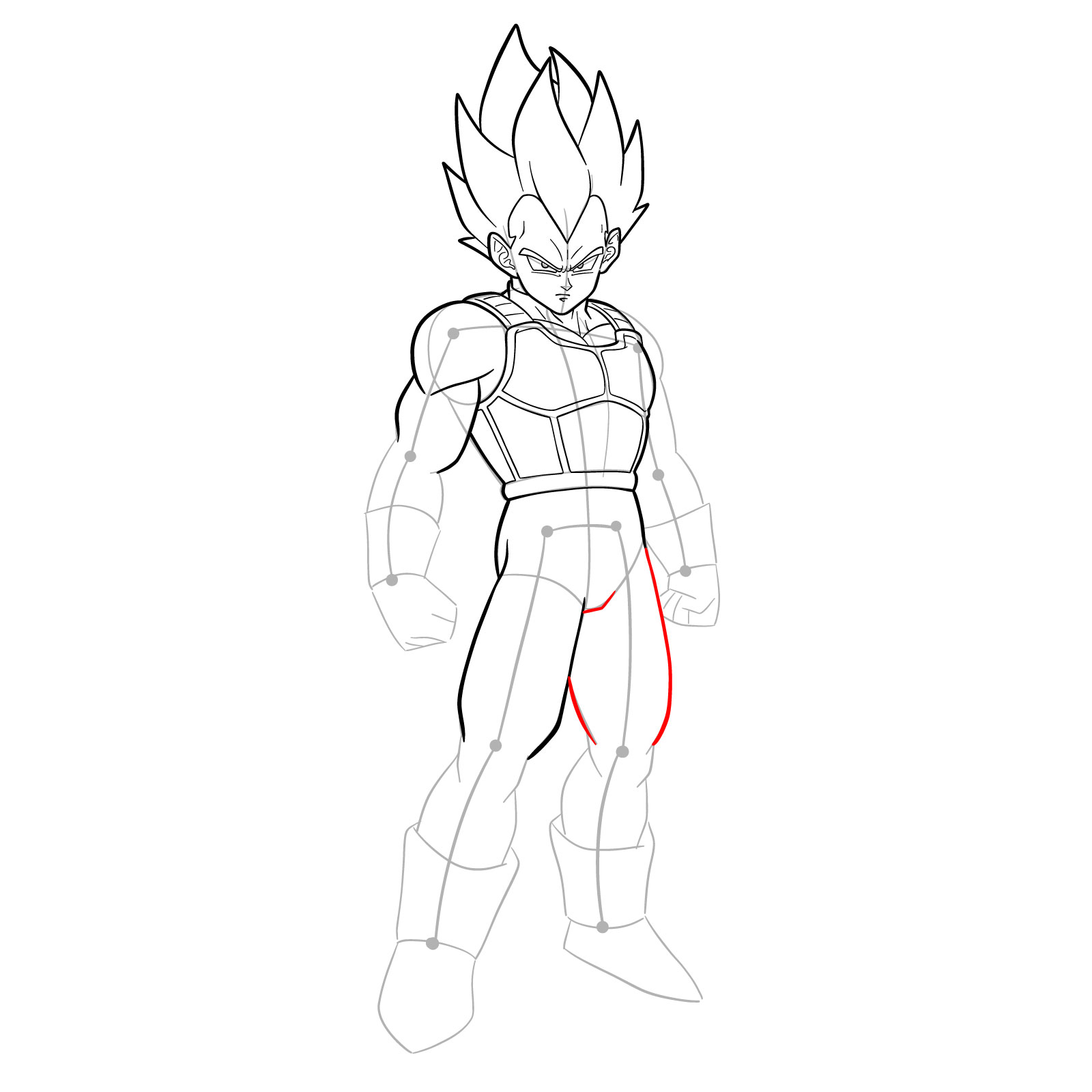
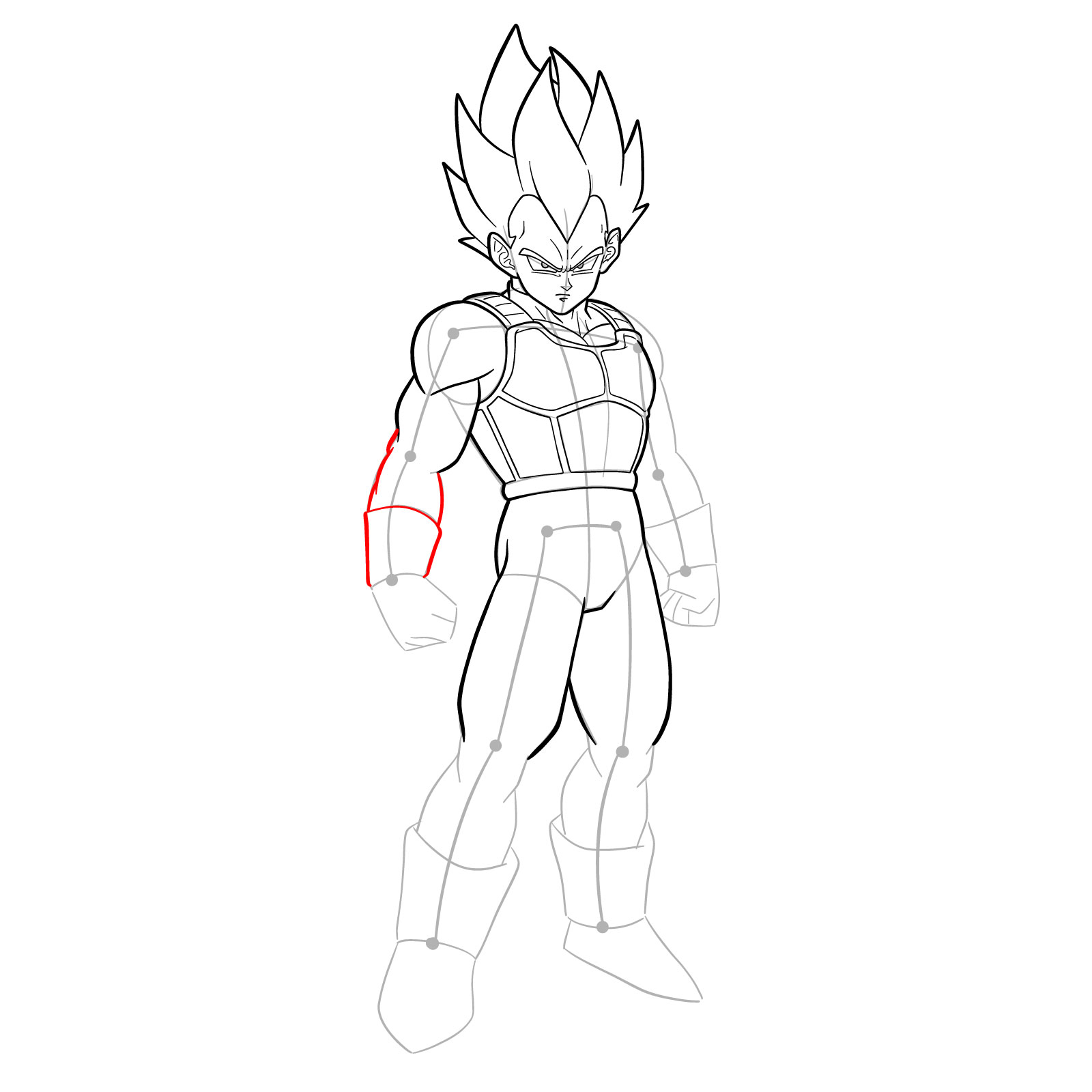
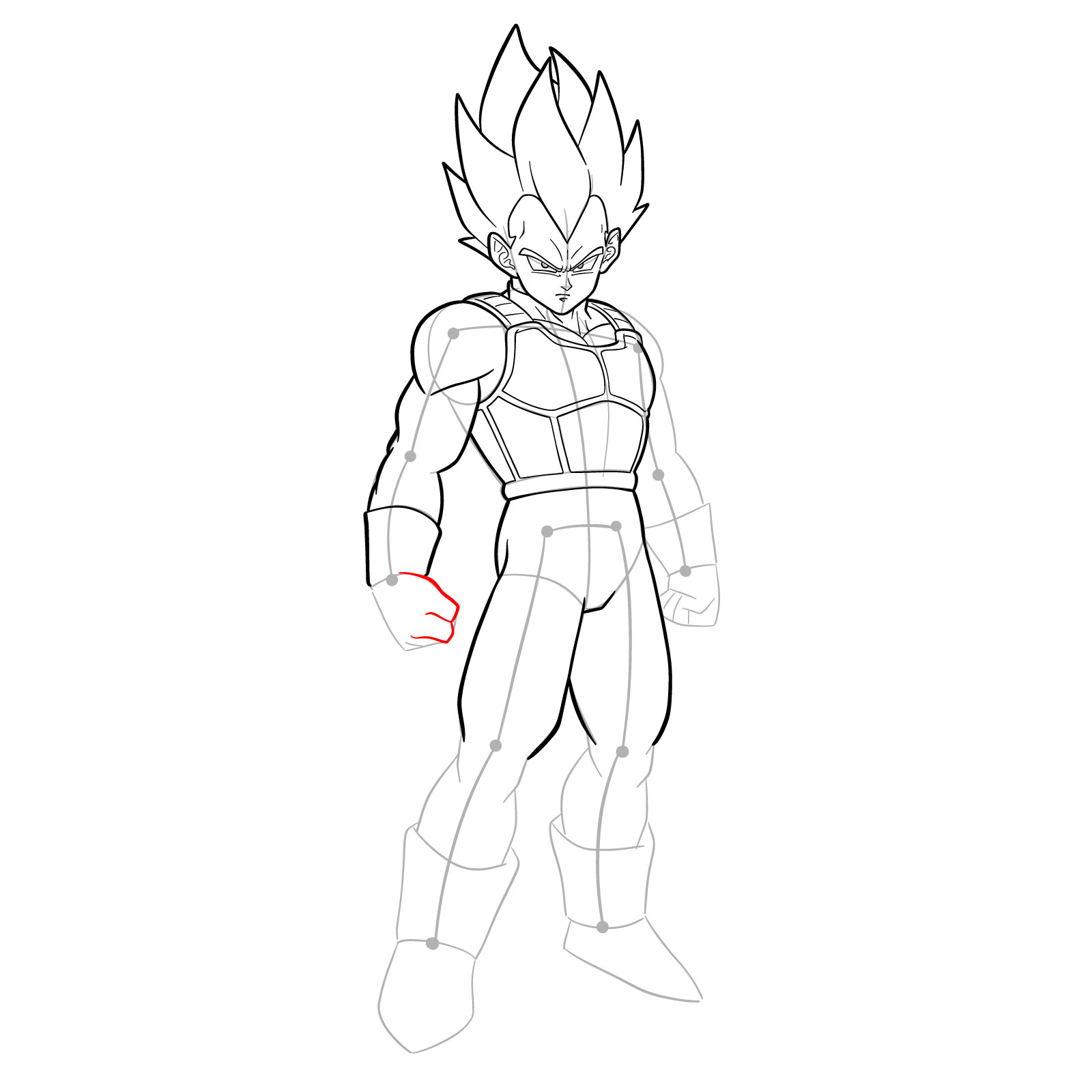
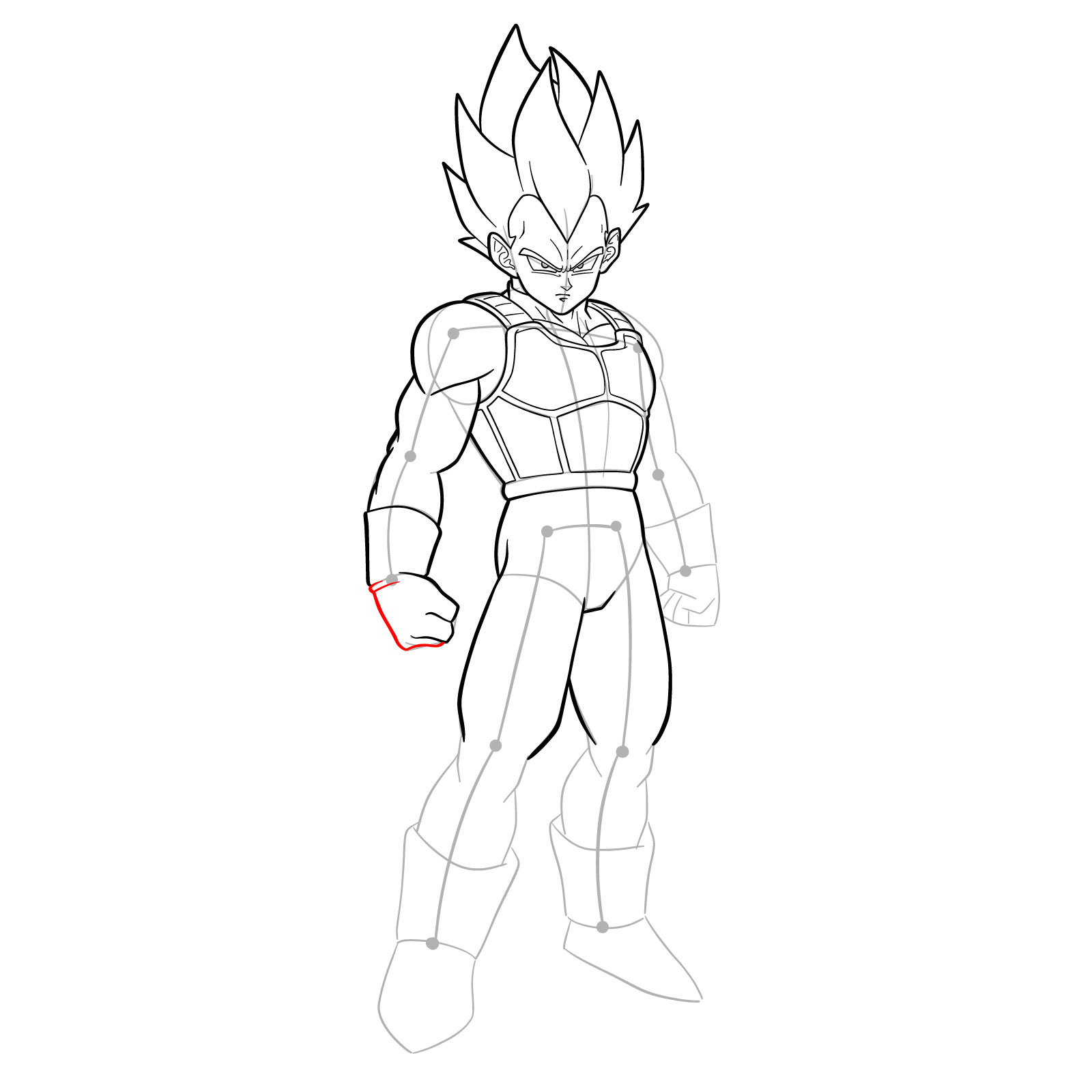
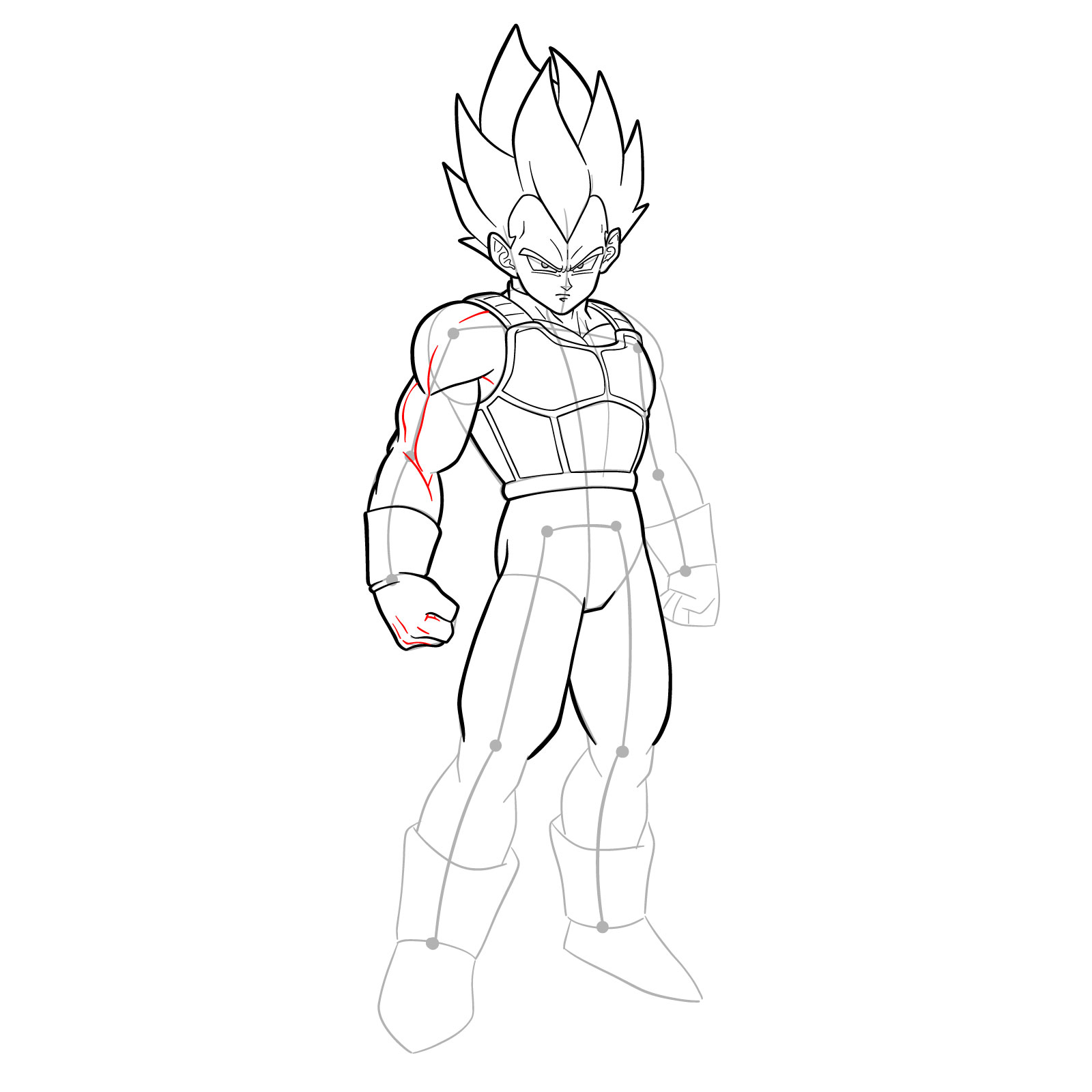
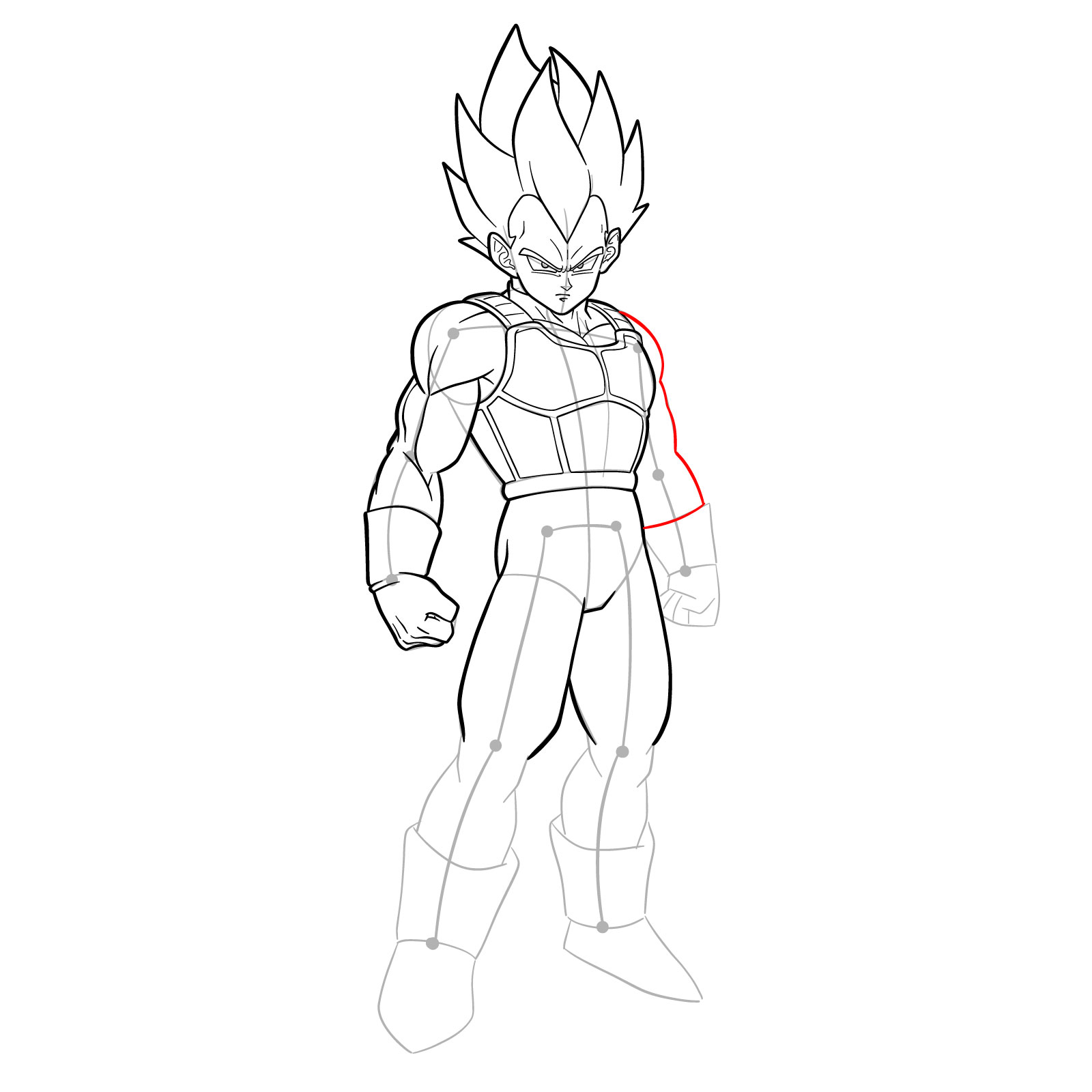
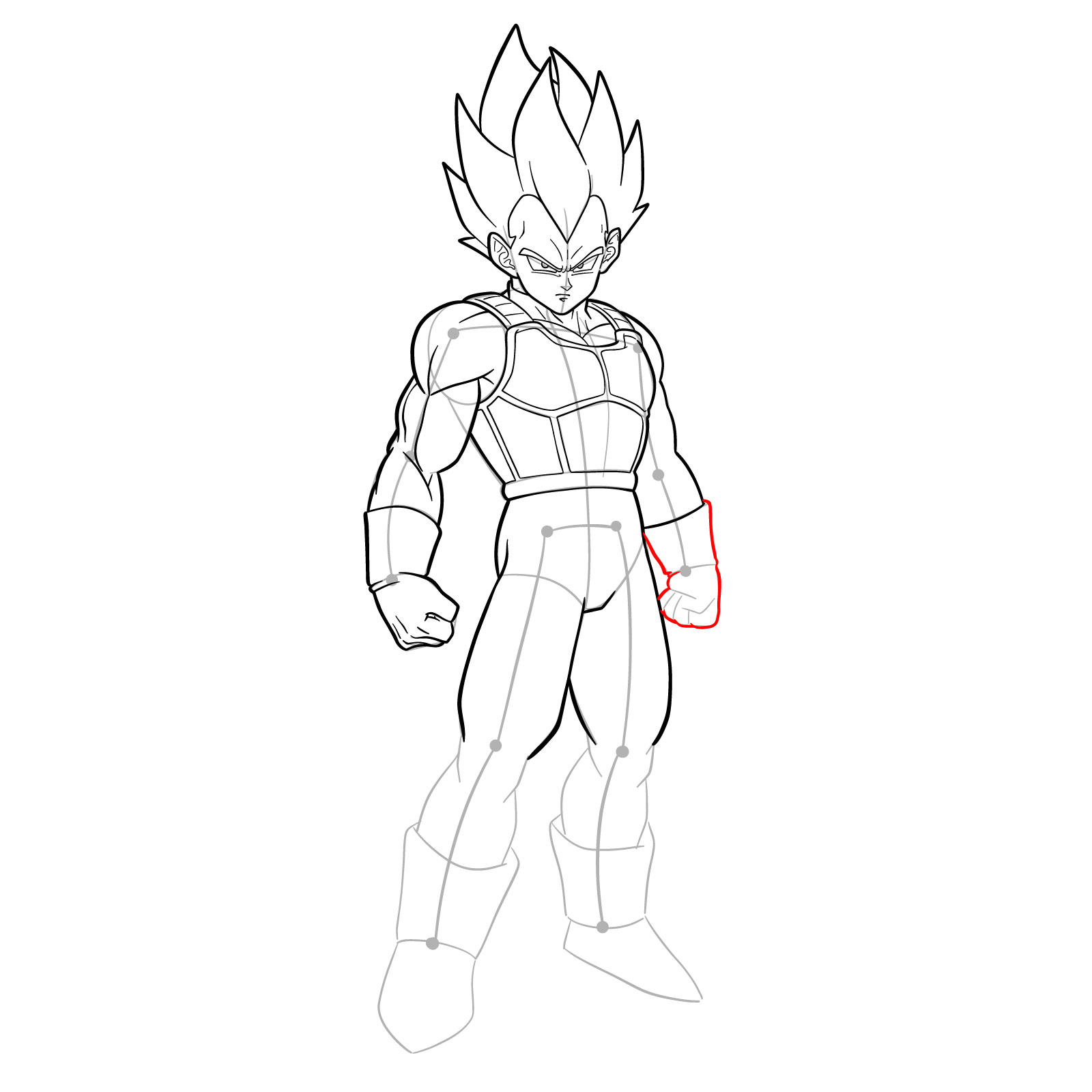
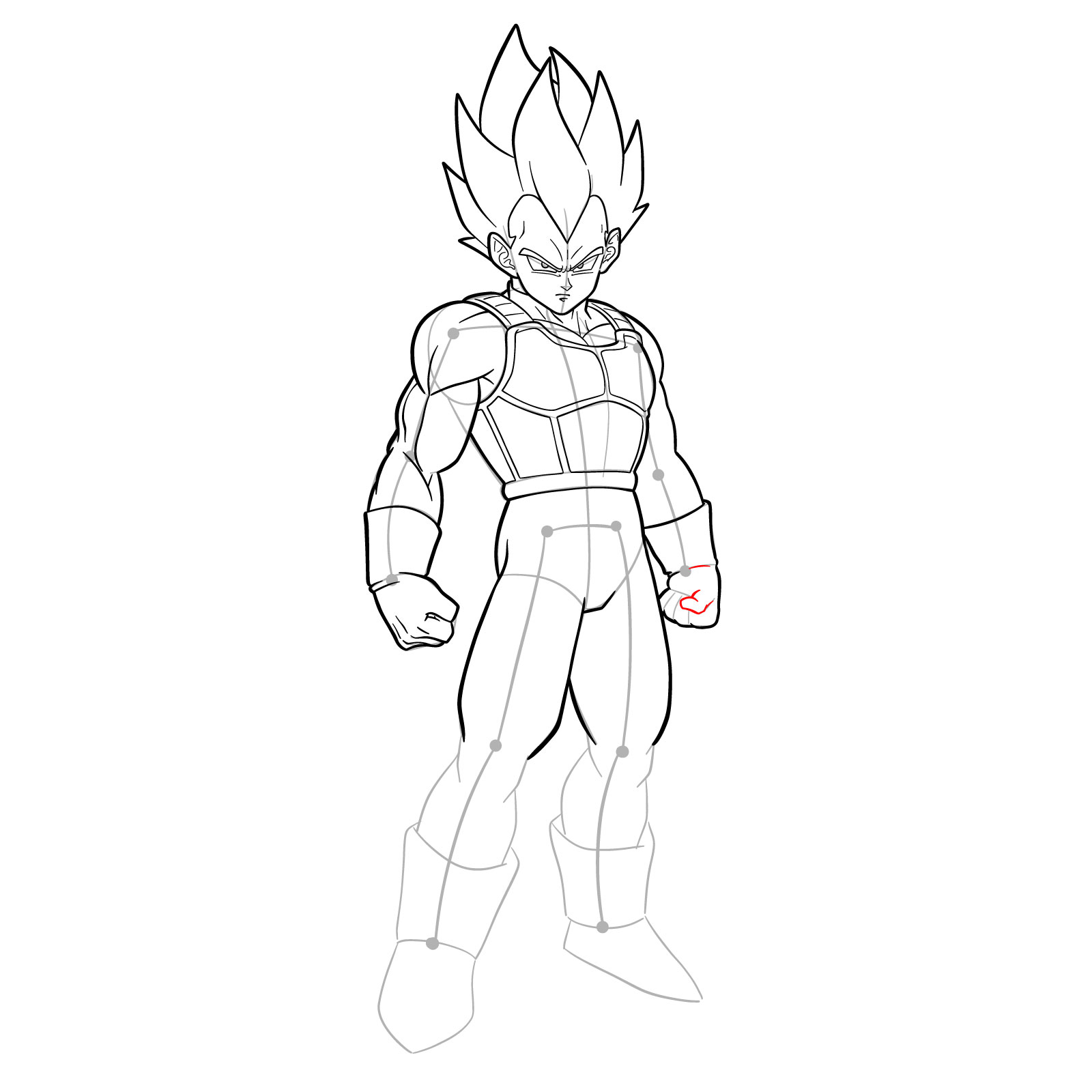
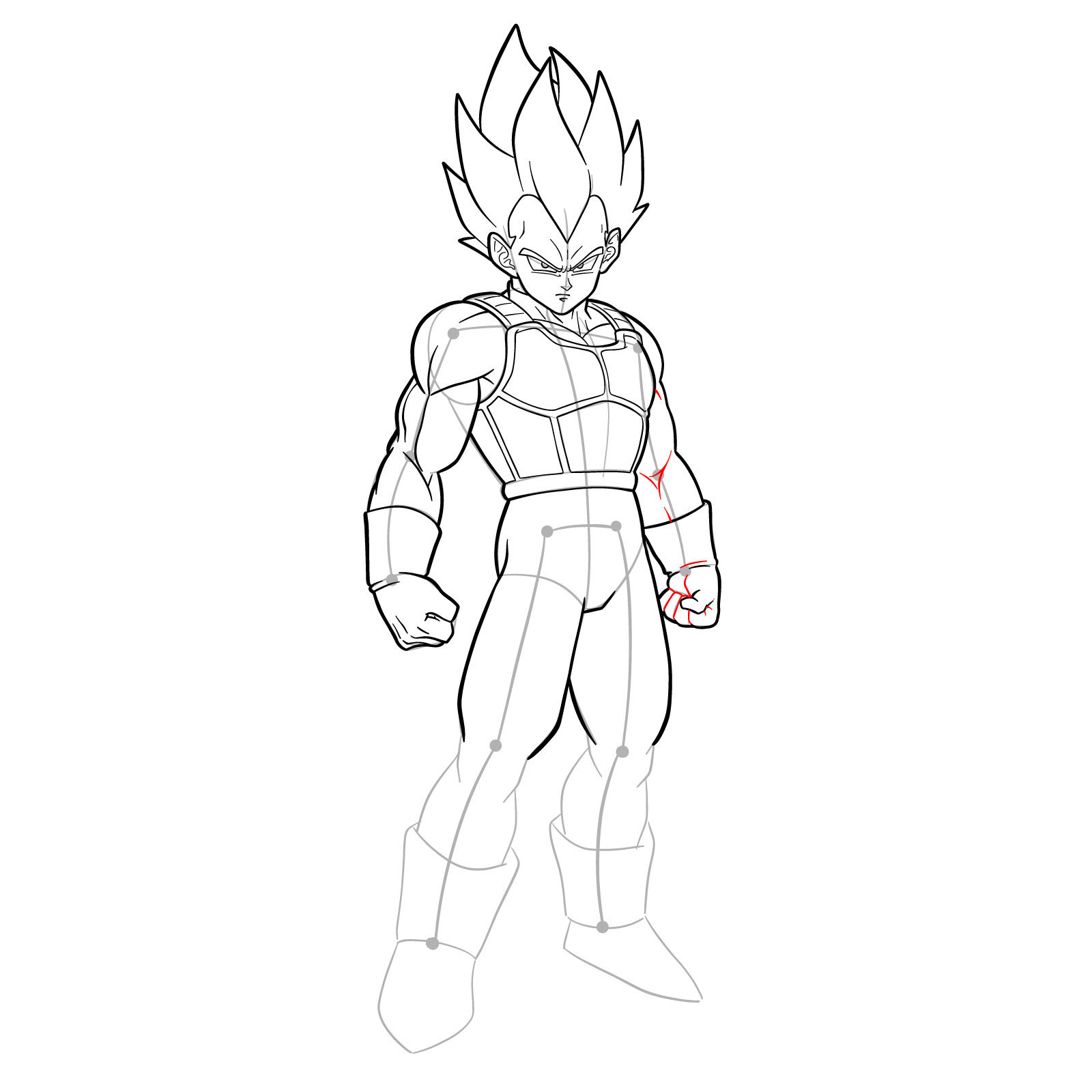
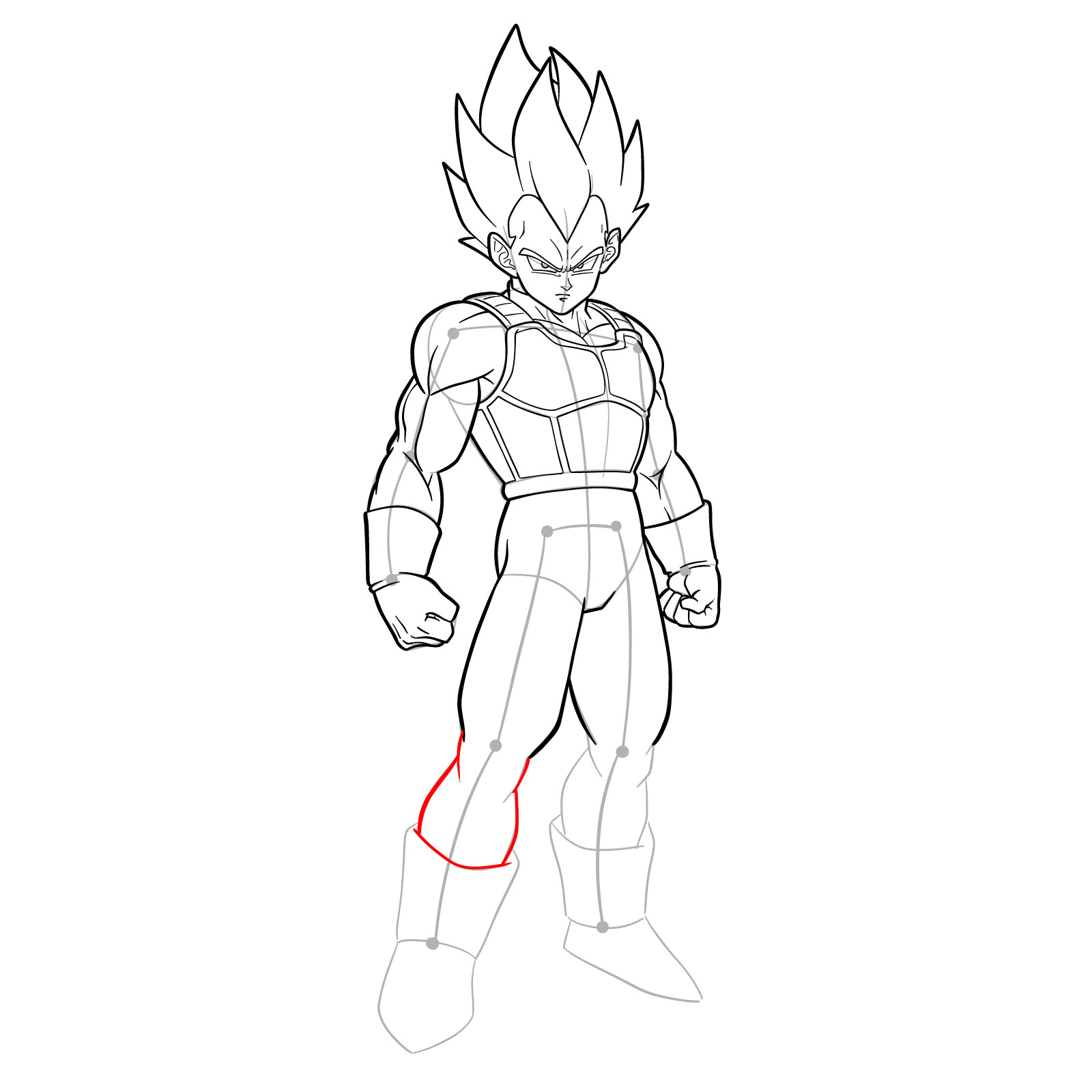
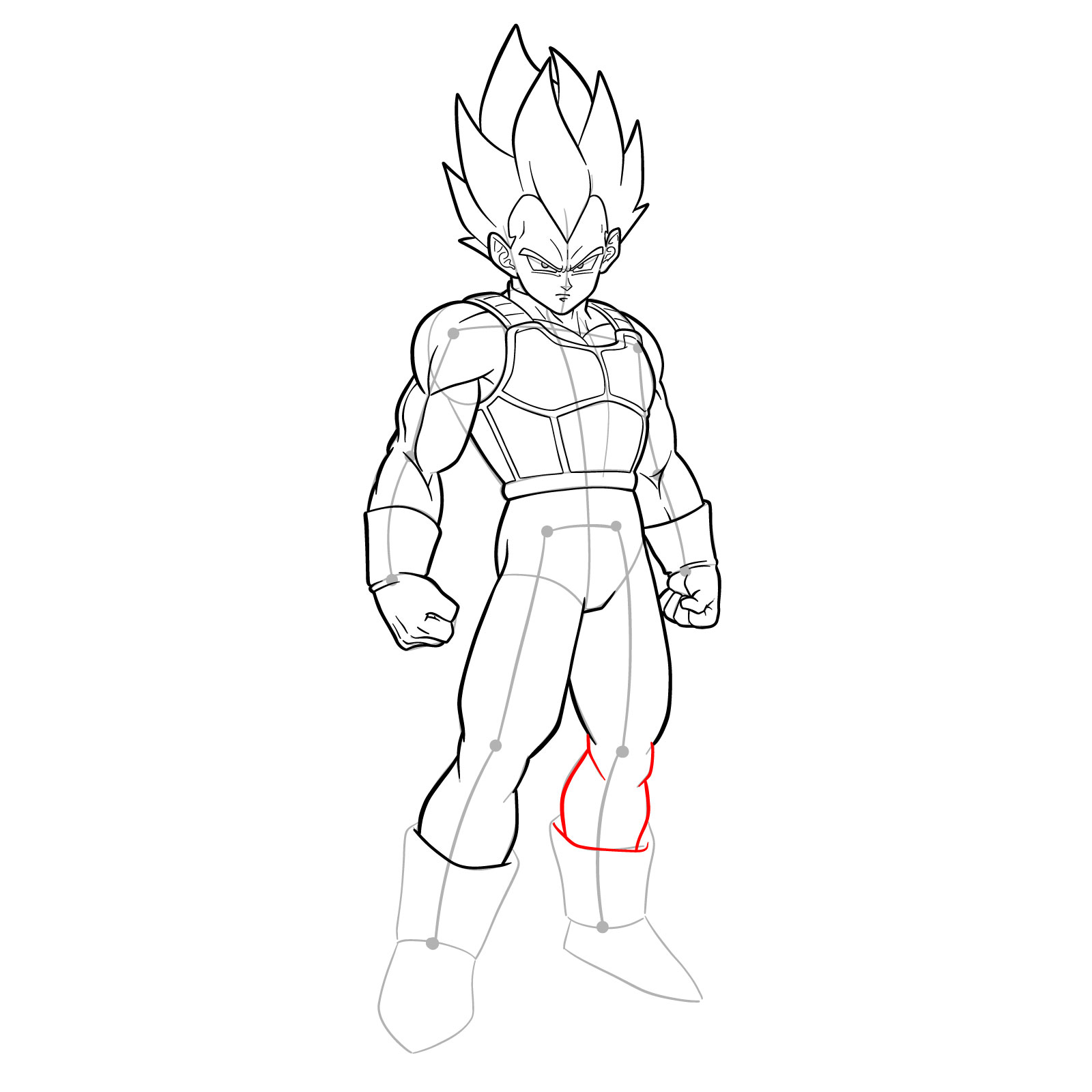
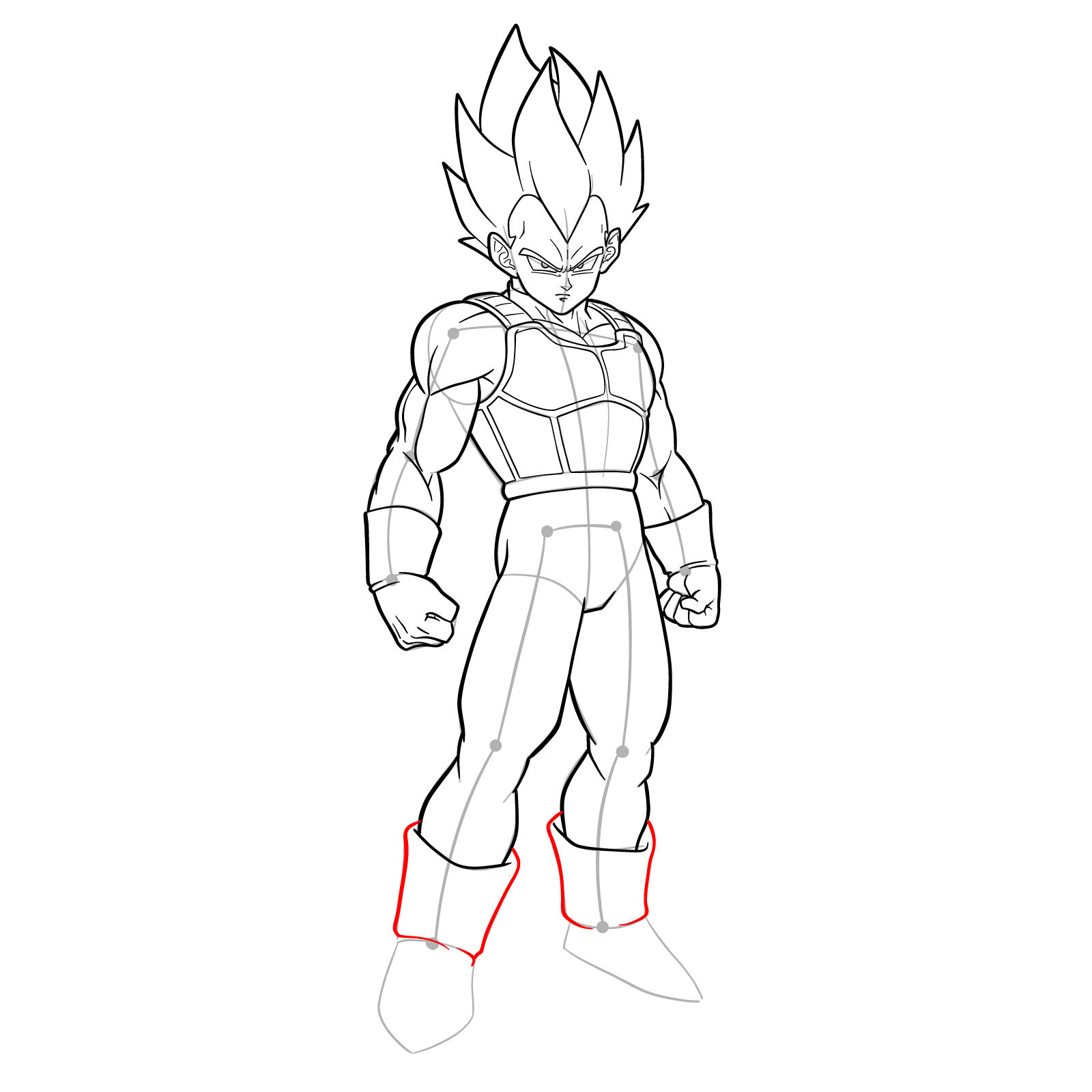
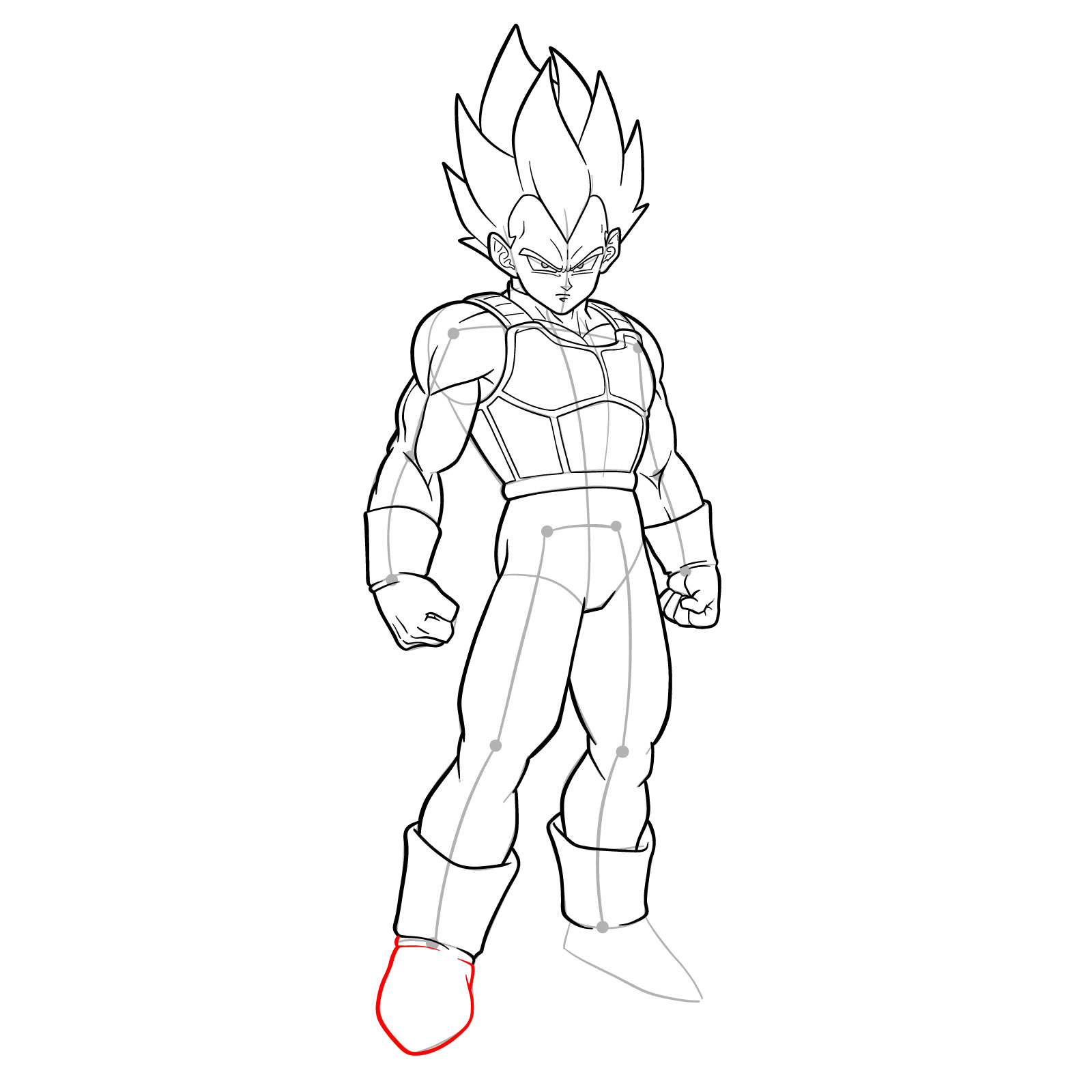
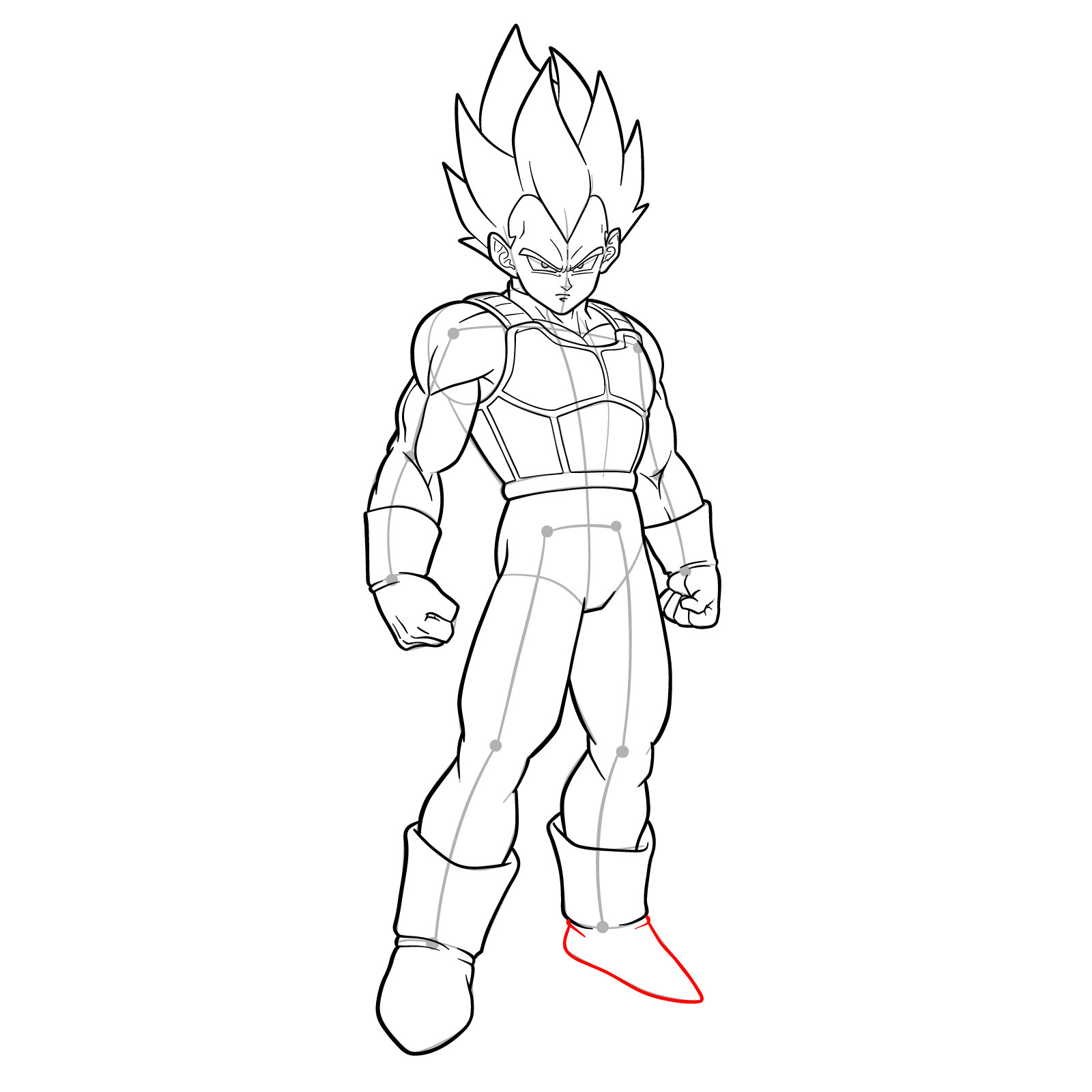
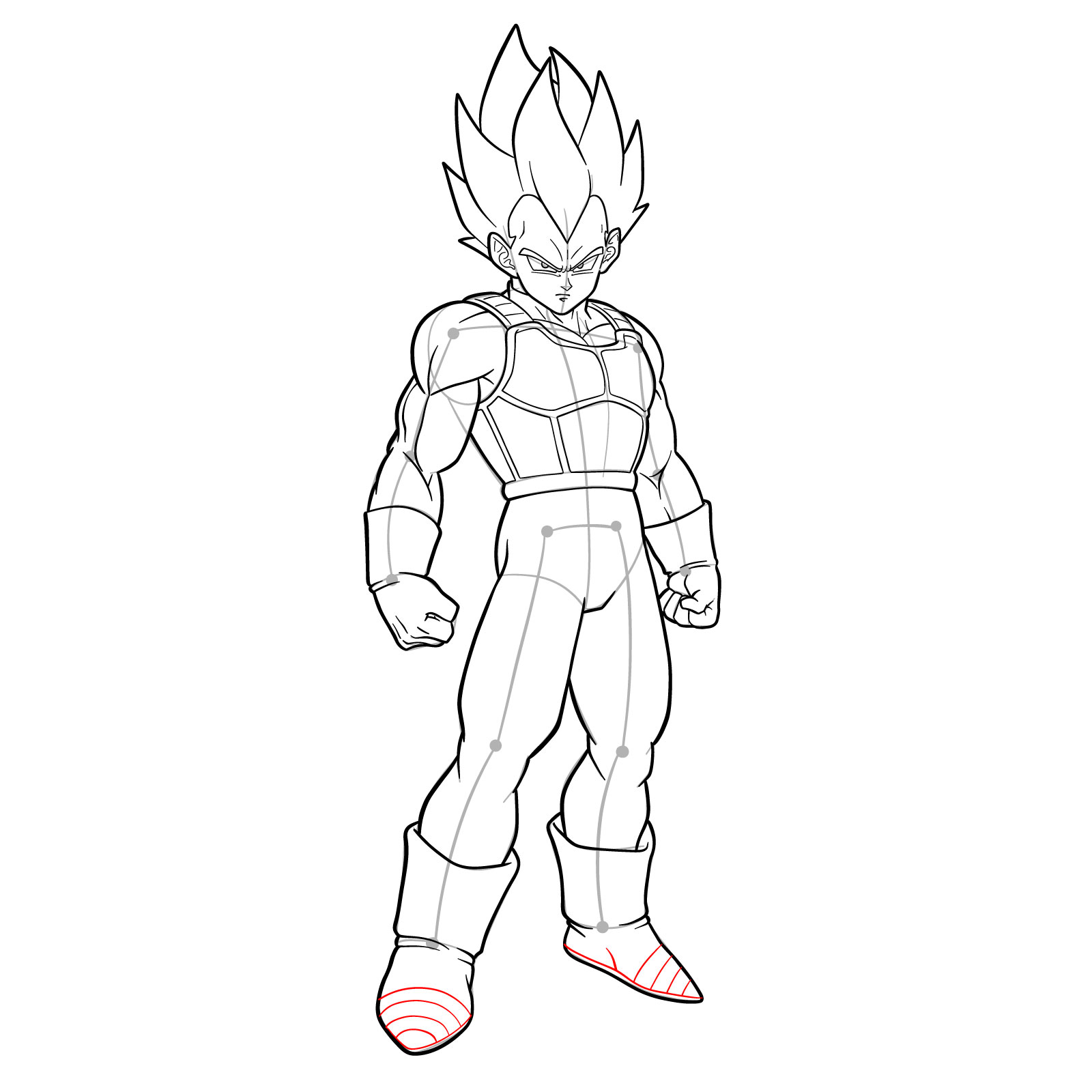
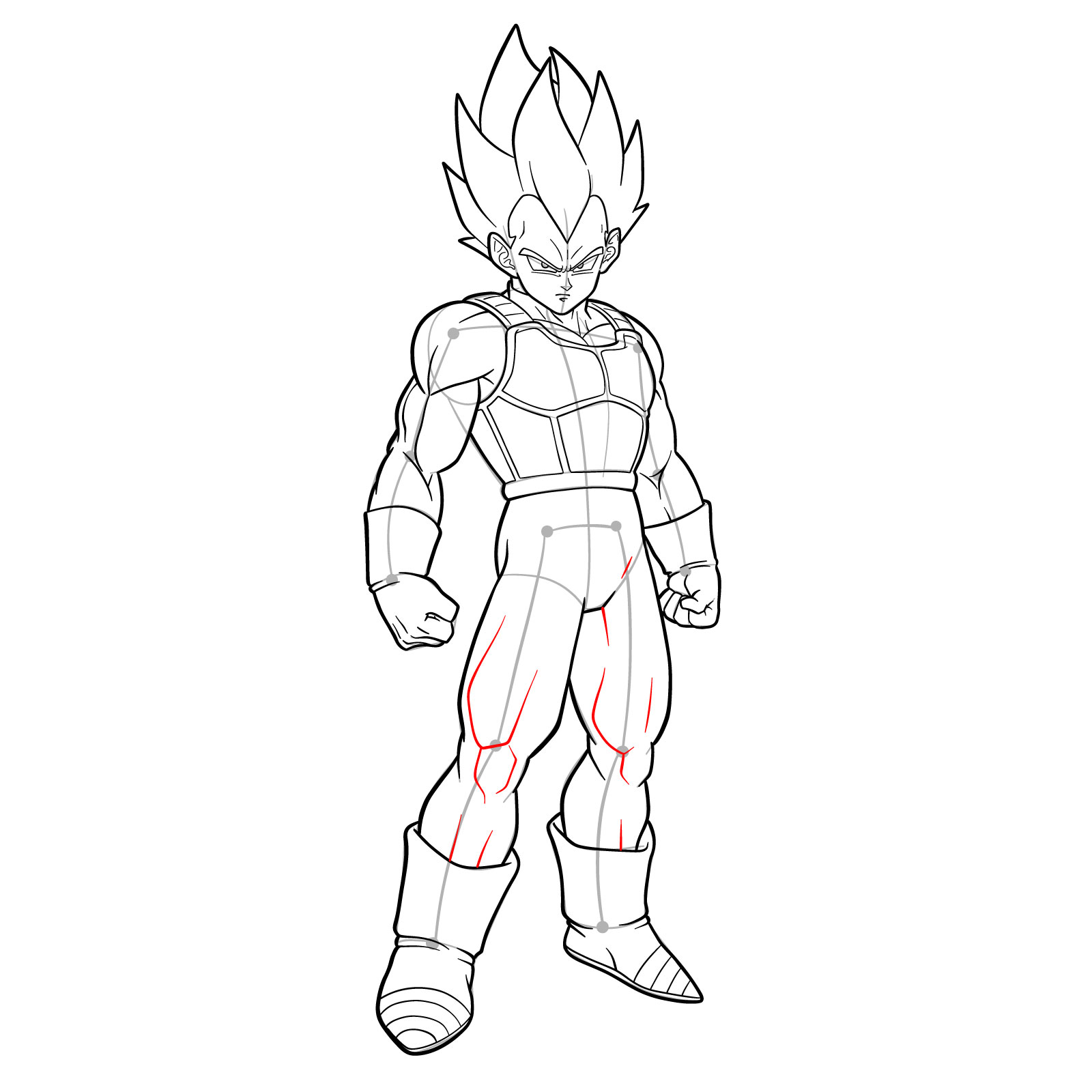
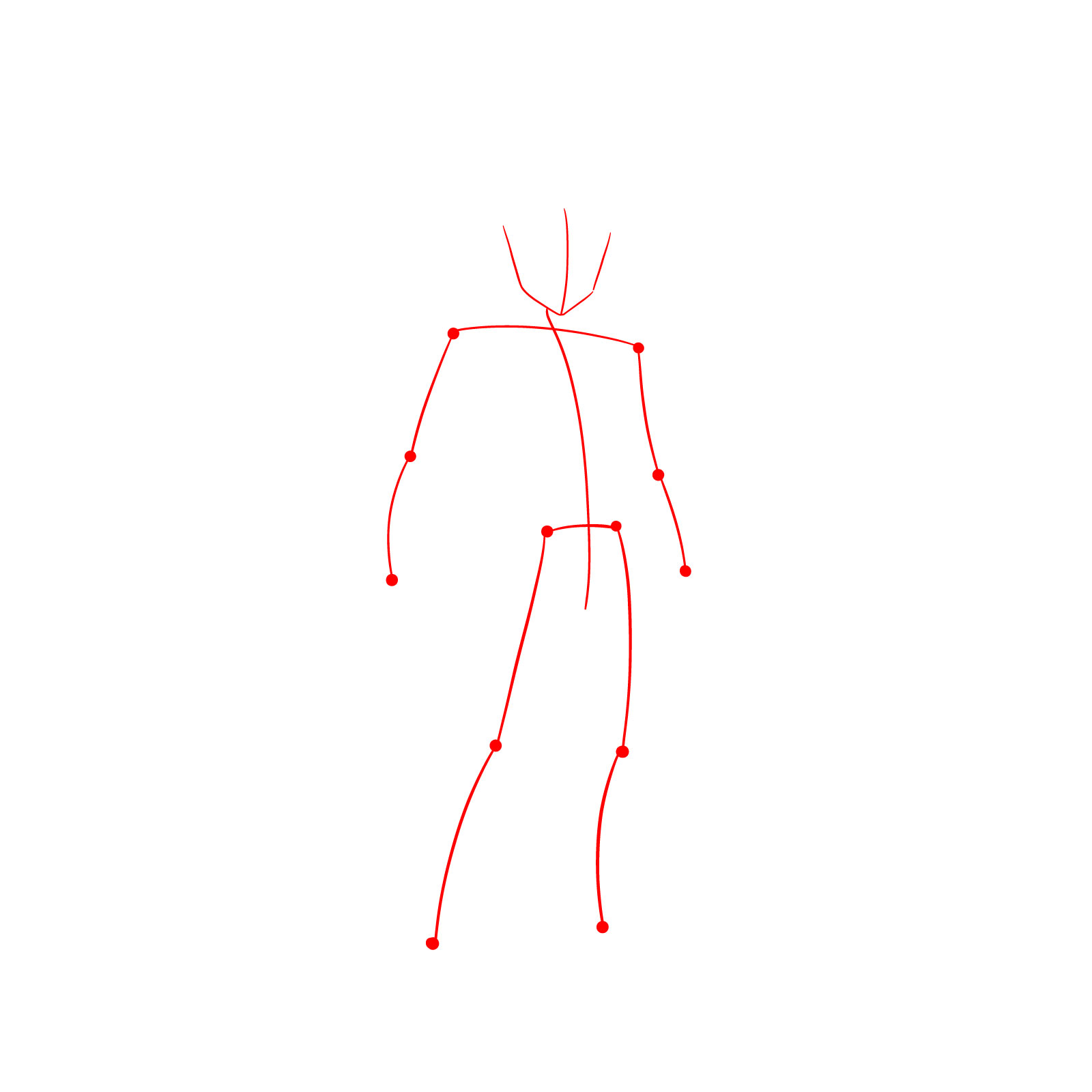
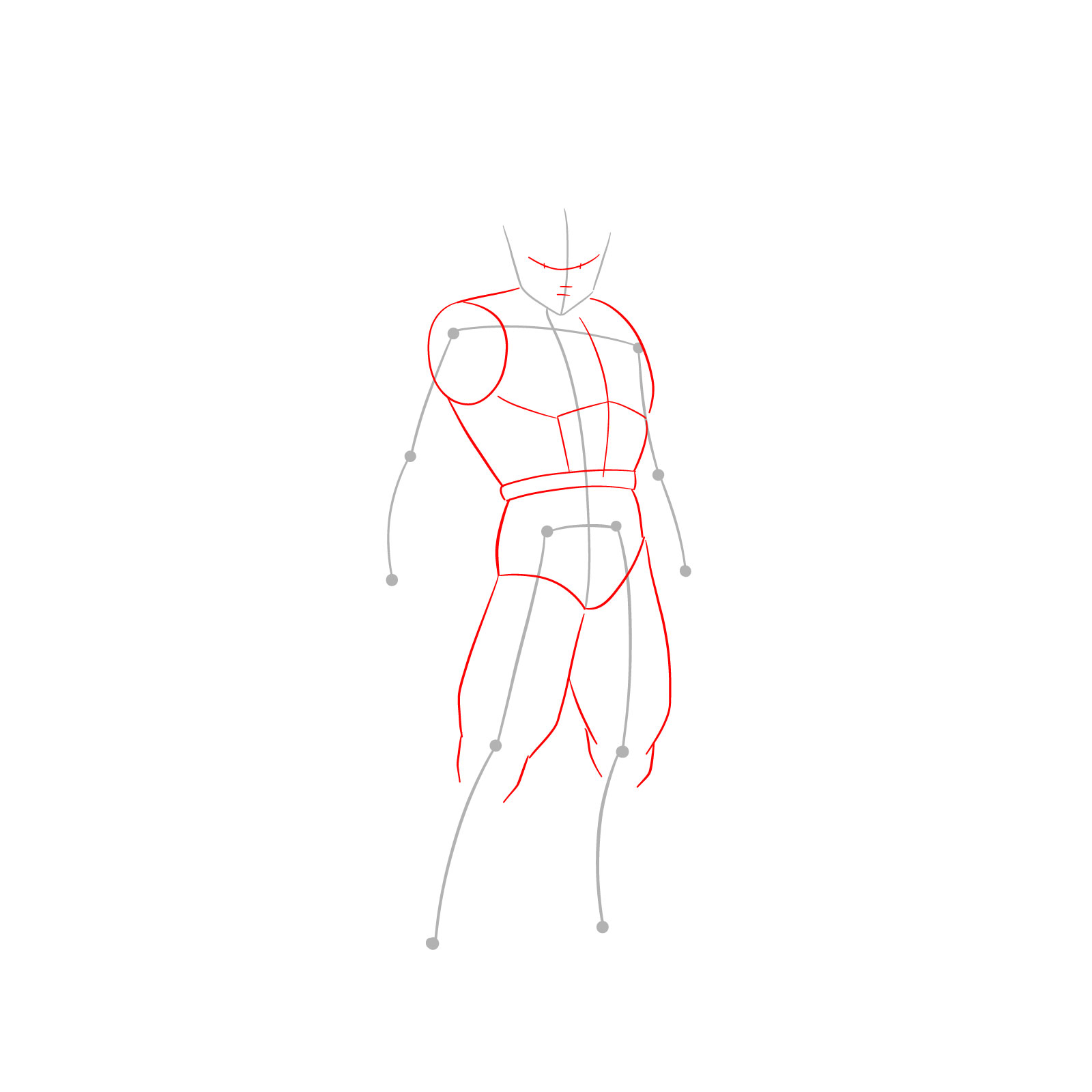
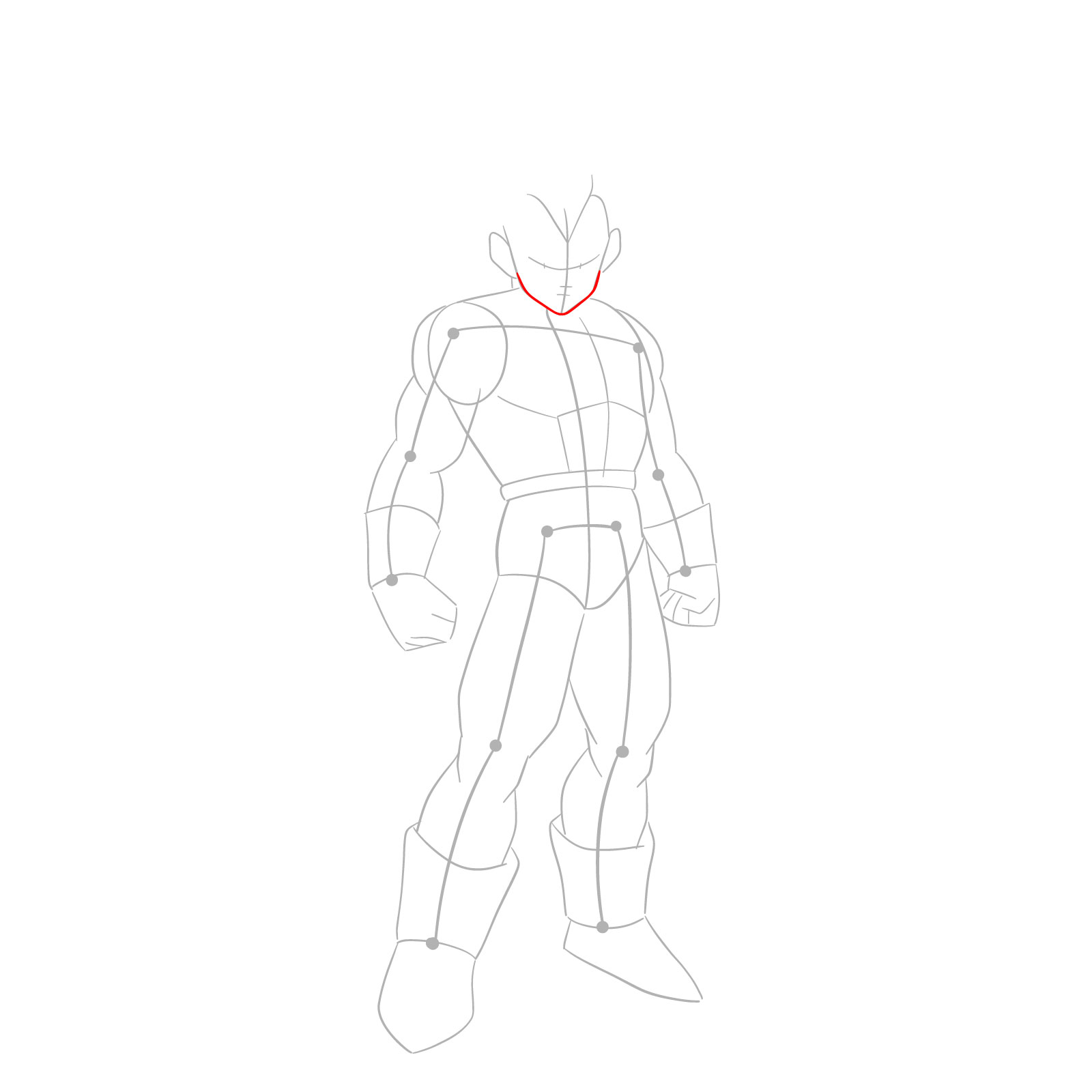
Follow this step-by-step guide to create an amazing drawing of Vegeta in SSGSS form. Remember to pay attention to the red, grey, and black colors in the guide images, as they indicate the current step, basic proportions sketch, and previously drawn lines, respectively.

Part 1: Laying the Foundation

Start by creating a basic sketch of Vegeta’s structure using light pencil strokes. This step helps establish the correct proportions and pose for the character.
Step 01

How to draw Vegeta in SSGSS - step 01

Step 02

How to draw Vegeta in SSGSS - step 02

Step 03

How to draw Vegeta in SSGSS - step 03

Part 2: Adding Details and Refining the Sketch

With the basic sketch in place, add details to Vegeta’s features, such as his armor, facial expression, and signature hairstyle. Adjust the proportions as needed to accurately capture his SSGSS form.
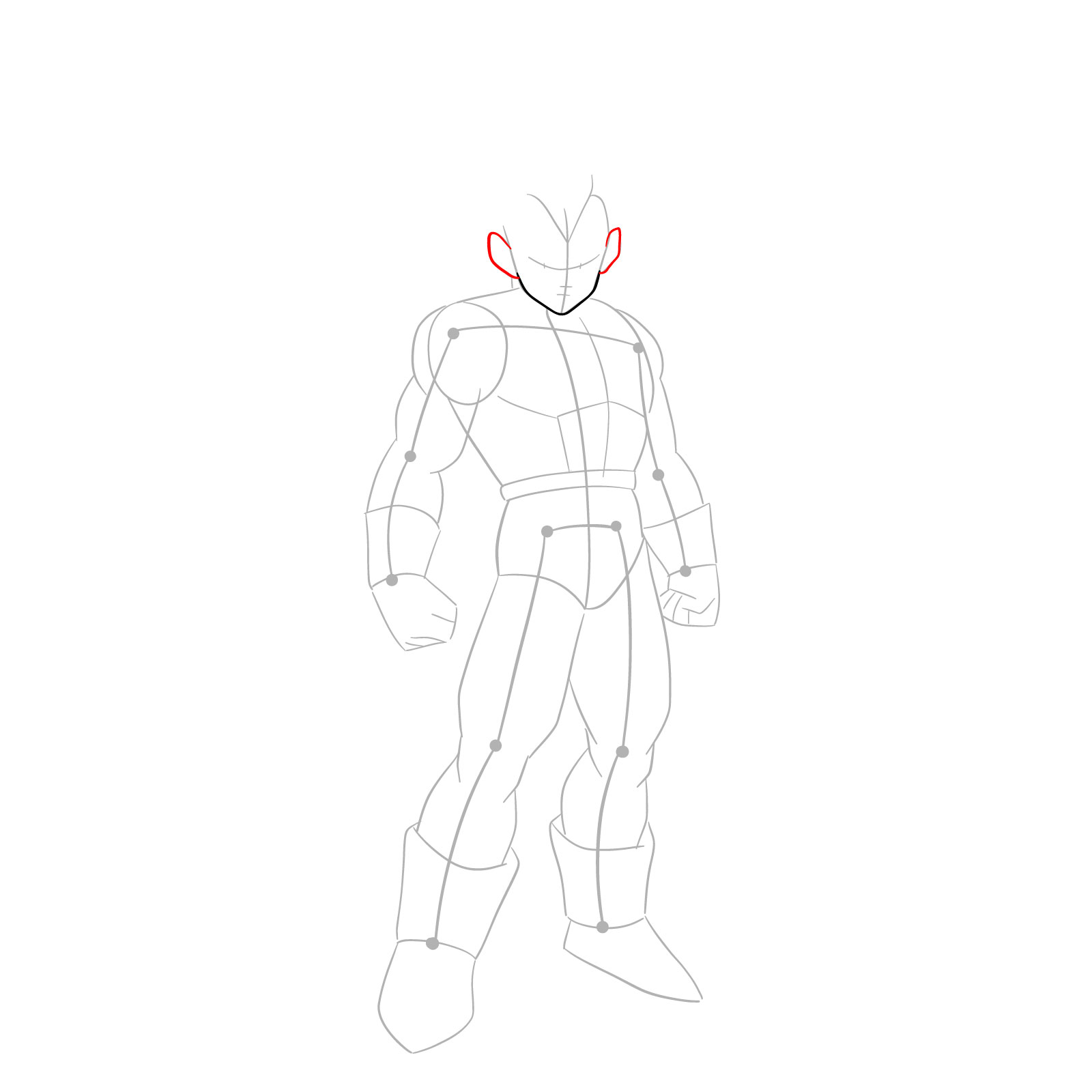
Step 04

How to draw Vegeta in SSGSS - step 04

Step 05

How to draw Vegeta in SSGSS - step 05

Step 06

How to draw Vegeta in SSGSS - step 06

Step 07

How to draw Vegeta in SSGSS - step 07

Step 08

How to draw Vegeta in SSGSS - step 08

Step 09

How to draw Vegeta in SSGSS - step 09

Step 10

How to draw Vegeta in SSGSS - step 10

Step 11

How to draw Vegeta in SSGSS - step 11

Step 12

How to draw Vegeta in SSGSS - step 12

Step 13

How to draw Vegeta in SSGSS - step 13

Step 14

How to draw Vegeta in SSGSS - step 14

Step 15

How to draw Vegeta in SSGSS - step 15

Step 16

How to draw Vegeta in SSGSS - step 16

Step 17

How to draw Vegeta in SSGSS - step 17

Step 18

How to draw Vegeta in SSGSS - step 18

Step 19

How to draw Vegeta in SSGSS - step 19

Step 20

How to draw Vegeta in SSGSS - step 20

Step 21

How to draw Vegeta in SSGSS - step 21

Step 22

How to draw Vegeta in SSGSS - step 22

Step 23

How to draw Vegeta in SSGSS - step 23

Step 24

How to draw Vegeta in SSGSS - step 24

Step 25

How to draw Vegeta in SSGSS - step 25

Step 26

How to draw Vegeta in SSGSS - step 26

Step 27

How to draw Vegeta in SSGSS - step 27

Step 28

How to draw Vegeta in SSGSS - step 28

Step 29

How to draw Vegeta in SSGSS - step 29

Step 30

How to draw Vegeta in SSGSS - step 30

Step 31

How to draw Vegeta in SSGSS - step 31

Step 32

How to draw Vegeta in SSGSS - step 32

Step 33

How to draw Vegeta in SSGSS - step 33

Step 34

How to draw Vegeta in SSGSS - step 34

Step 35

How to draw Vegeta in SSGSS - step 35

Step 36

How to draw Vegeta in SSGSS - step 36

Step 37

How to draw Vegeta in SSGSS - step 37

Step 38

How to draw Vegeta in SSGSS - step 38

Step 39

How to draw Vegeta in SSGSS - step 39

Step 40

How to draw Vegeta in SSGSS - step 40

Step 41

How to draw Vegeta in SSGSS - step 41

Step 42

How to draw Vegeta in SSGSS - step 42

Part 3: Inking the Lines

Once you’re satisfied with your sketch, ink the lines to solidify the drawing. Carefully outline Vegeta’s features and add any final touches, such as shading or additional details.
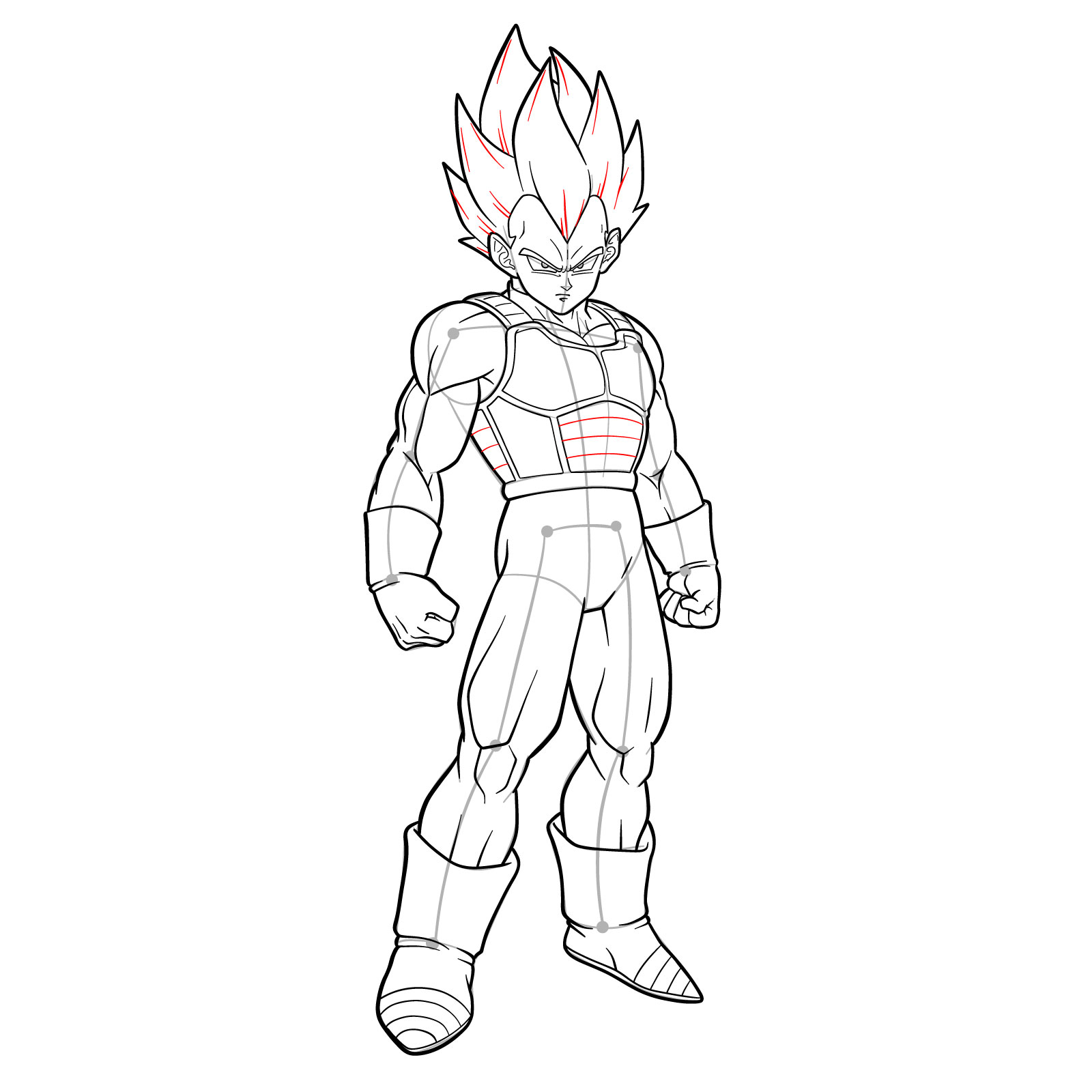
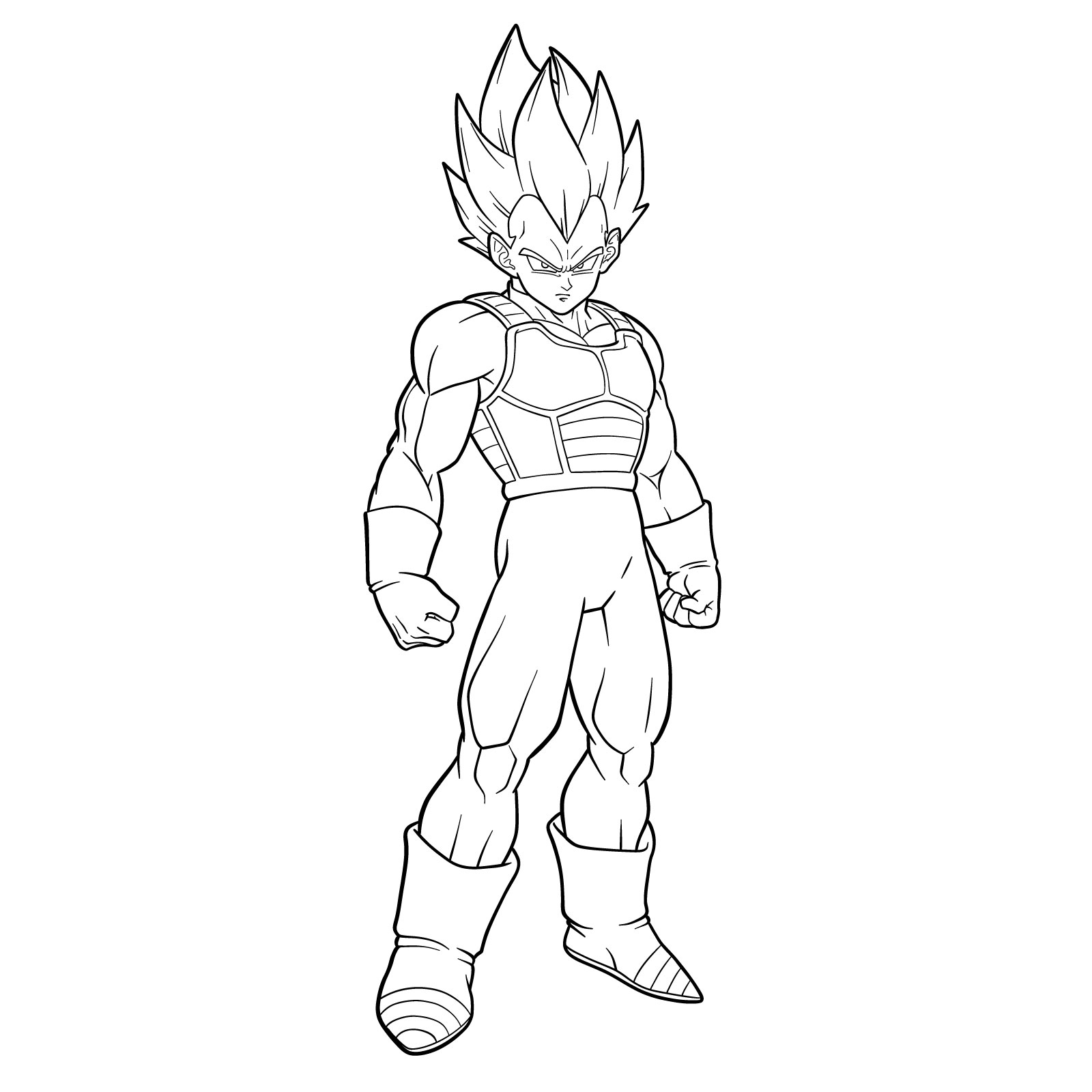
Step 43

How to draw Vegeta in SSGSS - final step
Don't Miss New Tutorials! Follow SketchOk
I publish new step-by-step drawing guides every single day. Follow on your favorite platform so you never miss a tutorial. Thousands of artists are already drawing along and I can't wait you to join in!
PATREON
Love Drawing? Help Me Create More Tutorials
On my Patreon you can grab unique hand-made coloring pages: each one drawn by me personally. Every purchase directly supports the creation of new drawing tutorials. It's the best way to practice your skills, keep the site going, and get something truly original at the same time.
Get Coloring Pages on Patreon

If you want fresh Dragon Ball guides and more delivered straight to you, there’s an email signup form at the top of this page that sends a weekly digest of new tutorials so you never have to check back manually. That’s probably the easiest way to keep building on what you’ve learned here about how to draw Power Up Your Art Skills without missing anything new. You can also find the Pinterest page useful for sharing your finished drawings in the comments of the pinned post there.

Disclaimer: All original artworks and photos used as references for the creation of these drawing tutorials are the property of their respective owners. If your work has been featured without proper credit, please kindly leave a comment below, and the issue will be promptly addressed. We greatly appreciate your exceptional art. Thank you.

Leave a Comment

FOLLOW