Last Updated on May 14, 2026
Introduction: A Journey into the World of Nindroids
Are you ready to embark on an artistic adventure and learn how to draw General Cryptor, the enigmatic Nindroid commander from the Ninjago series? This step-by-step drawing tutorial will guide you through the process of bringing this complex character to life. From sketching the basic structure to adding colors and shading, we’ll walk you through every stage of creating your very own Cryptor drawing. So, buckle up and prepare to enter the realm of Nindroids!
The Tale of General Cryptor: A Glimpse into the Nindroid Commander’s Past
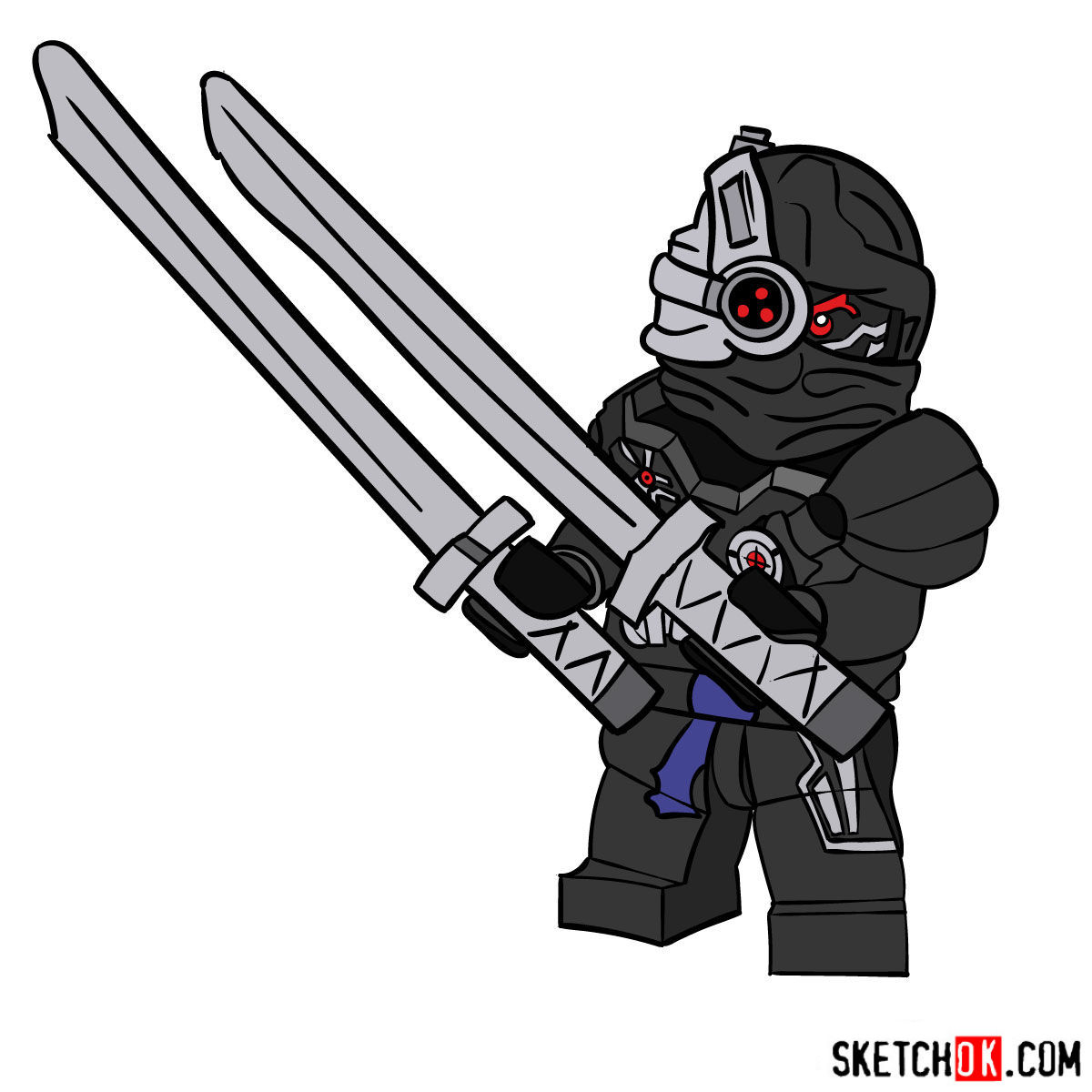
Before we dive into the drawing process, let’s take a brief look at the story of General Cryptor. Designed by P.I.X.A.L., he served as the commander of the Nindroid Army and was a key adversary of the original Nindroid, Zane. After a series of intense battles, Cryptor ultimately met his end, with his spirit being banished to the Departed Realm. However, his legacy lives on through his intricate design and unique features, which set him apart from other Nindroid Warriors, such as his curved black pauldrons, glowing red eyes, and a mark near his red eye.
Summon Your Art Arsenal: Gathering the Necessary Tools
Before we begin our journey into the world of Nindroids, let’s gather our tools of the trade. While you can use any drawing materials you prefer, we recommend the following for this tutorial:
- Pencils with varying degrees of hardness
- Eraser and sharpener
- Fineliner or ink pen
- Colored pencils or markers
Now that we have our tools ready, let’s dive into the exciting world of Nindroid drawing!
A Step-by-Step Guide to Drawing General Cryptor
Our tutorial is divided into four main parts, guiding you through the entire process of creating a stunning Cryptor artwork. Here’s an overview of the steps you’ll take on this creative journey:
Part 1: Laying the Foundation with a Basic Sketch
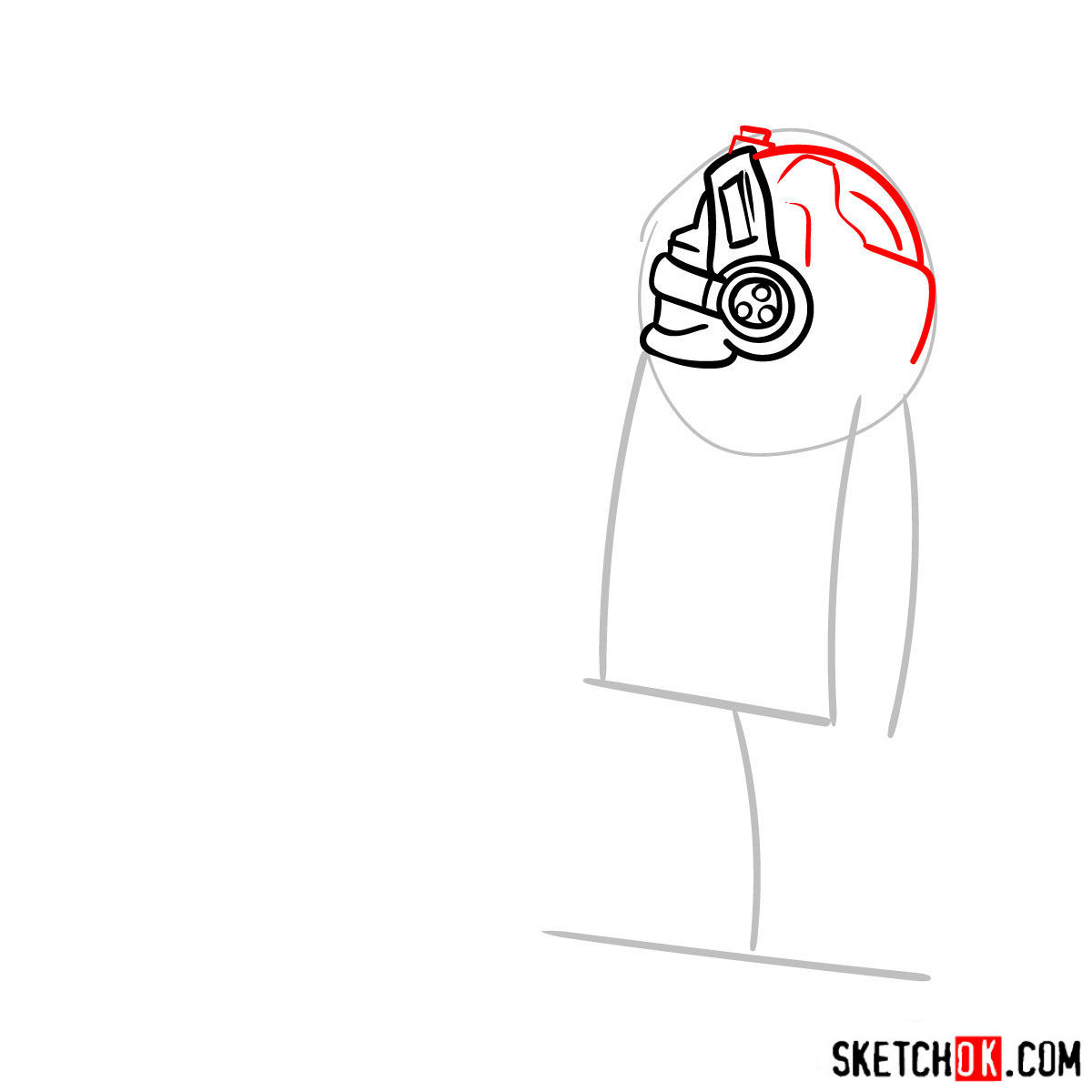
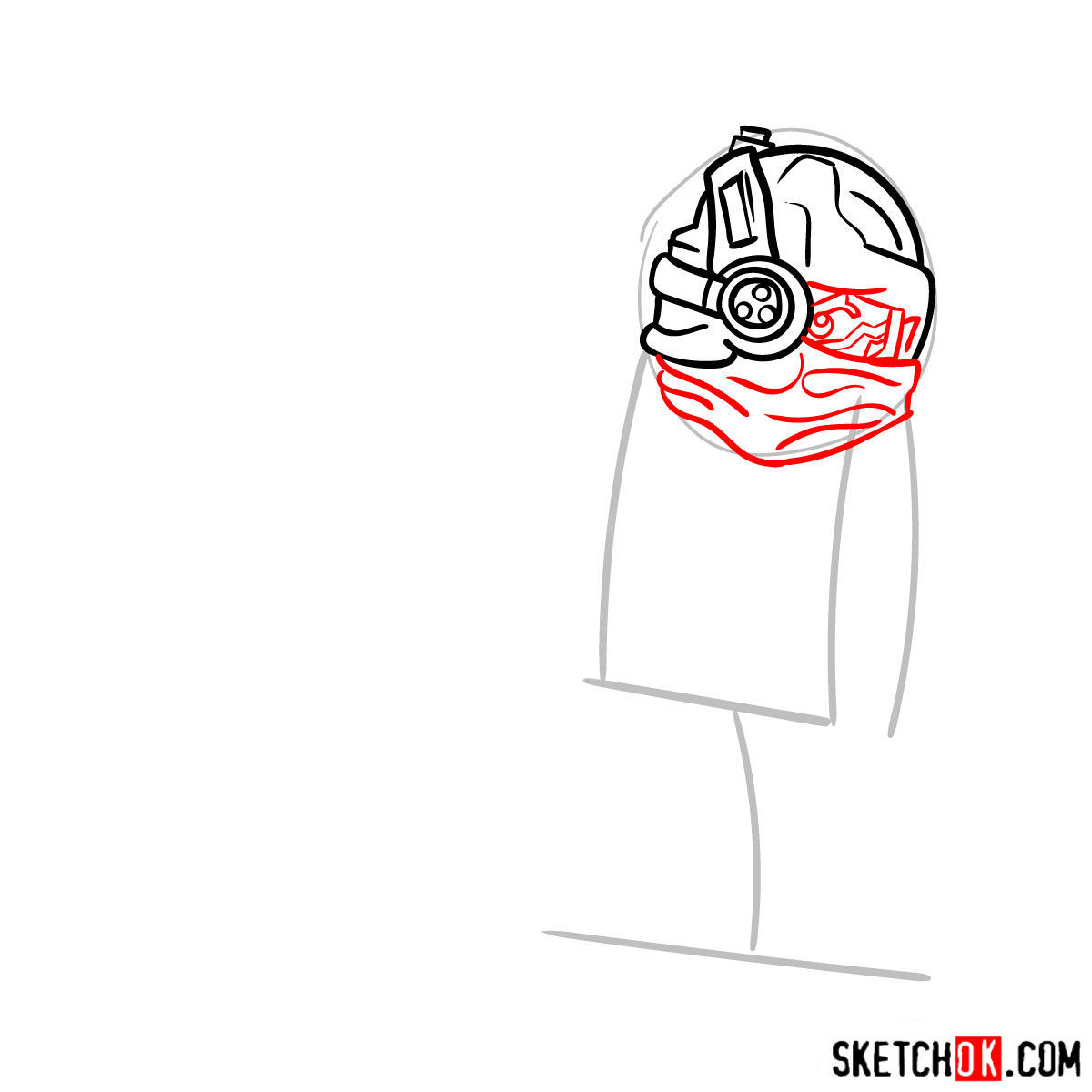
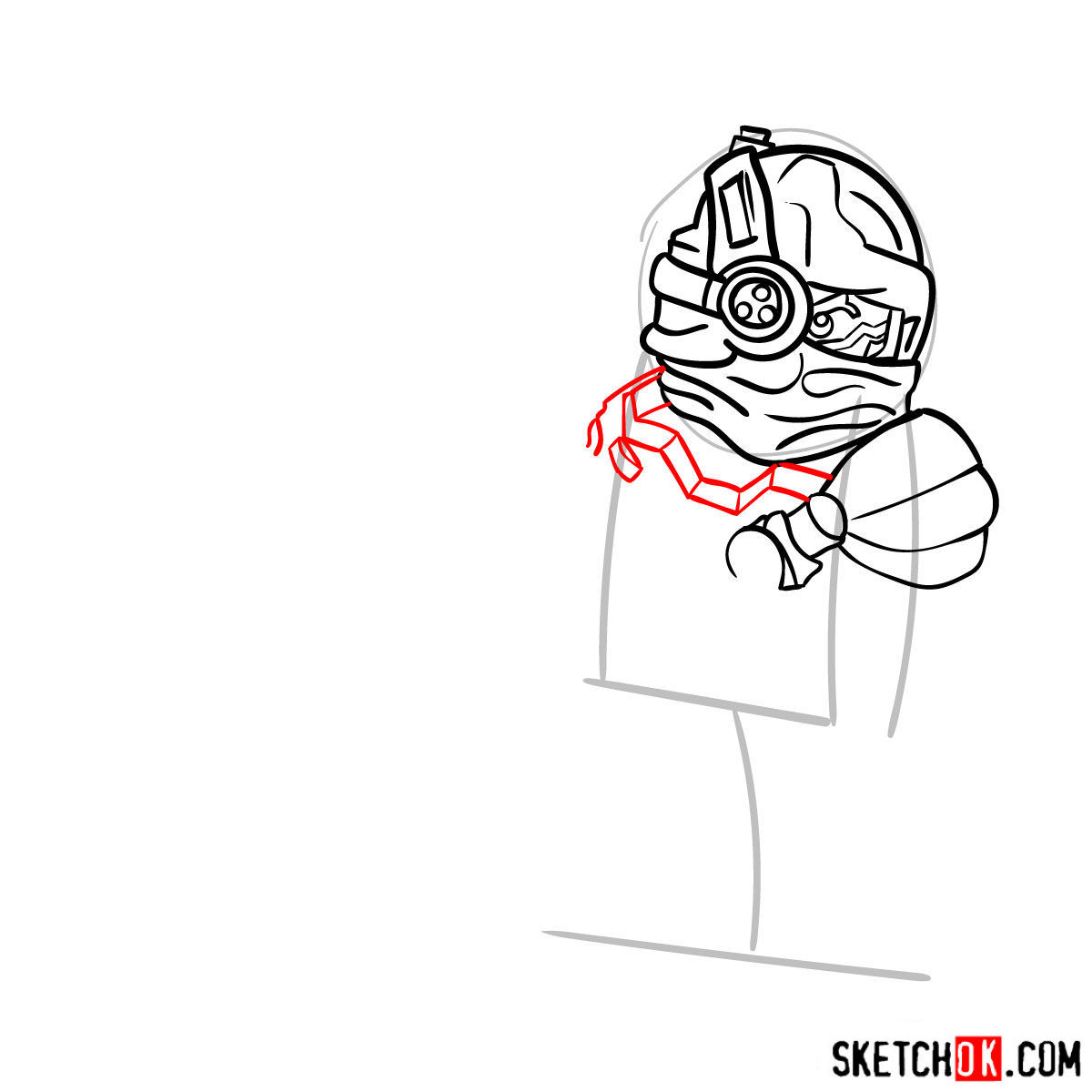
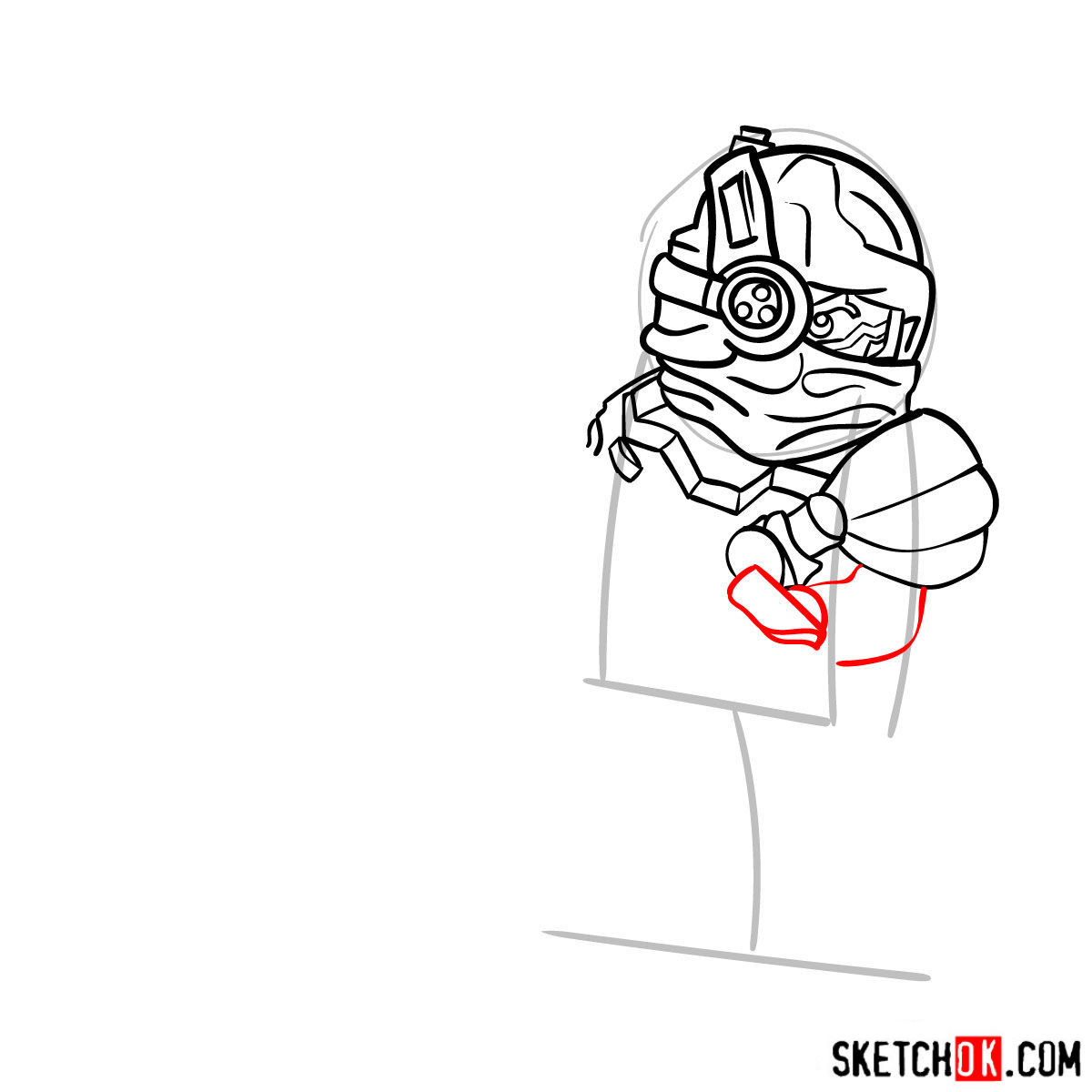
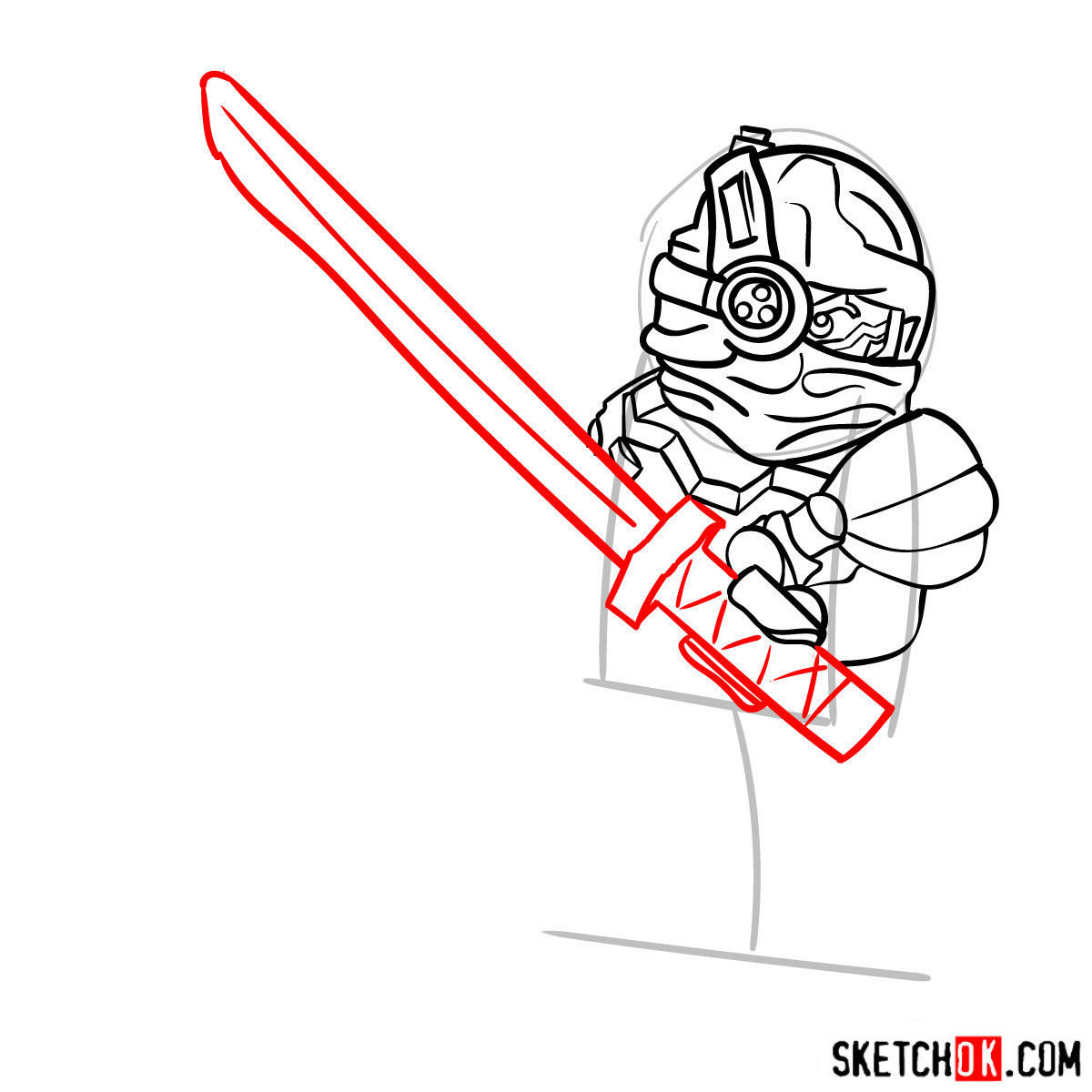
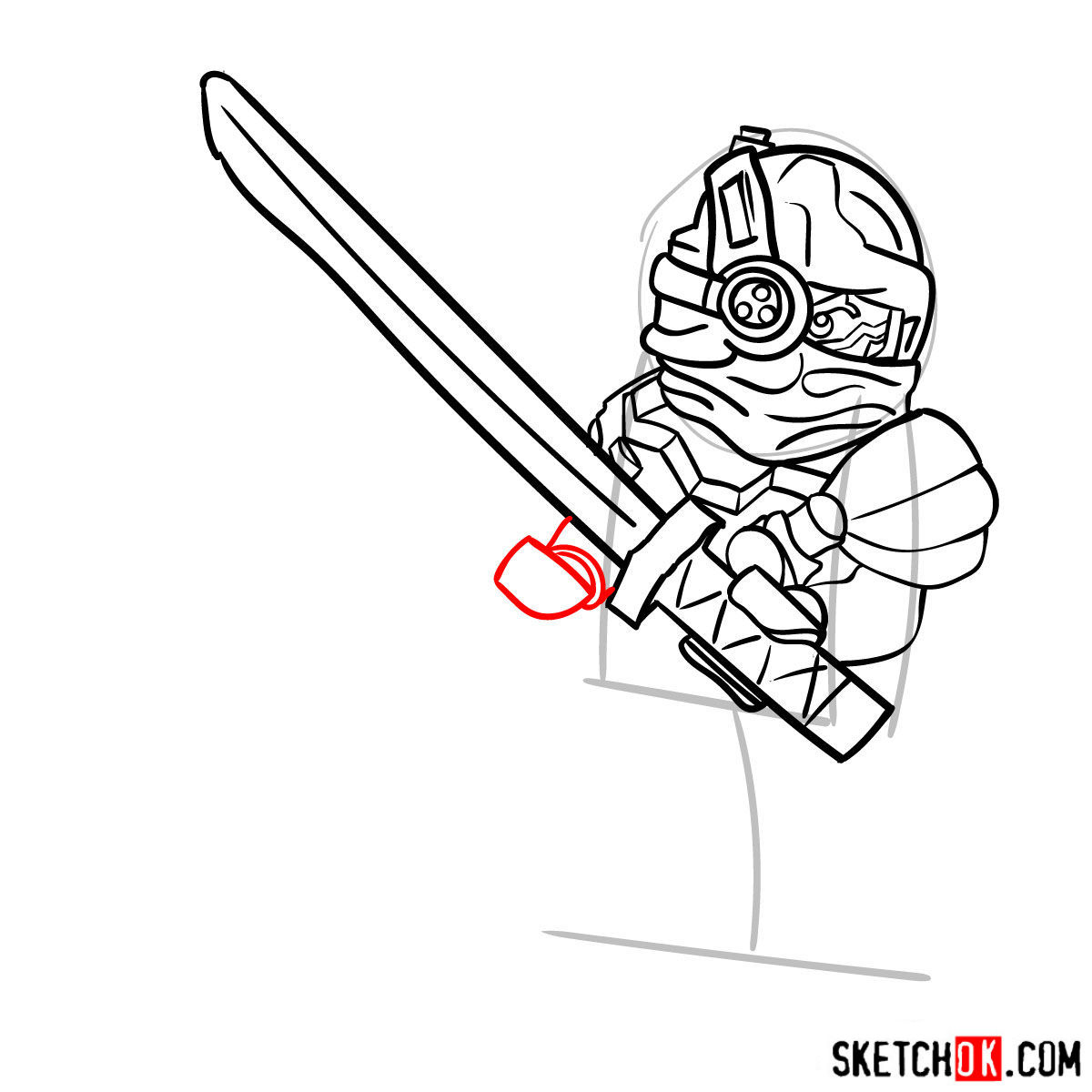
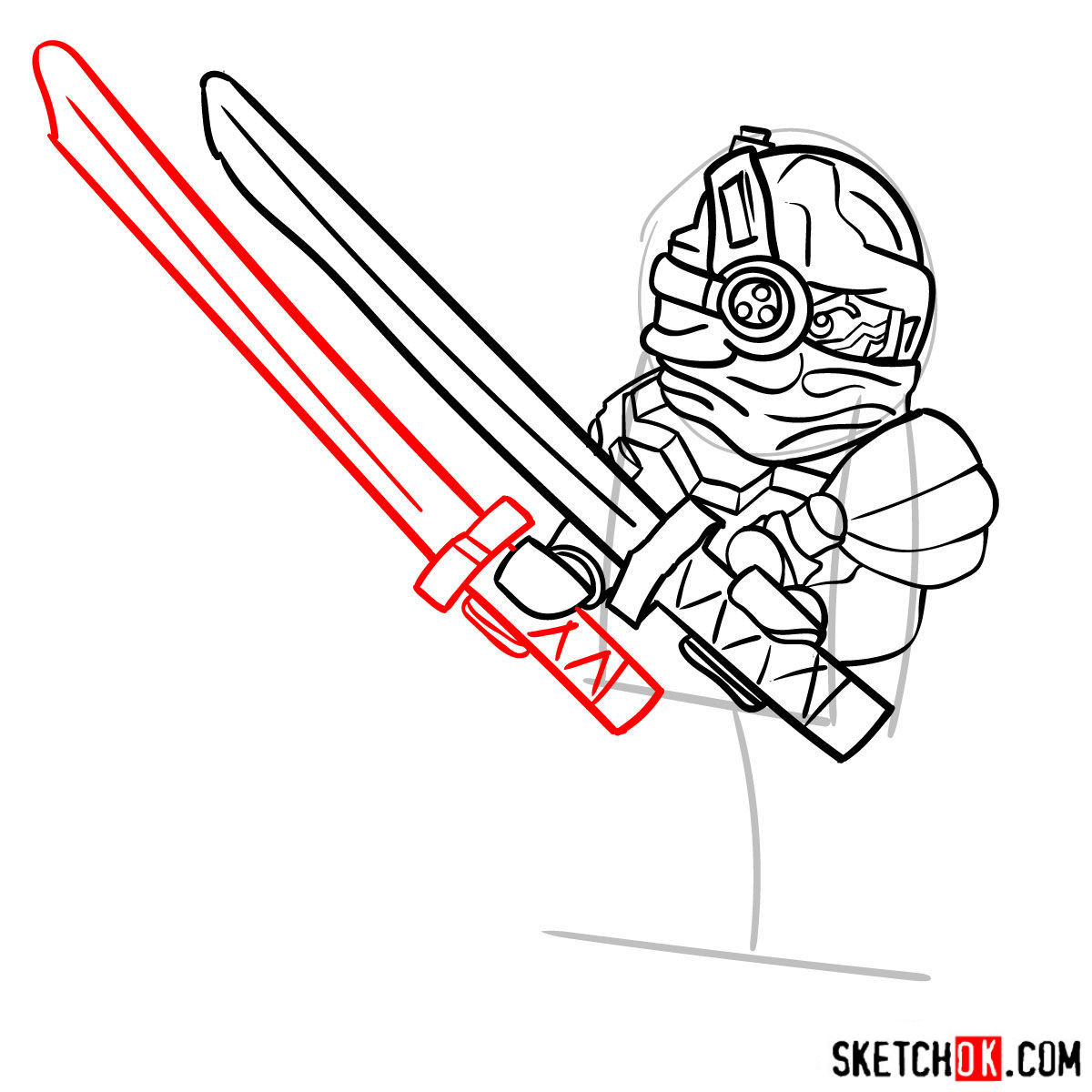
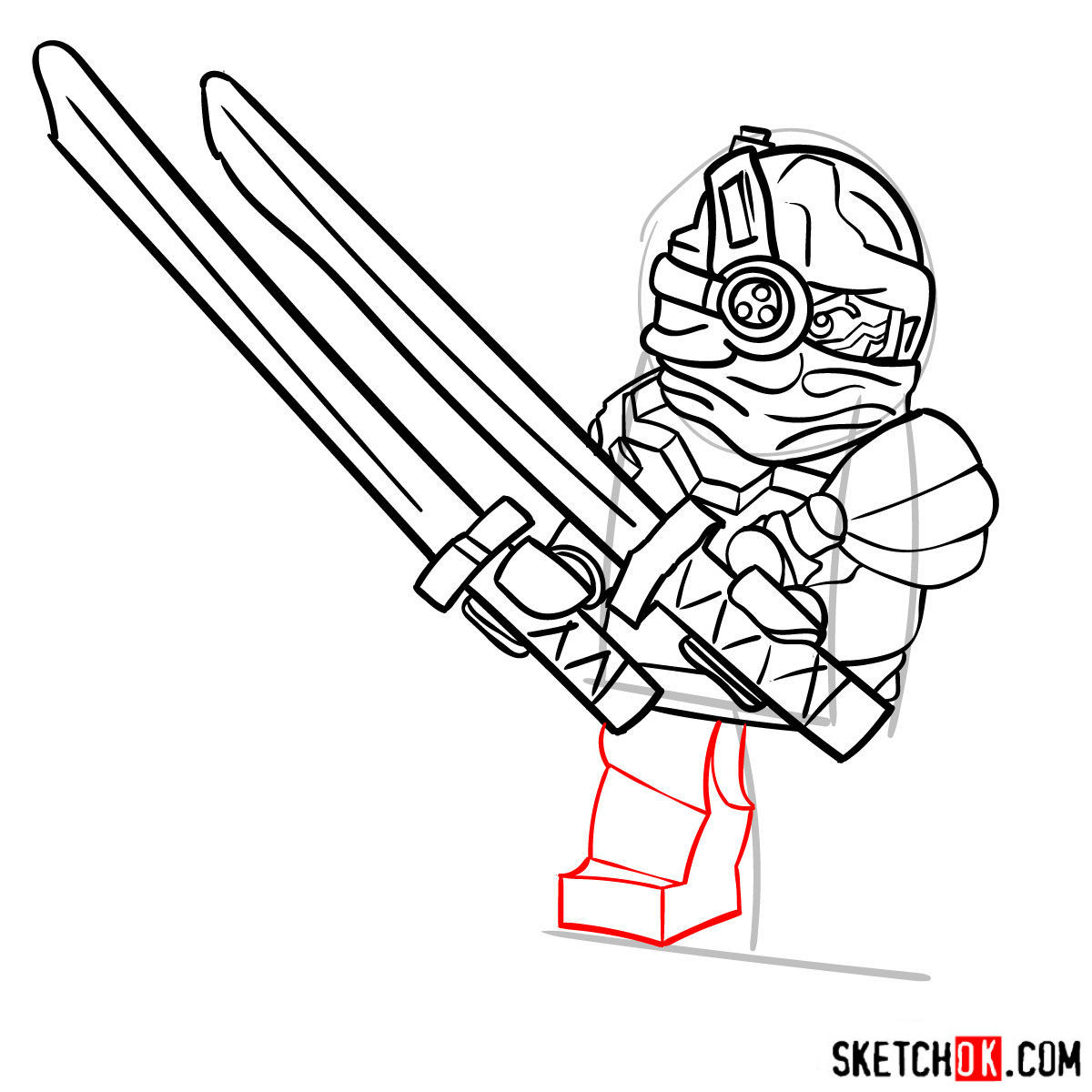
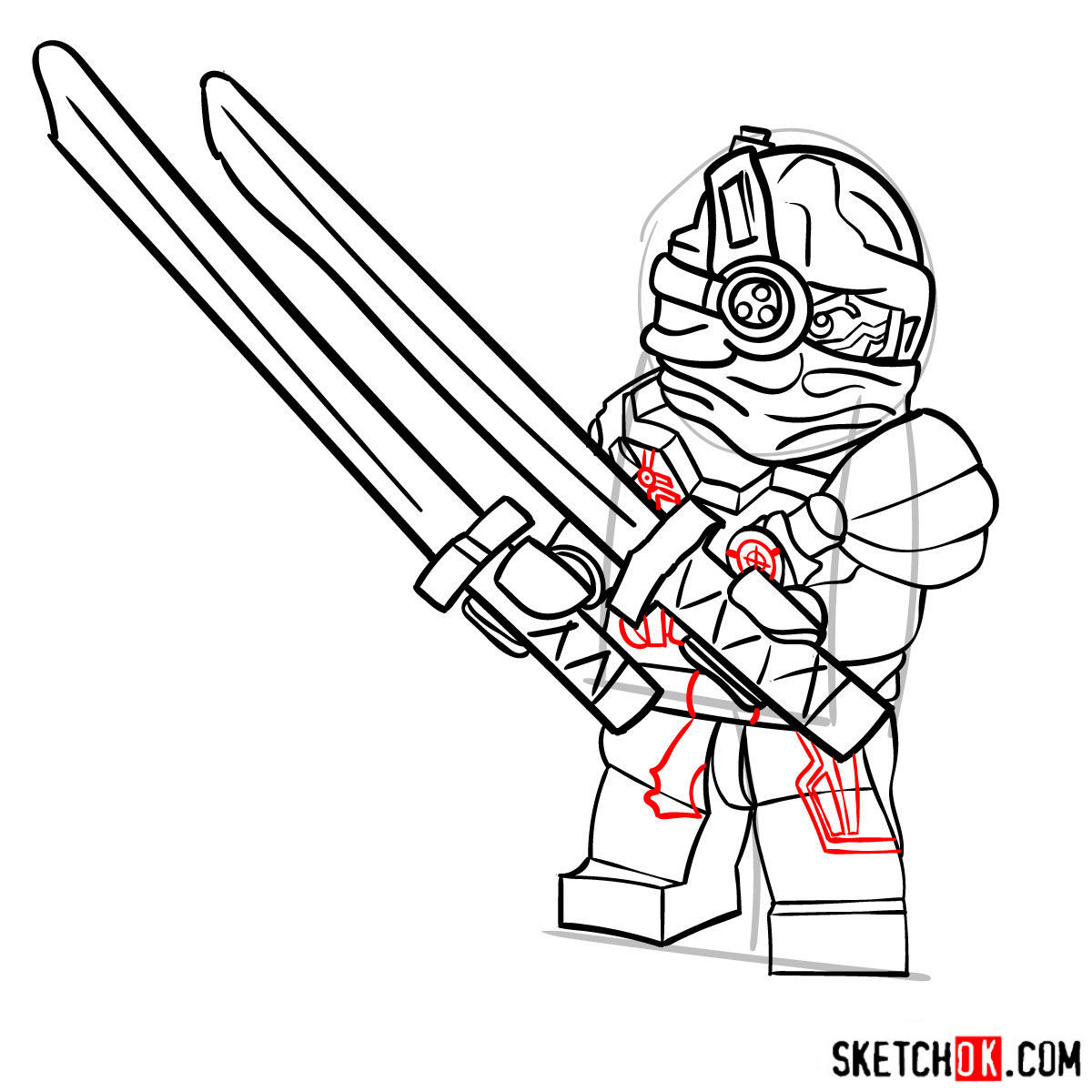
In this initial step, we’ll create the basic structure of General Cryptor using light pencil strokes. This stage is crucial for establishing accurate proportions and setting the stage for the rest of the drawing process. Remember, the red color in the tutorial image represents the current step, while the grey color indicates the basic proportions sketch, and the black color shows what has already been drawn.

Part 2: Refining the Sketch and Adding Details
Now that you’ve established a solid foundation, it’s time to refine your sketch and add details to General Cryptor’s design. Pay close attention to his unique features, such as the curved black pauldrons, glowing red eyes, and intricate mechanical details on his torso and helmet. Don’t forget to sketch his swords. By carefully refining your sketch, you’ll ensure that your final artwork captures the essence of this complex character.




Part 3: Inking and Outlining Your Masterpiece
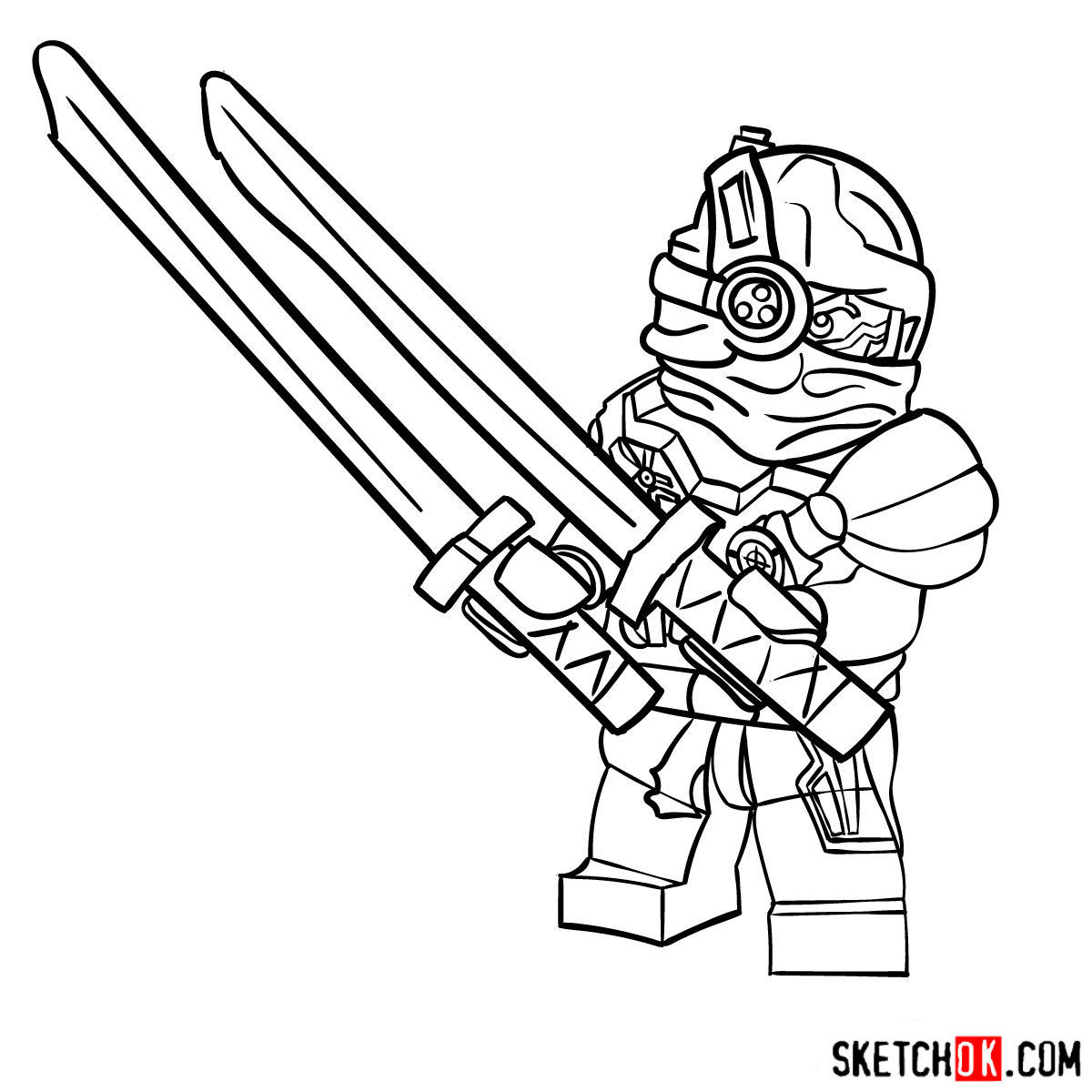
Once you’re satisfied with your refined sketch, it’s time to bring General Cryptor to life with ink. Use a fineliner or ink pen to trace over your pencil lines, adding depth and definition to your drawing. Be mindful of line weights and varying thickness to emphasize different parts of the character. After inking, erase any remaining pencil marks to create a clean, polished image.
Part 4: Coloring and Shading to Add the Finishing Touches
Now comes the most exciting part of the process – adding color, shading, and highlights to your General Cryptor drawing. Use colored pencils or markers to fill in the colors, paying close attention to the character’s unique color scheme. Add shading and highlights to give your artwork depth and dimension, making your Nindroid commander come alive on the page.
Now that you know how to draw General Cryptor, feel free to post your finished version in the comments on the Pinterest pin for this guide, since that’s where a lot of people share what they’ve made. If you’re more of a visual learner, the SketchOk YouTube channel puts out new drawing videos regularly, so it’s worth subscribing if you prefer following along on screen. You can also sign up for the weekly email digest using the form at the top of the page to catch new Ninjago guides and whatever else gets added.

is he a bad guy or a good guy I have no idea wether is he bad or good
I like the series of Ninjago.