Last Updated on May 14, 2026
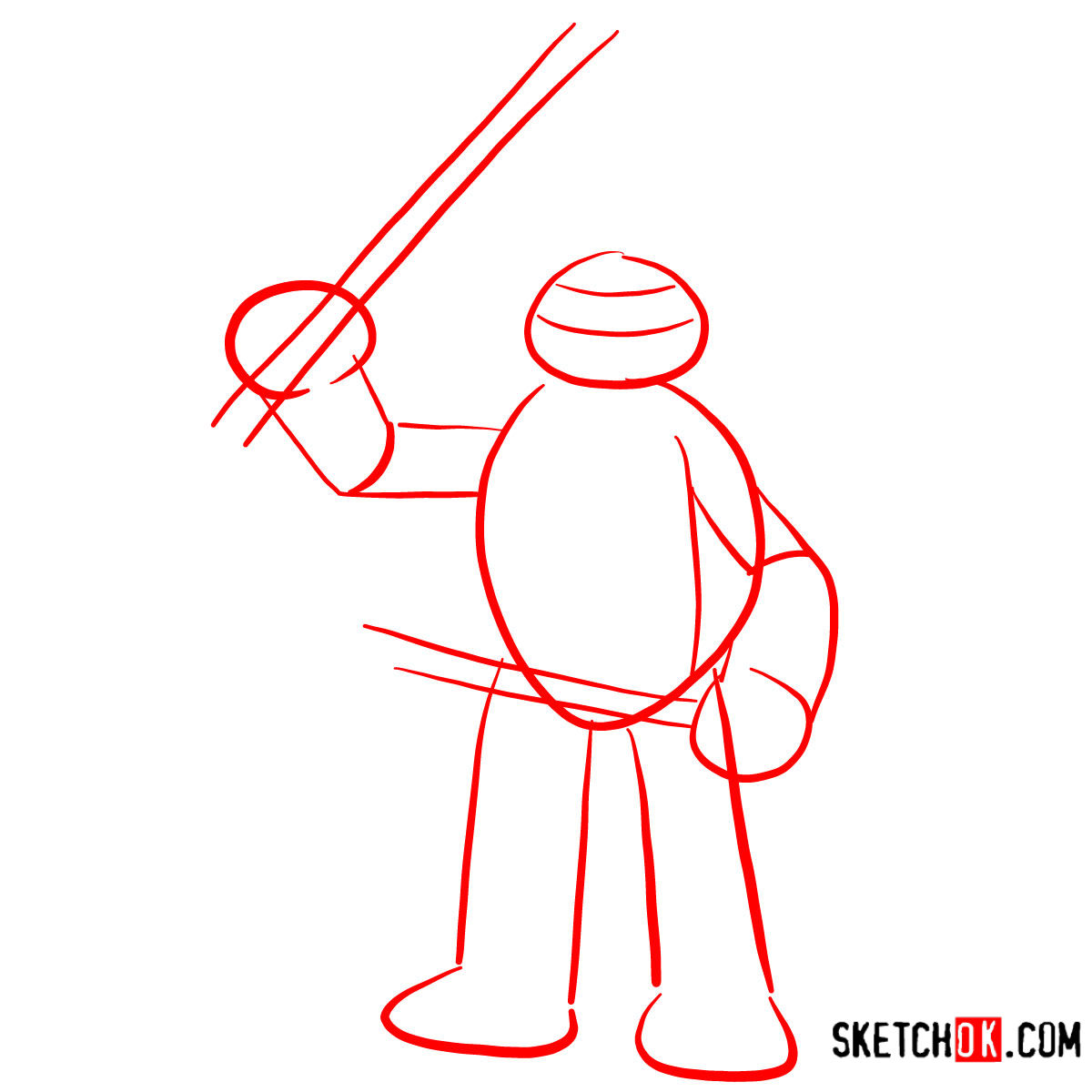
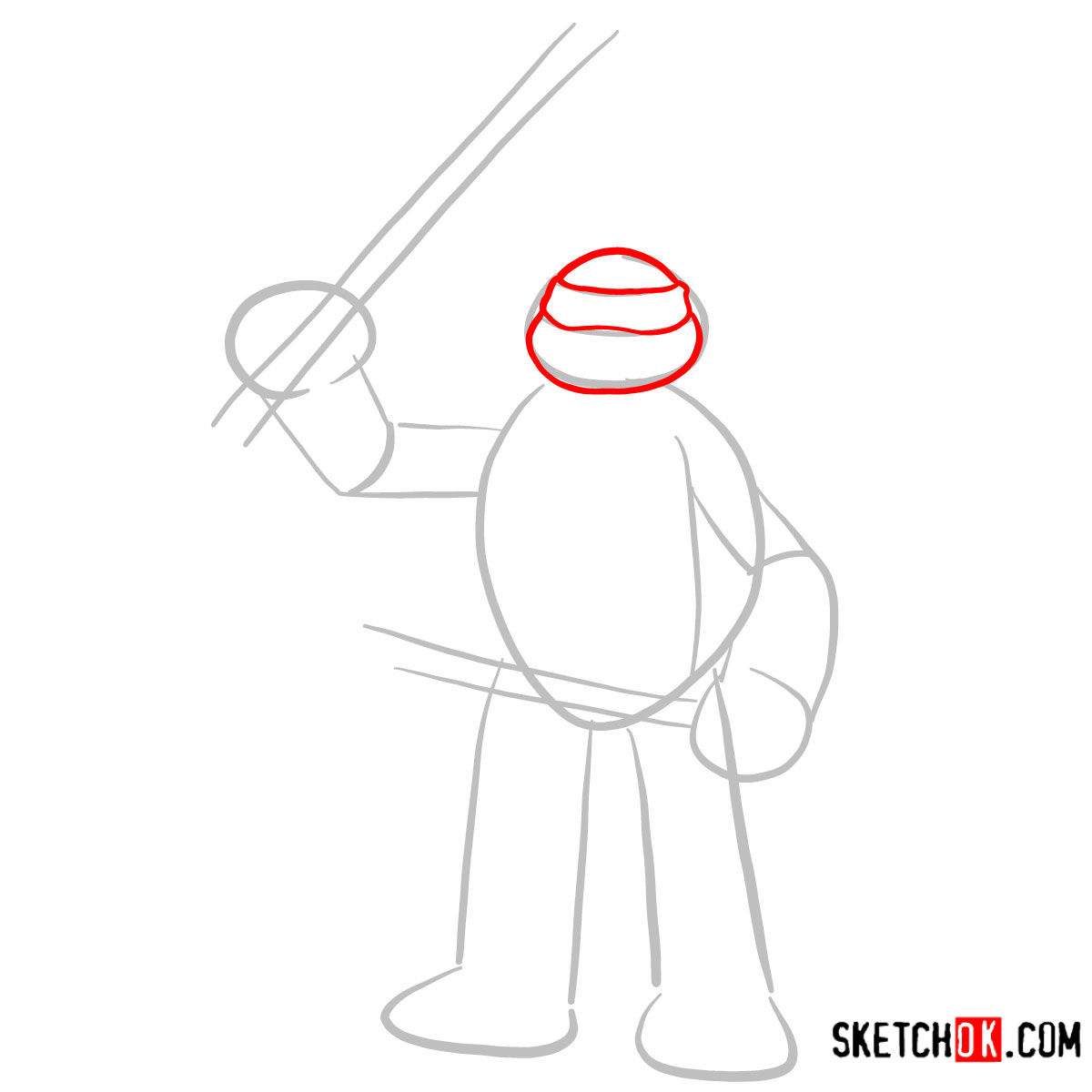
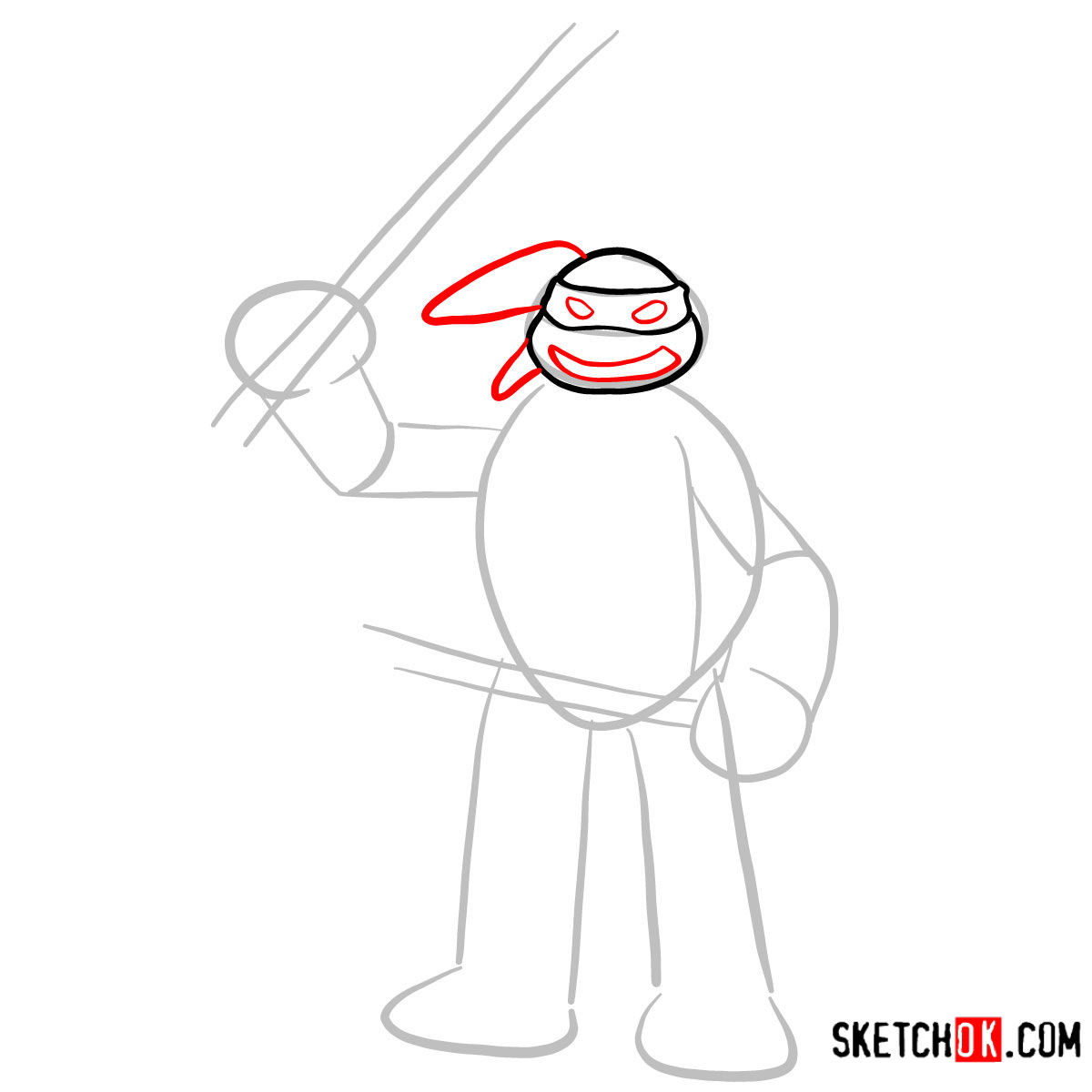
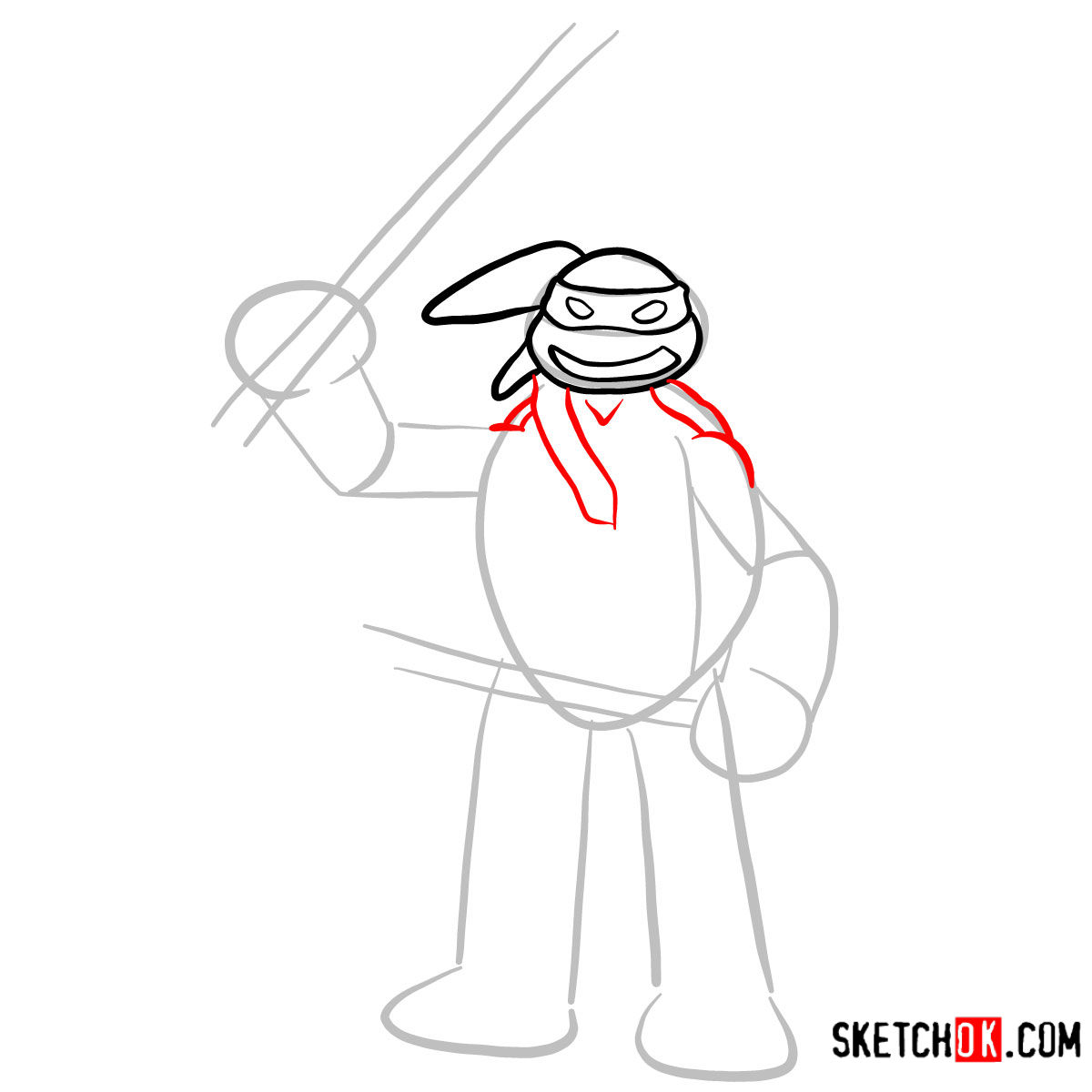
Leonardo, the unwavering leader of the Ninja Turtles, has not only captured hearts through animated series and comics but has also found a cherished place as a toy. In this guide, we’ll walk you through the steps to draw Leonardo in his simplified toy avatar, capturing the essence of his character while resonating with the charm of a toy figure.
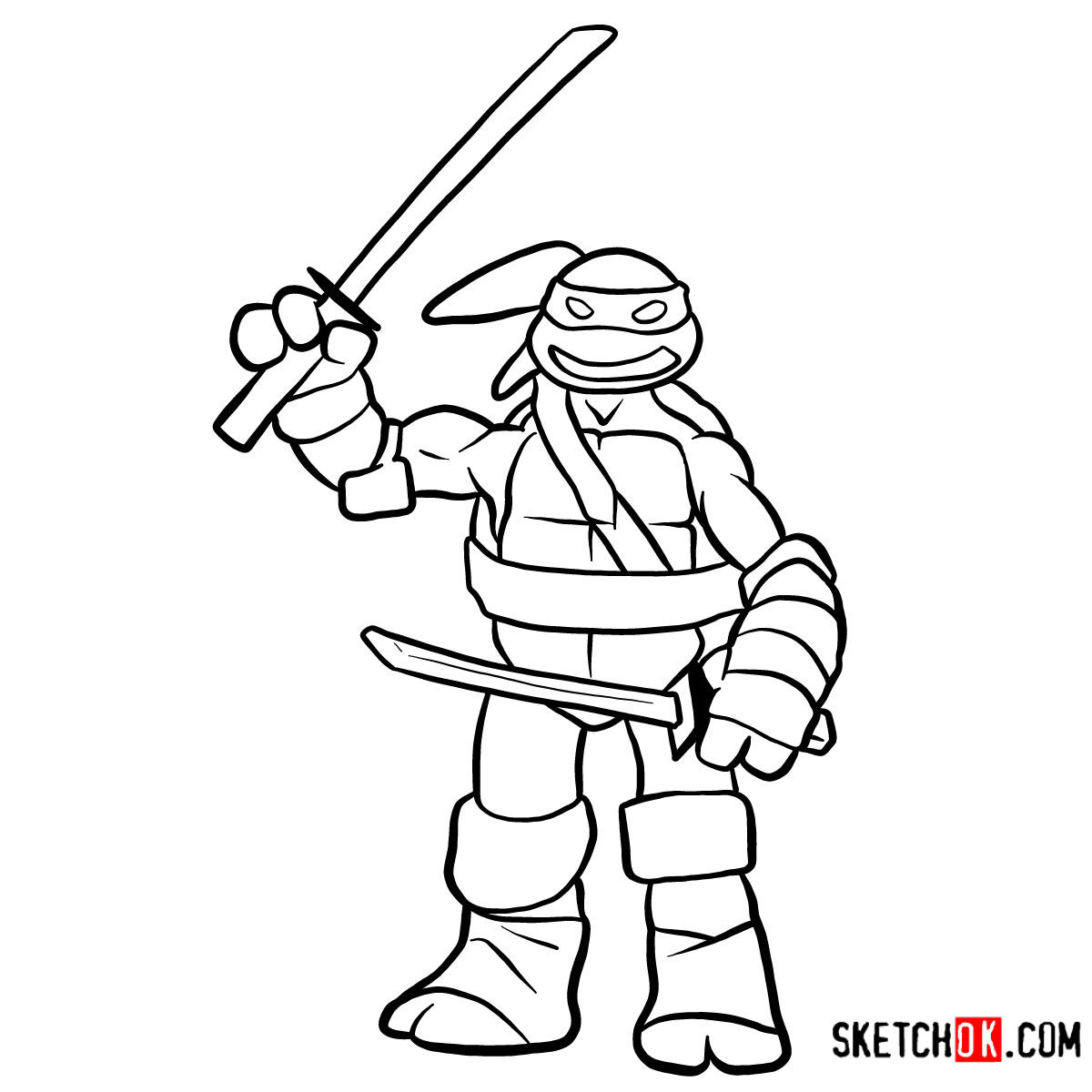
Character’s Toy Appearance: Key Elements
- Facial Features: A more rounded and jovial face compared to the fierce combat-ready Leonardo we often see.
- Attire: A blue bandana remains signature, albeit more pronounced and playful in the toy version. His gear is simplified, maintaining the essential elements.
- Weapons: Two katanas, as always, but toy-ified. They’re shorter, chubbier, and devoid of sharp edges.
Drawing Leonardo’s toy version opens a gateway to sketch other members of the TMNT team or even their allies and adversaries in toy form, like Rocksteady, Shredder, or April O’Neil, further enriching your artwork.
Navigating the Guide: Decoding the Art
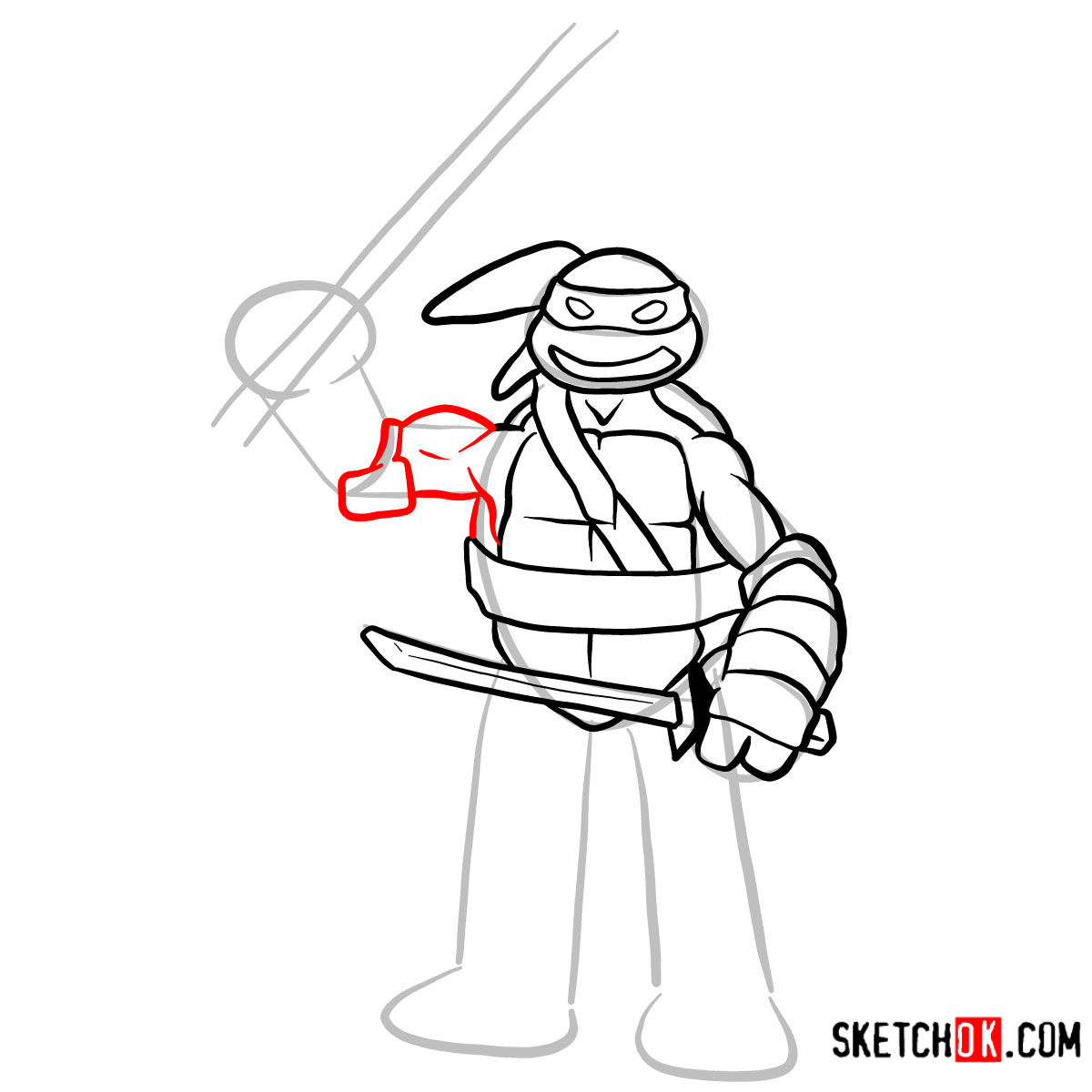
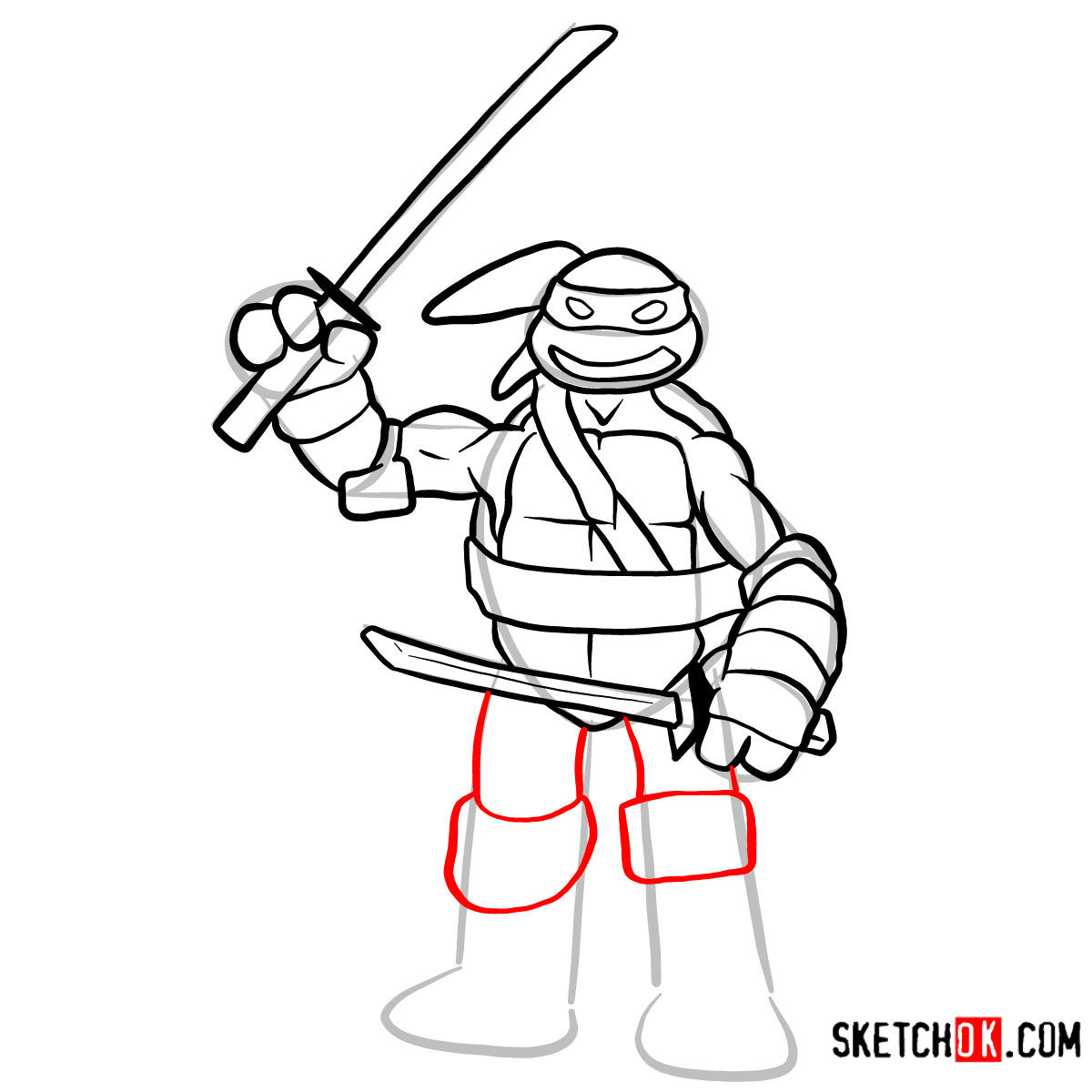
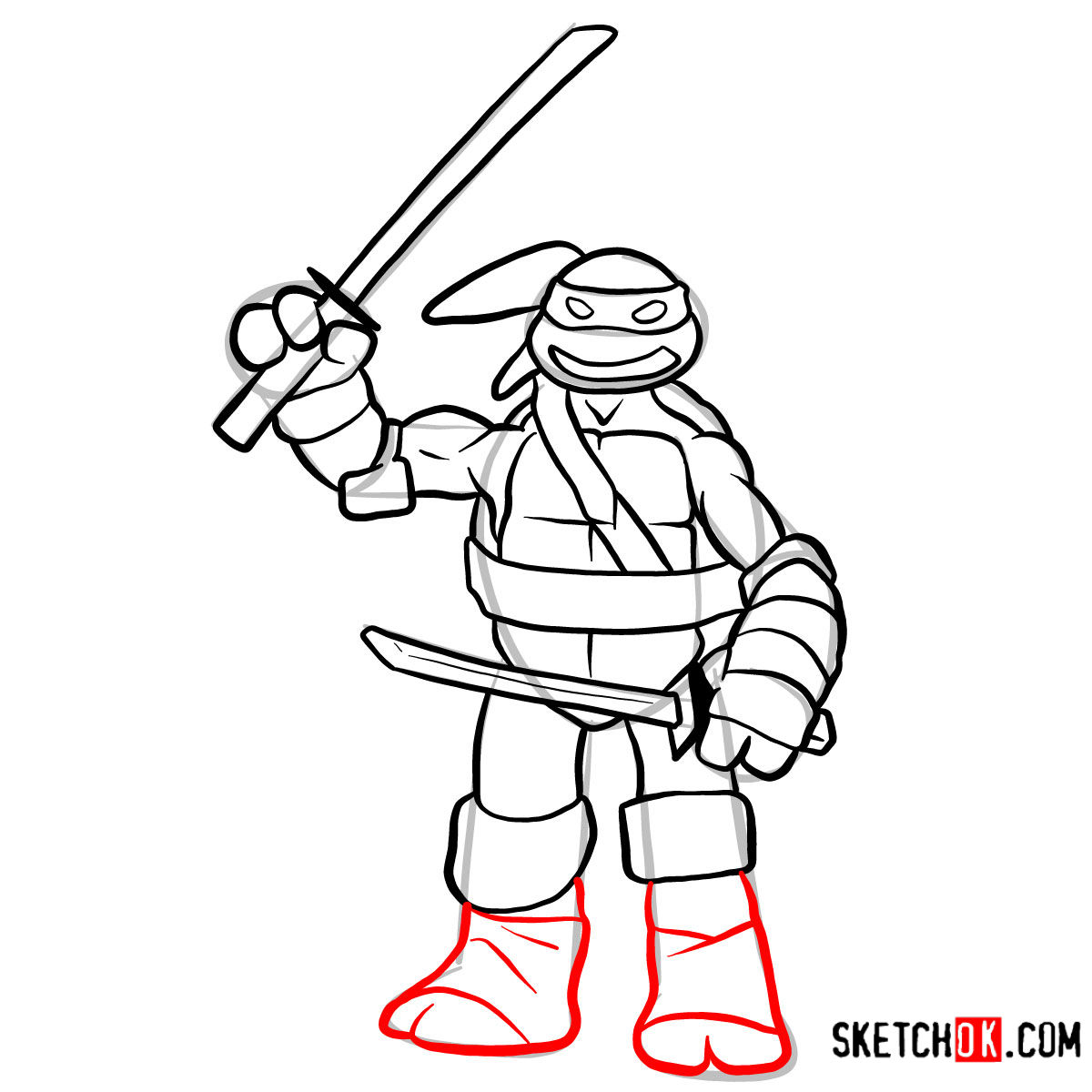
- Red Color: Represents the current step guiding your focus.
- Grey Color: Highlights the foundational sketch, offering the backbone for your masterpiece.
- Black Color: Indicates previously etched lines, ensuring clarity throughout your journey.
With 12 progressive steps, this guide ensures precision. The initial step focuses on establishing a basic structure using faint pencil strokes, forming a skeleton for Leonardo’s toy appearance. If you wish to elevate the sketch’s quality, consider inking once satisfied. Remember, patience is pivotal. Let the ink settle and dry before erasing the primary pencil marks to unveil a neat and refined artwork.



That covers the basics of how to draw Leonardo, and with a bit of practice you should have the blue-masked leader of the Turtles looking pretty solid on your page. If you learn better by watching someone draw in real time, the SketchOk YouTube channel posts drawing videos regularly and is worth checking out. You can also head over to the Pinterest pinned post for this tutorial and drop your finished Leonardo in the comments, since that’s where a lot of readers share what they’ve made.
