Drawing characters from your favorite shows can be an incredible way to express your creativity. Today, we’re embarking on a journey to recreate the elegance and charm of Roya, a mainstay in the colorful universe of “Shimmer and Shine.” Let’s dive into the world of Princess Samira’s majestic pet peacock and see how to draw Roya with perfection.
Focusing on Roya’s Elegant Features
Roya isn’t just any peacock; she embodies regality. When drawing her, you’ll want to pay special attention to the following elements:
- Feathers: Roya boasts light purple feathers that cascade down her back. The darker purple wings contrast beautifully with her primary feathers.
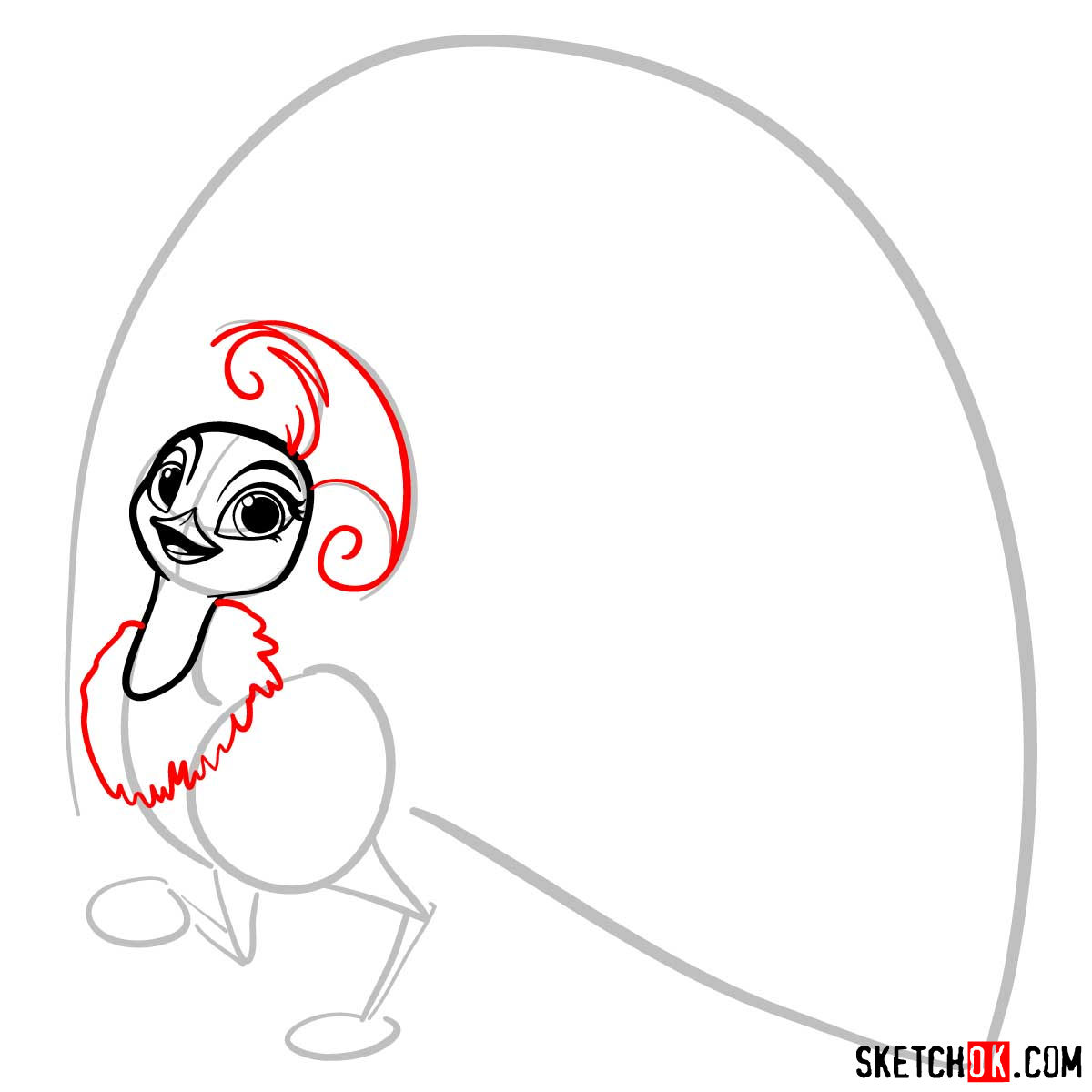
- Crest: On top of her head, she has a dark purple crest of feathers that stand tall and proud.
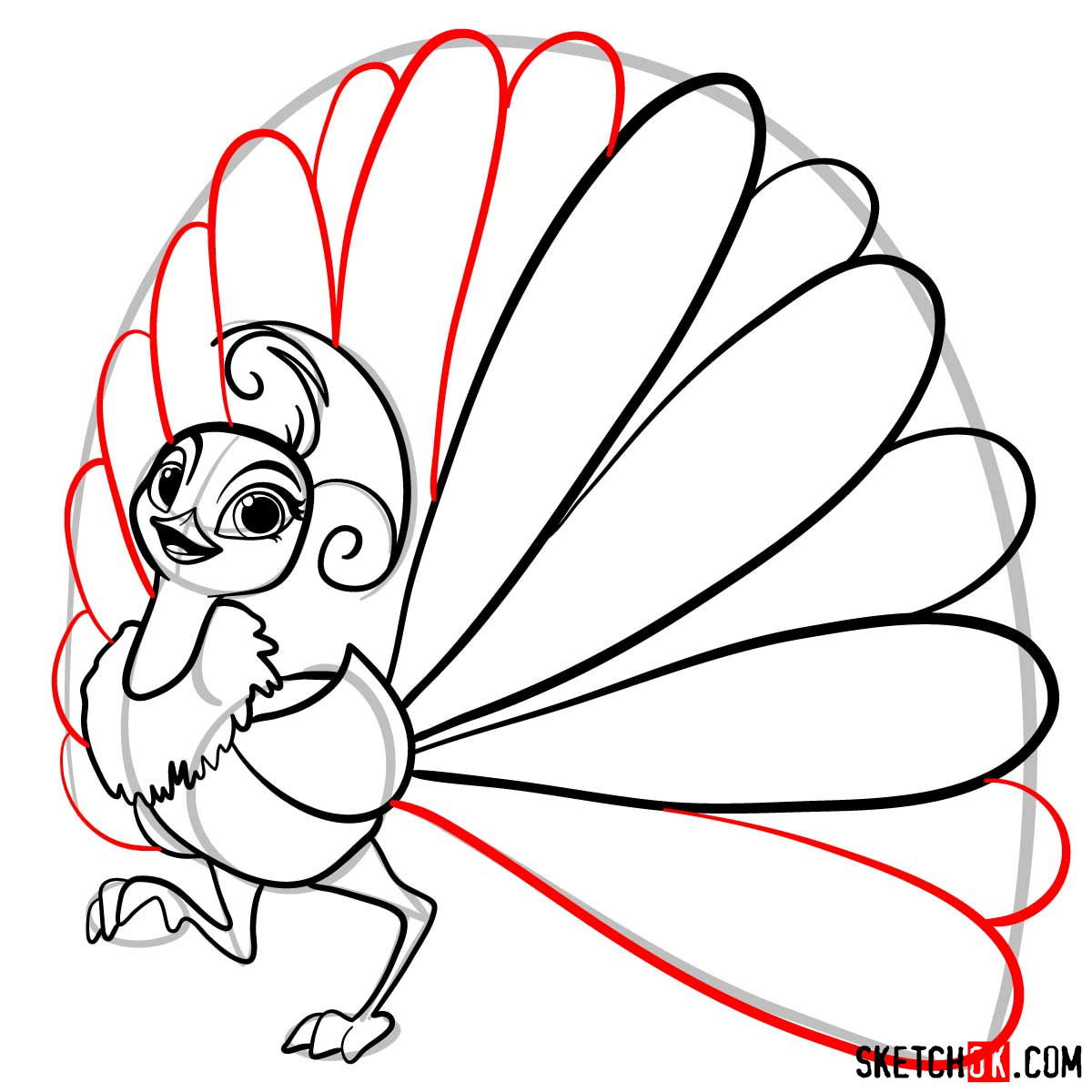
- Tail: Perhaps her most captivating feature, her tail feathers are blue and end with enchanting pink heart shapes.
- Beak & Legs: Both in striking orange, they add a pop of color and contrast to her mostly purple appearance.
Considering adding Tala, Parisa, or other pets from the series? These characters not only add depth to your drawing but also introduce fun dynamics, especially given Roya’s playful rivalries.
Deciphering the Drawing Guide
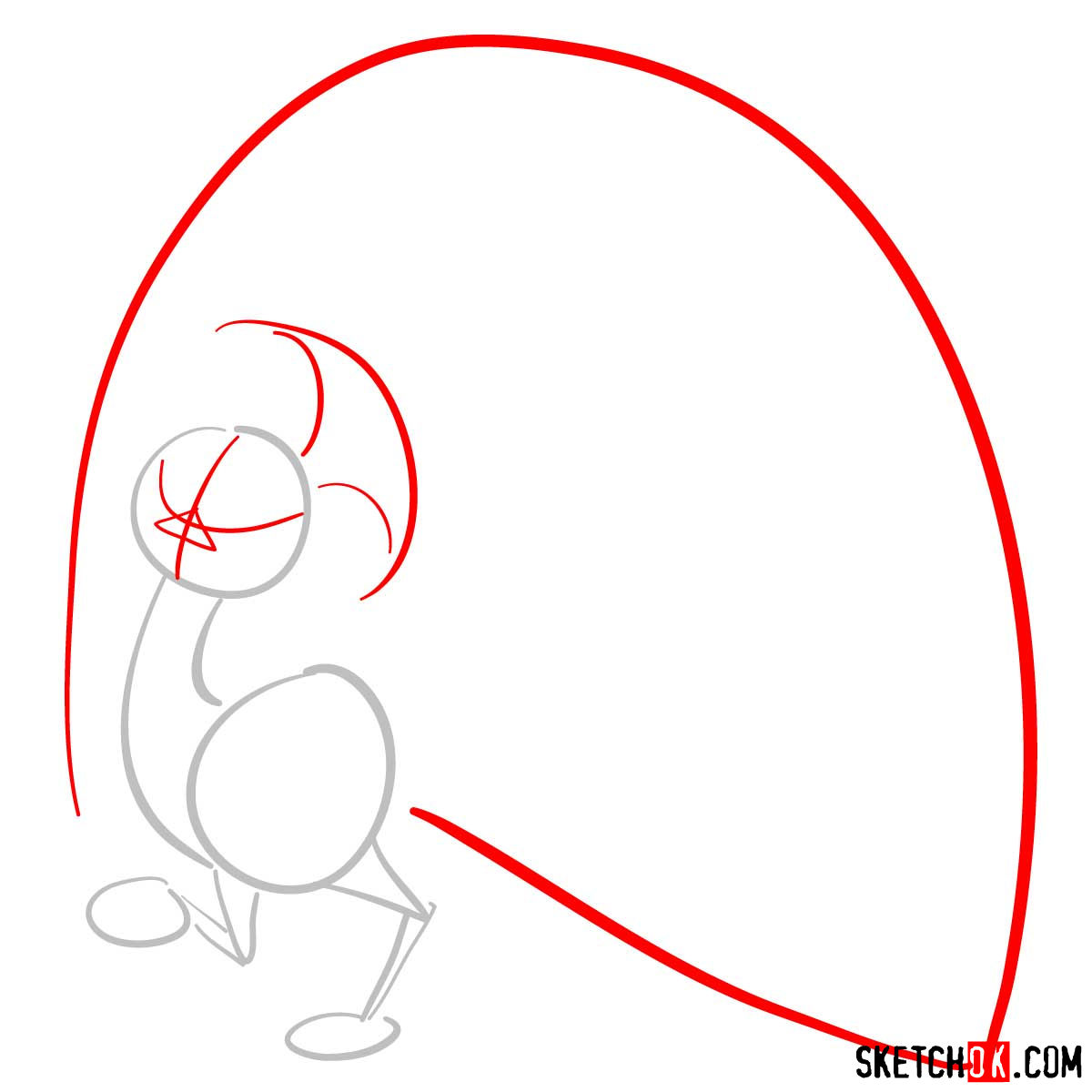
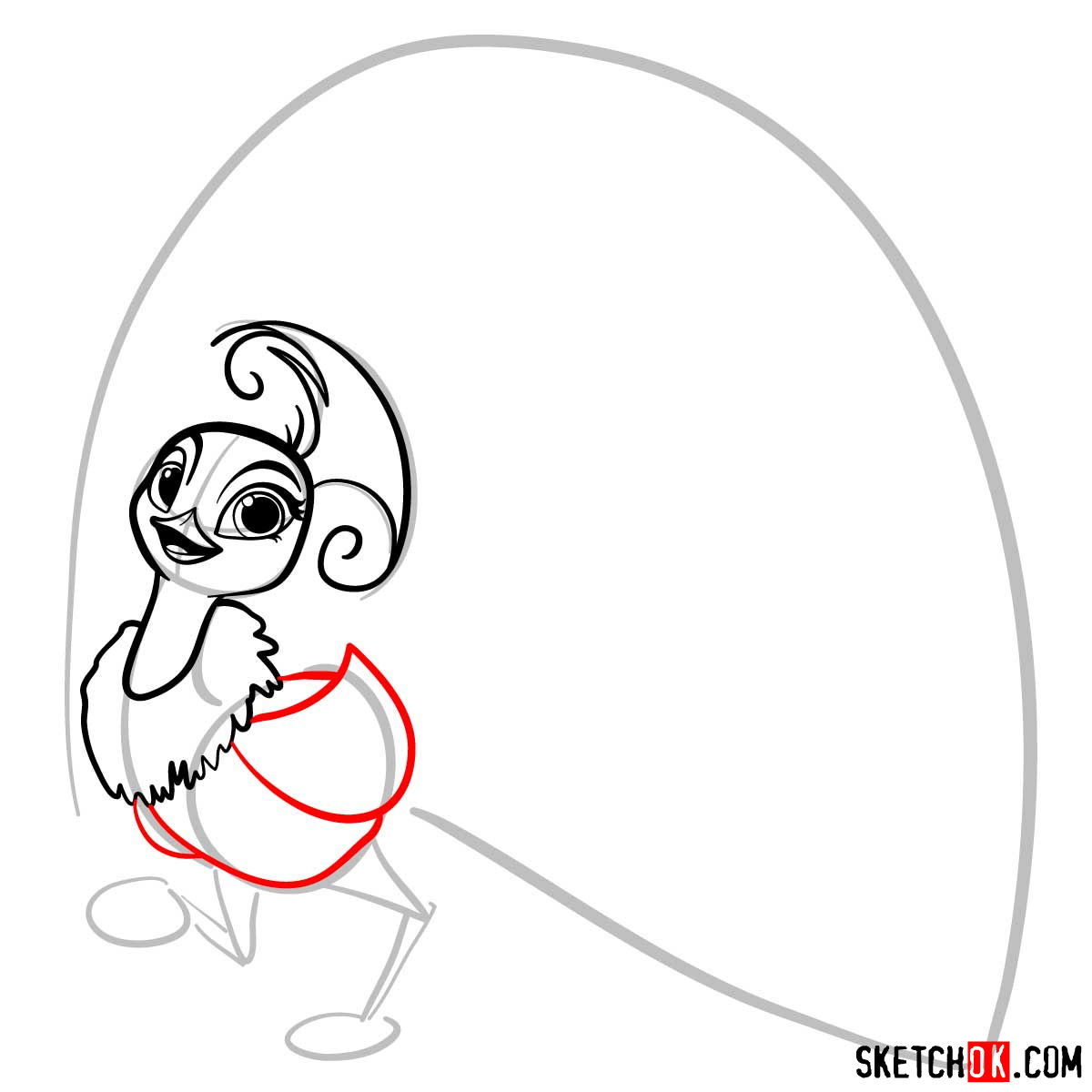
To ensure a smooth drawing experience, it’s crucial to understand the guide’s color coding:
- Red Color: Represents the current step you should focus on.
- Black Color: Showcases the lines you’ve drawn in the previous steps.
- Grey Color: Demonstrates the basic sketch you’ll be starting with. This initial stage is pivotal in getting the proportions right, so always begin with light pencil strokes.
The guide comprises 11 steps, culminating in a choice to ink the sketch. Once you’ve inked your masterpiece, remember to patiently wait for the ink to dry before erasing the pencil lines. This patience ensures that your drawing remains clean and unsmudged.





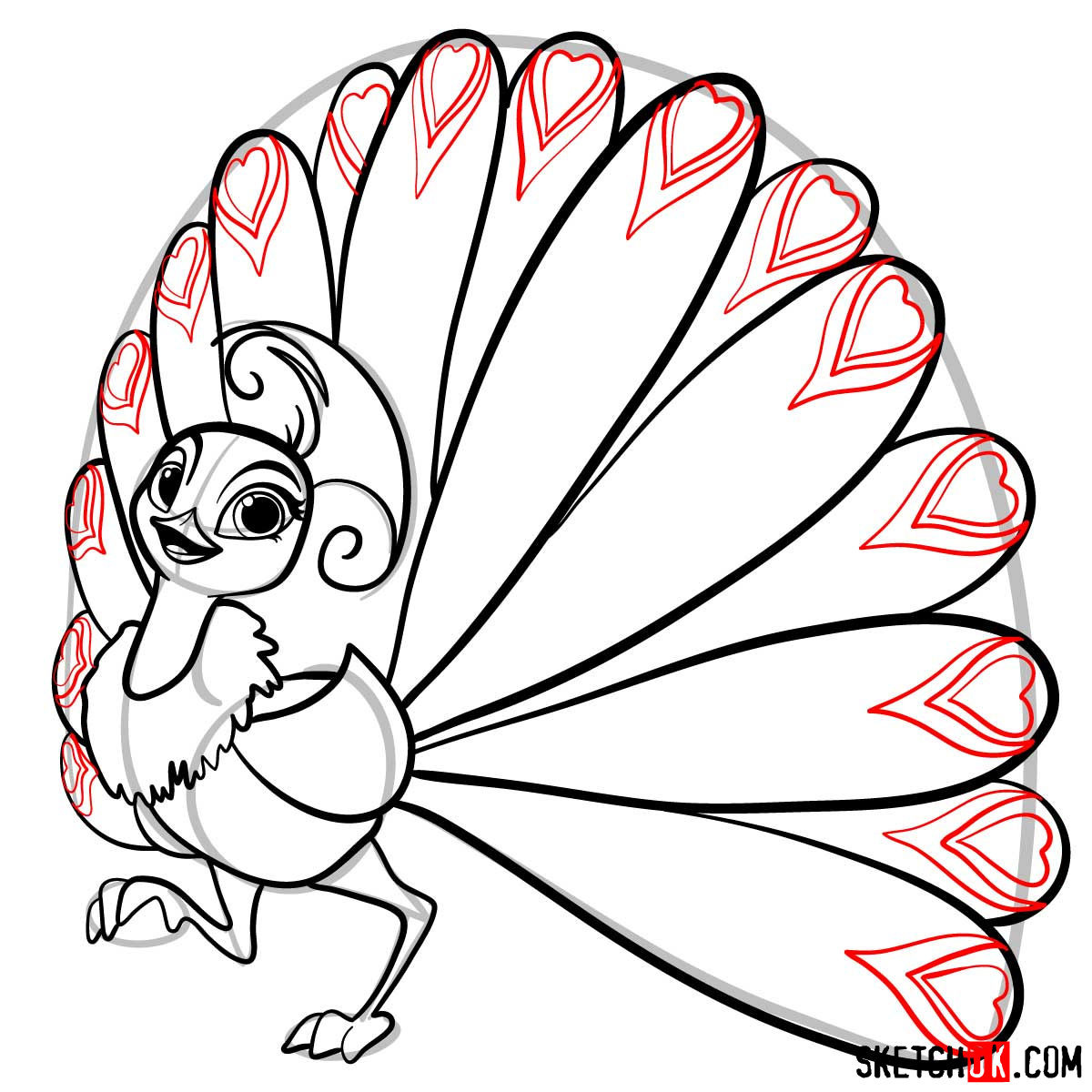

That covers how to draw Roya the peacock from Shimmer and Shine, but if any particular step felt unclear or rushed, drop a comment below and let me know which one. That kind of feedback actually helps when the guide gets updated, so it’s genuinely useful. You can also find new tutorials announced on the SketchOk Facebook page if you want to stay in the loop.