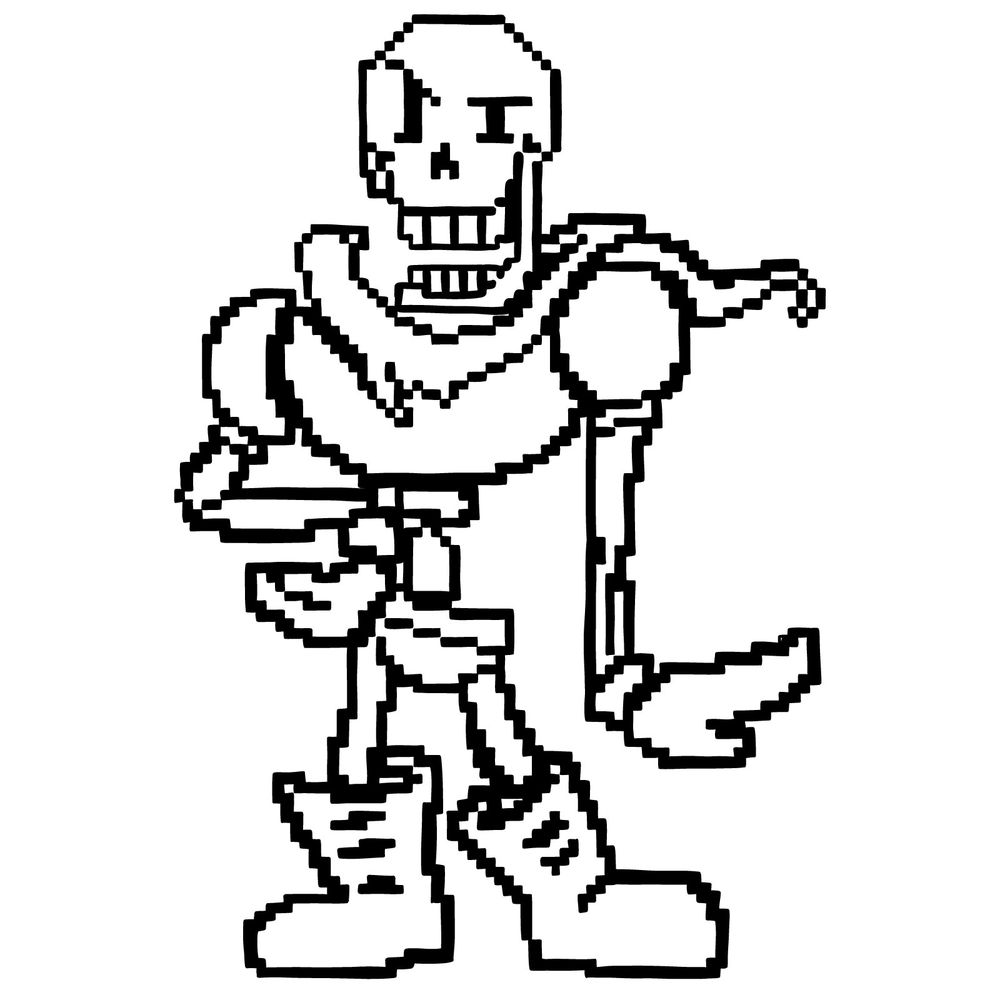
Translating a character into blocky pixel-art linework takes a different kind of discipline than regular freehand drawing, and this guide focuses exactly on that skill with pixel Papyrus from the Undertale roster of tutorials. The result is a clean line-art build that works through the pixel grid approach step by step.
What This 26-Step Pixel Art Walkthrough Covers
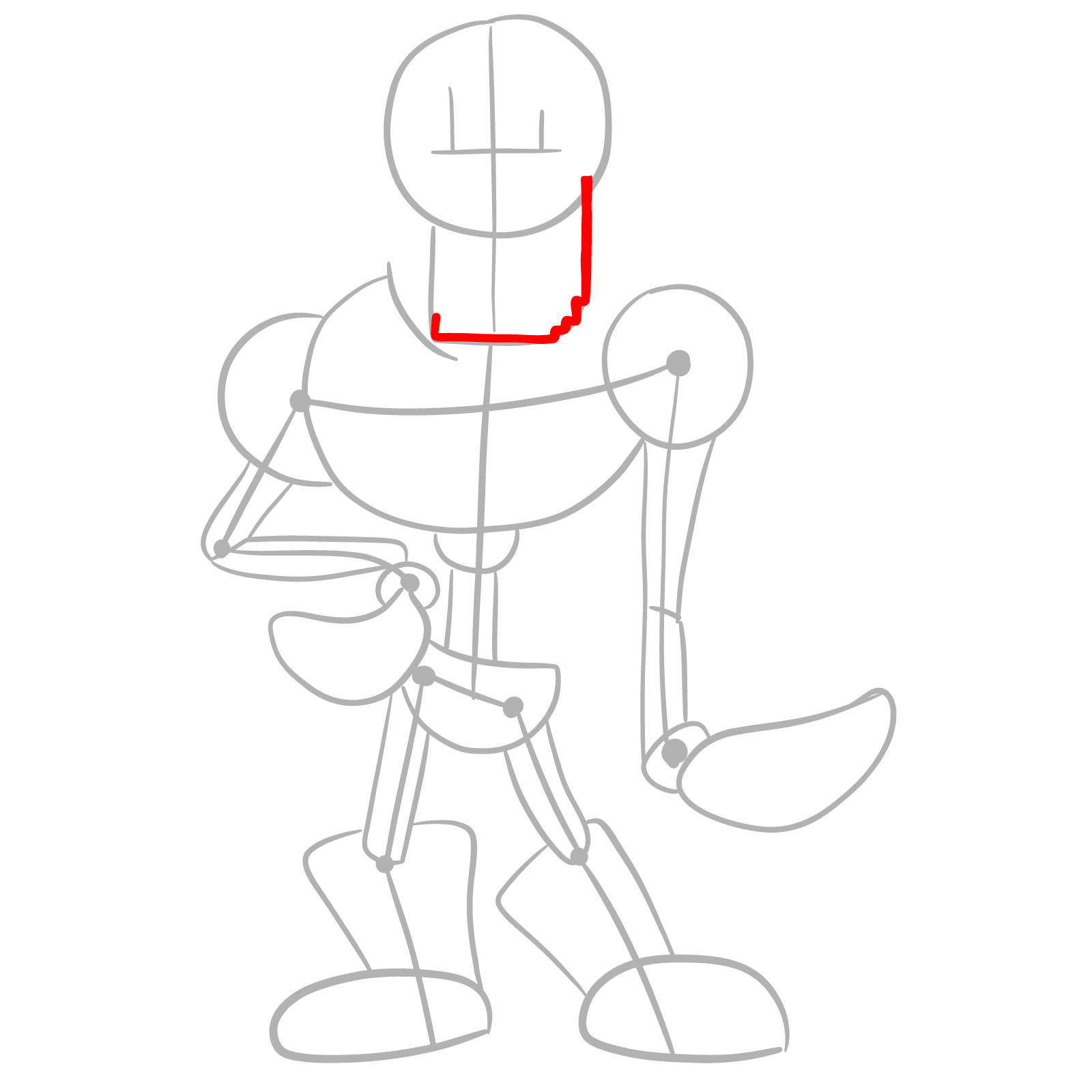
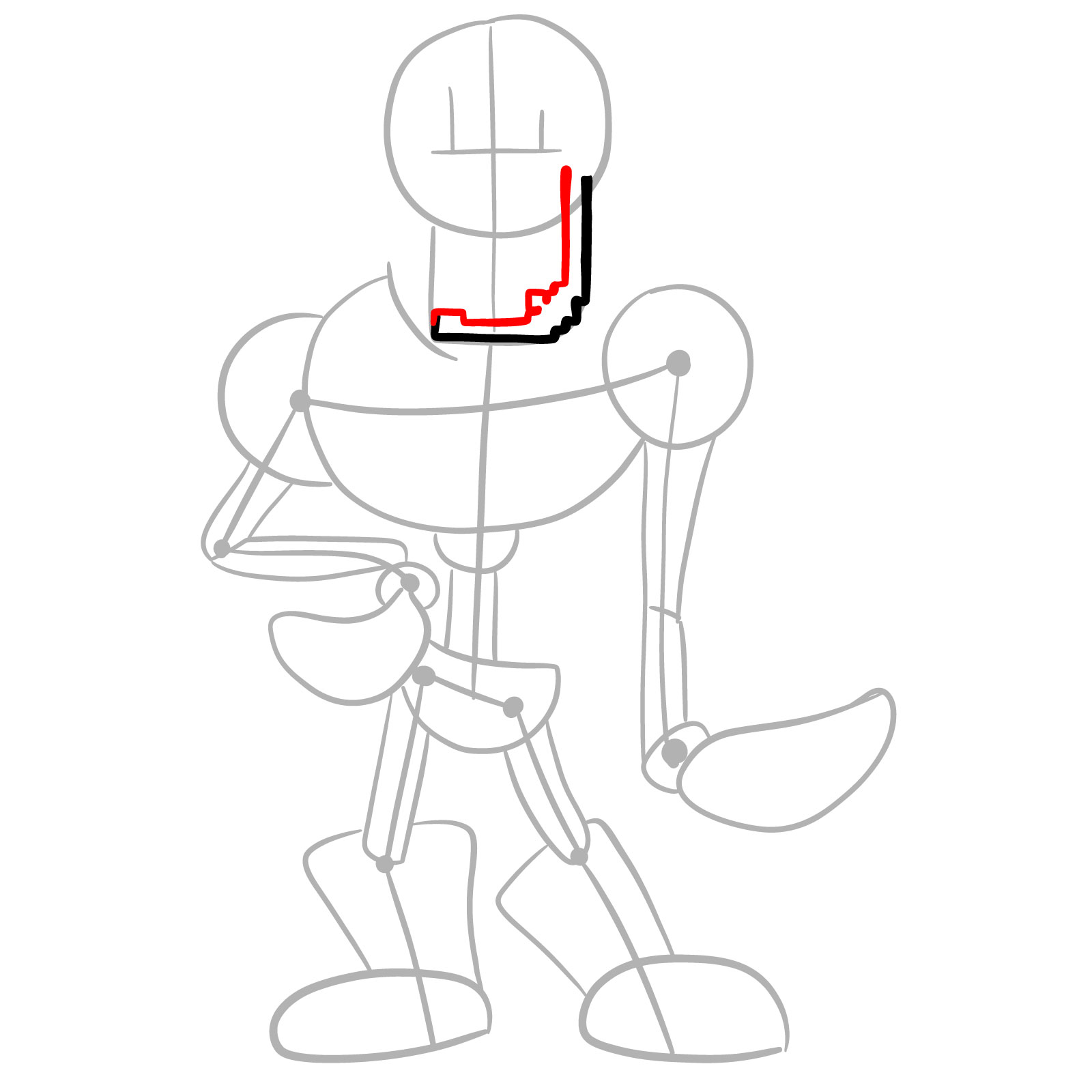
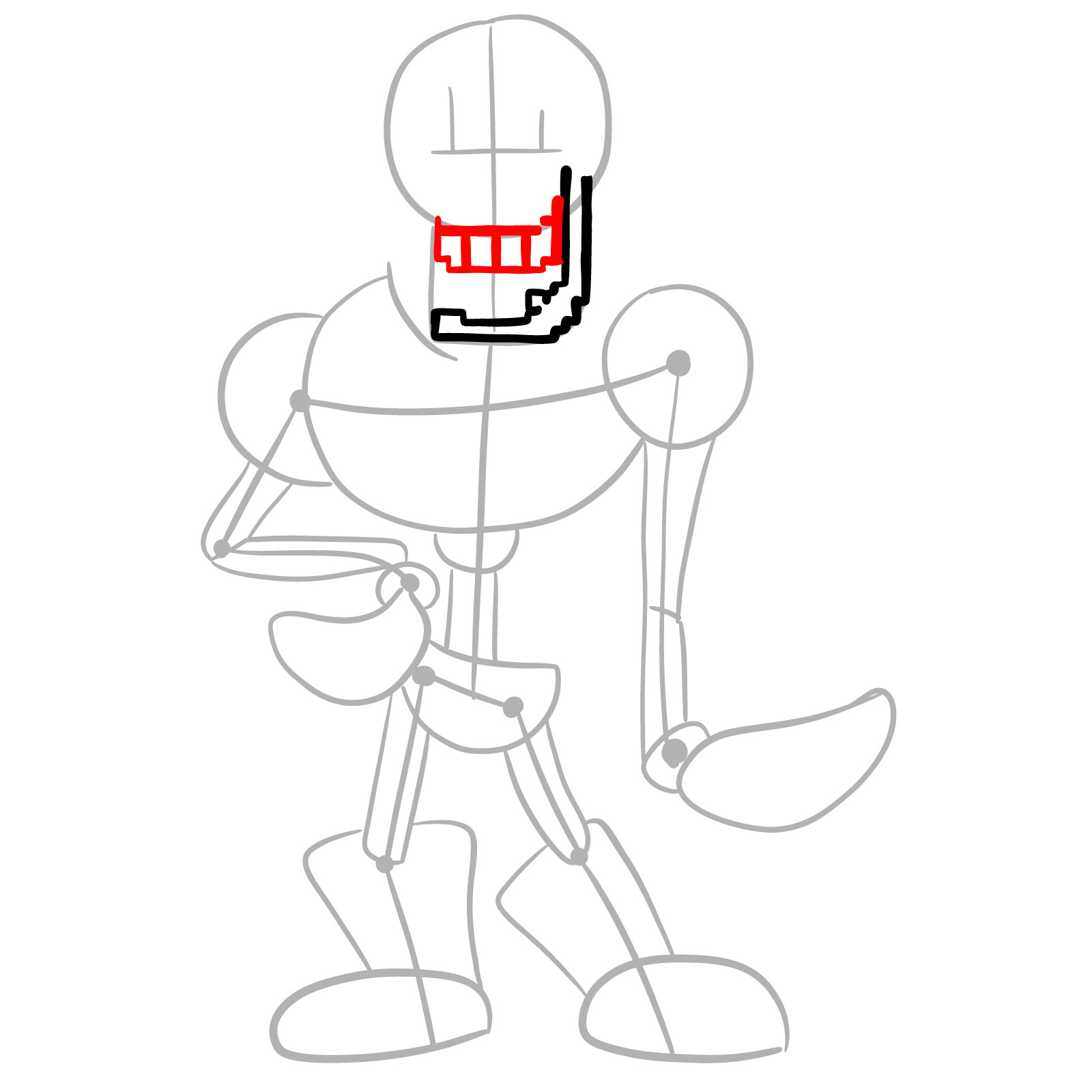
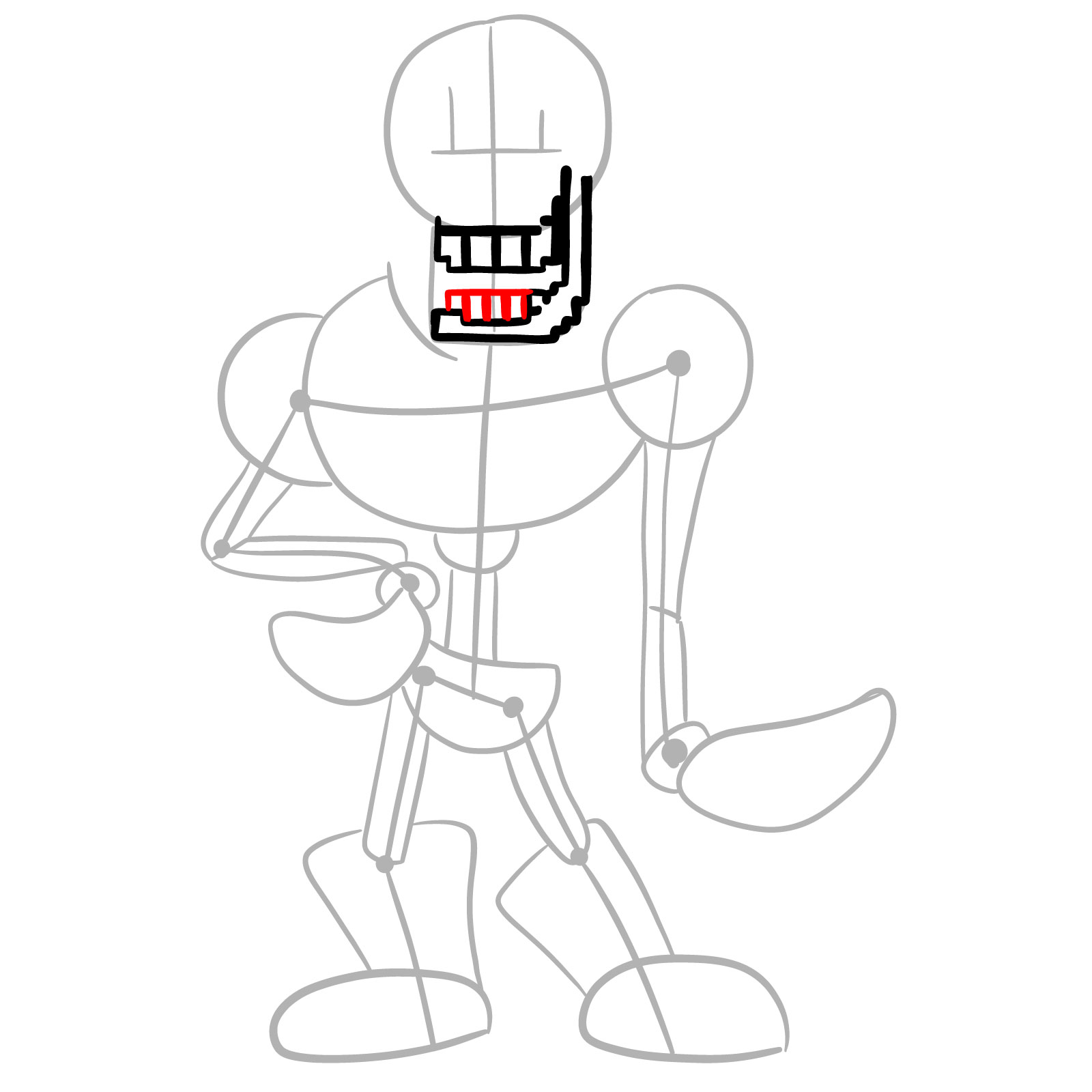
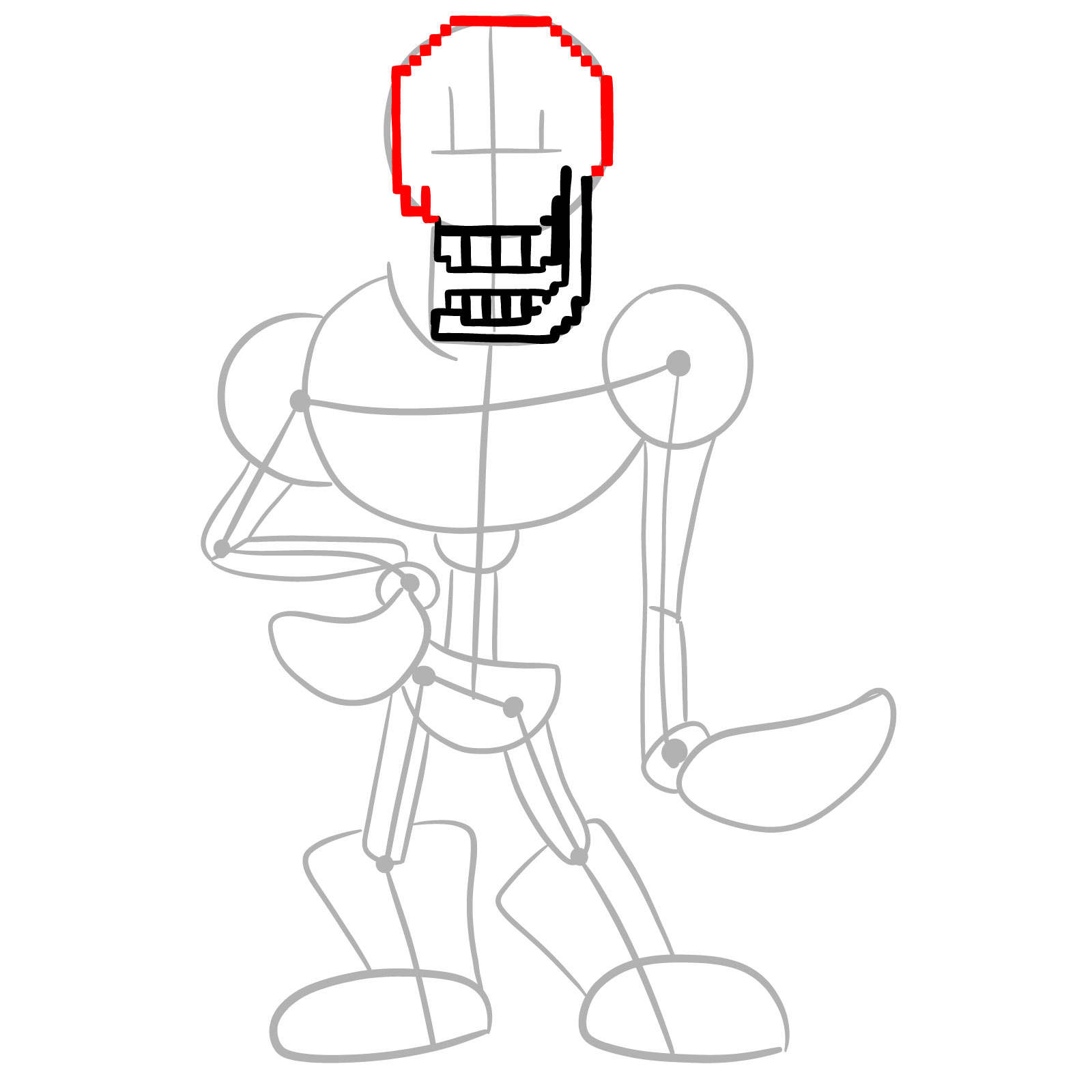
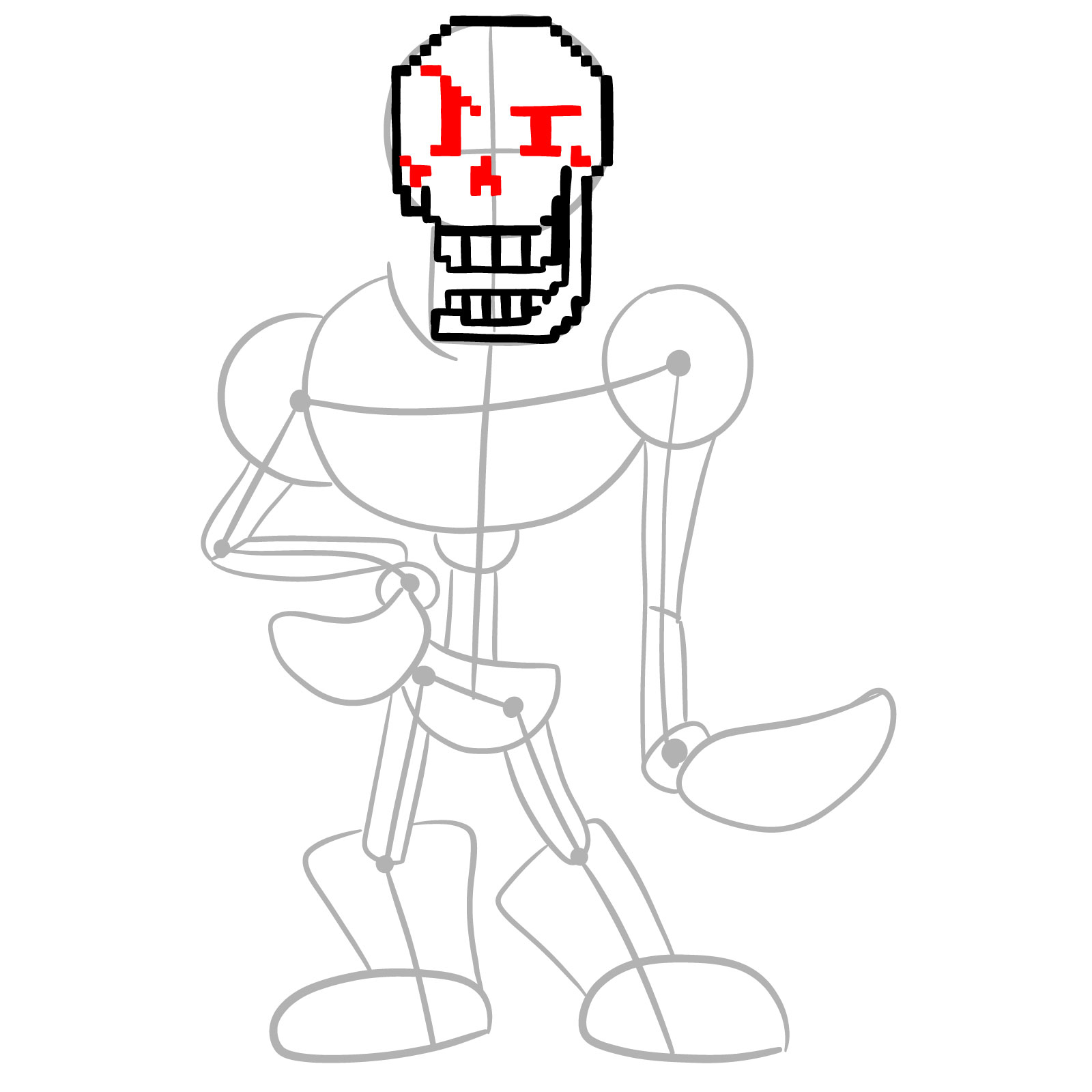
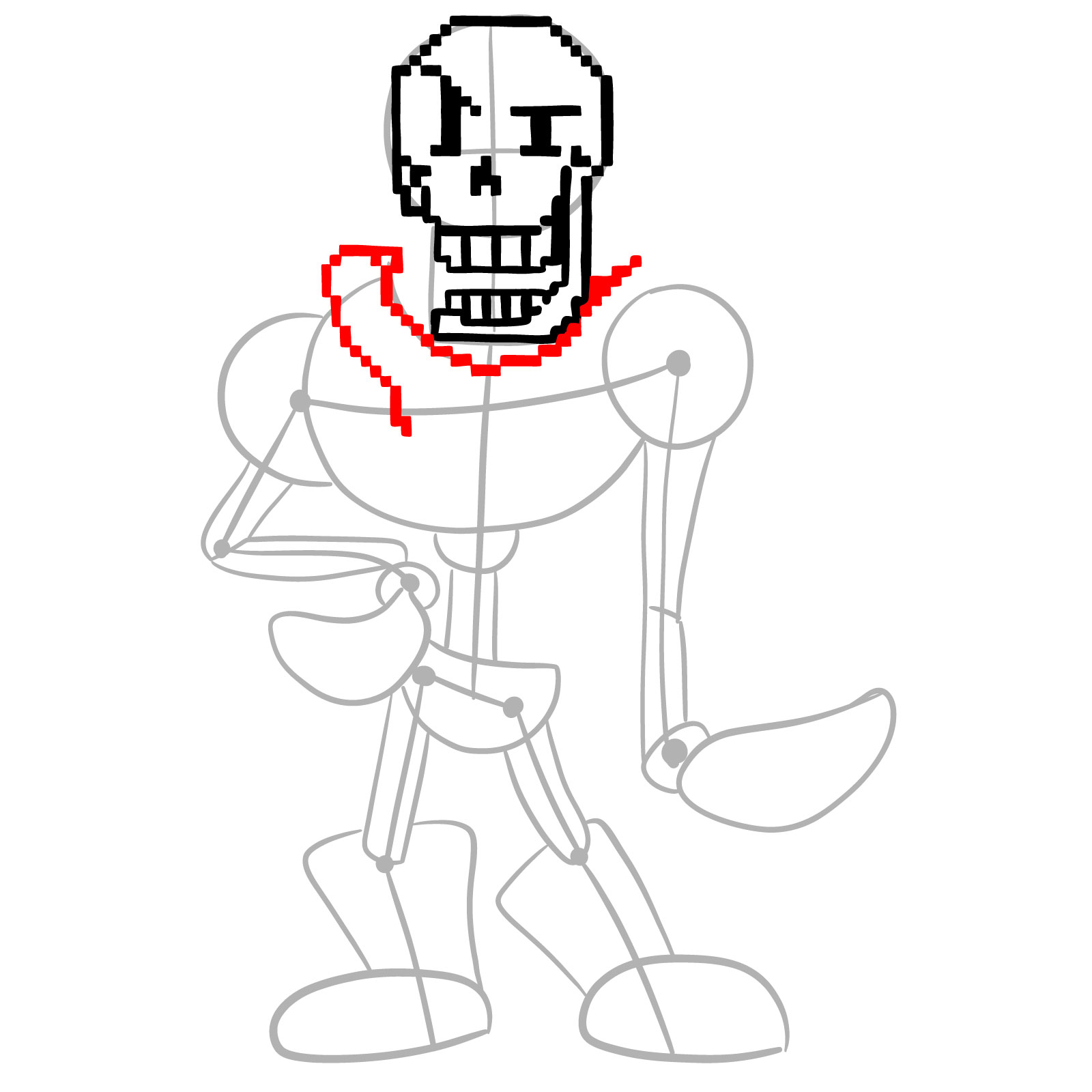
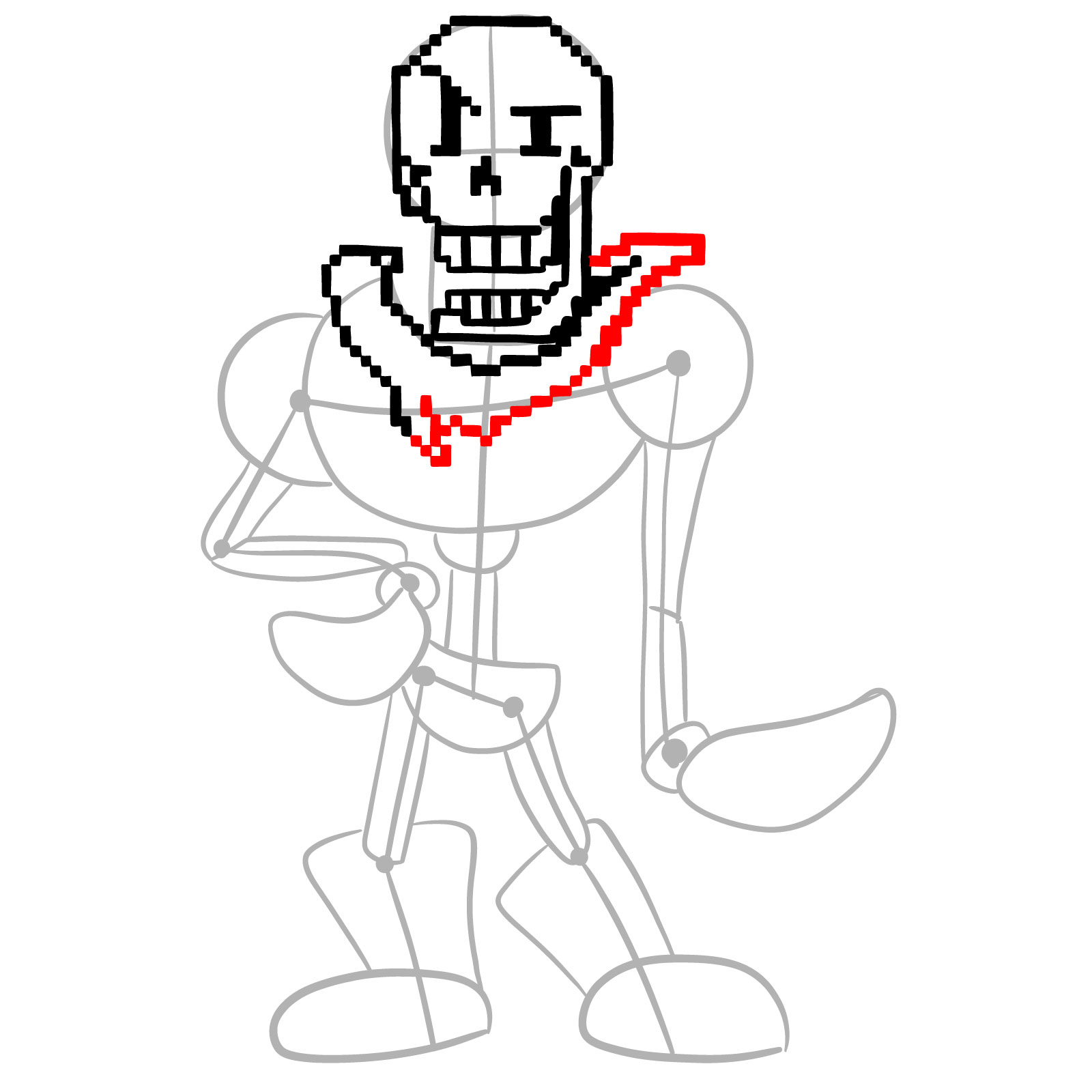
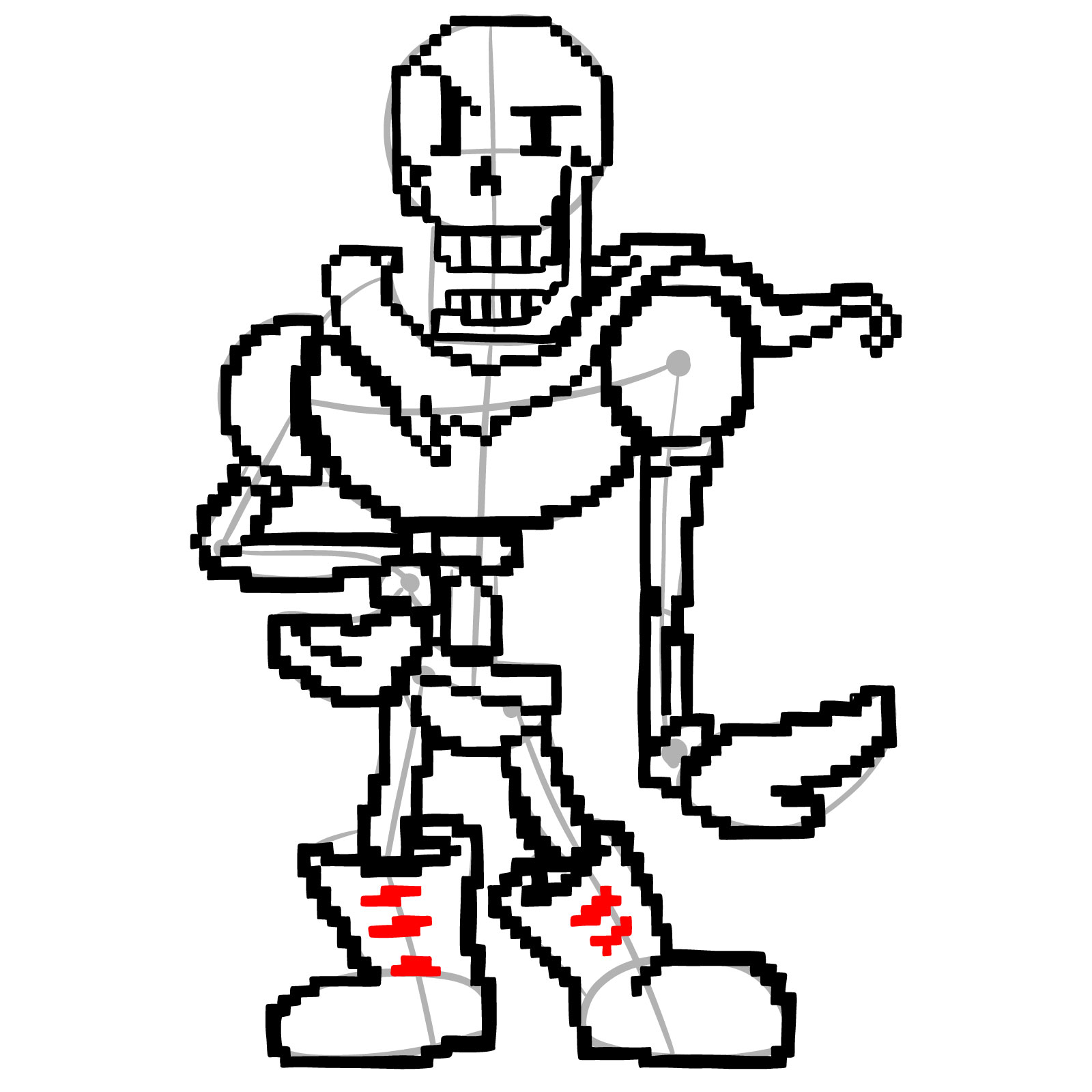
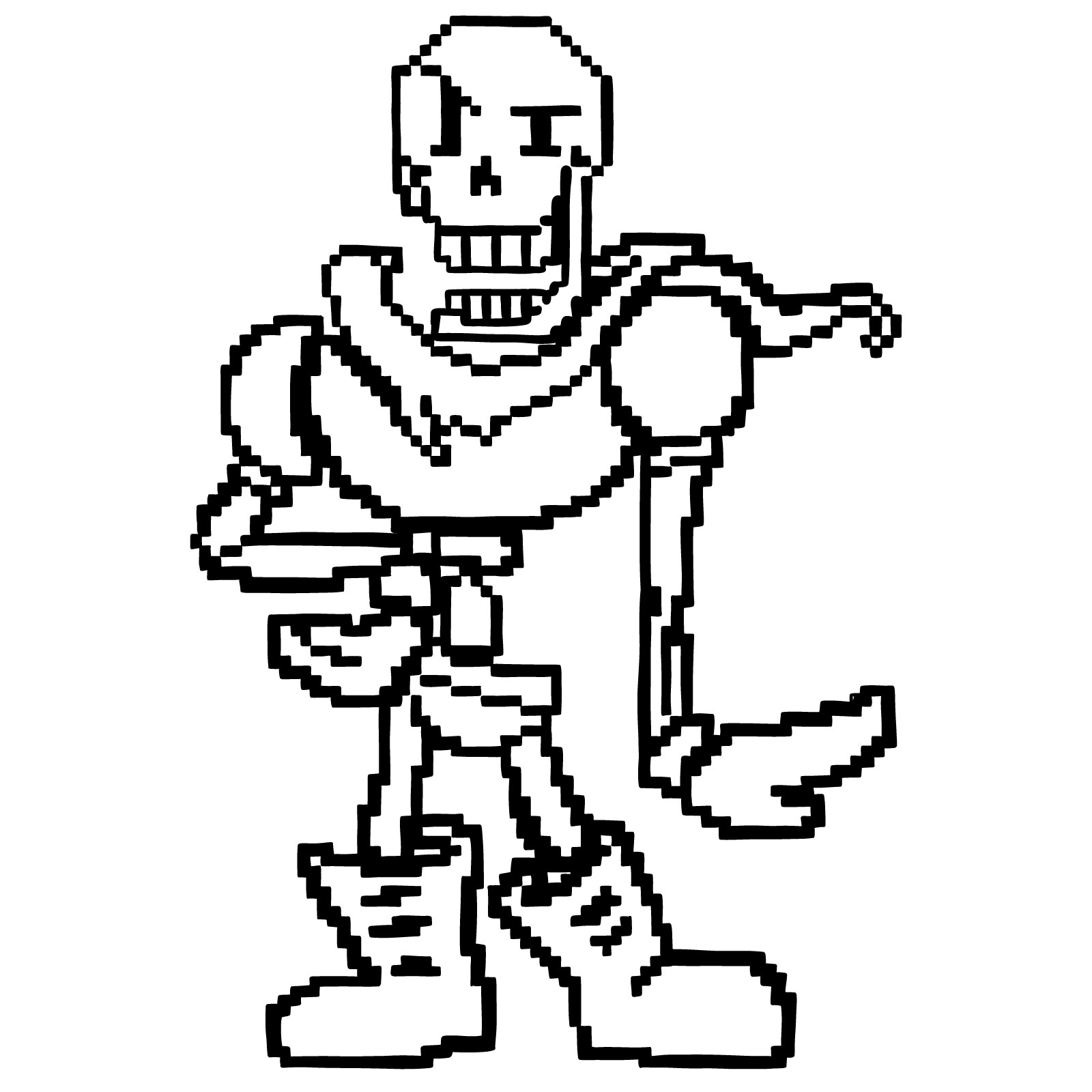
The tutorial runs through 26 steps and ends on line art rather than a colored version, keeping all the attention on the blocky pixel construction. Papyrus is in a dynamic, outward-reaching pose with a flowing cape, which means the outer silhouette has a lot of variety to work through. Most of the early steps focus on establishing the large structural shapes, while the later steps handle the fine blocky detail on the armor and facial features.
Papyrus Pixel Design at a Glance
- Skull head with wide grin and eye markings
- Armored outfit with large shoulder pads
- Long flowing cape behind the body
- One arm outstretched holding an object
- Large boots, dynamic standing pose
If you want to keep building out the pixel art side of Undertale, pixel Chara and the King Asgore pixel version both use the same blocky construction approach and pair well with this one. For a non-pixel take on the Undertale cast, the Asriel art version is worth a look too.
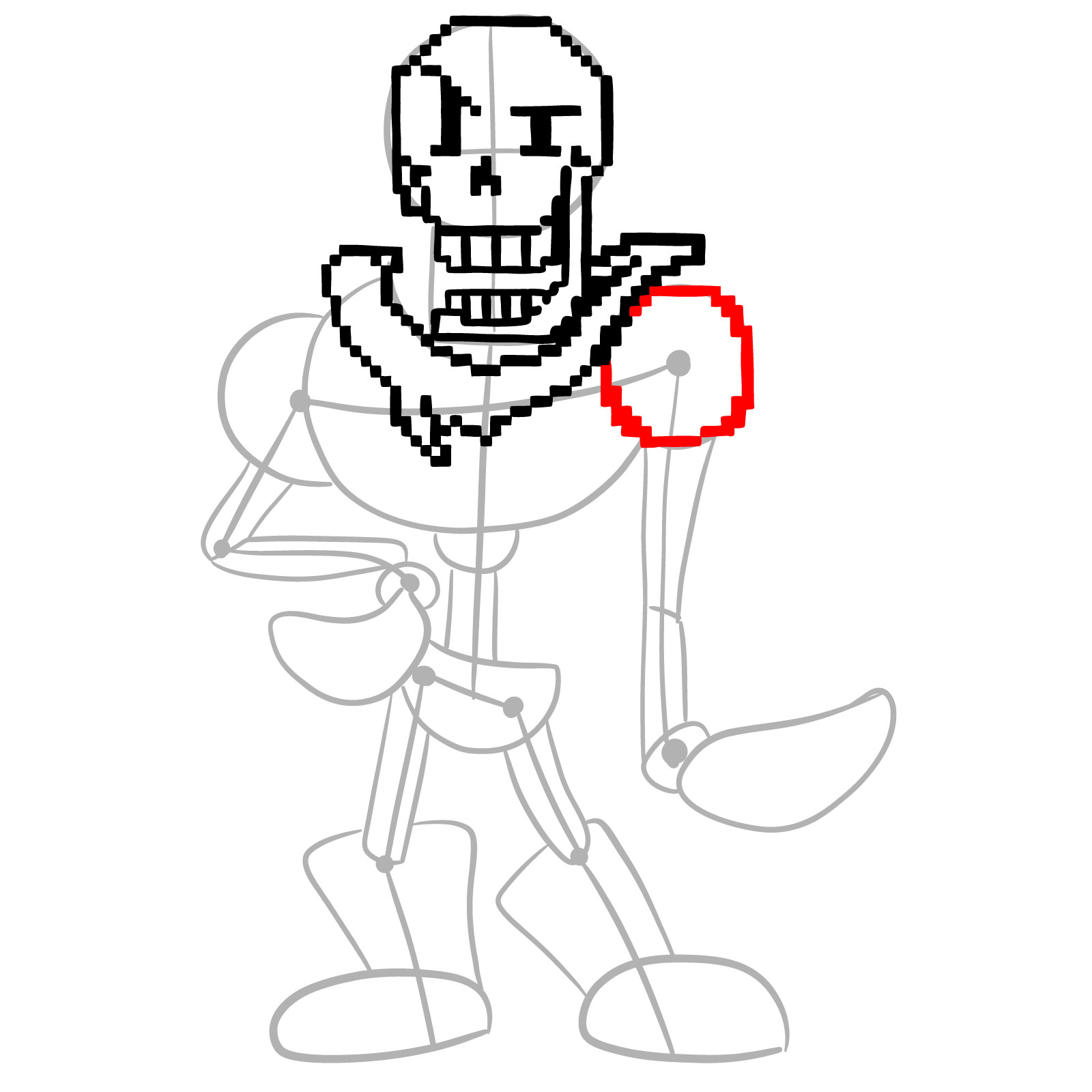
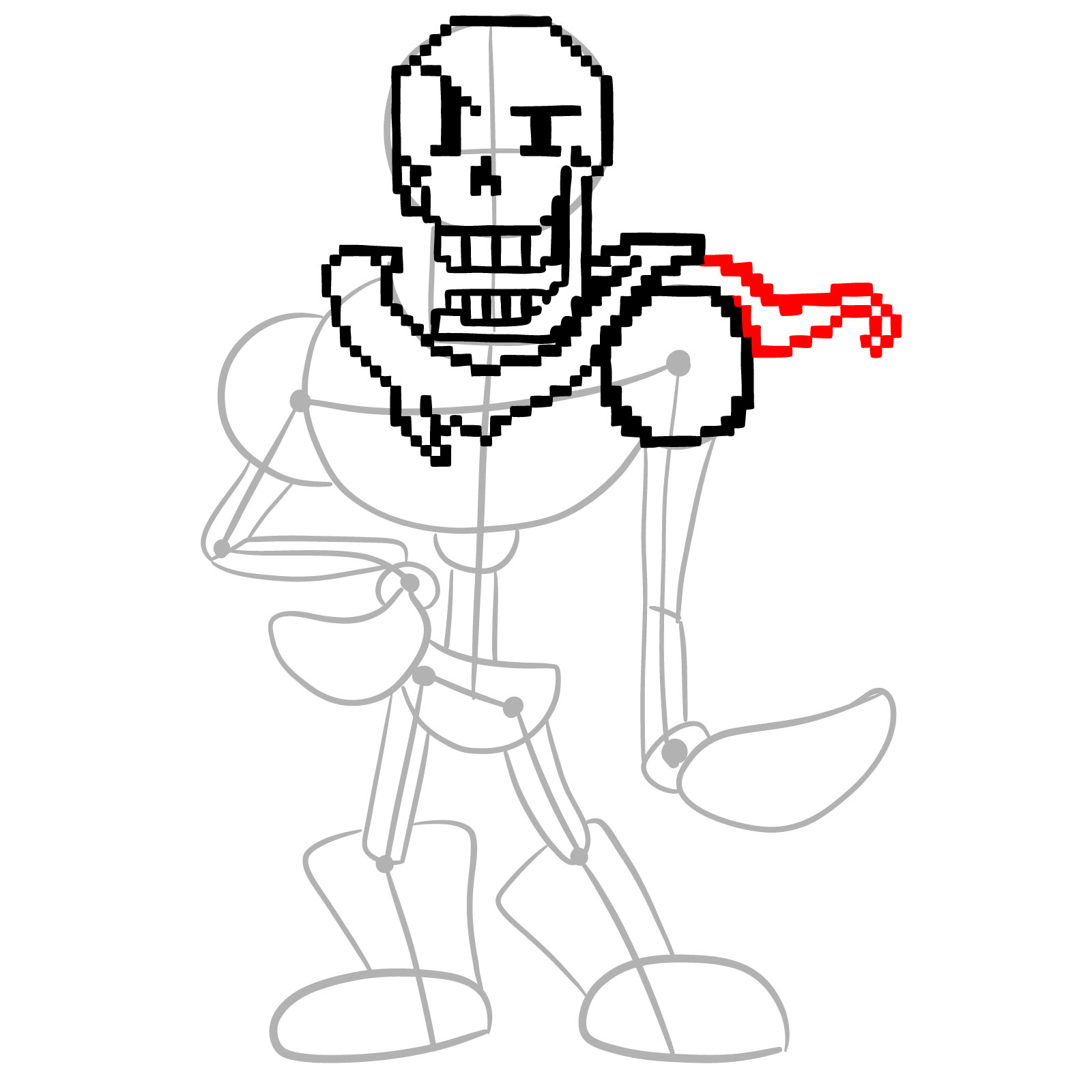
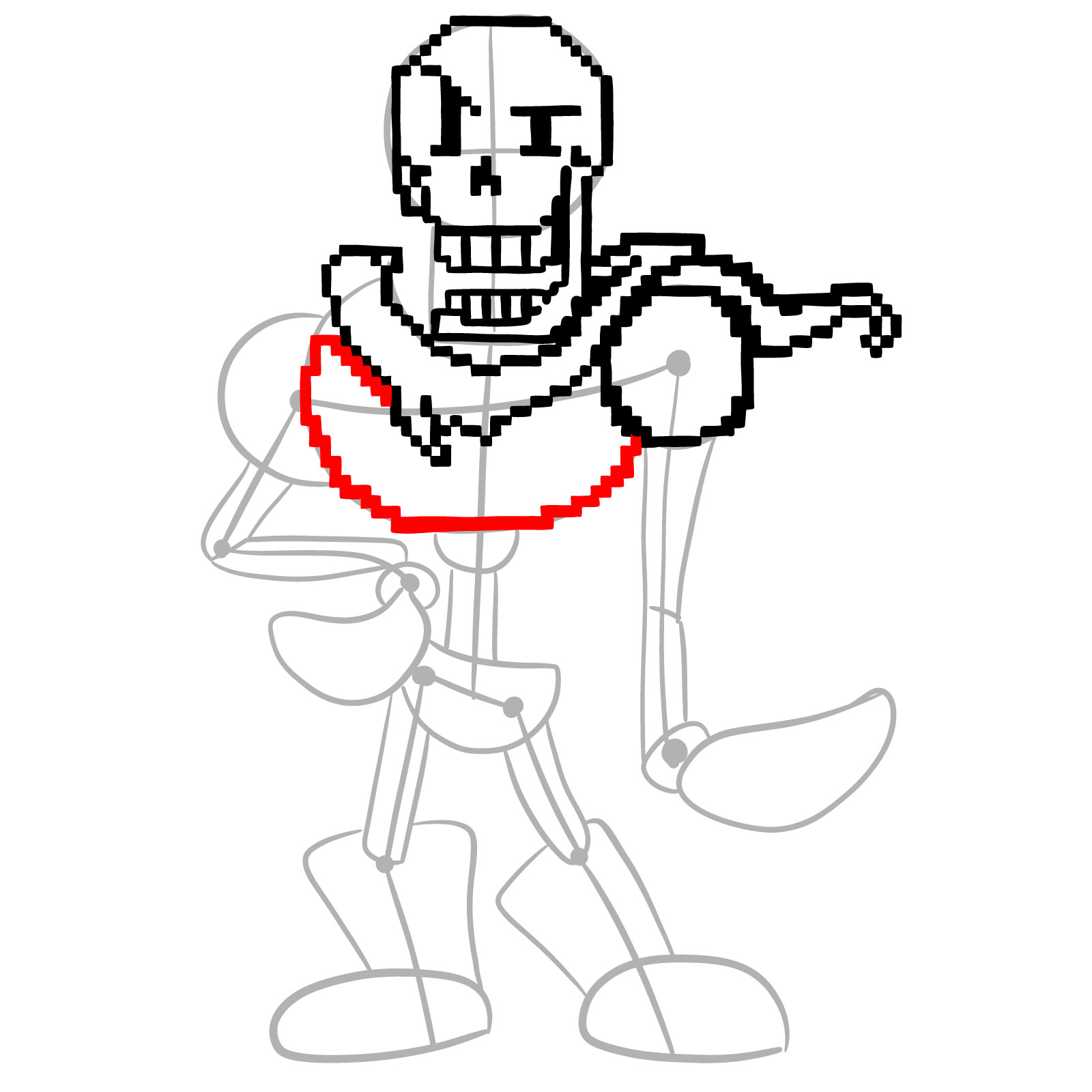
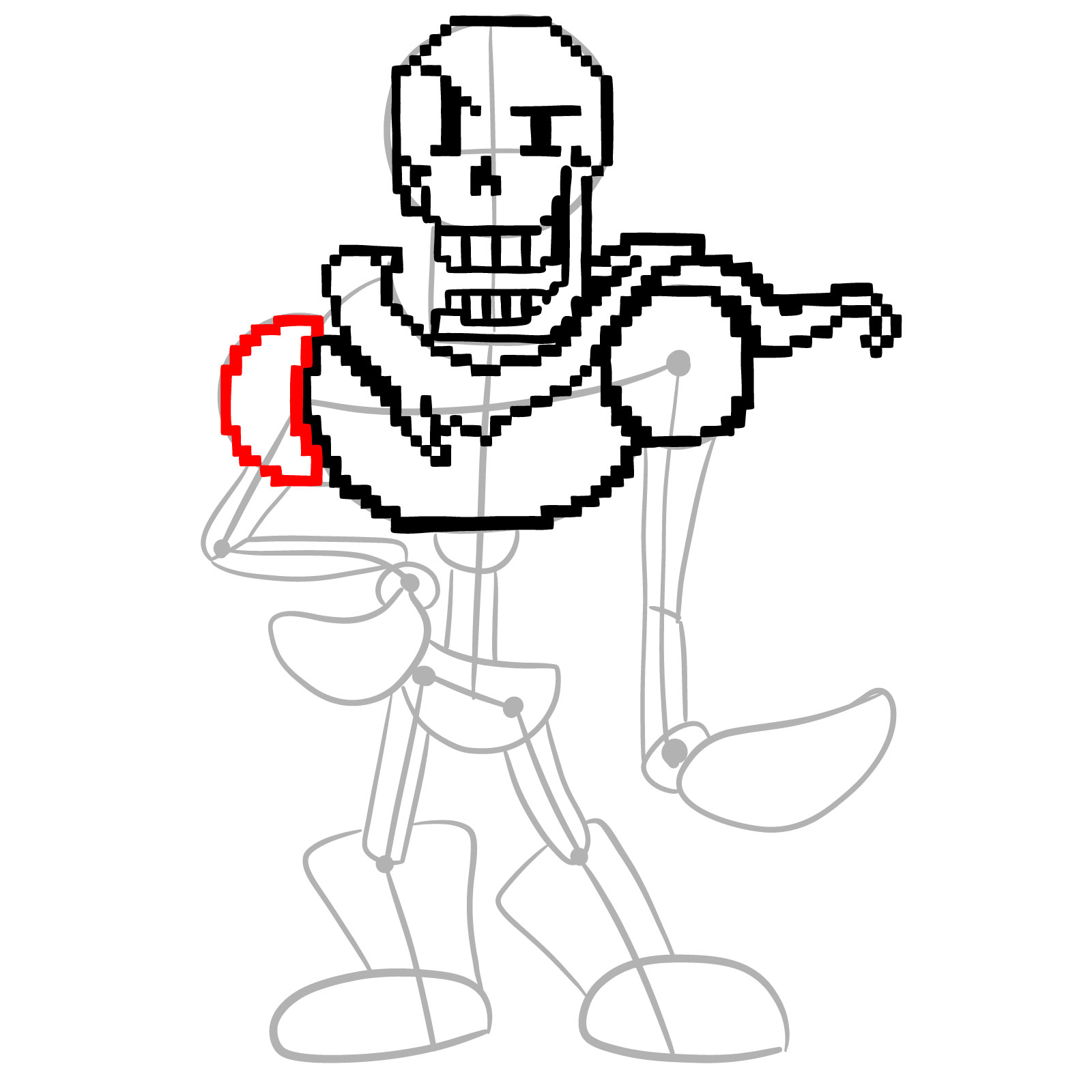
Color Coding in the Step Images
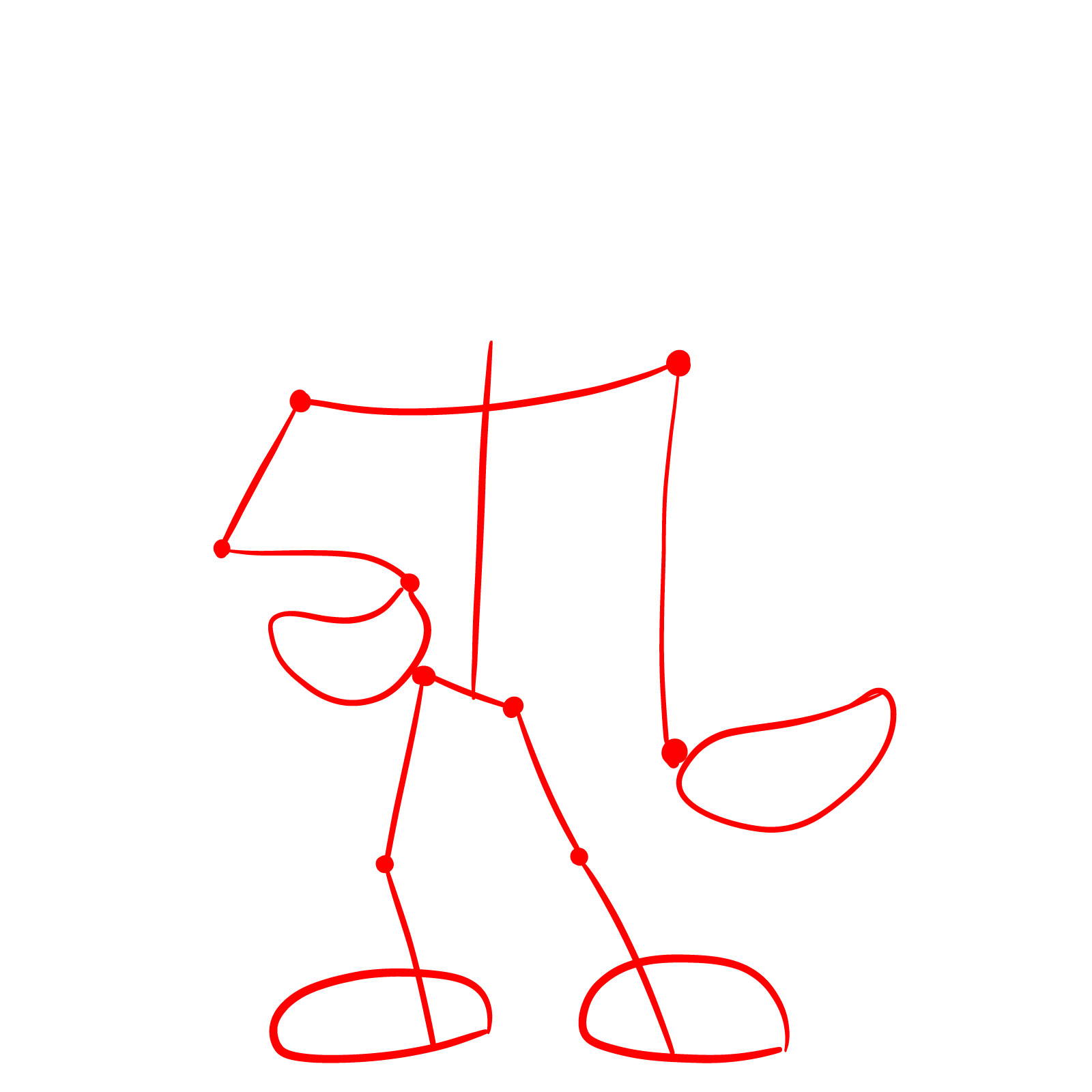
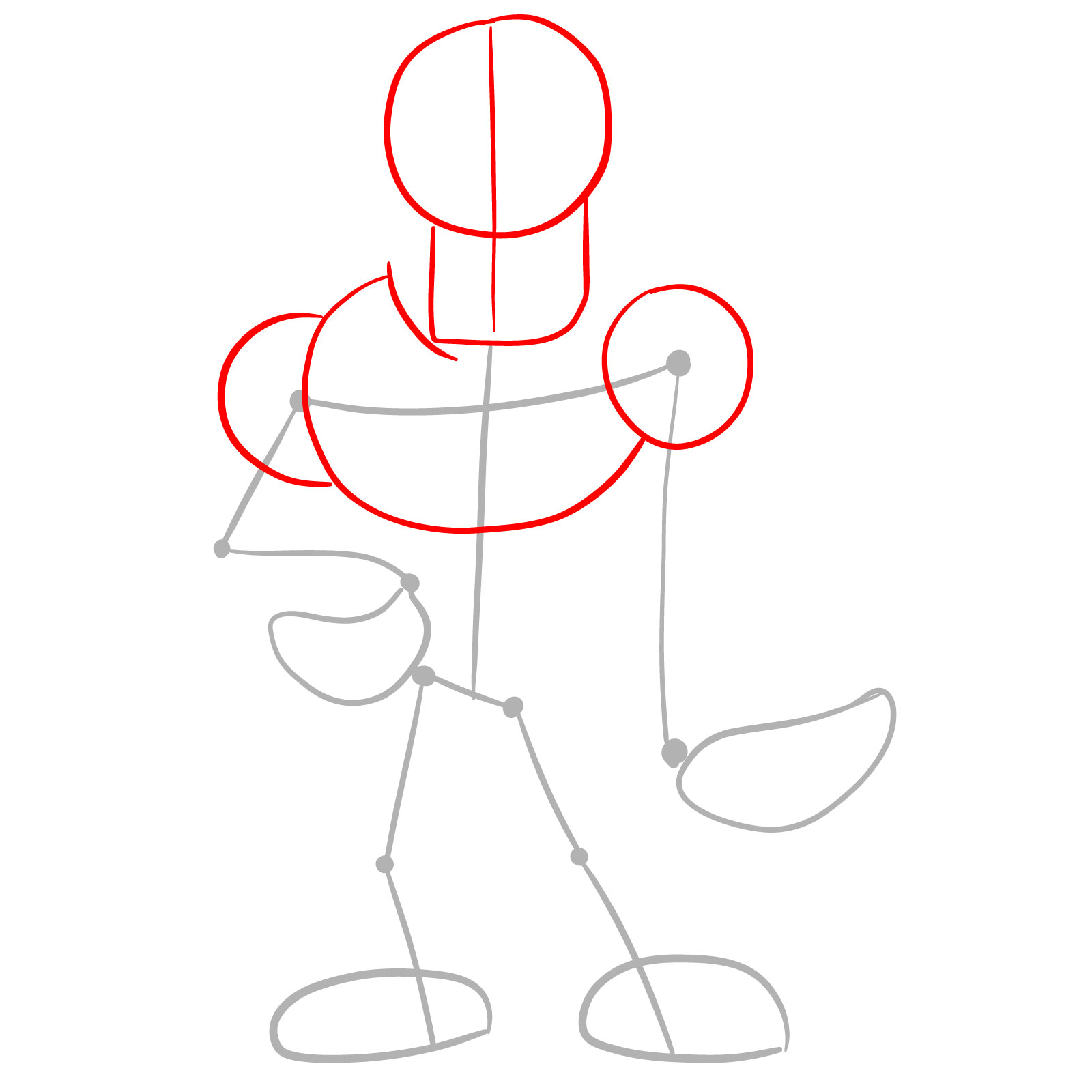
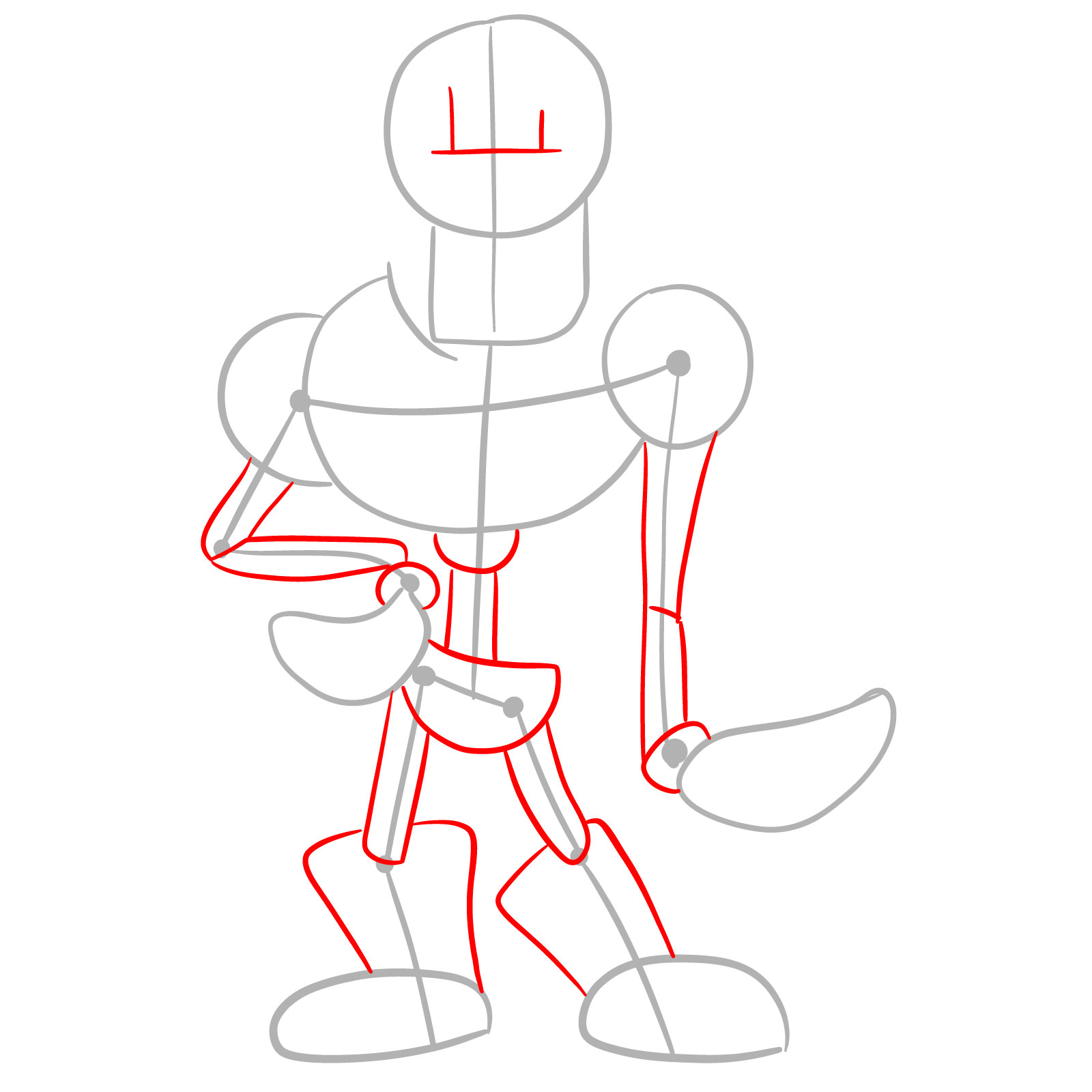
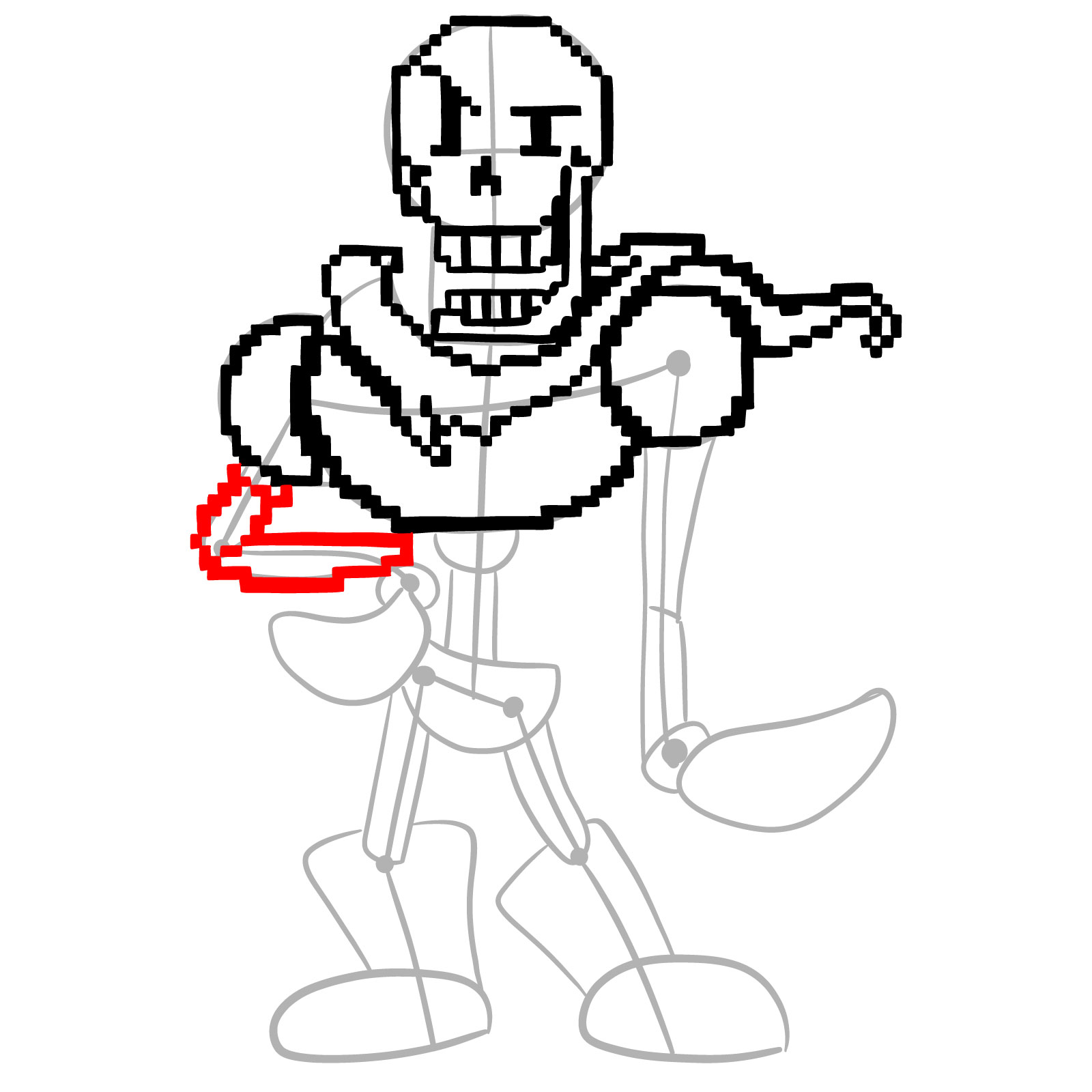
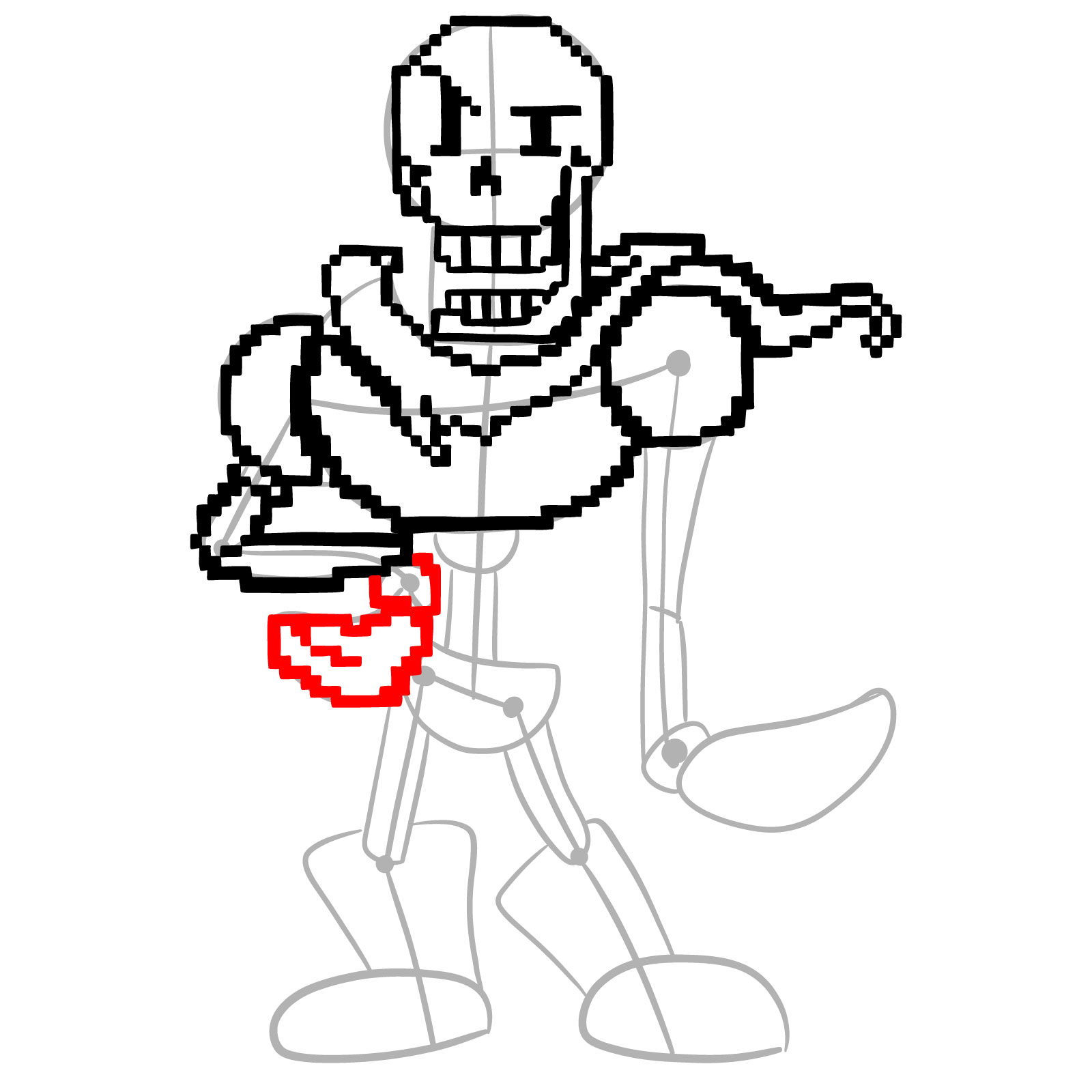
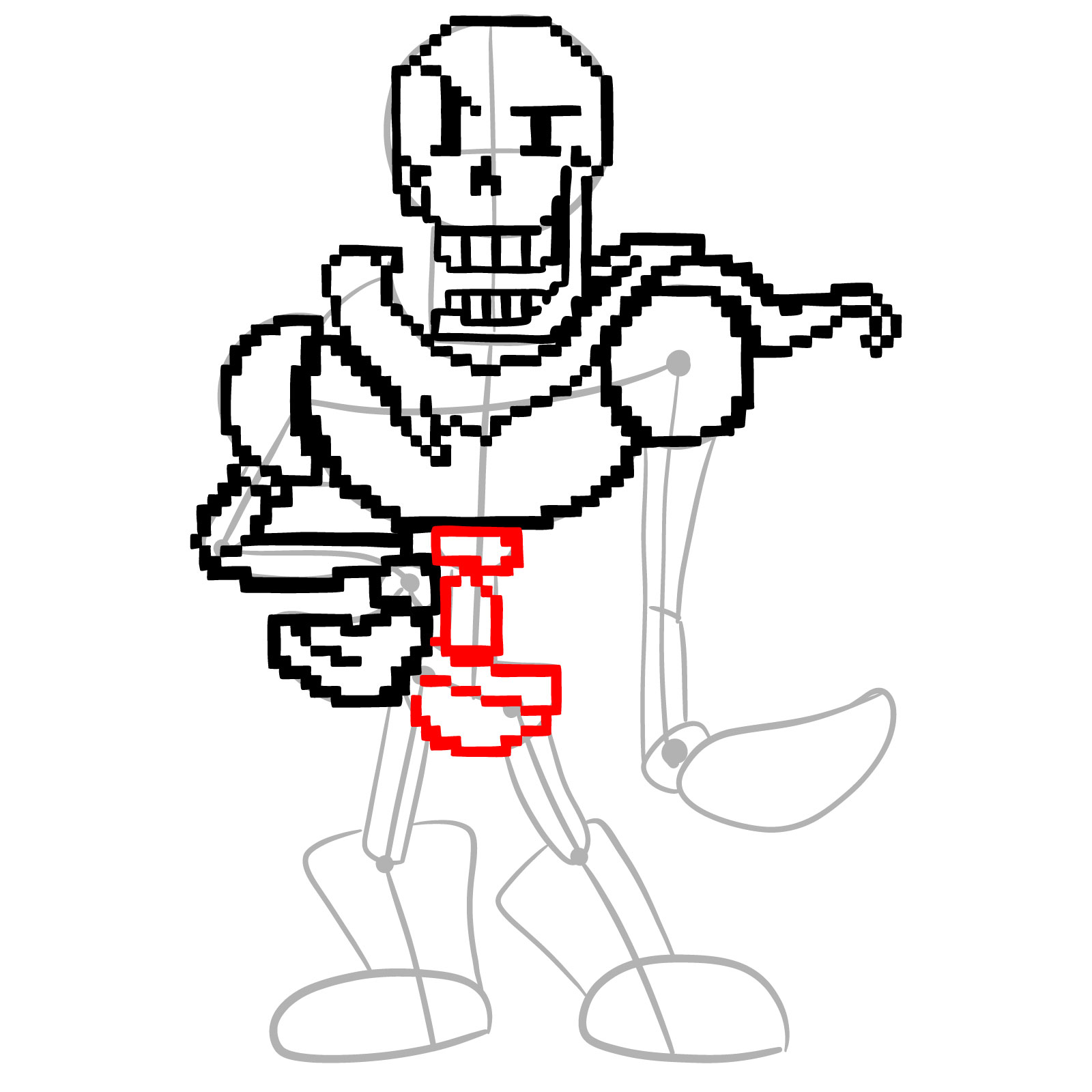
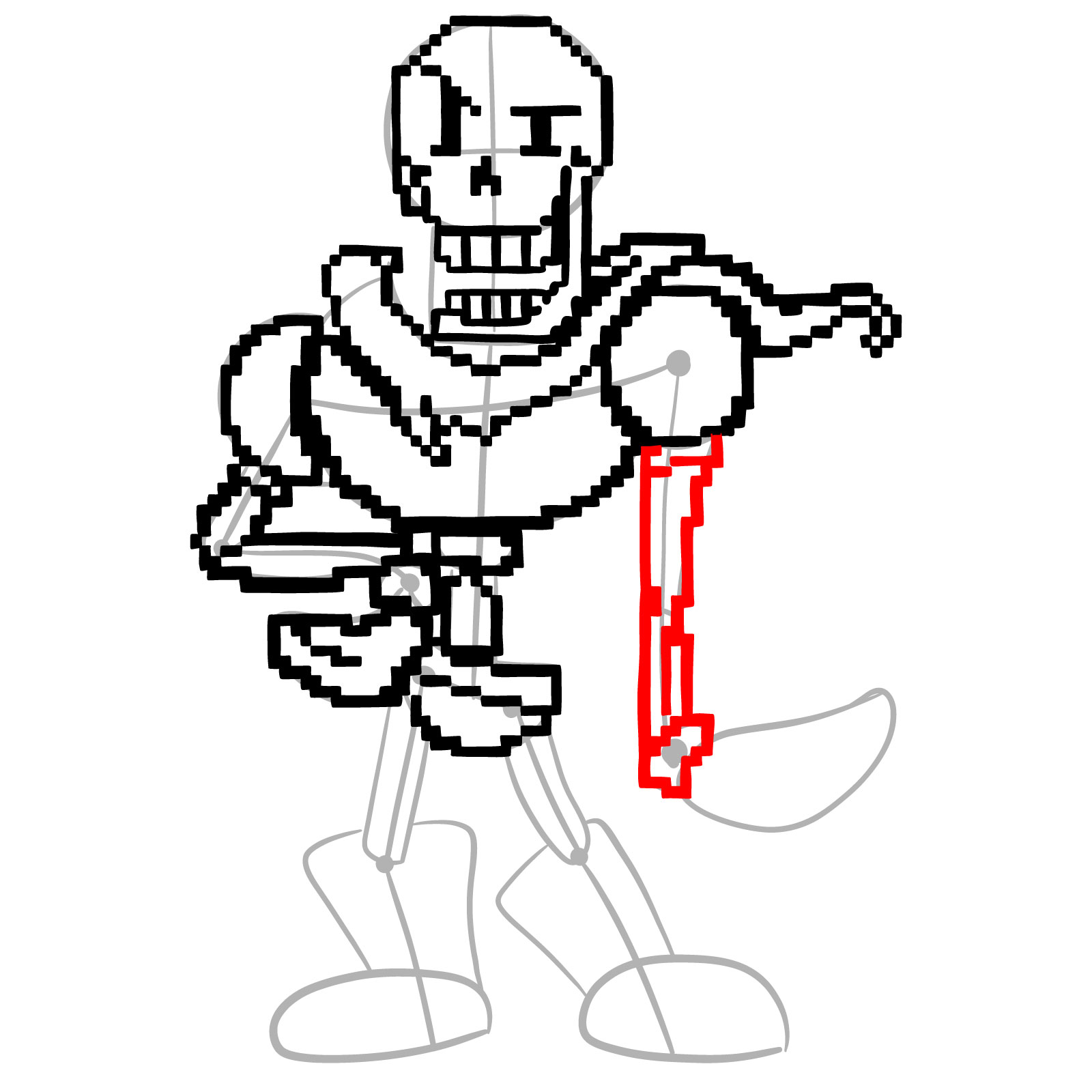
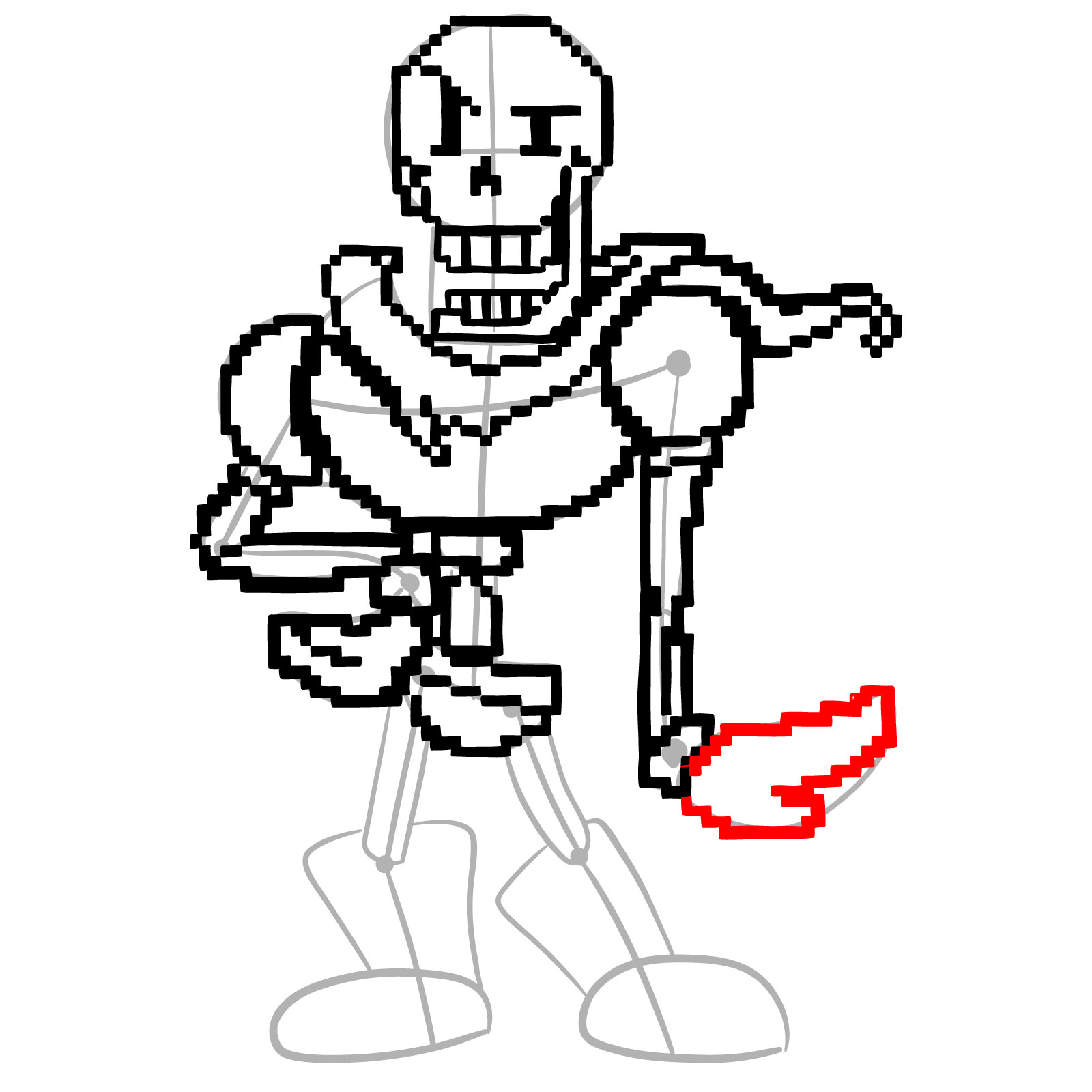
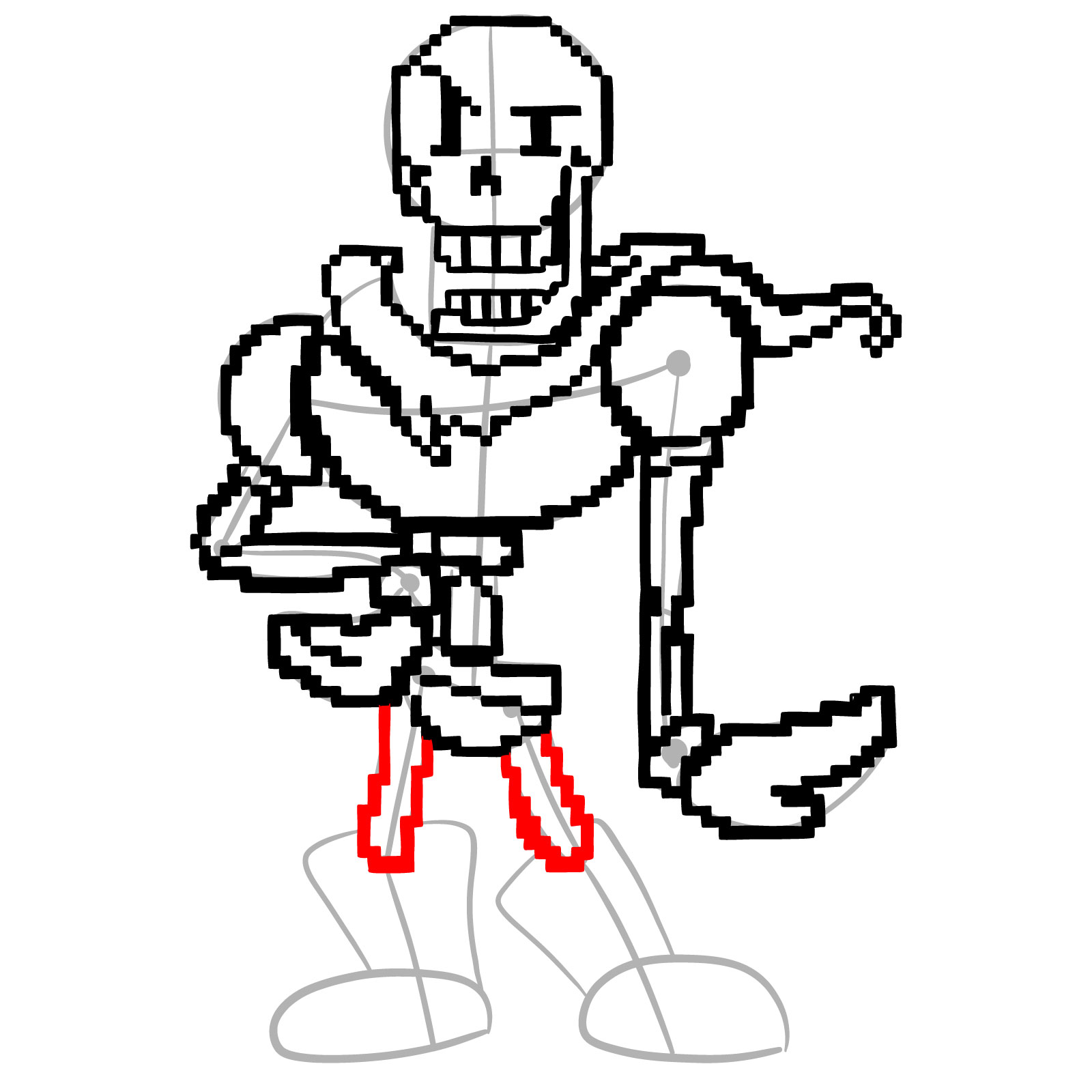
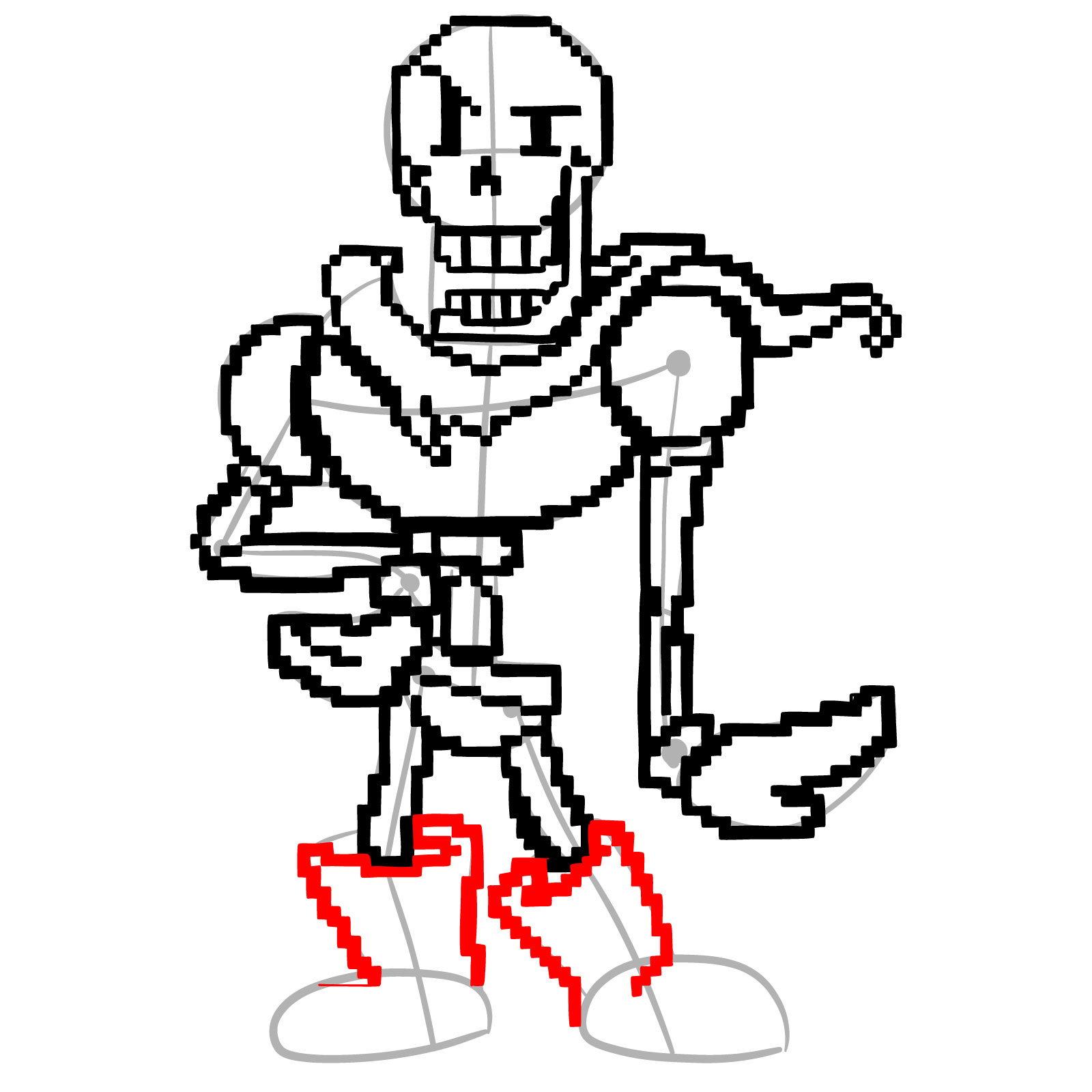
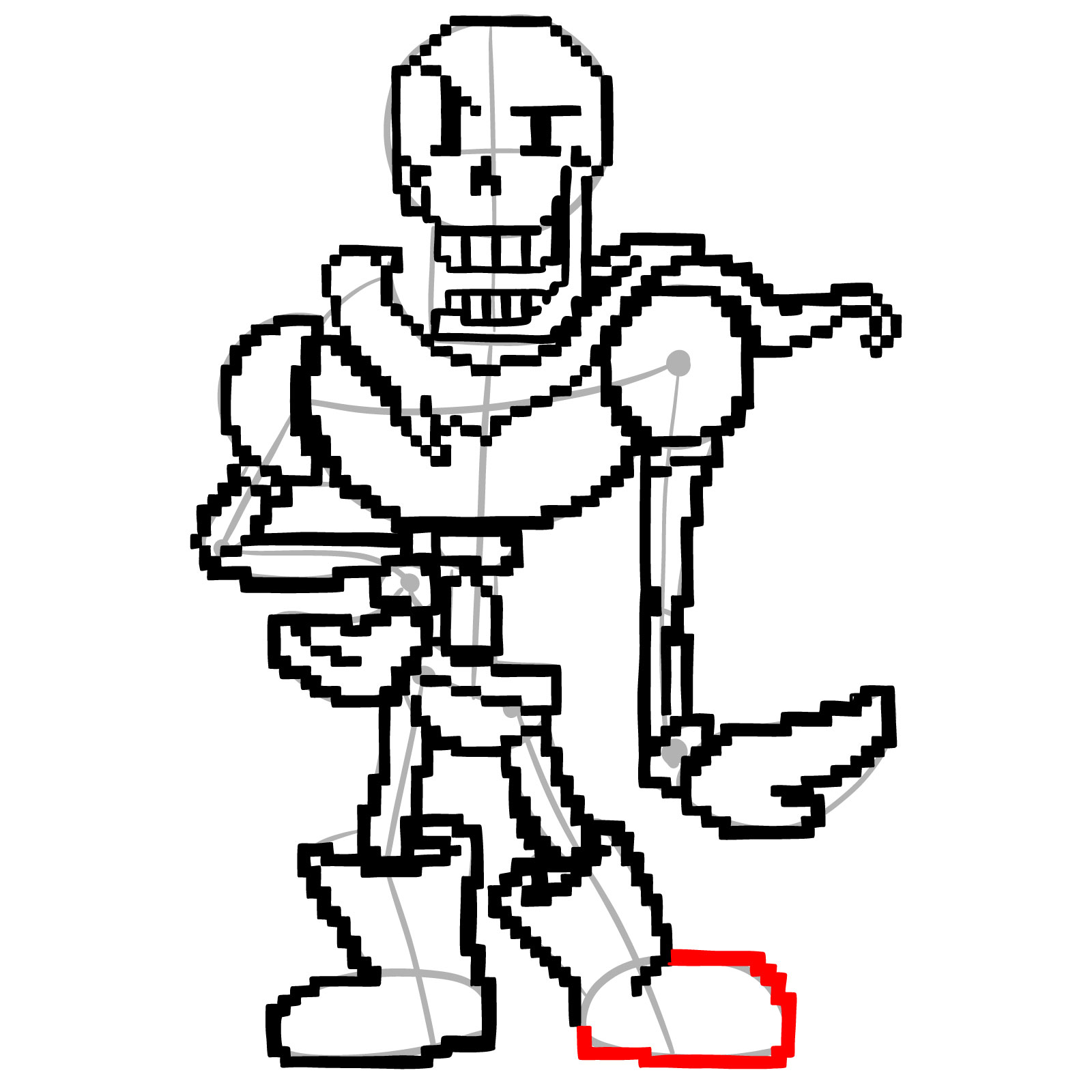
Each step image uses a three-color system to make it clear what is new versus what is already done:
- Red Color: lines added in the current step.
- Black Color: lines completed earlier.
- Gray Color: base sketch for structure.
How to Draw Pixel Papyrus: Step-by-Step Tutorial

Finished Your Pixel Papyrus? Share It
Once the line art is done, drop your finished drawing in the comments. It’s always useful to see how different people handle the pixel grid construction, especially on a pose with this much going on. New tutorials get posted to Facebook and Telegram as soon as they go live, a new YouTube video based on existing guides goes up every day, and Pinterest stays updated regularly too. If you enjoyed working through the pixel Undertale style, pixel Asriel and the Sans art version are both solid next steps. Supporting the project on Patreon helps keep new tutorials coming and gives you access to unique hand-drawn coloring pages.