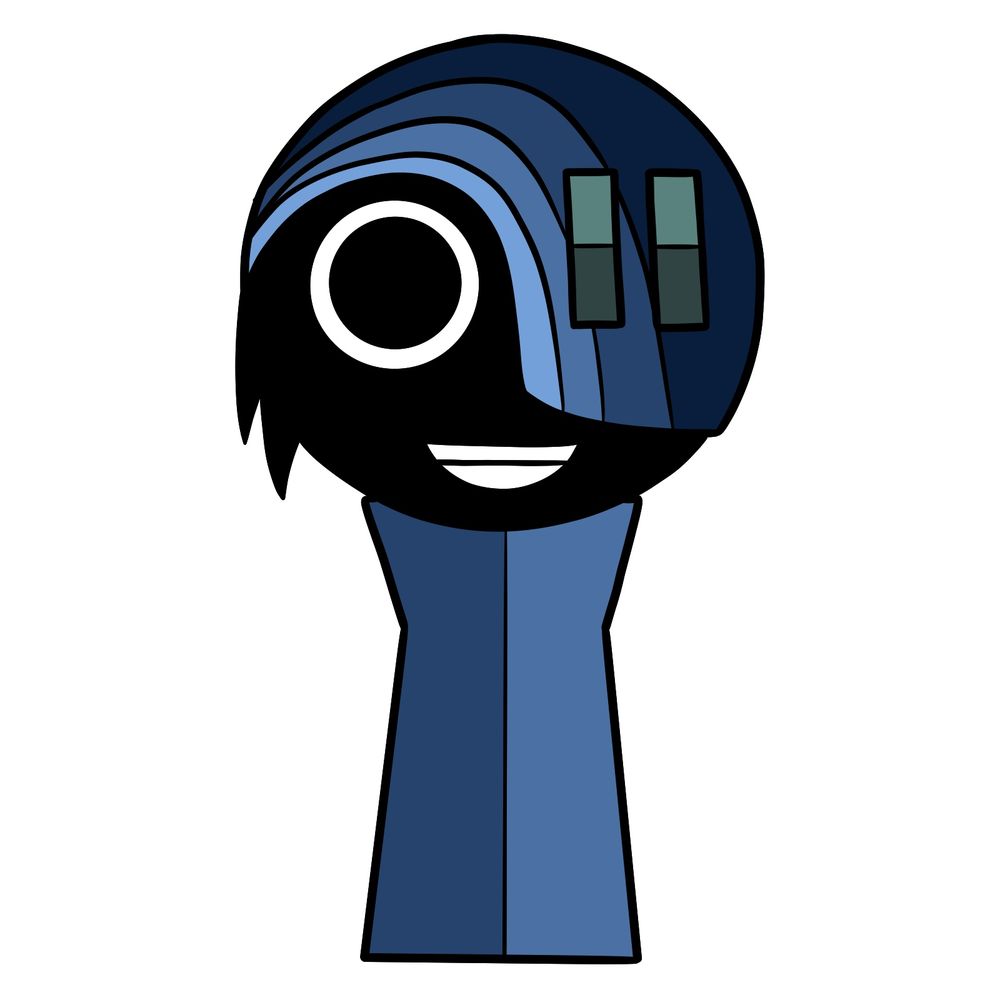
This character has a style that’s instantly recognizable, and in this guide I’m going to walk you through how to draw Rebel from Incredibox Sprunki in 10 steps. This character’s design is clean but has specific details that need careful attention, so I’ll break them down clearly as we go along.
Rebel’s Key Features at a Glance
- Black skin tone with a wide, neutral grin.
- Black sideburns visible only on the right side of the face.
- Blue-to-light blue helmet covering the left eye, right eye fully visible.
- Two rectangular greenish elements on the helmet’s upper right side.
- Simple black and white eye design with a bold outline.
- Half-blue, half-light blue outfit in a straight silhouette.
If you’ve already tried other characters, you might also enjoy drawing Qipqqtppsgskkskk, Geno, or El Cool P from the Sprunki mod since they share a similar minimal design style.
Breaking Down This 10-Step Rebel Drawing Guide
- Red Color: highlights the current step to work on.
- Black Color: shows lines already completed.


If you enjoy these guides and want to support the project, you can donate using this button:

Me and the community would love to see your Rebel drawings, so share them in the comments on the pinned article over on Pinterest. That’s where artists usually post their finished work with images attached.
Follow SketchOk on YouTube – I post a new video every other day, so there’s always something fresh to draw.