Last Updated on May 13, 2026
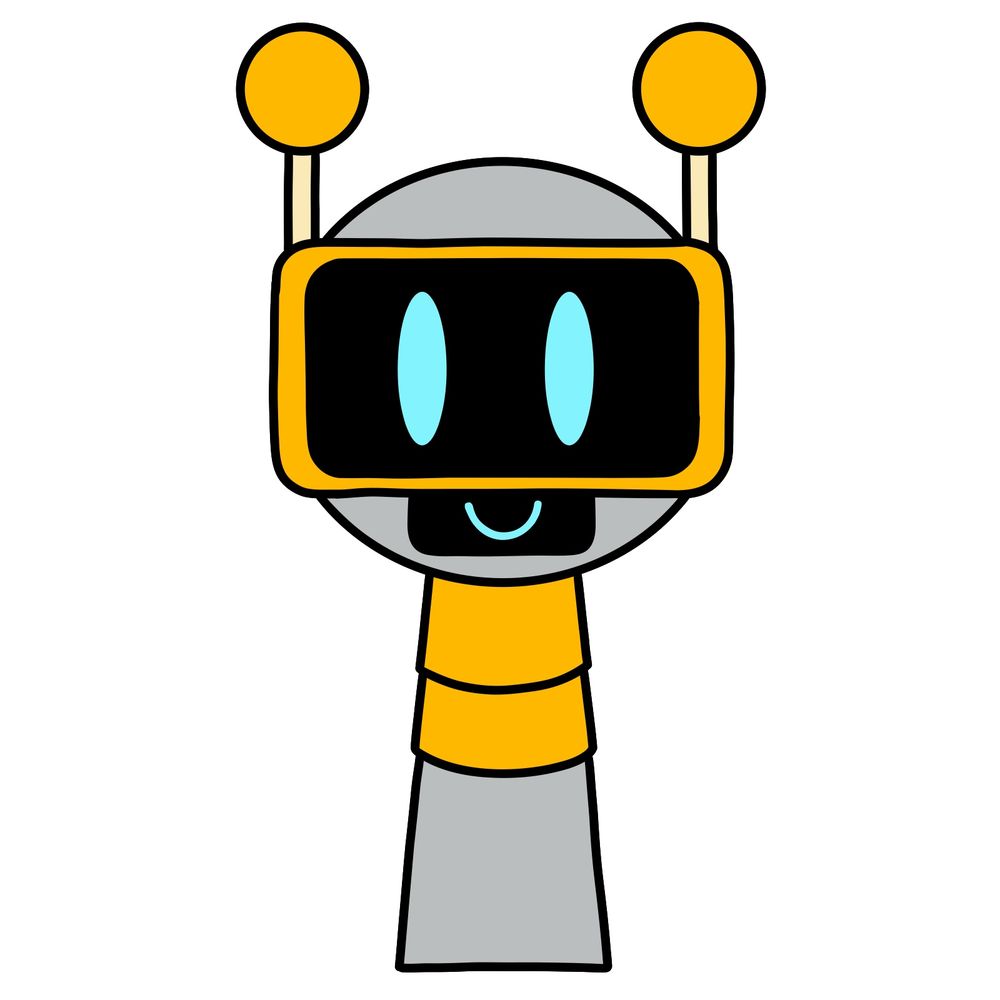
Here’s a new guide showing you how to draw Fun Bot from Incredibox Sprunki. Fun Bot is the 4th character and the 4th beat sound in the mod. He’s designed as a cheerful robot Sprunki with a simple silver body. His segmented neck is covered with golden plates, and he has a large black visor with bright blue oval-shaped eyes. Two antennae with round golden ends stick out from his head. The design is simple, and the shapes are easy to break down when drawing.
Key Features to Watch for When Drawing Fun Bot
- Round silver head topped with two golden antennae.
- Large black visor with two glowing blue eye shapes.
- Small smiling mouth drawn under the visor.
- Segmented golden neck with simple plate details.
- Minimalistic grey body continuing from the neck down.
Once you finish sketching Fun Bot, you might want to draw other characters like Durple, Clukr, or Brud to build an Incredibox Sprunki set.
Breaking Down the Colors in the Drawing Guide
- Red Color: Marks the current part you should be working on.
- Black Color: Highlights the completed lines from previous steps.


Now that you know how to draw Easy Tutorial from Incredibox Sprunki, I’m curious what tool you used to get there, whether it was pencil and paper, a drawing tablet, or some app on your phone. The range of approaches people bring to the same guide is always interesting to see. Drop your finished piece in the comments on the pinned Pinterest post for this tutorial and show everyone how it turned out.
