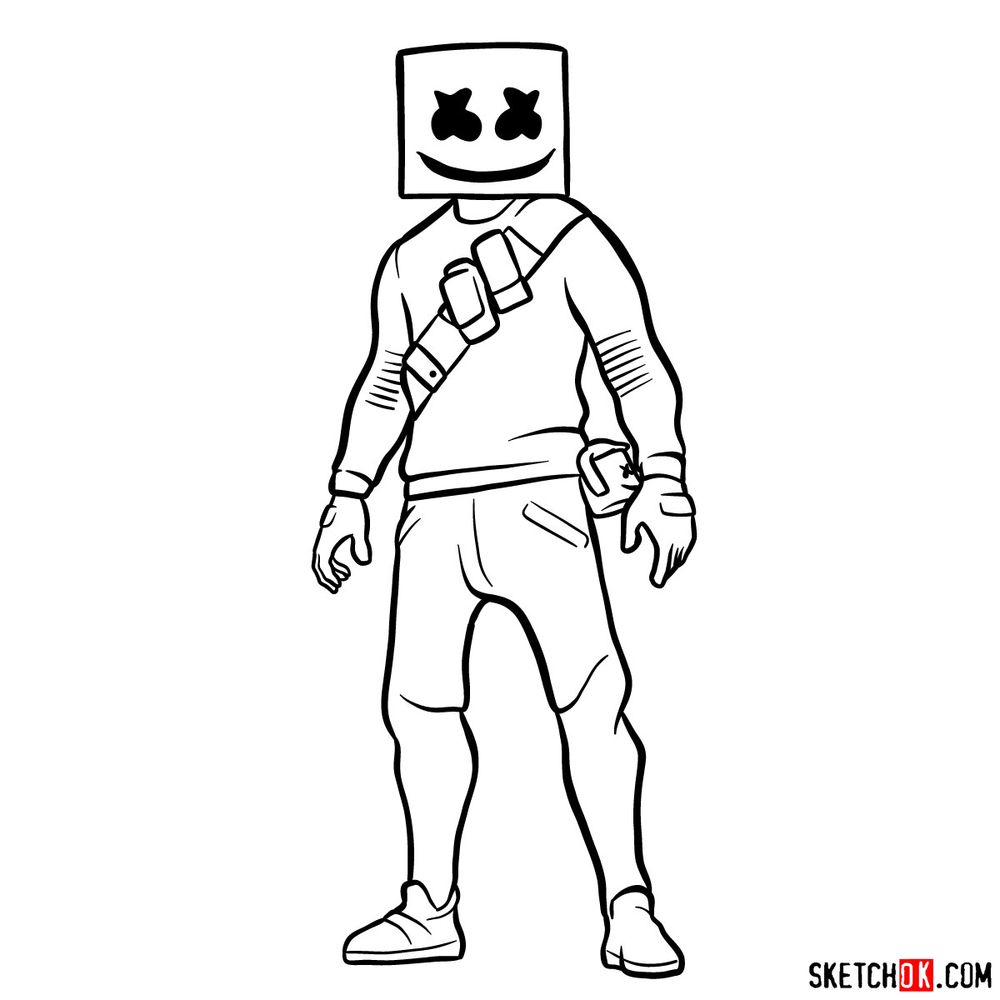
A square helmet with X-shaped eyes and a wide stitched smile makes Marshmello one of the most visually flat-yet-readable skins in the Fortnite roster, and that geometric simplicity is exactly what makes learning how to draw Marshmello a solid exercise in clean shapes and confident linework.
What Makes This Marshmello Sketch Worth Your Time
The tutorial runs 15 steps from the initial rough sketch through to a finished full-body line art result with no color fill, so every step is focused on getting the shapes and proportions right. The biggest challenge is not the body, it is keeping the helmet geometry consistent while balancing the relaxed stance below it. Work lightly in the early steps and tighten the lines as the form comes together.
Marshmello’s Key Visual Features
- Square helmet with X eyes and stitched smile
- Diagonal crossbody strap with pouches
- Long sleeve top with wristbands
- Shorts over fitted pants with belt
- Sneakers, relaxed standing pose
If you enjoy drawing Fortnite skins with strong silhouettes, the Peter Griffin Fortnite outfit and the Lil Split skin are worth checking out next. The Marceline skin is another good one if you want to practice a more detailed character build.
Reading the Step Colors in This Tutorial
Each step in this draw-along uses a three-color system to show exactly where you are in the process:
- Red Color: lines added in the current step.
- Black Color: lines completed earlier.
- Gray Color: base sketch for structure.
How to Draw Marshmello: Step-by-Step Tutorial


Finished Your Sketch? Share It and Keep Drawing
Once you have the line art locked in, drop your finished Marshmello drawing in the comments below so others can see how it turned out. New tutorials get posted to Facebook and Telegram as soon as they go live, a new YouTube video based on existing guides goes up every single day, and Pinterest stays updated regularly if that is where you browse for drawing references. For more Fortnite skins to sketch, the Tomatohead outfit has a similarly bold head shape to work with, and Michael Myers is a great follow-up if you want to practice a more angular, serious build. If you want to support the project and get access to unique hand-drawn coloring pages, the Patreon page is the place to go.
o and if u can can u draw more fortnite character pls
Thank you! I will add more Fortnite for sure.
I love your drawings
I love your drawings so I go on Sketchok.com a lot
I go on Sketchok.com a lot because the drawings are so good
Thank you! I really appreciate it
umm haw do I chang my pic
🙁
Do you mean the profile picture?
yes
You can add it using Gravatar.com. You should register there using the same email address you are using to post comments. Then you will be able to upload the profile image you want.
ok thanks 🙂 🙂
love it of course mine was not perfect because its a machine but as far as that i’d say five star!