Home » Cartoon Characters » Ben 10 » How to Draw Four Arms Omniverse Reboot: Tetramand Guide

How to Draw Four Arms Omniverse Reboot: Tetramand Guide

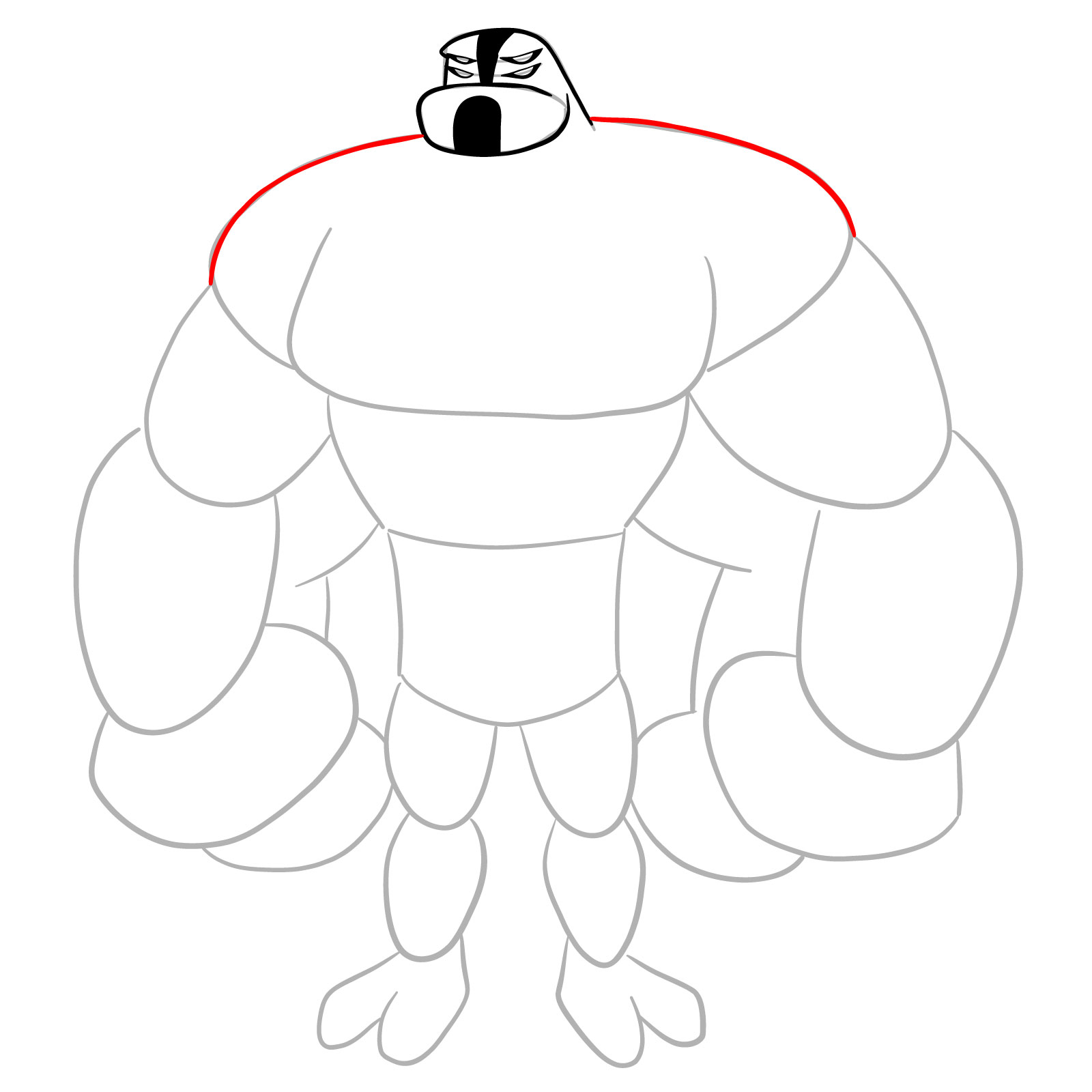
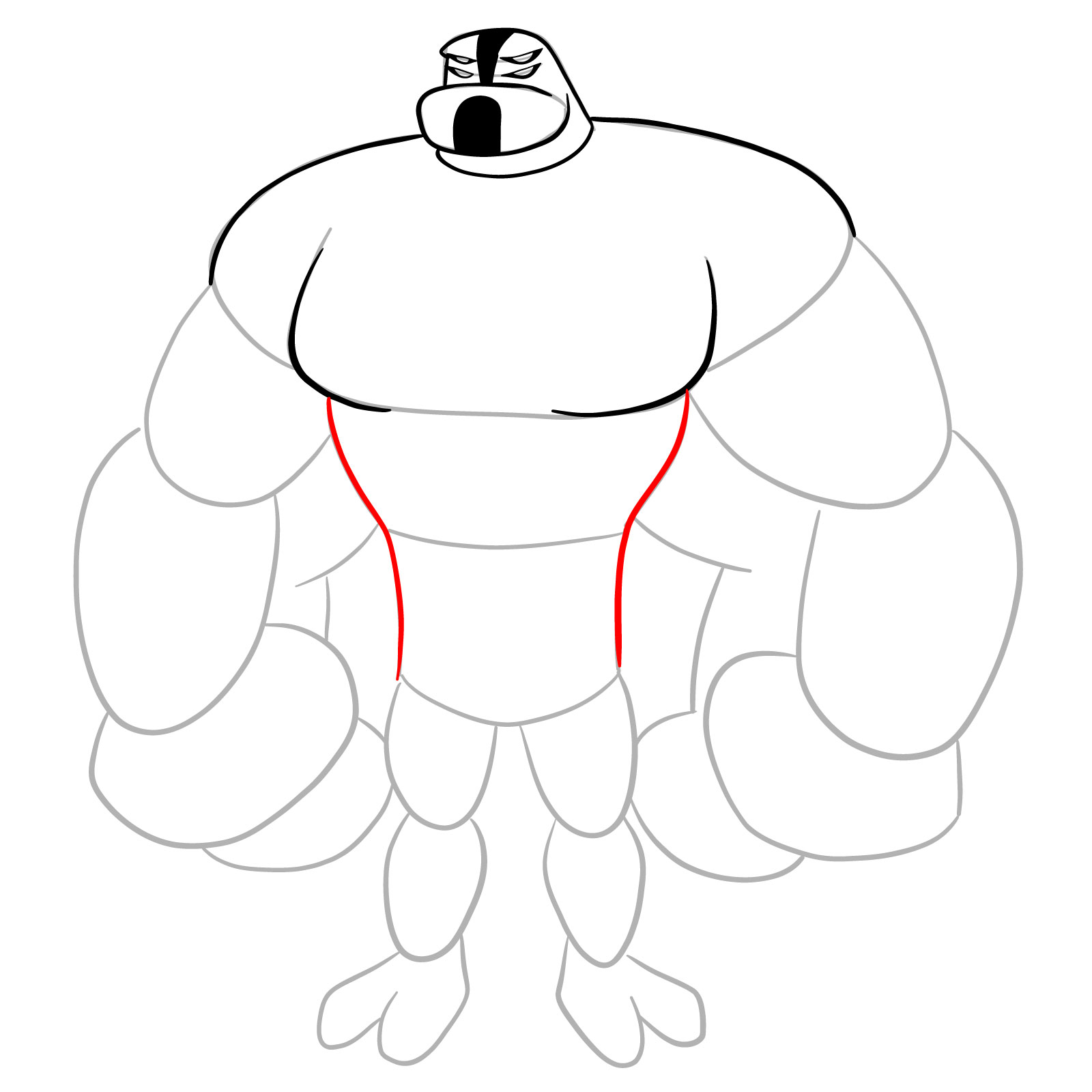
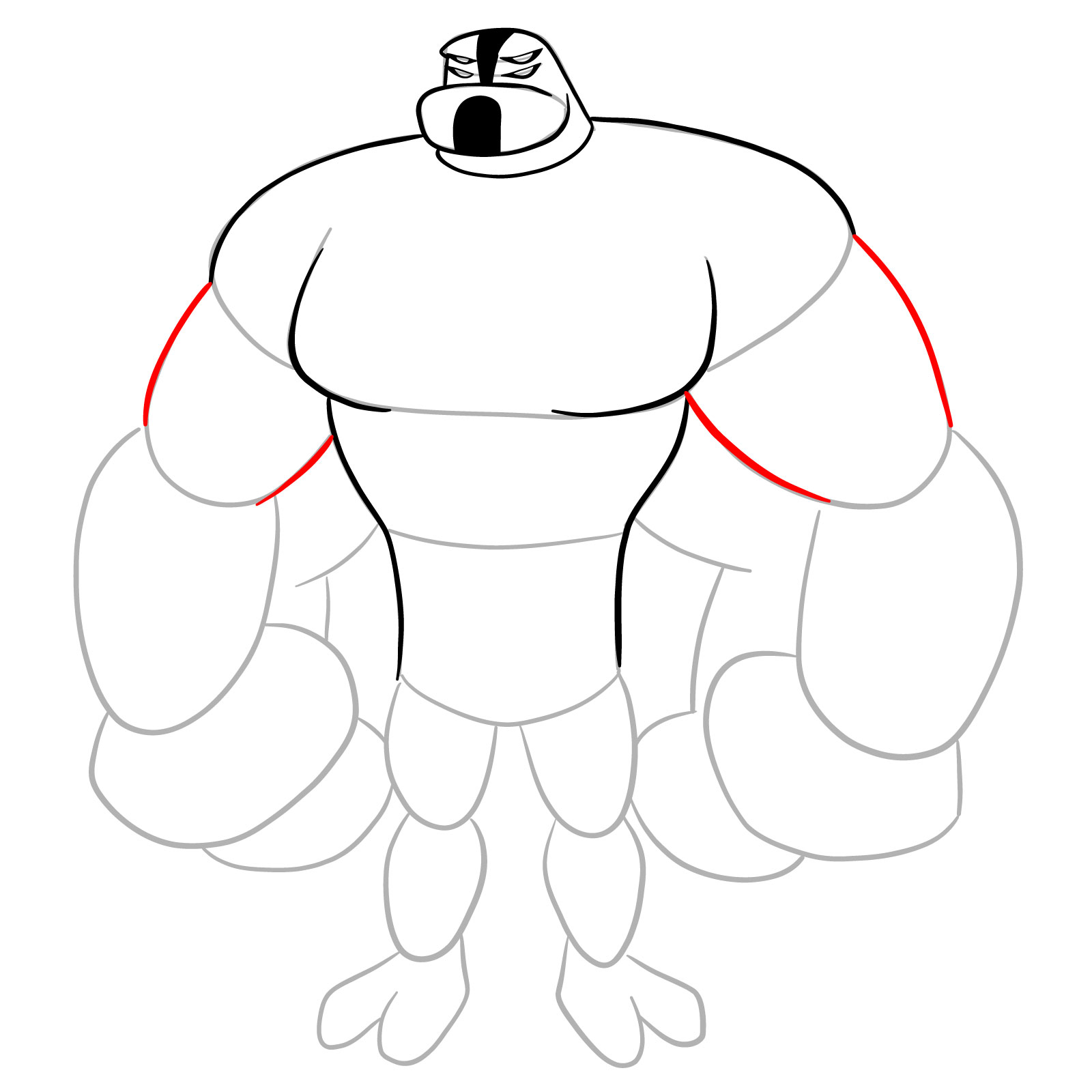
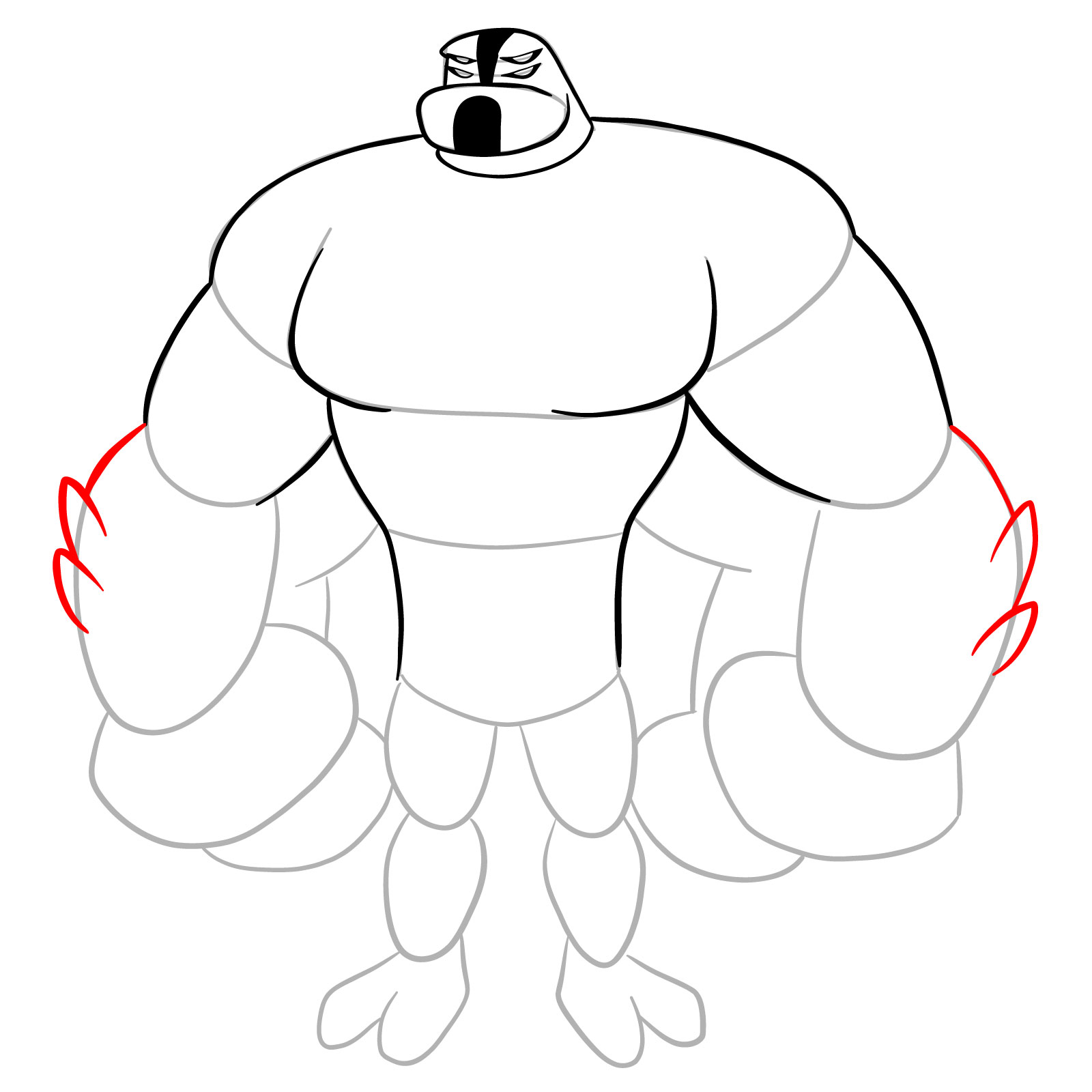
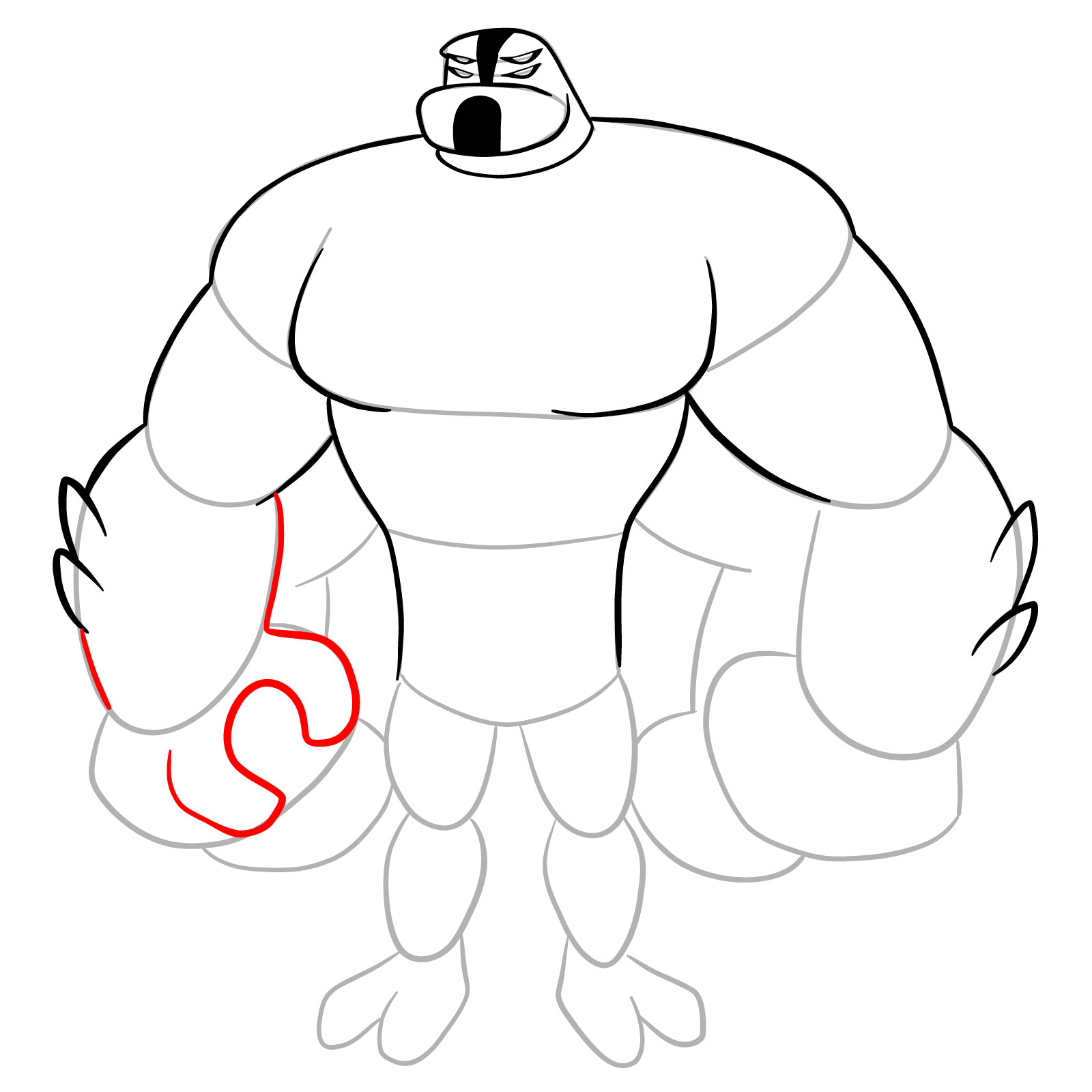
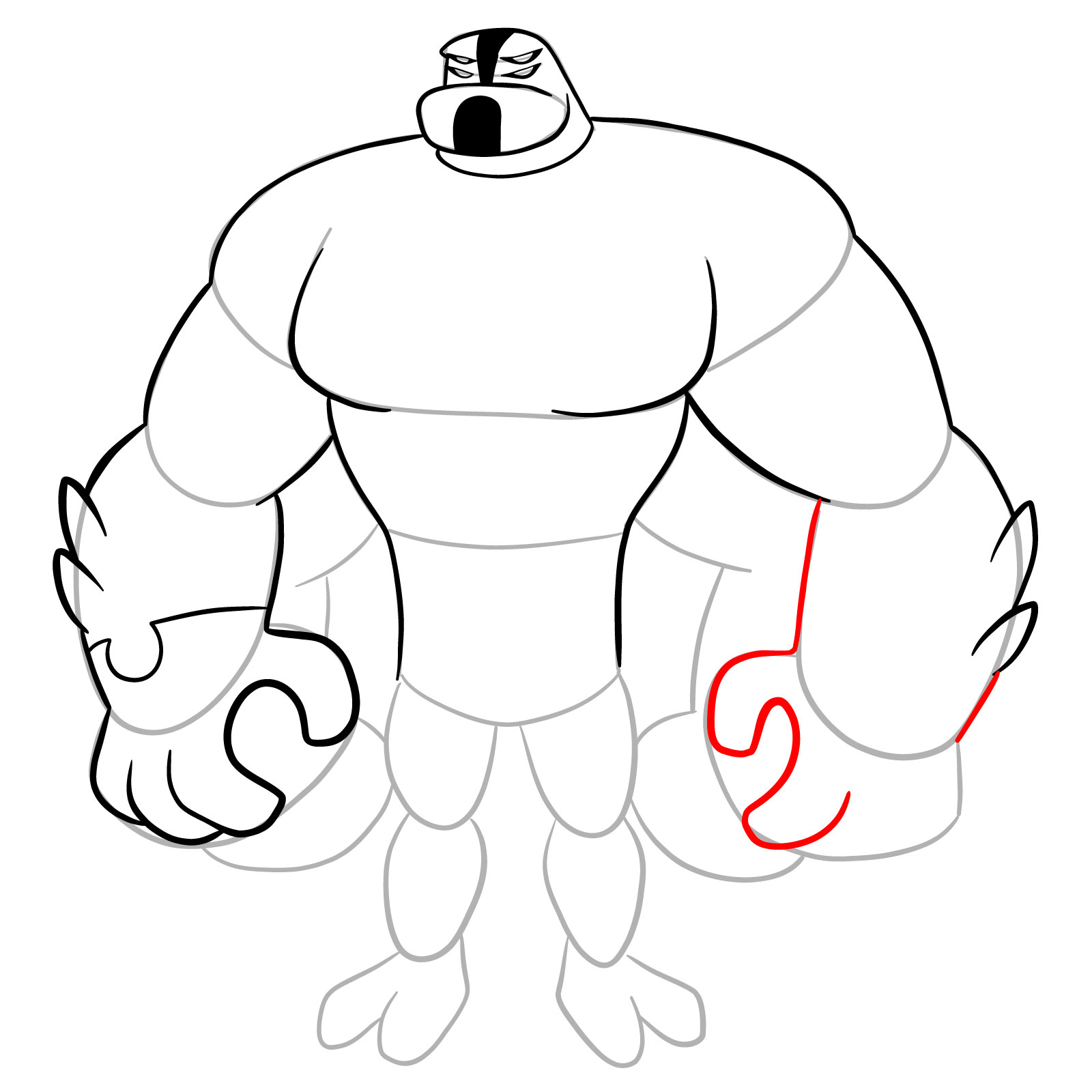
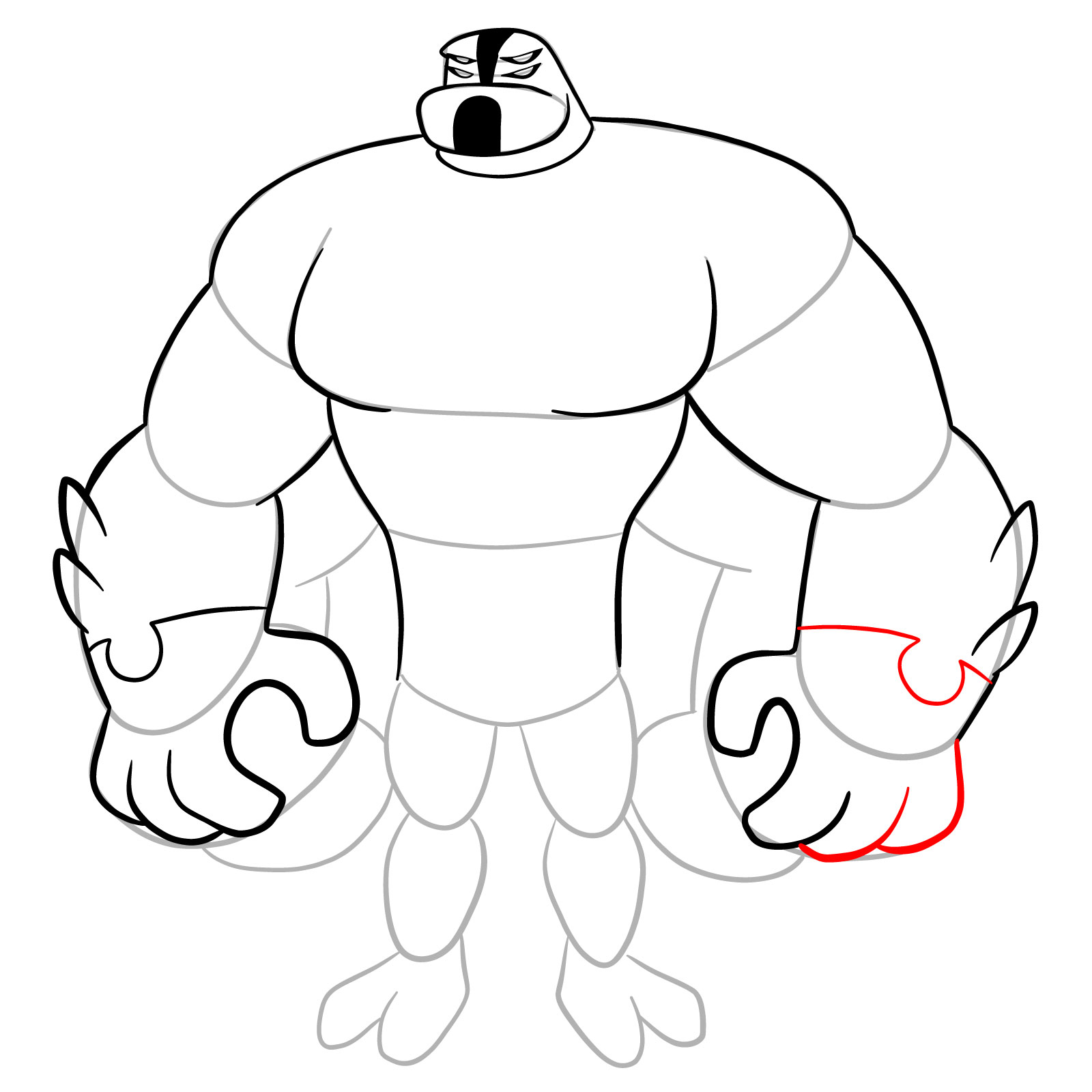
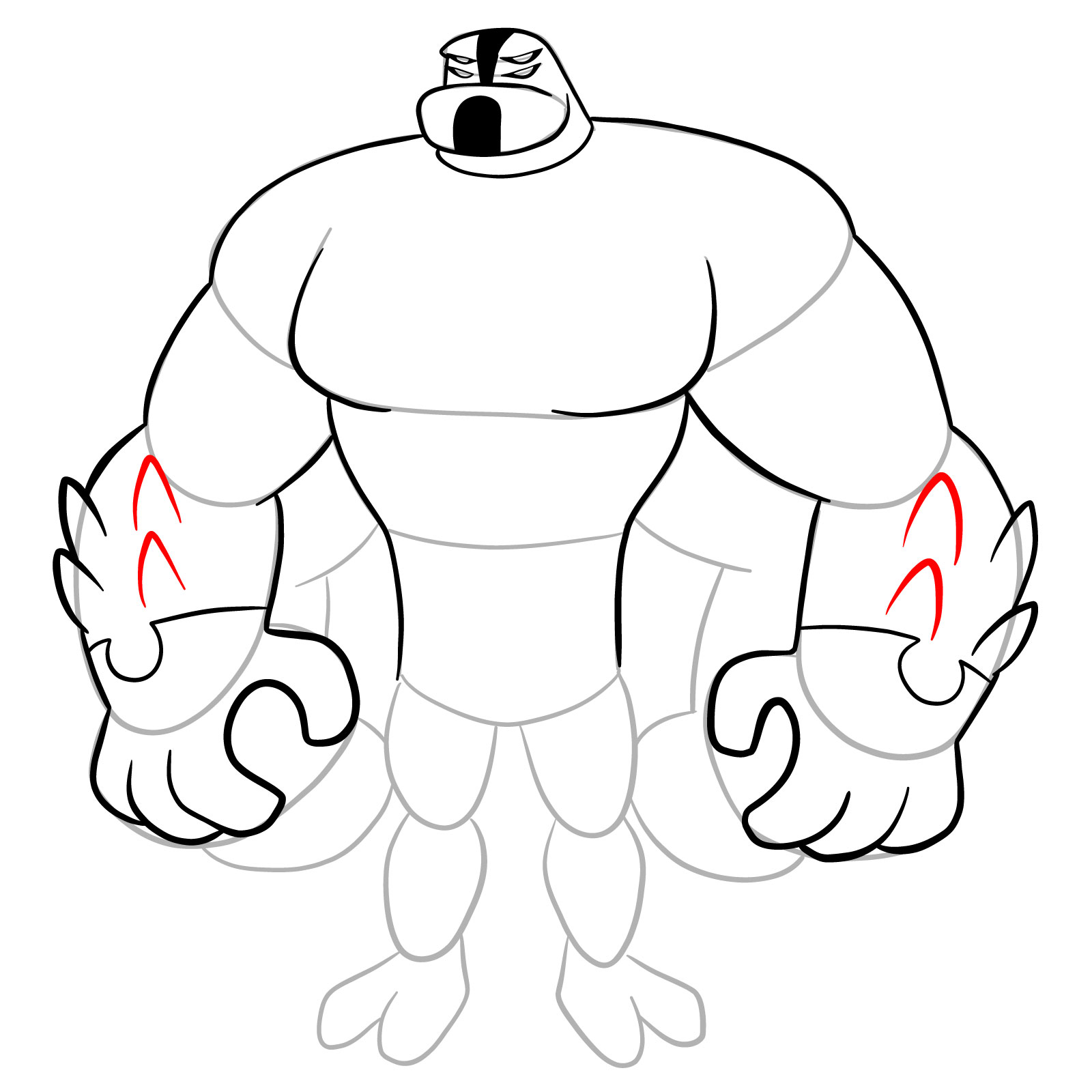
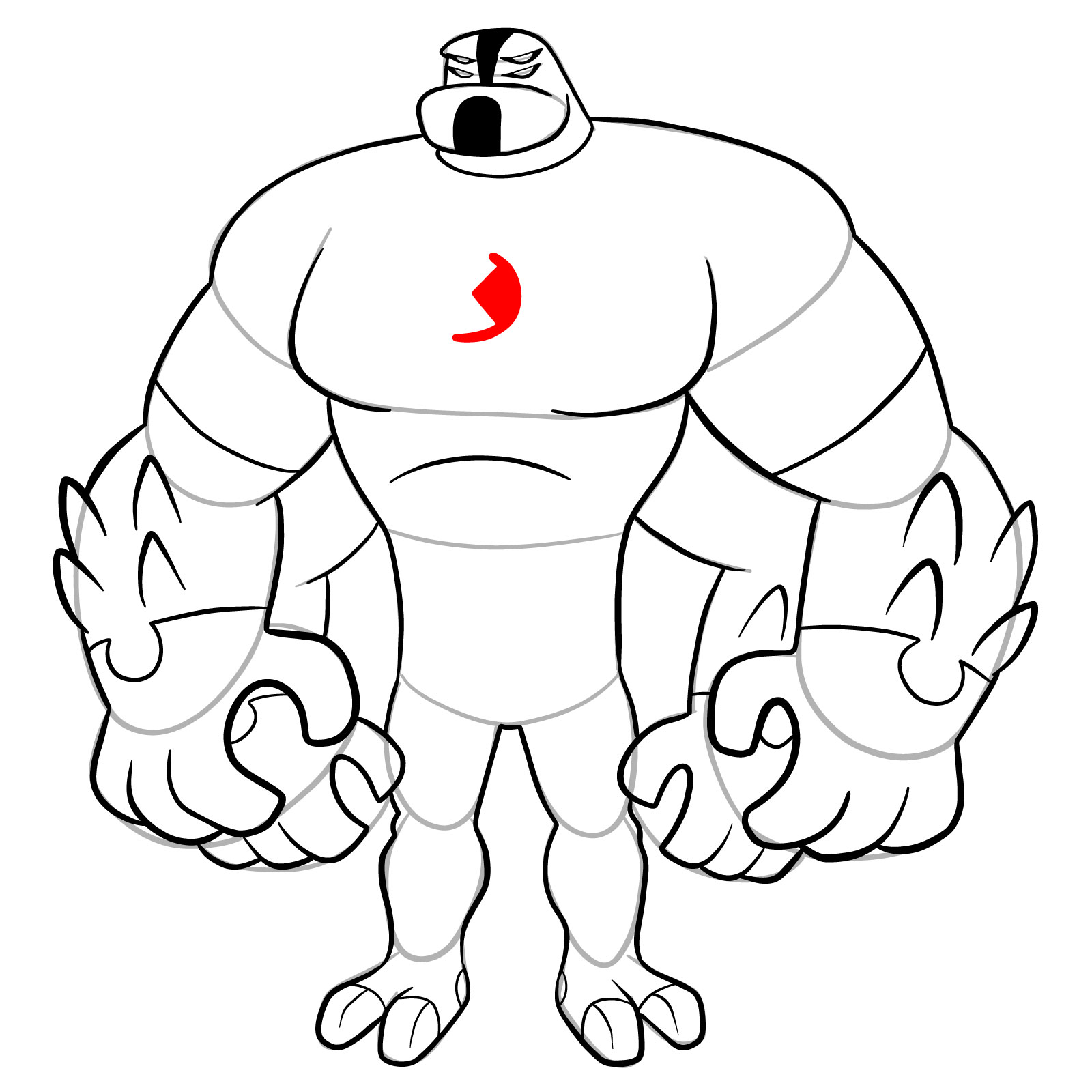
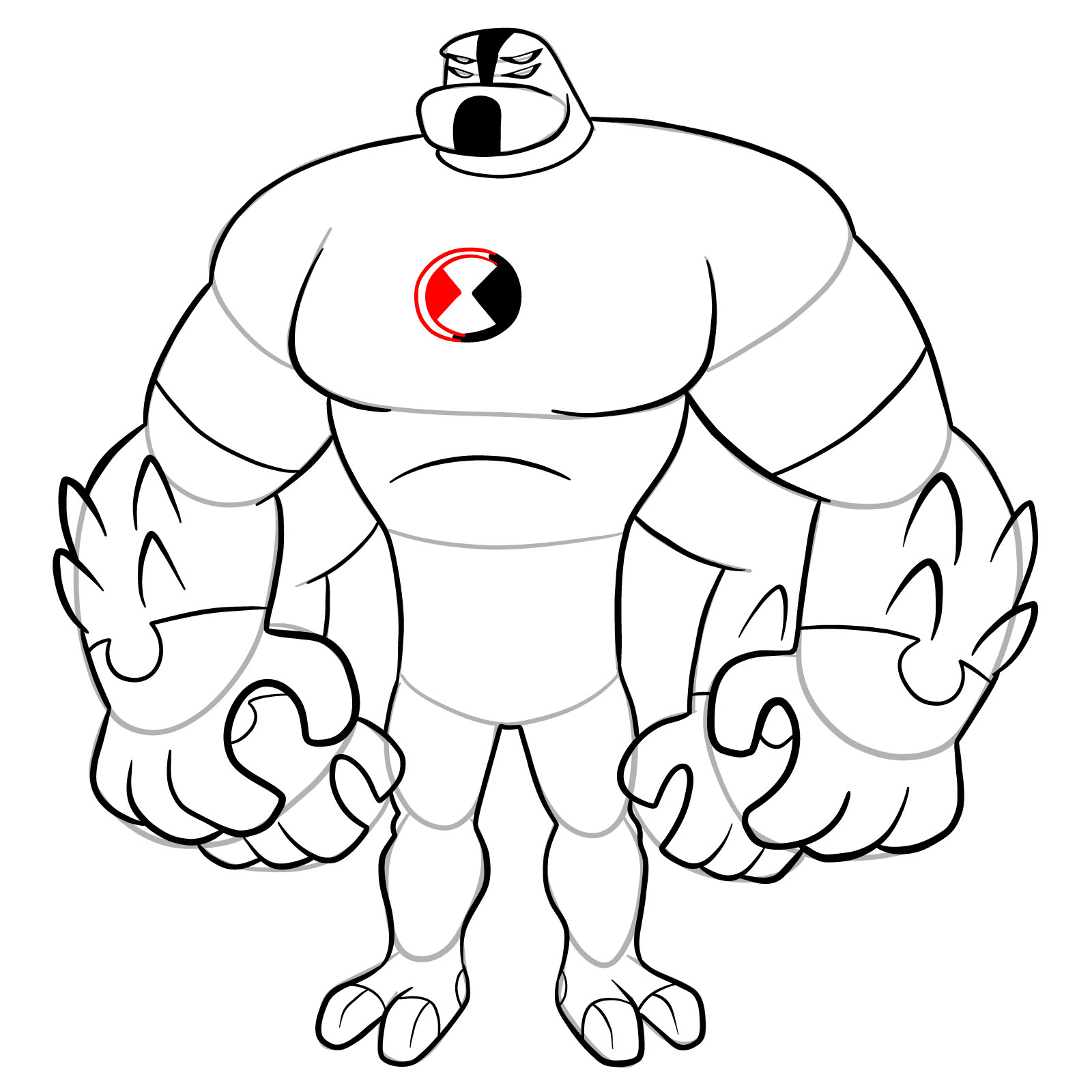
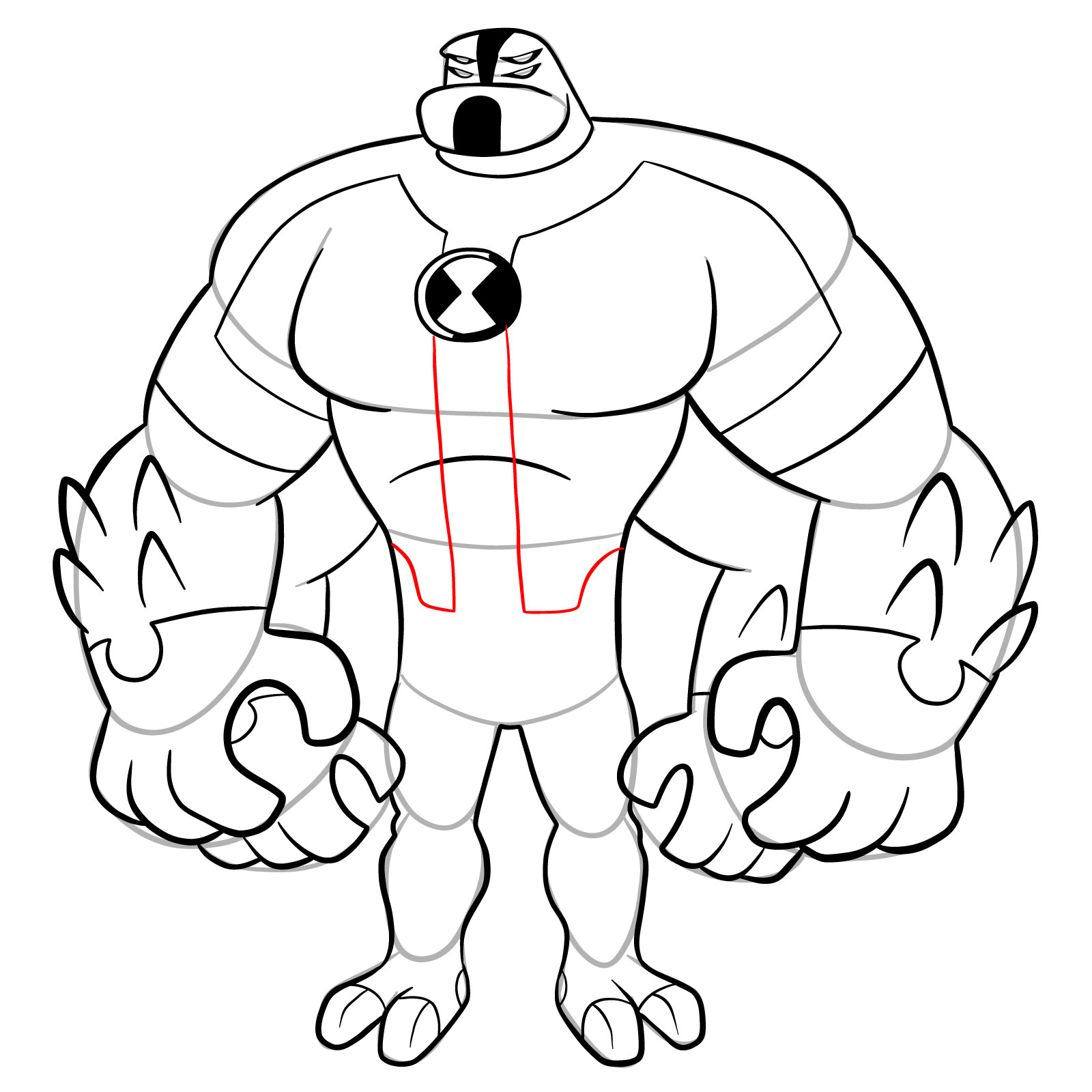
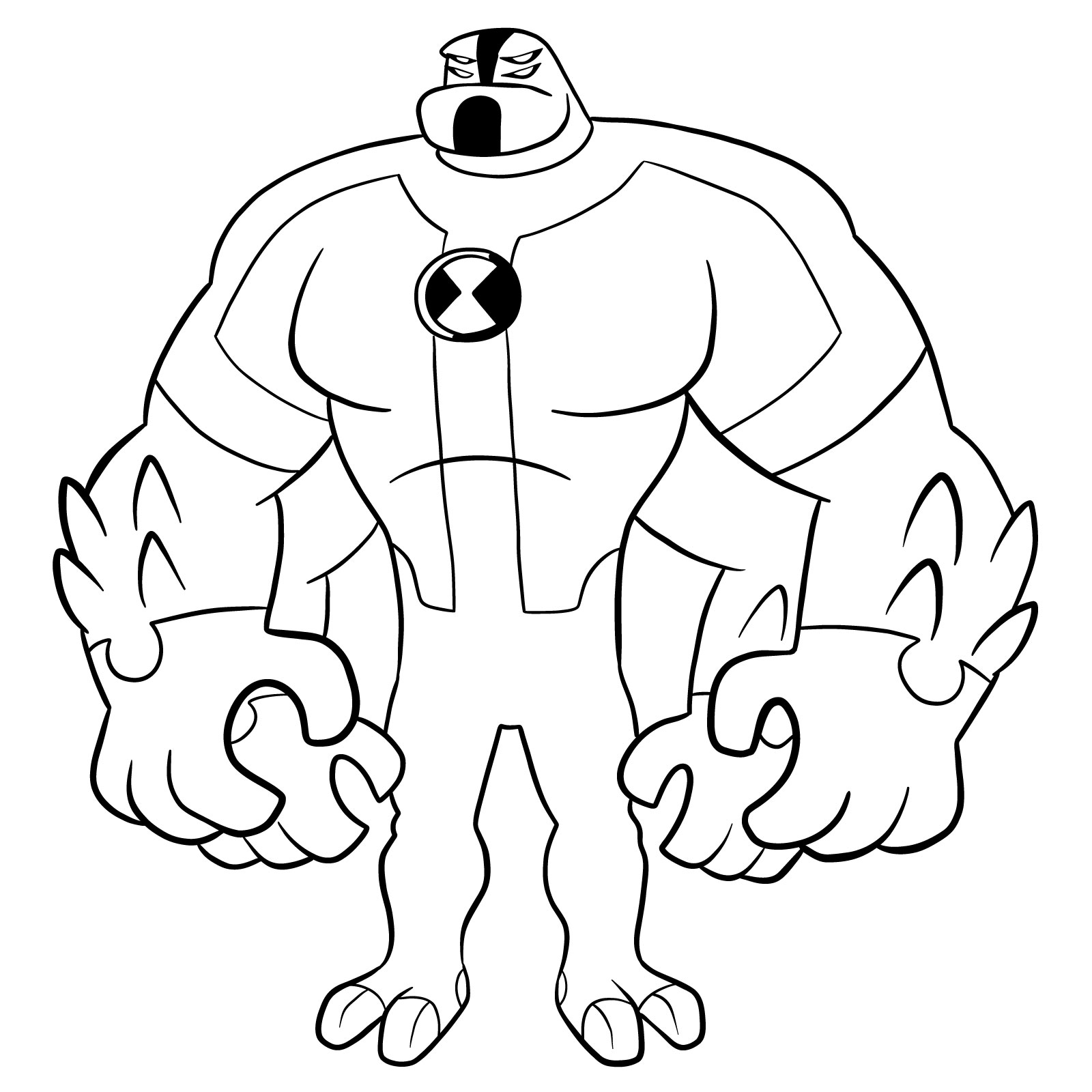
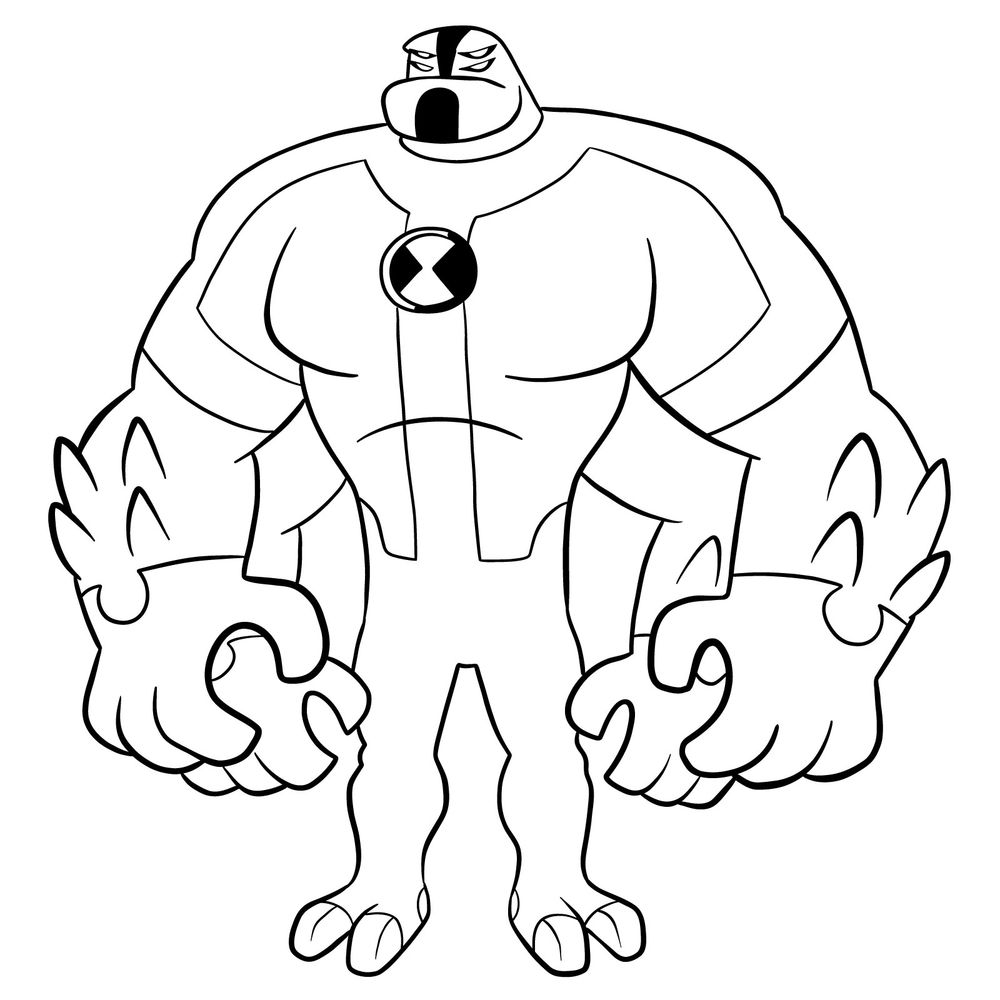
Ben’s original powerhouse alien gets a massive overhaul in the reboot series. This tutorial explains how to draw Four Arms from Omniverse Reboot, showcasing the redesigned Tetramand with his bulkier proportions and simplified color scheme. Four Arms Omniverse Reboot keeps the four-armed concept but pushes the muscle mass to extreme levels, with a tiny head sitting on top of an enormous torso. His angry slanted eyes and wrestling mask appearance make this version look ready to smash through any obstacle.

Drawing Four Arms Omniverse Reboot Style

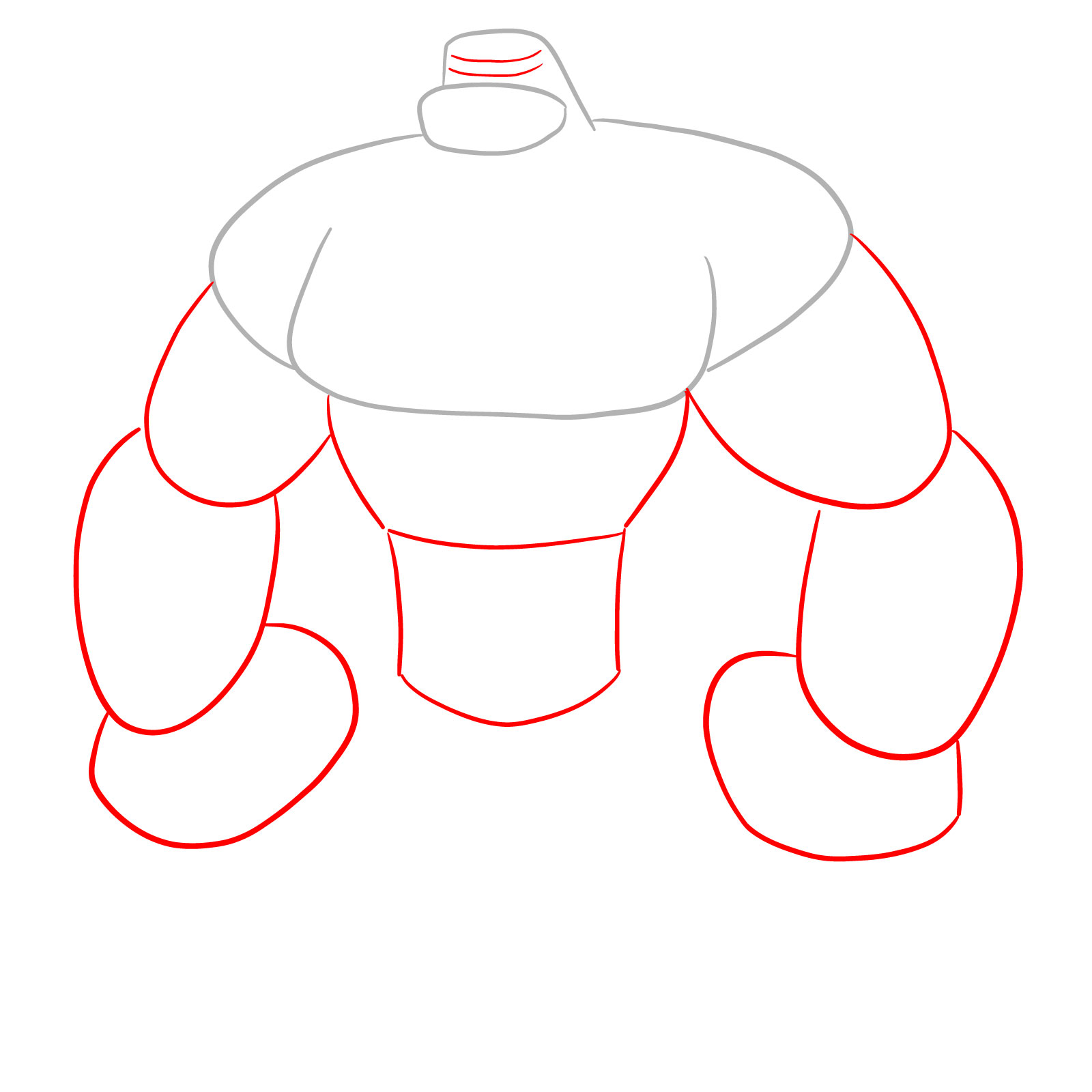
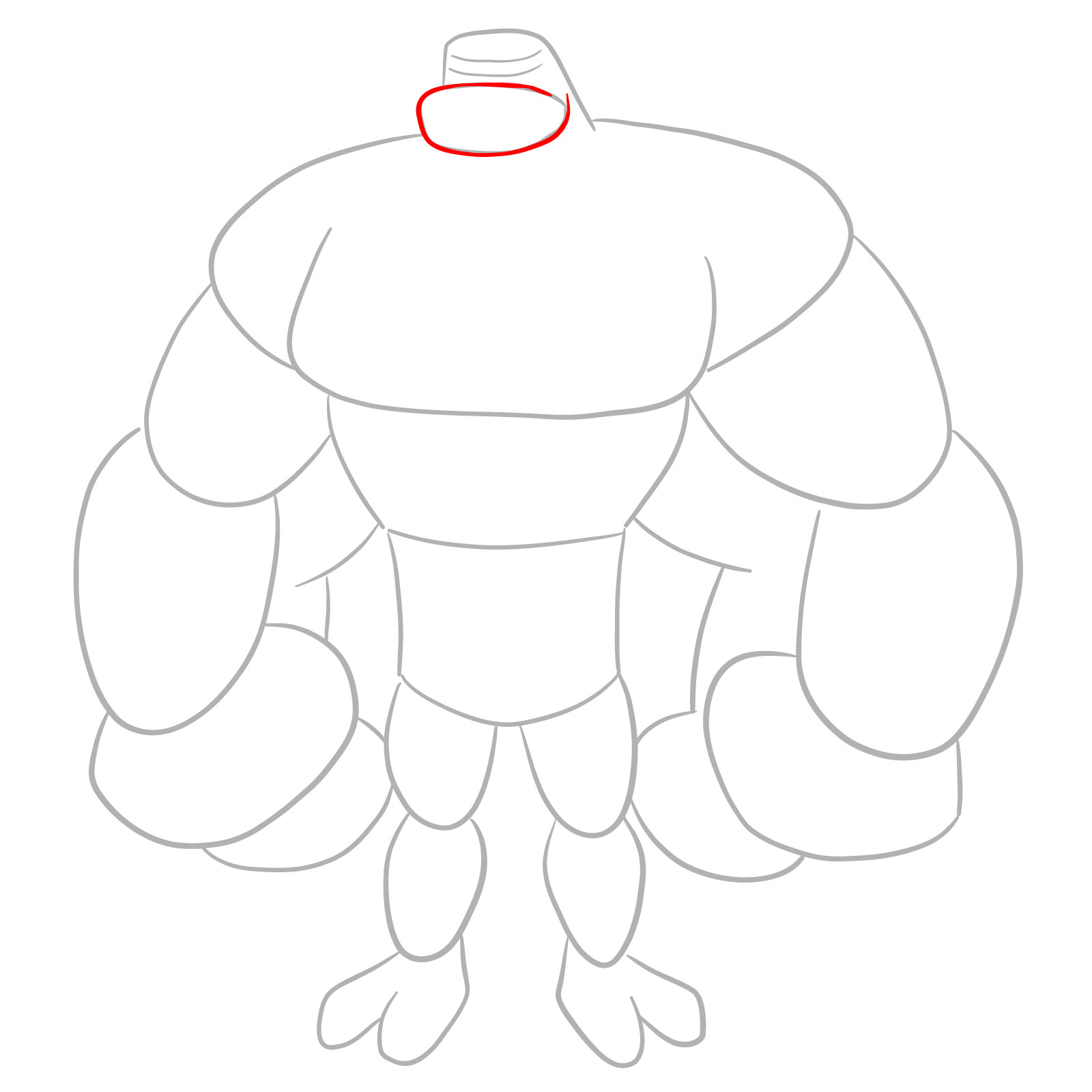
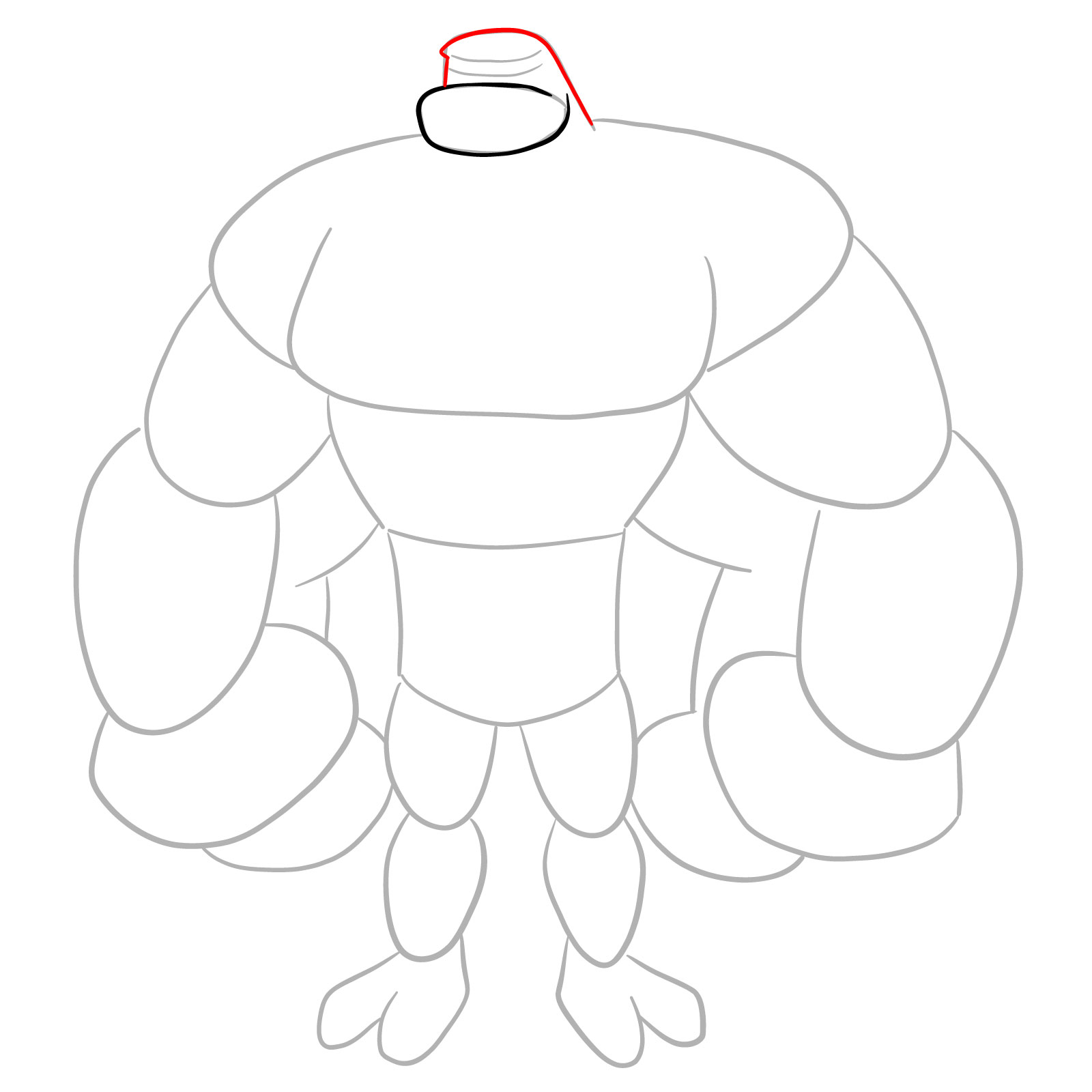
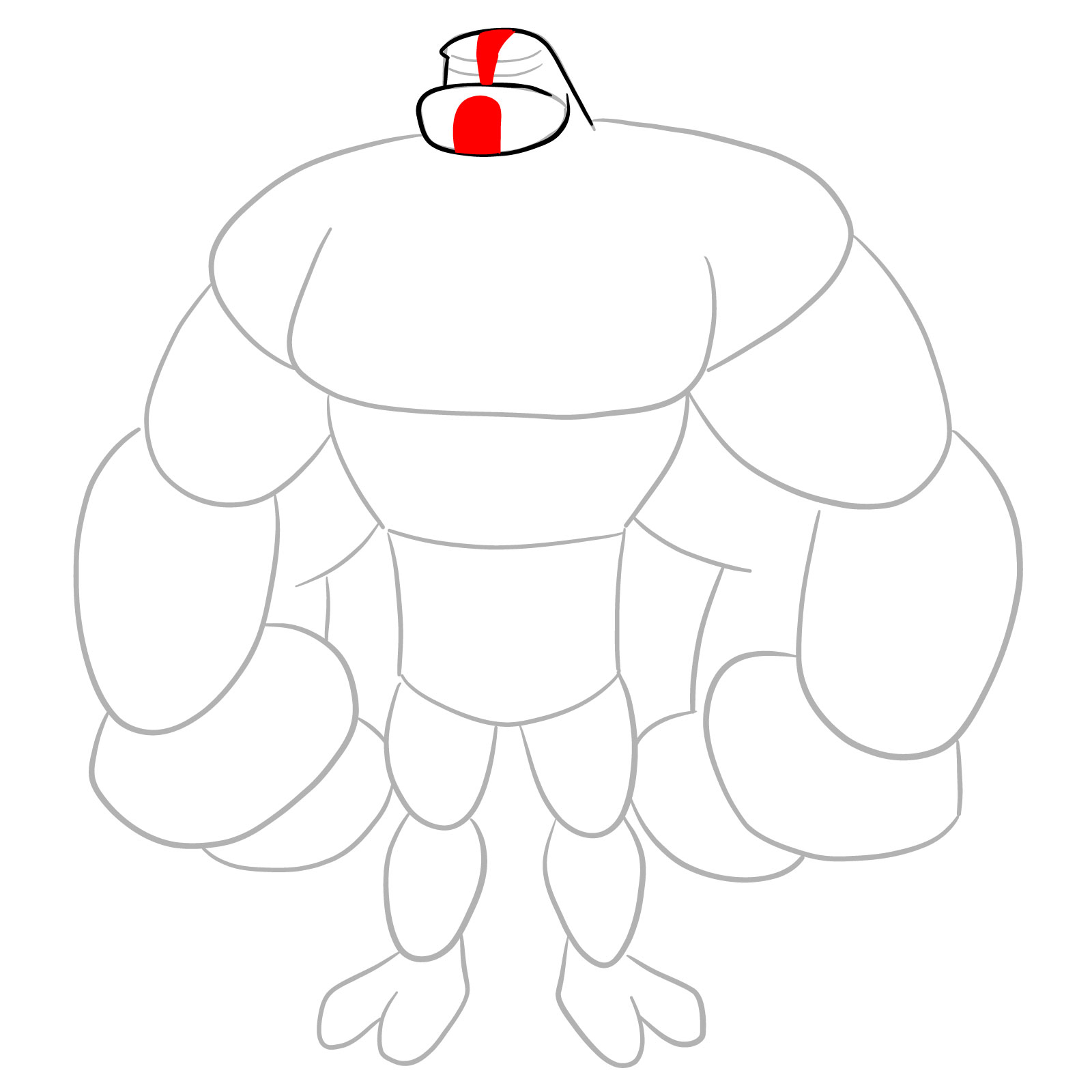
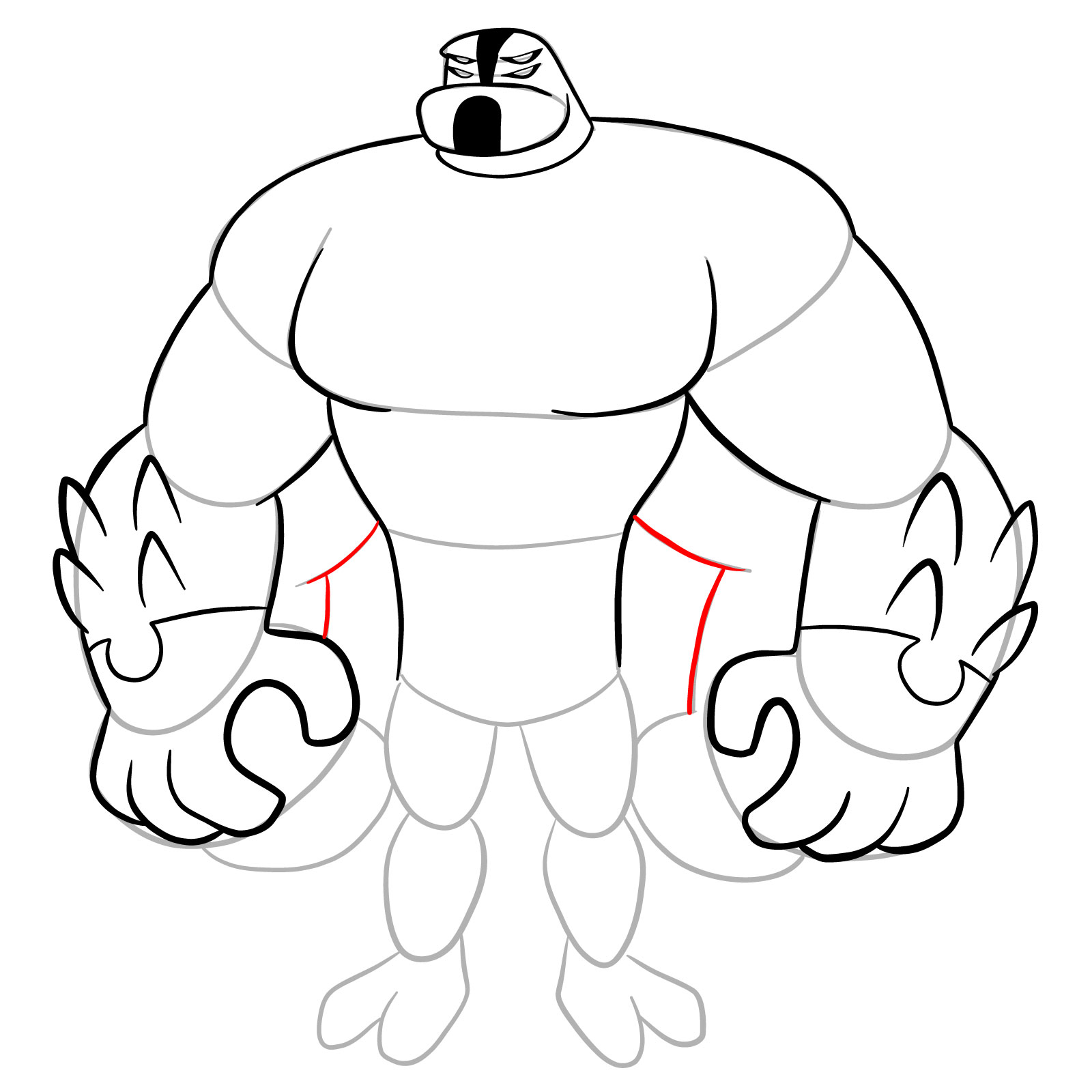
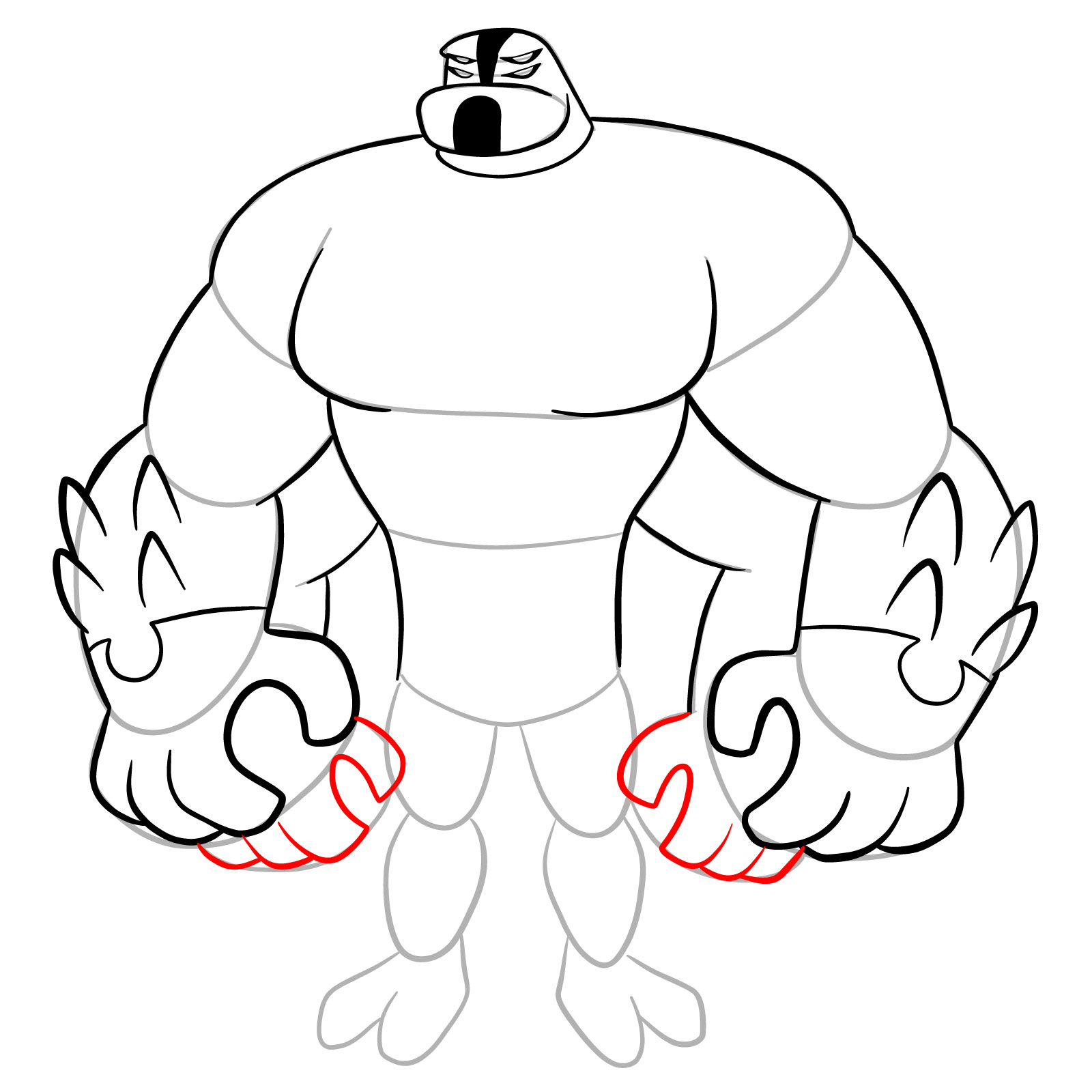
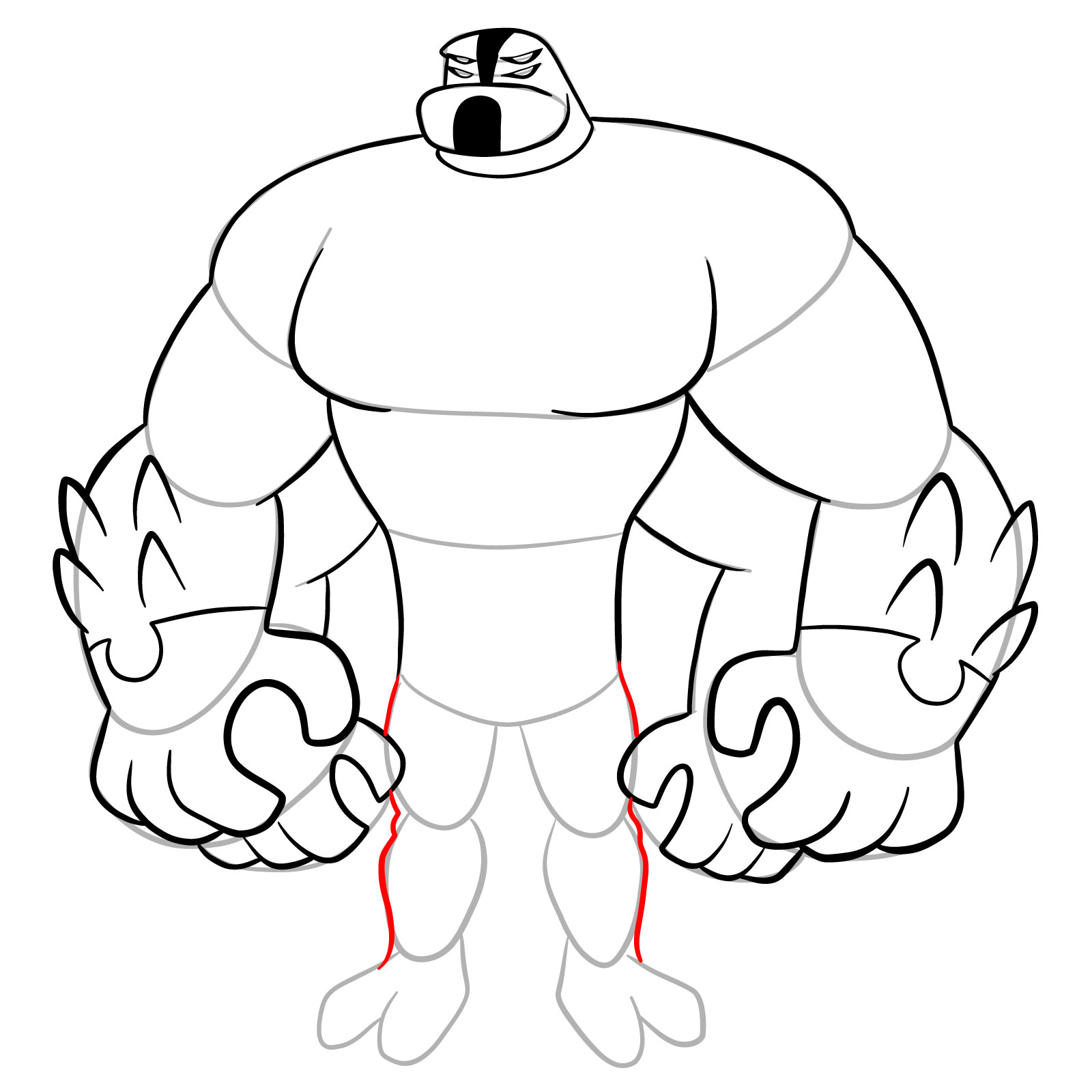
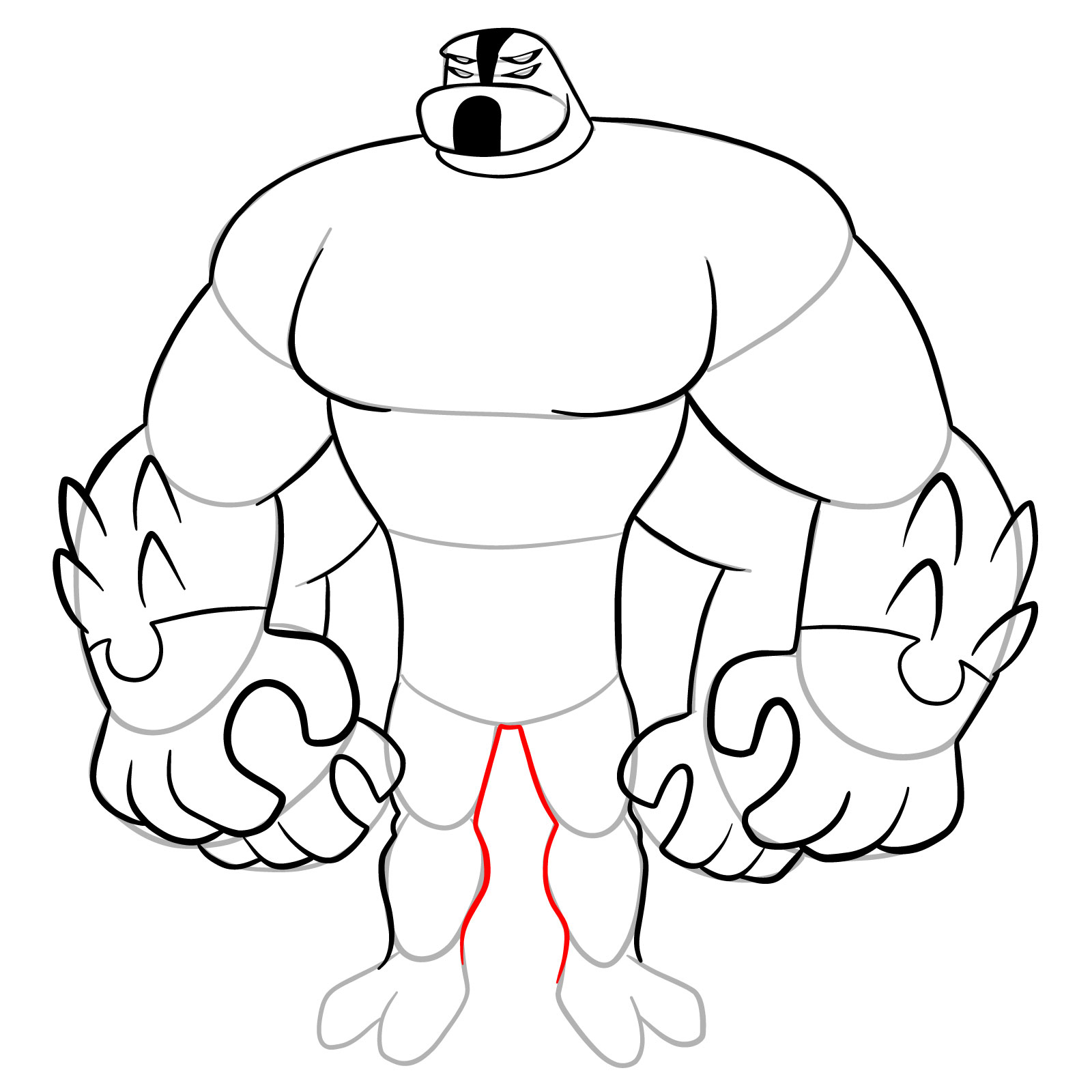
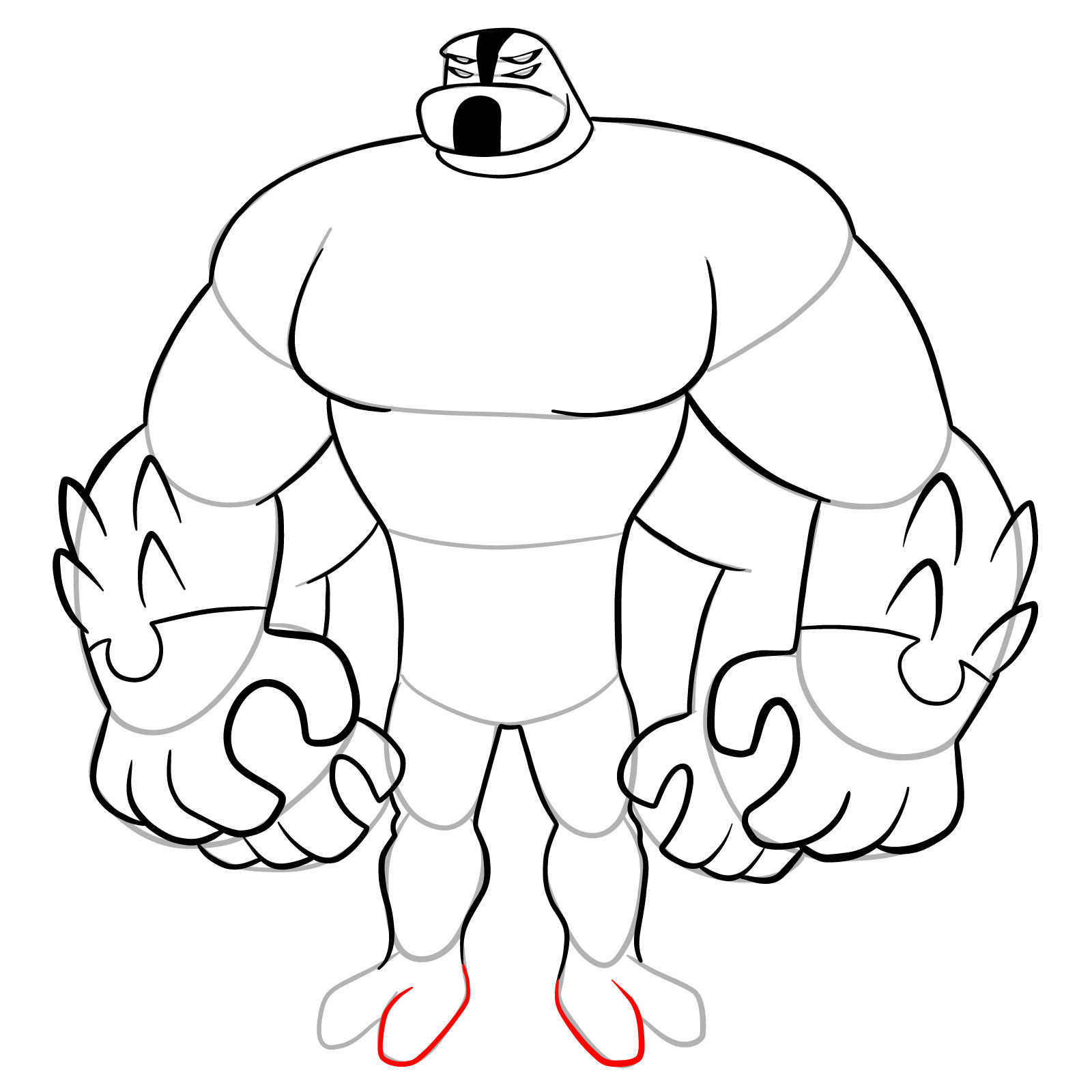
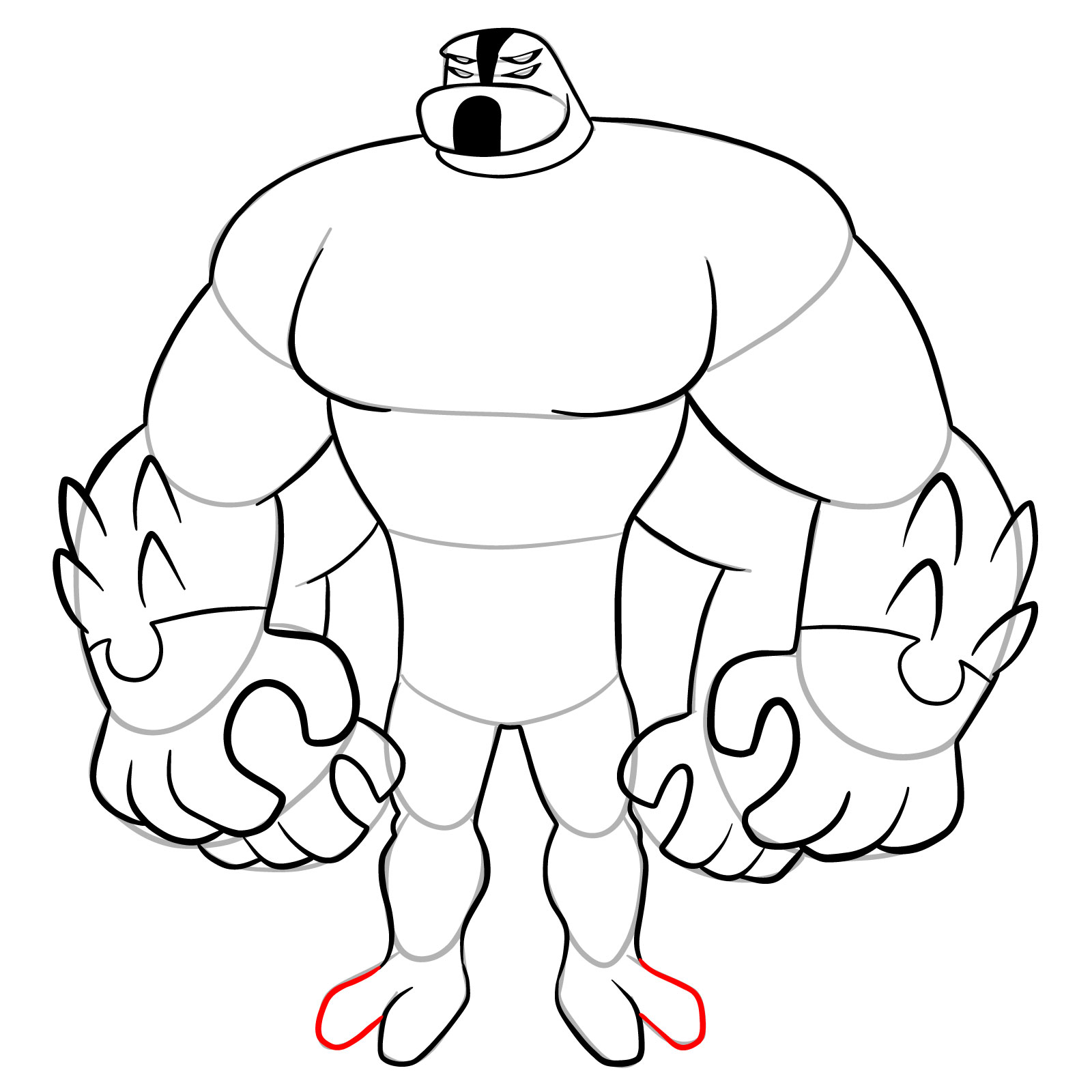
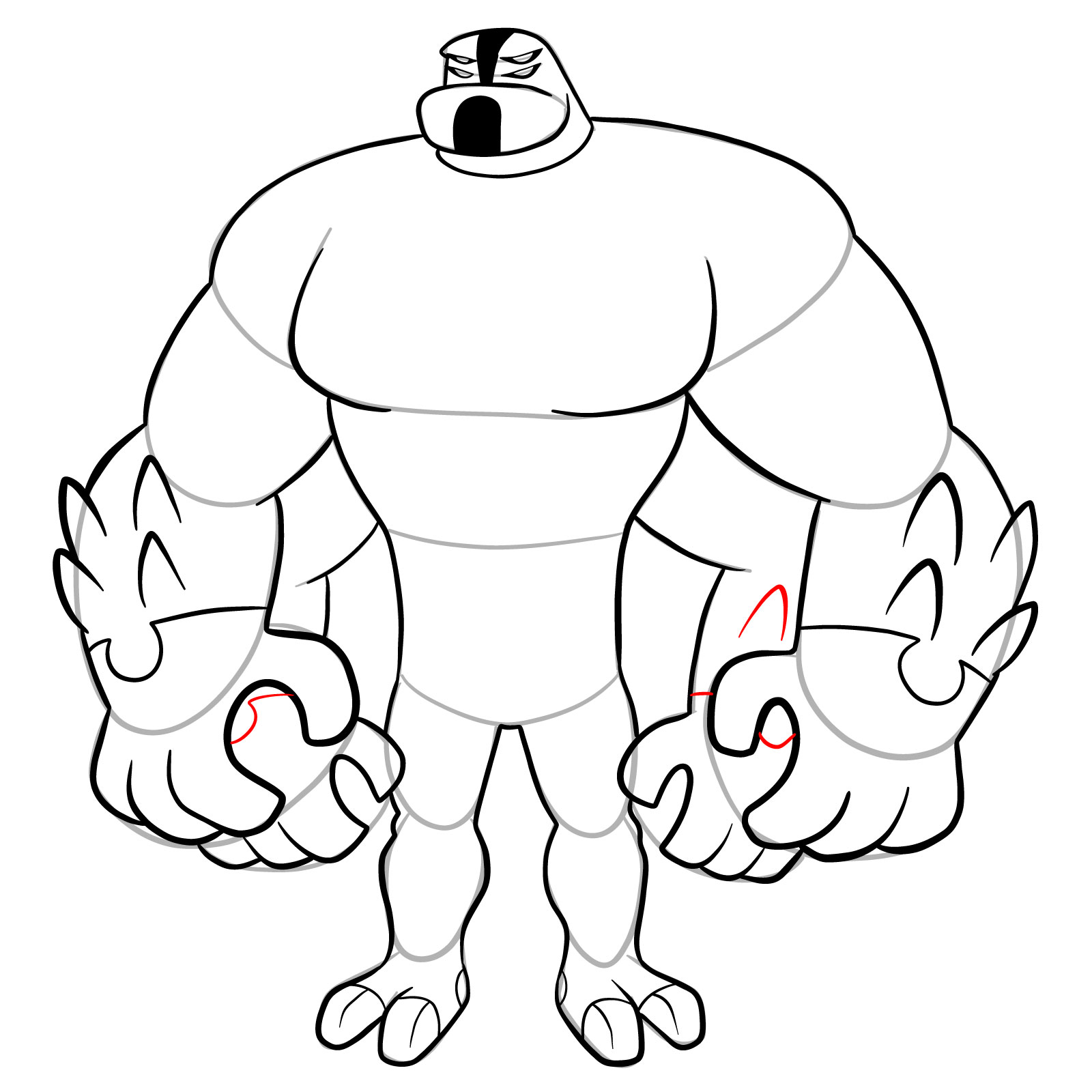
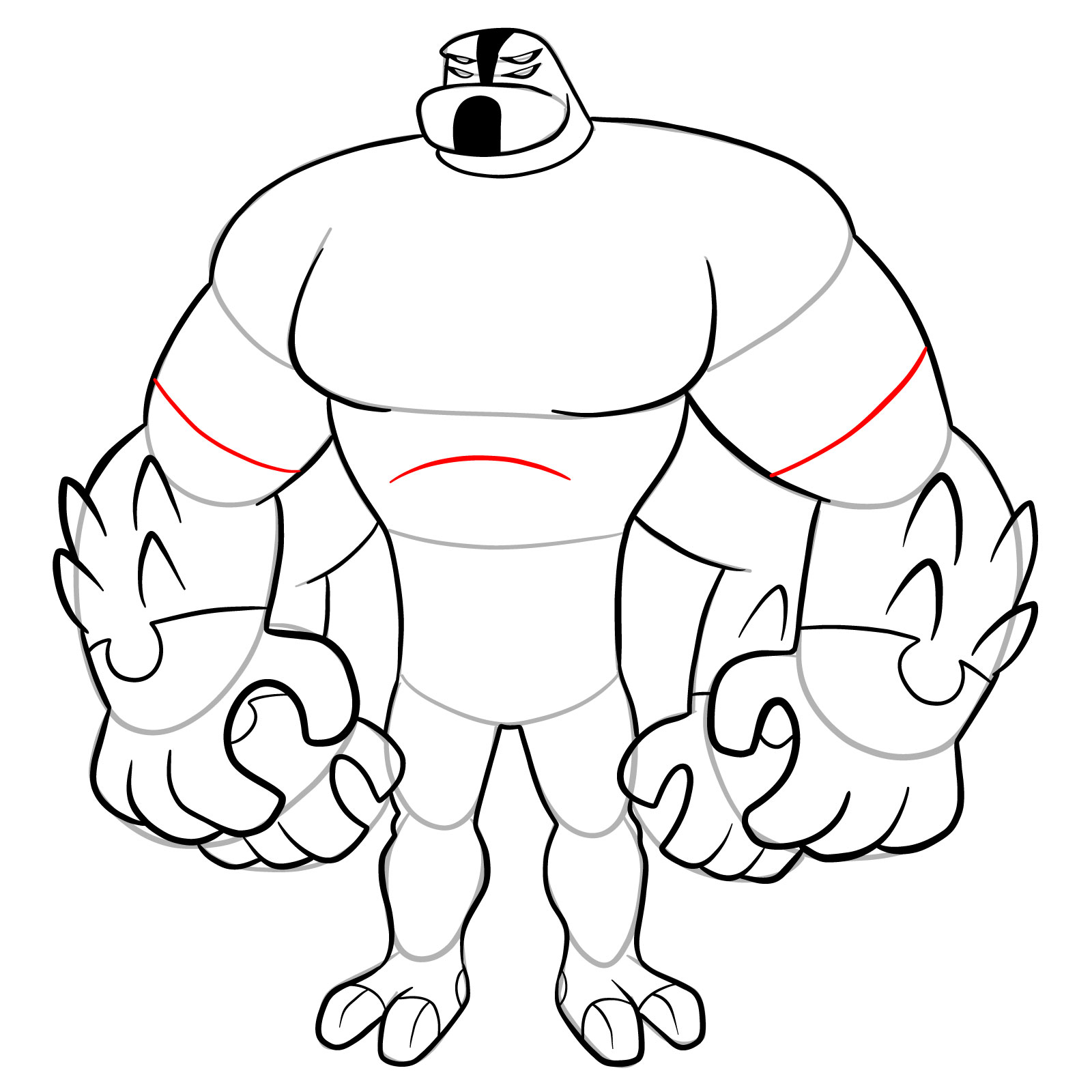
This guide consists of 31 steps that cover Four Arms from his small head down to his two-toed feet, capturing that intimidating wide stance with all four massive arms.

Four Arms Reboot Design Features

  • Small rounded head with flat top
  • Angry slanted eyes in white band
  • Black rectangular mouth opening
  • Massive rounded shoulders
  • Four bulky arms with elbow spikes
  • Huge hands with pointed claws
  • Omnitrix symbol on chest center
  • Wide barrel-shaped torso
  • Thin waist section with stripe
  • Short thick legs with muscle definition
  • Two-toed feet with claws

Sketching Four Arms Omniverse Reboot means drawing extreme muscle bulk while keeping the head surprisingly small. For the classic version, check the original Four Arms tutorial. The Humungousaur guide shows another powerhouse alien with different proportions, and Rath offers practice with a similarly muscular build.

Color Navigation System

Use these colors to track each drawing stage:

  • Red Color: lines added in the current step.
  • Black Color: lines completed earlier.
  • Gray Color: base sketch for structure.

How to Draw Four Arms Omniverse Reboot: Full Tutorial
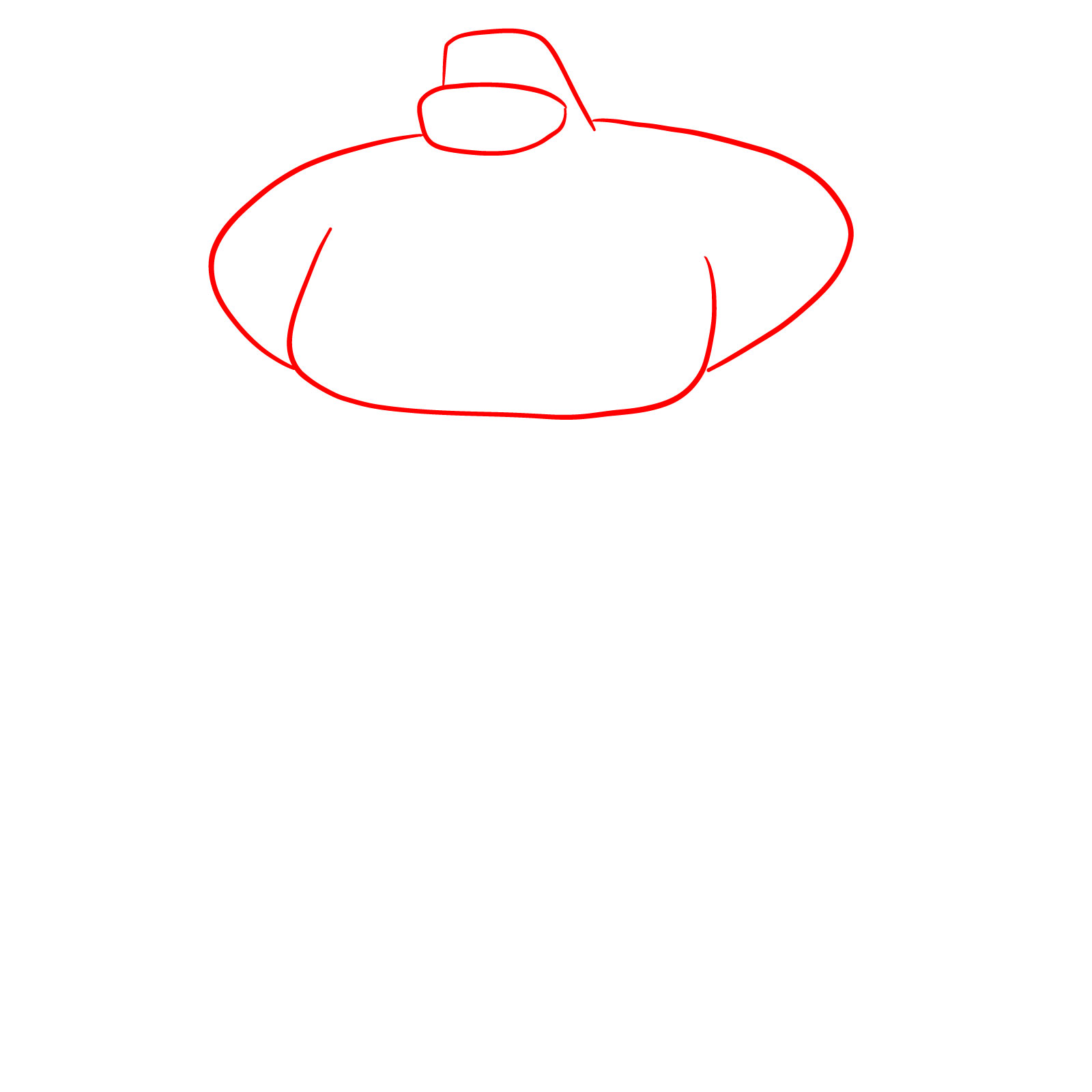
Step 01

How to draw Four Arms (Omniverse Reboot) - step 01

Step 02

How to draw Four Arms (Omniverse Reboot) - step 02

Step 03

How to draw Four Arms (Omniverse Reboot) - step 03

Step 04

How to draw Four Arms (Omniverse Reboot) - step 04

Step 05

How to draw Four Arms (Omniverse Reboot) - step 05

Step 06

How to draw Four Arms (Omniverse Reboot) - step 06

Step 07

How to draw Four Arms (Omniverse Reboot) - step 07

Step 08

How to draw Four Arms (Omniverse Reboot) - step 08

Step 09

How to draw Four Arms (Omniverse Reboot) - step 09

Step 10

How to draw Four Arms (Omniverse Reboot) - step 10

Step 11

How to draw Four Arms (Omniverse Reboot) - step 11

Step 12

How to draw Four Arms (Omniverse Reboot) - step 12

Step 13

How to draw Four Arms (Omniverse Reboot) - step 13

Step 14

How to draw Four Arms (Omniverse Reboot) - step 14

Step 15

How to draw Four Arms (Omniverse Reboot) - step 15

Step 16

How to draw Four Arms (Omniverse Reboot) - step 16

Step 17

How to draw Four Arms (Omniverse Reboot) - step 17

Step 18

How to draw Four Arms (Omniverse Reboot) - step 18

Step 19

How to draw Four Arms (Omniverse Reboot) - step 19

Step 20

How to draw Four Arms (Omniverse Reboot) - step 20

Step 21

How to draw Four Arms (Omniverse Reboot) - step 21

Step 22

How to draw Four Arms (Omniverse Reboot) - step 22

Step 23

How to draw Four Arms (Omniverse Reboot) - step 23

Step 24

How to draw Four Arms (Omniverse Reboot) - step 24

Step 25

How to draw Four Arms (Omniverse Reboot) - step 25

Step 26

How to draw Four Arms (Omniverse Reboot) - step 26

Step 27

How to draw Four Arms (Omniverse Reboot) - step 27

Step 28

How to draw Four Arms (Omniverse Reboot) - step 28

Step 29

How to draw Four Arms (Omniverse Reboot) - step 29

Step 30

How to draw Four Arms (Omniverse Reboot) - step 30

Step 31

How to draw Four Arms (Omniverse Reboot) - final step

Share Your Four Arms Drawing!

That completes this guide on how to draw Four Arms from Omniverse Reboot. Did the massive arms and tiny head contrast work out? Leave a comment with your thoughts or post a link to your finished artwork online. Comparing Four Arms across different series shows interesting design evolution, and community feedback helps everyone improve at drawing exaggerated muscle proportions.

Disclaimer: All original artworks and photos used as references for the creation of these drawing tutorials are the property of their respective owners. If your work has been featured without proper credit, please kindly leave a comment below, and the issue will be promptly addressed. We greatly appreciate your exceptional art. Thank you.

Did you like the tutorial?

You can support the author of this website and also suggest your own ideas for new drawings by making a small donation here:

Leave a Comment