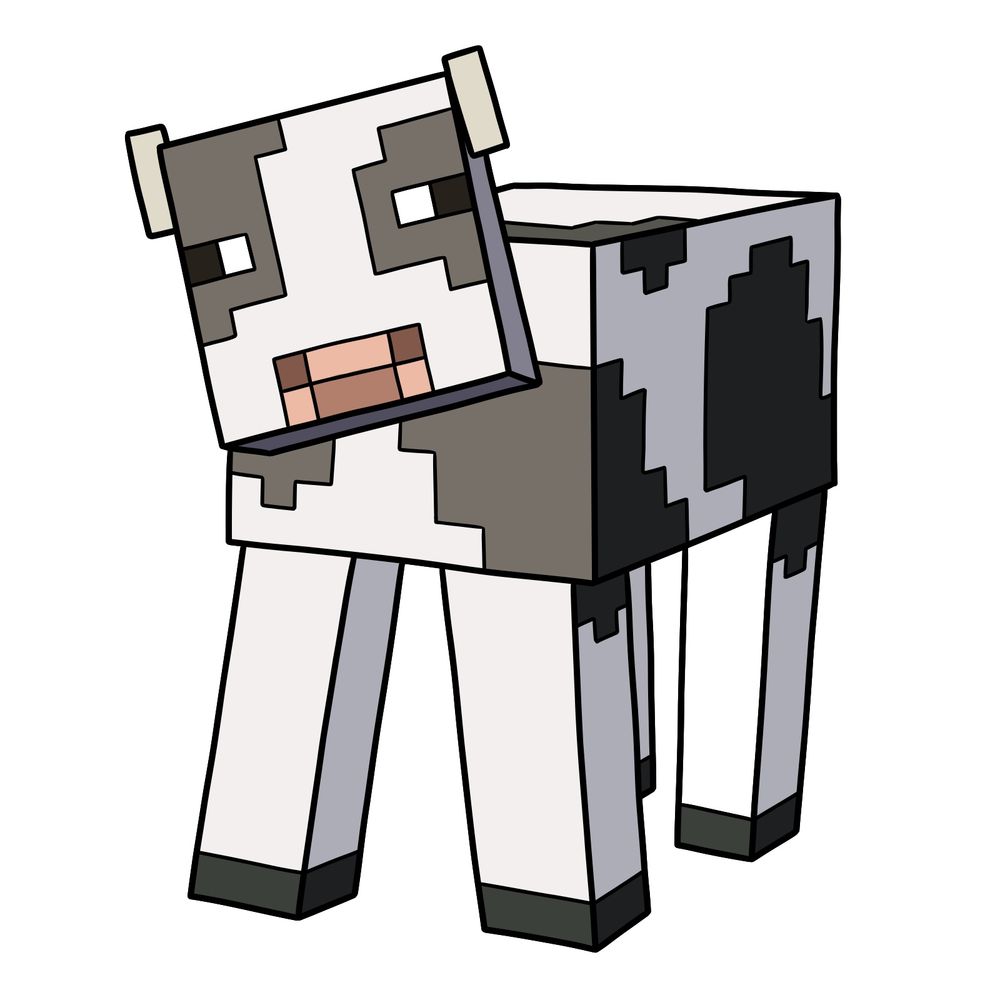
Have you ever noticed how Minecraft’s Cow has a kind of charm, despite being just a collection of pixels? So, I thought it’d be nice to sketch out a quick and simple guide on how to draw a Cow from Minecraft. It’s pretty straightforward, perfect if you’re looking for something easy to add to your Minecraft drawing collection.
Pixelated Pastures: Cow Essentials
Let’s quickly highlight what makes Minecraft’s Cow distinctive:
- A rectangular body covered with blocky black-and-white patterns.
- Square-shaped head with pixelated facial markings.
- Small rectangular ears on the top corners of the head.
- Pixel-style rectangular eyes.
- A simple rectangular snout.
- Four thin rectangular legs, each ending in darker hooves.
If you’re into this Cow drawing, consider sketching other Minecraft animals next, like the Pig, Wolf, or even an Axolotl.
Drawing Colors Explained
To make sure the steps are clear, here’s a quick explanation of the colors used in the drawing tutorial:
- Red Color: Highlights the step you’re currently drawing.
- Black Color: Lines you’ve already completed.


Now that you know how to draw a Minecraft Cow, feel free to experiment with the blocky shapes and make it your own. The SketchOk YouTube channel regularly uploads drawing videos if you prefer following along visually rather than reading through steps. And if you want to show off your finished Minecraft Cow, the Pinterest pinned post for this tutorial is a great spot to drop your results and see what others have drawn too.