Last Updated on May 13, 2026
You know how certain Minecraft animals just become your favorites? For me, the Minecraft Wolf definitely falls into that category. There’s just something neat about this little pixelated creature. So today seemed like a good day to sketch it out. If you’re wondering how to draw a Wolf from Minecraft, let’s get started. It’s pretty straightforward and relaxed, so no worries if you’re new to Minecraft drawing.
Inside the Wolf’s Pixels
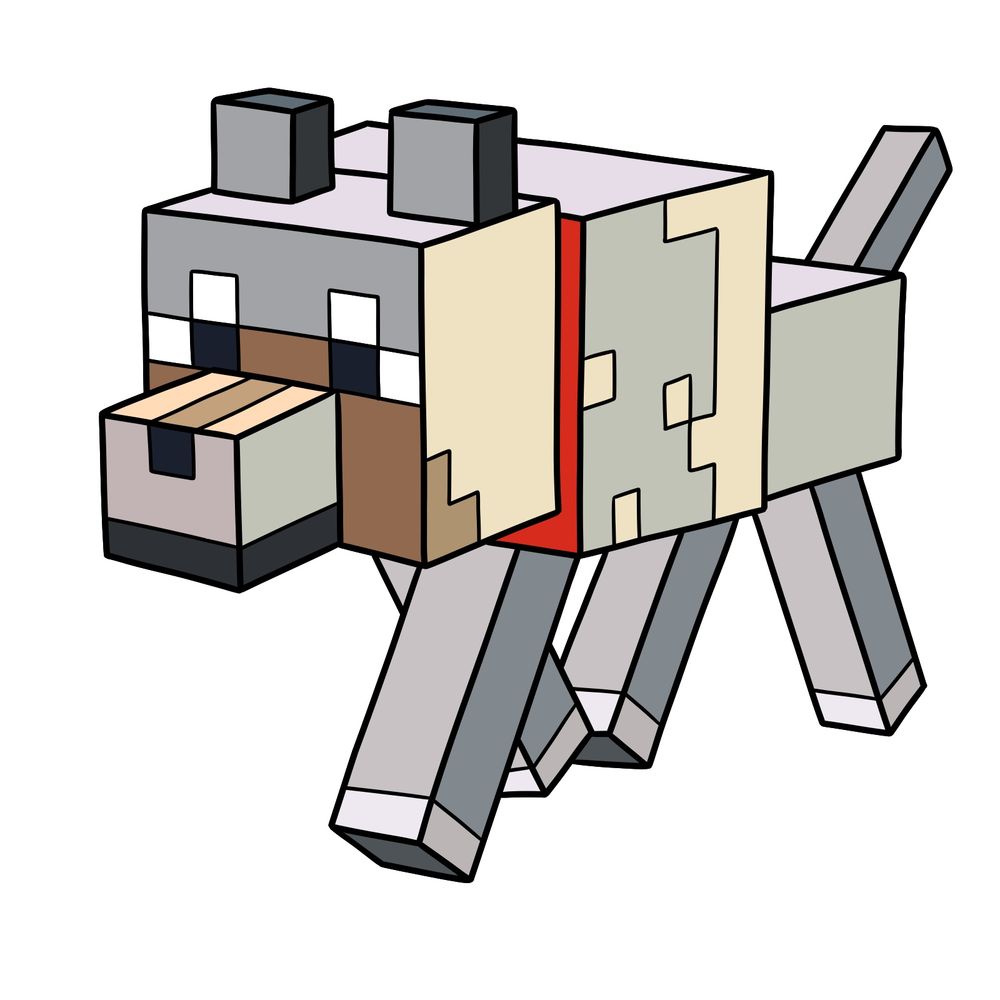
Here’s a quick checklist to keep your Minecraft Wolf accurate:
- A compact, blocky body structure with mostly greyish fur tones.
- A rectangular snout detailed with pixelated shading.
- Pixel eyes with clear black and white pixels.
- A distinct, upright tail and straight legs in grey shades.
- Pixel detailing on fur, highlighting texture.
- Two small blocky ears on top of the head.
If you finish up the Wolf and feel like drawing more Minecraft animals, why not sketch out the Ocelot, Pig, or maybe a Cow next?
Your Pixel Color Compass
To make following the drawing steps easier, here’s what each color in the guide represents:
- Red Color: Highlights the current step.
- Black Color: Shows previously completed lines.


Now that you know how to draw a Wolf from Minecraft, keep practicing those blocky shapes until they feel natural. The SketchOk YouTube channel uploads drawing videos regularly, so it’s worth checking if a video version of this one has gone up. And if you want to show off your finished Minecraft Wolf, the Pinterest pinned post for this tutorial is a great spot to drop your drawing in the comments.
