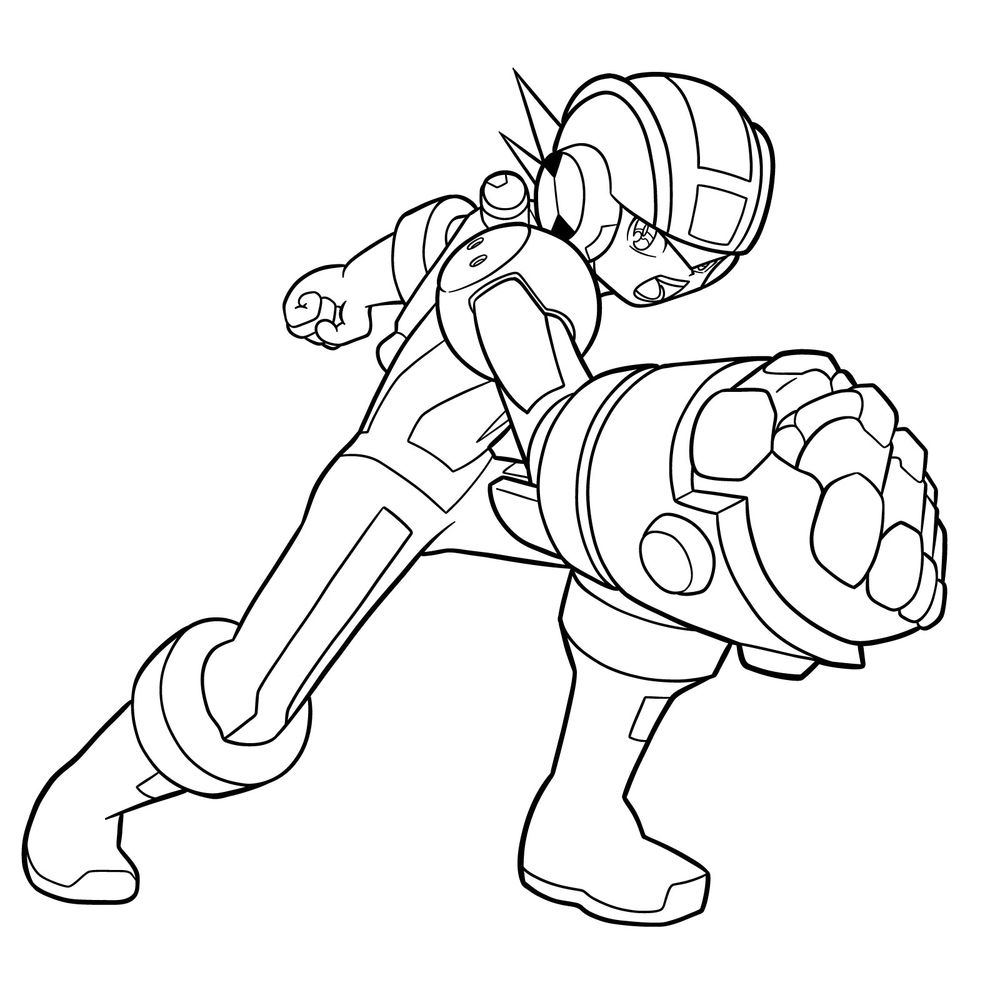
In this tutorial, I’m going to show you how to draw MegaMan.EXE in his HeatGuts Style form. This version comes from the Mega Man Battle Network series, where different fighting styles could change MegaMan’s abilities and appearance. This style focuses on strength and the Buster, giving him a more powerful, heavy-armored look. The drawing complexity is somewhere in the medium range, mainly because of the action pose and the detailed arm design.
The style change here gives MegaMan.EXE larger fists and a more durable body, with armor plates and sharper details compared to his normal form. The pose captures a dynamic moment where he’s about to strike, which makes the lines more interesting but requires attention to proportion and balance.
Key Features to Focus On
- Thick and circular helmet
- Large buster arm with segmented details
- Compact slim torso
- Heavy boots with reinforced joints
- Dynamic pose leaning forward, creating motion
If you like drawing action characters with a tech-heavy feel, this one fits really well into your practice lineup, but you can also try sketching characters like GutsMan.EXE, Roll.EXE or CutMan.EXE next.
Color Code Explanation for This Guide
- Red Color: lines for the step you are currently working on
- Black Color: lines already drawn from previous steps
- Grey Color: base sketch used to map out proportions


That wraps up this how to draw MegaMan.EXE drawing guide, and hopefully your NetNavi is looking sharp and ready for a jack-in. If you learn better by watching, the SketchOk YouTube channel posts drawing videos regularly, so it’s worth checking out when you want to follow along at your own pace. And once you’re happy with your MegaMan.EXE, drop your finished drawing in the comments of the pinned Pinterest post, it’s a great spot to see what everyone else is creating too.