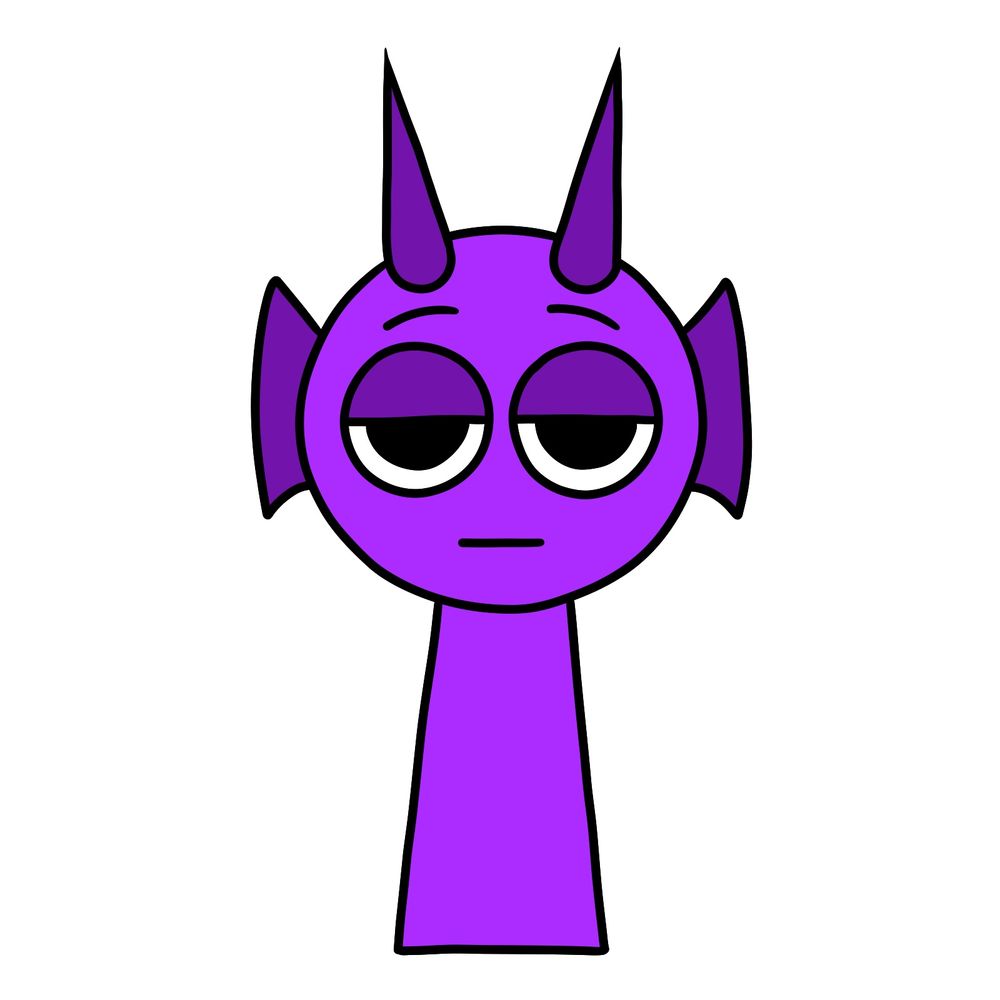
In this tutorial, we’ll learn how to draw Durple from Incredibox Sprunki. Durple is the 12th character in the Sprunki mod and represents the 2nd melody sound. He’s a purple dragon-like Sprunki with two long dark purple horns sticking out of his head and two side frills that look like fins. Even though he’s designed like a dragon, he doesn’t have a tail, wings, or fire abilities, so his overall form stays simple and easy to sketch.
Key Features to Focus on When Drawing Durple
- Solid purple body with a clean, simple shape.
- Two tall, narrow horns positioned at the top of the head.
- Fin-like side frills on each side of the head.
- Relaxed, half-closed eyes giving a laid-back expression.
- Small straight mouth line with no strong emotion.
Once you’re done sketching Durple, you might also want to check out other characters like Fun Bot, Brud, or Clukr to grow your Incredibox Sprunki drawing collection.
Understanding the Color Coding in the Drawing Guide
- Red Color: Shows the part of the drawing you should be focusing on in the current step.
- Black Color: Highlights everything that you have already drawn in previous steps.


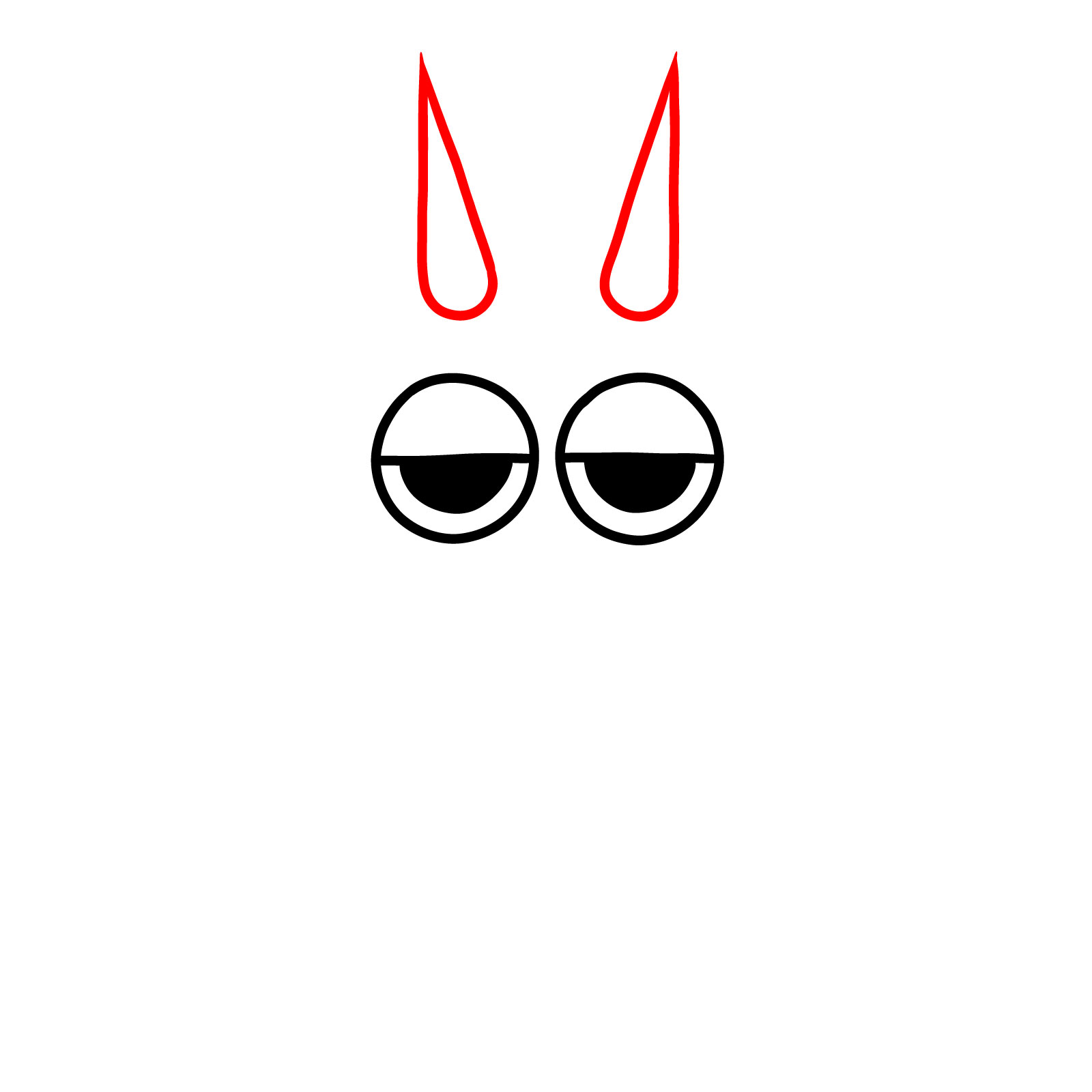

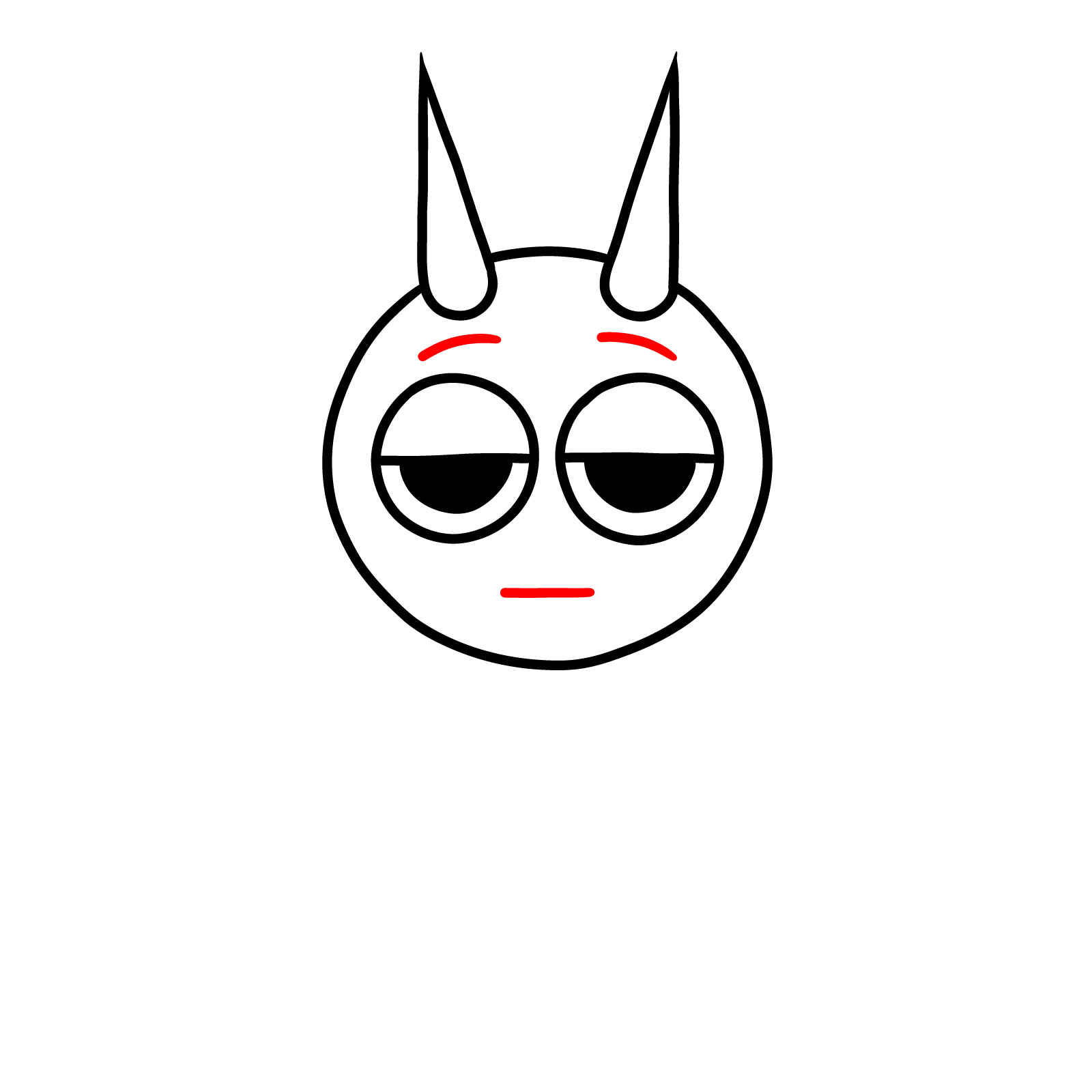

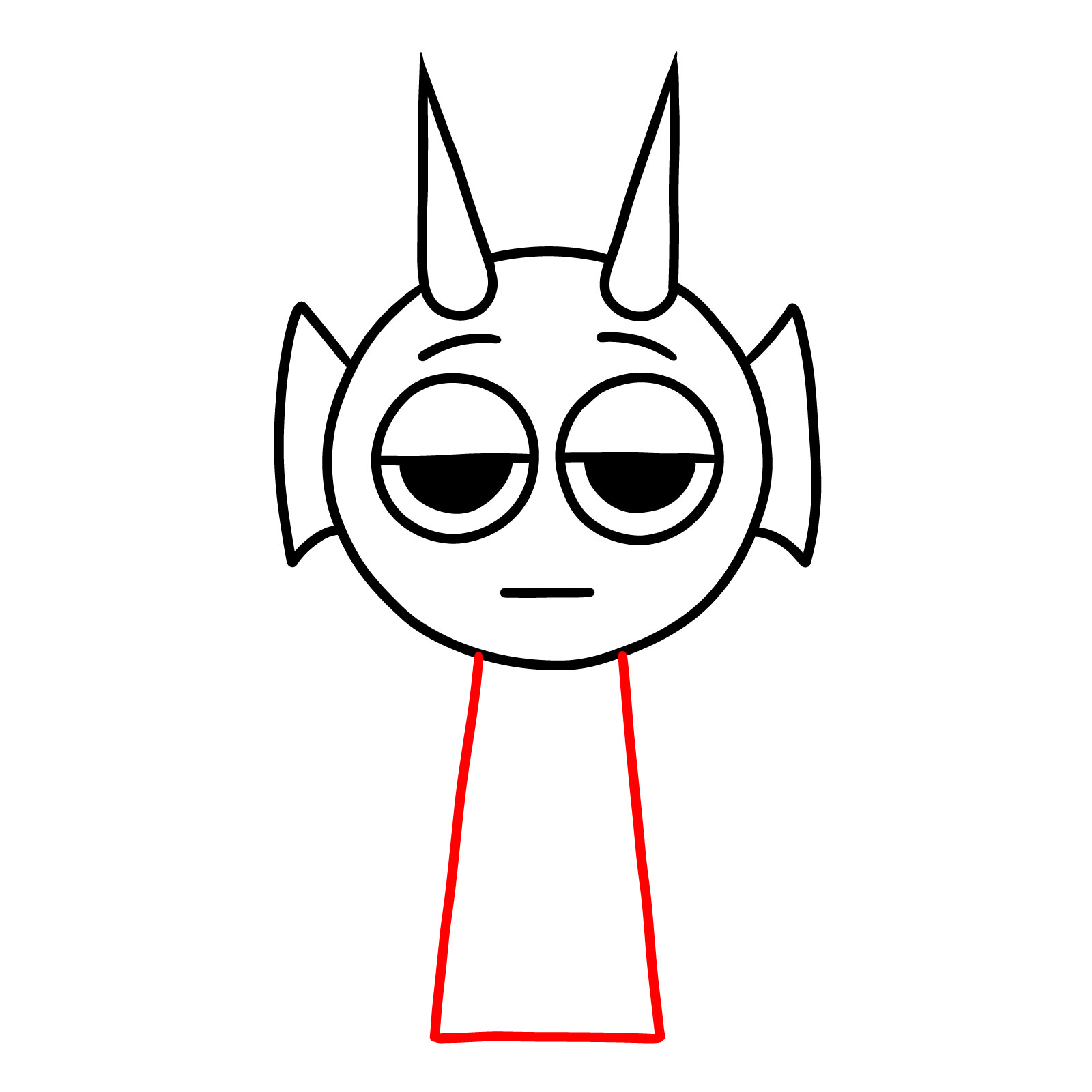


Now that you’ve worked through this simple tutorial on how to draw Durple, you’ve got a solid feel for the chunky, expressive style that makes Incredibox Sprunki characters so fun to sketch. More Sprunki character guides are in the works, so there’s plenty more from this wild cast coming soon. Sign up for the weekly digest using the form at the top of the page, or follow SketchOk on Pinterest and Facebook to catch new guides as they drop.