This tutorial demonstrates how to draw Talos from God of War, the legendary bronze automaton from Greek mythology. This giant metal guardian appears in God of War II as one of the massive enemies Kratos must defeat. Drawing Talos offers great practice for rendering metallic armor plates and mechanical warrior designs.
Drawing the Bronze Giant
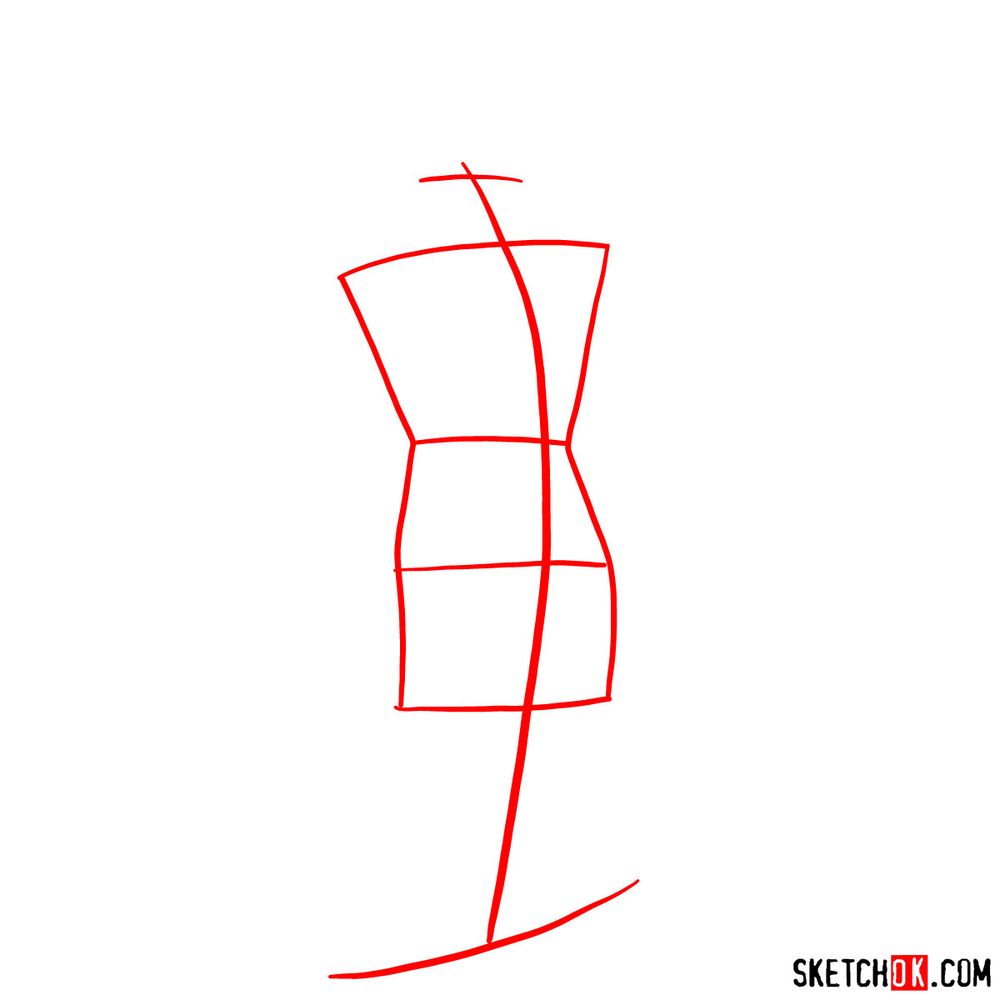
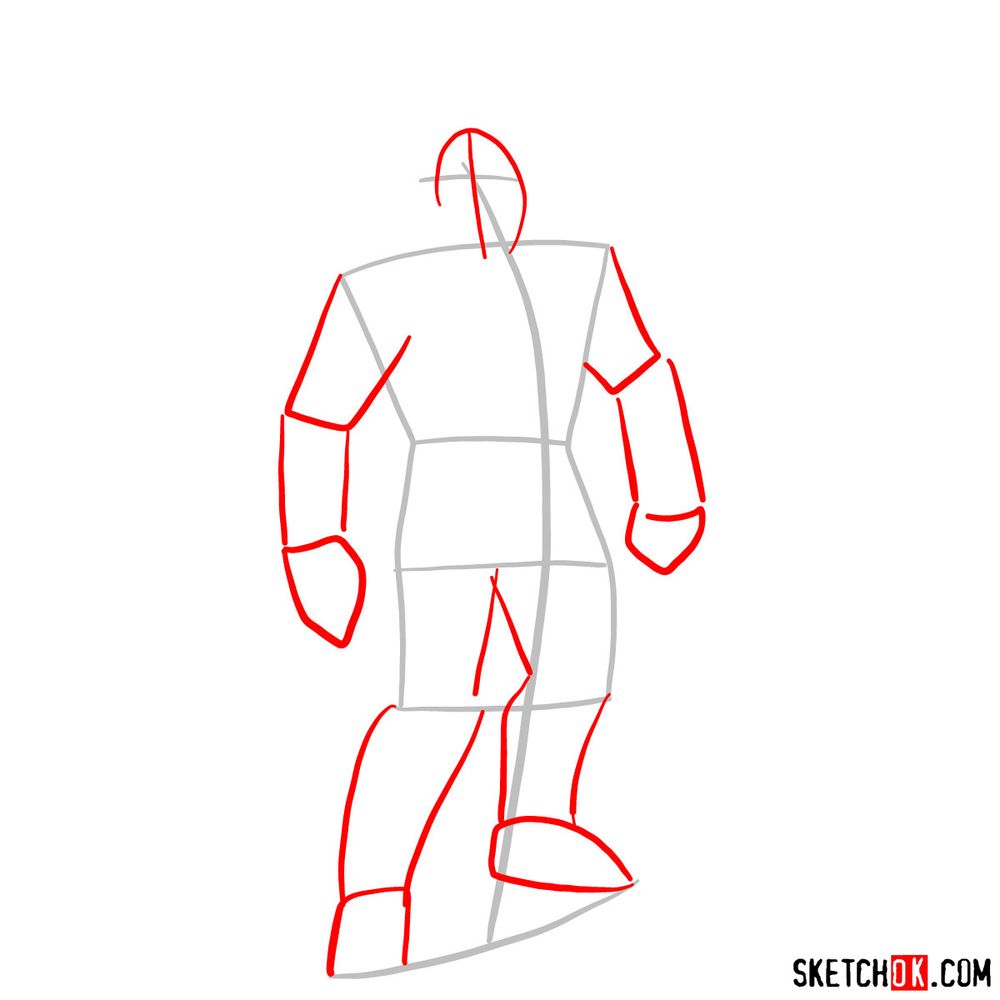
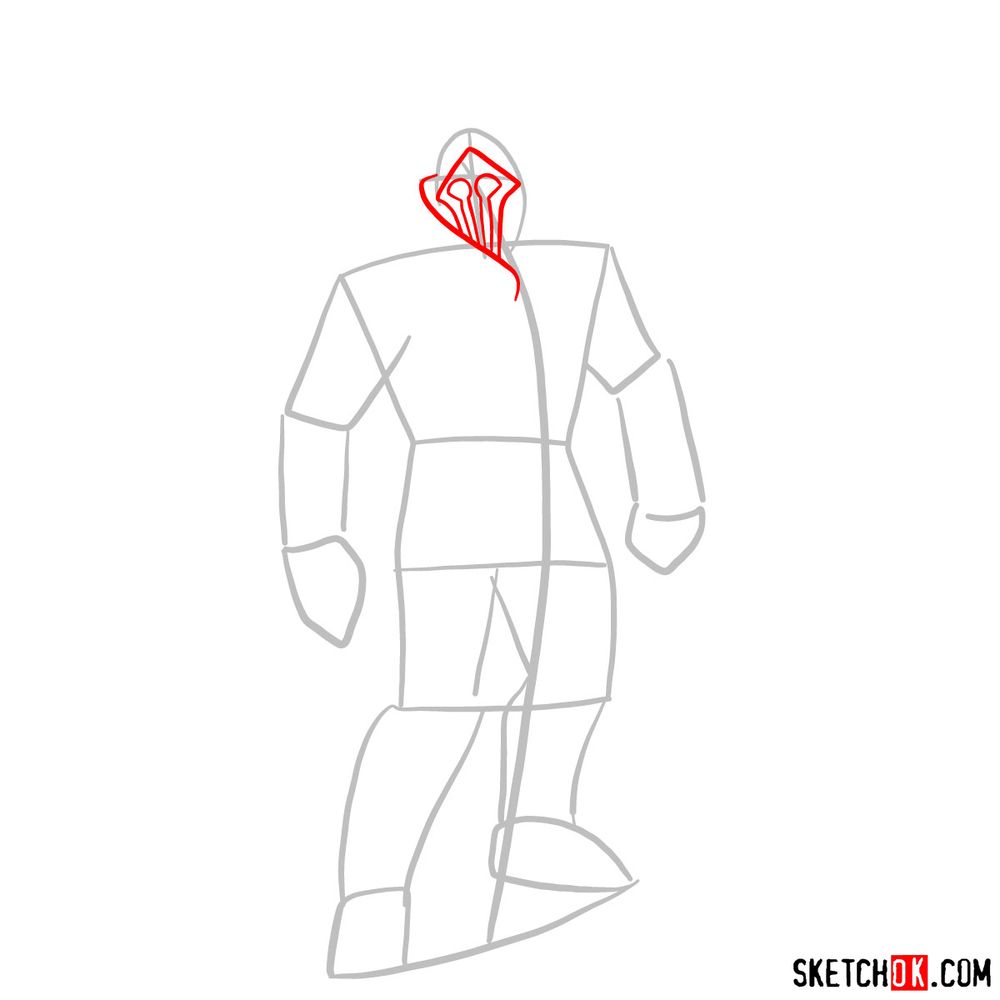
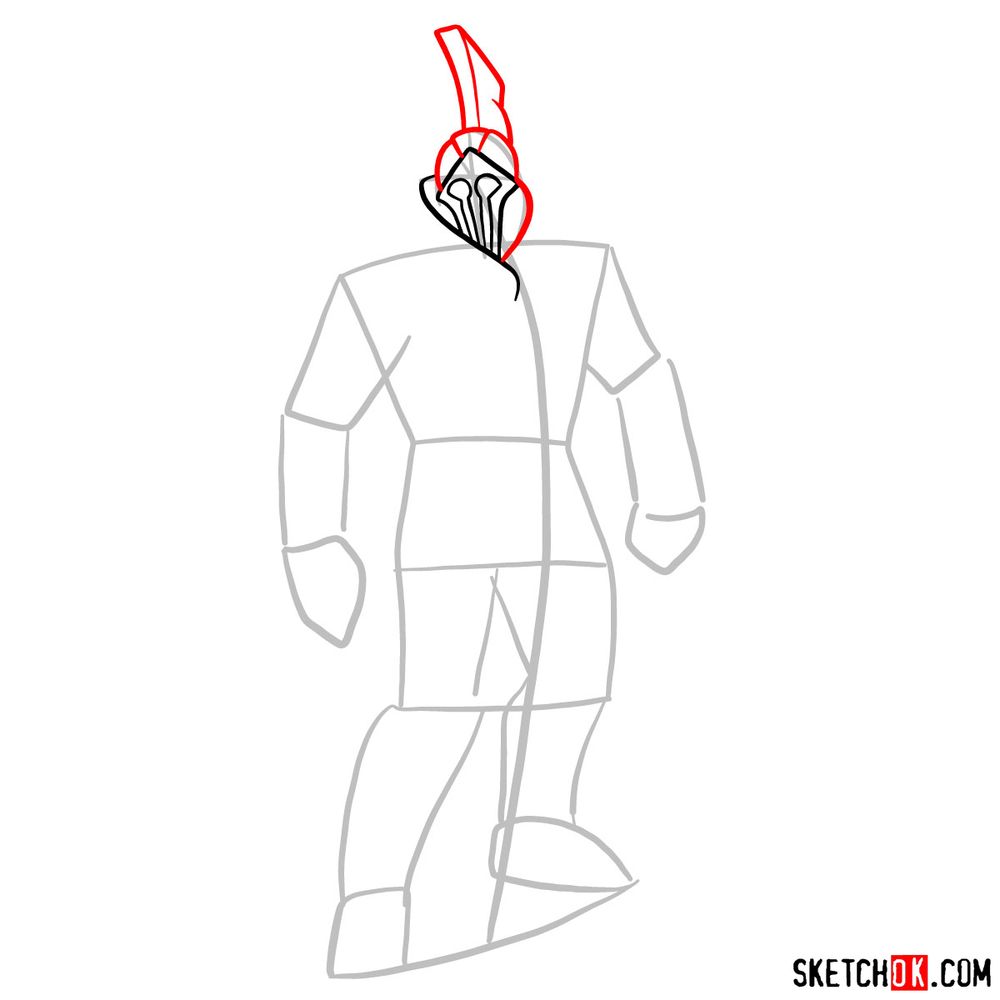
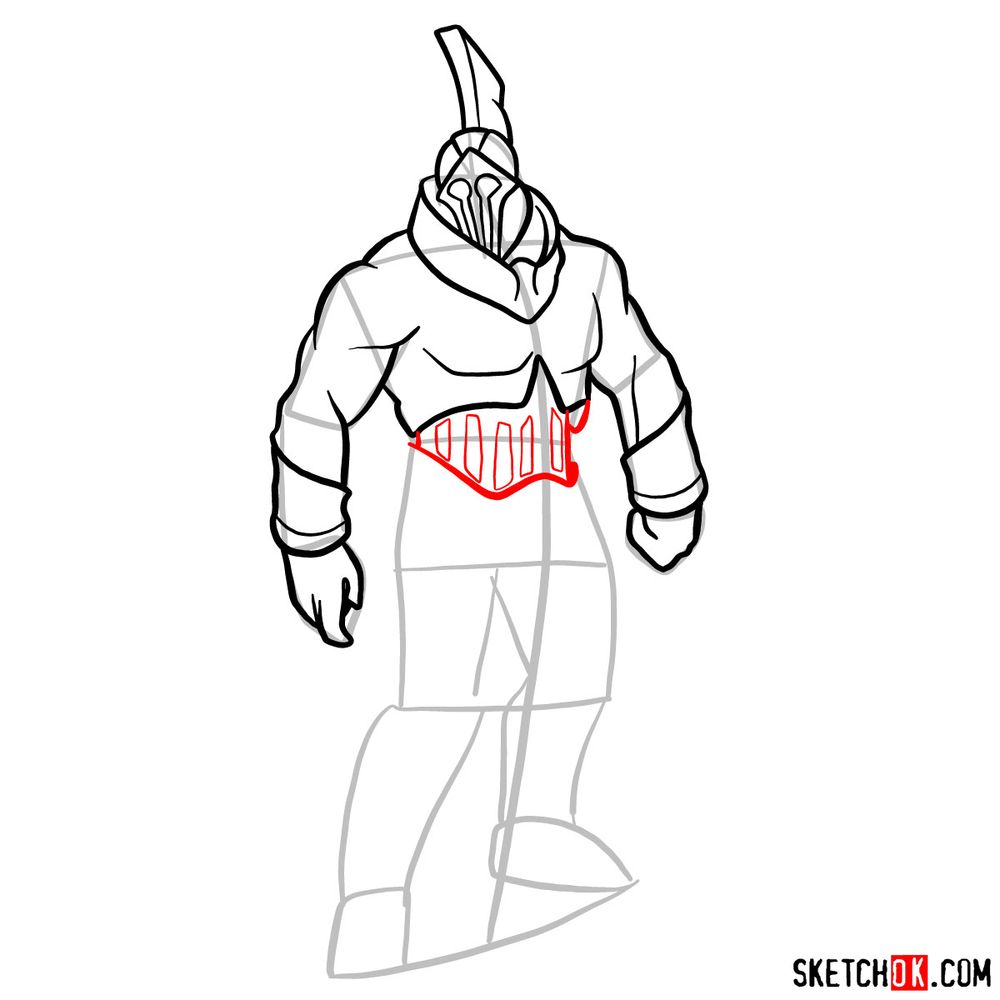
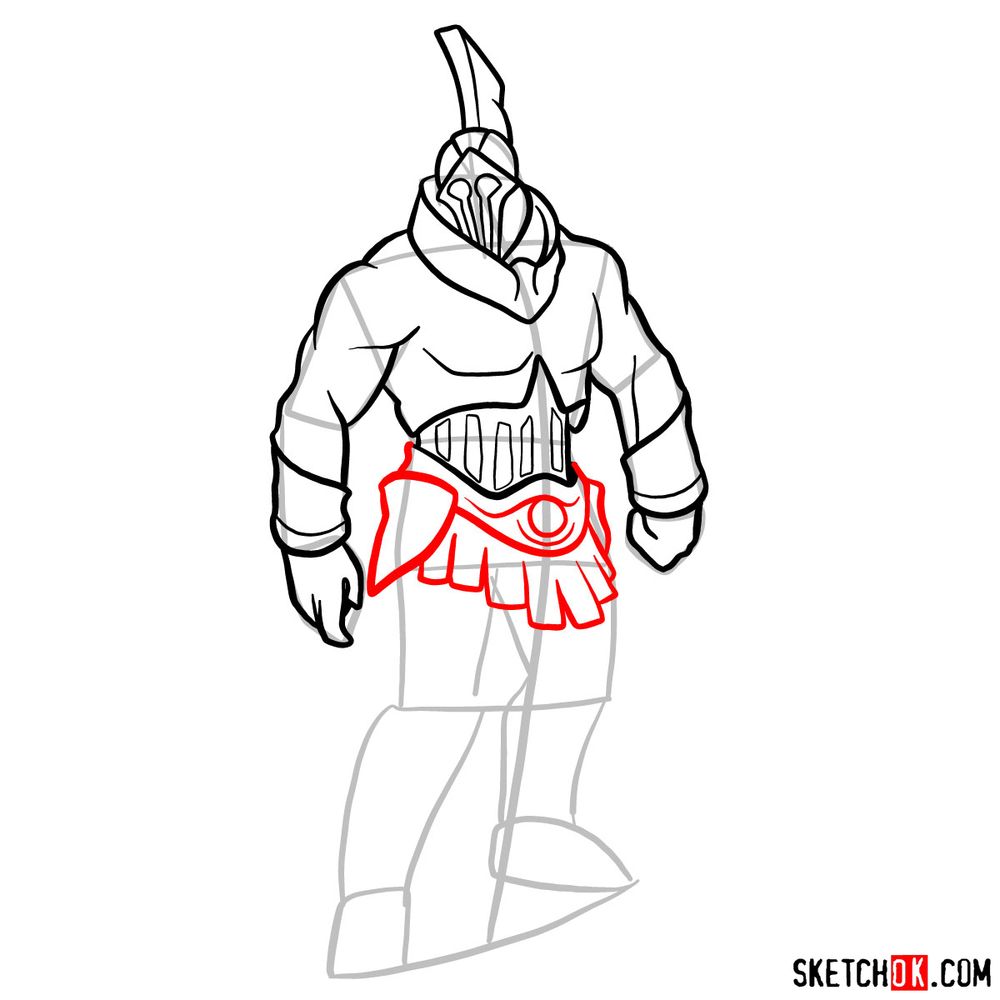
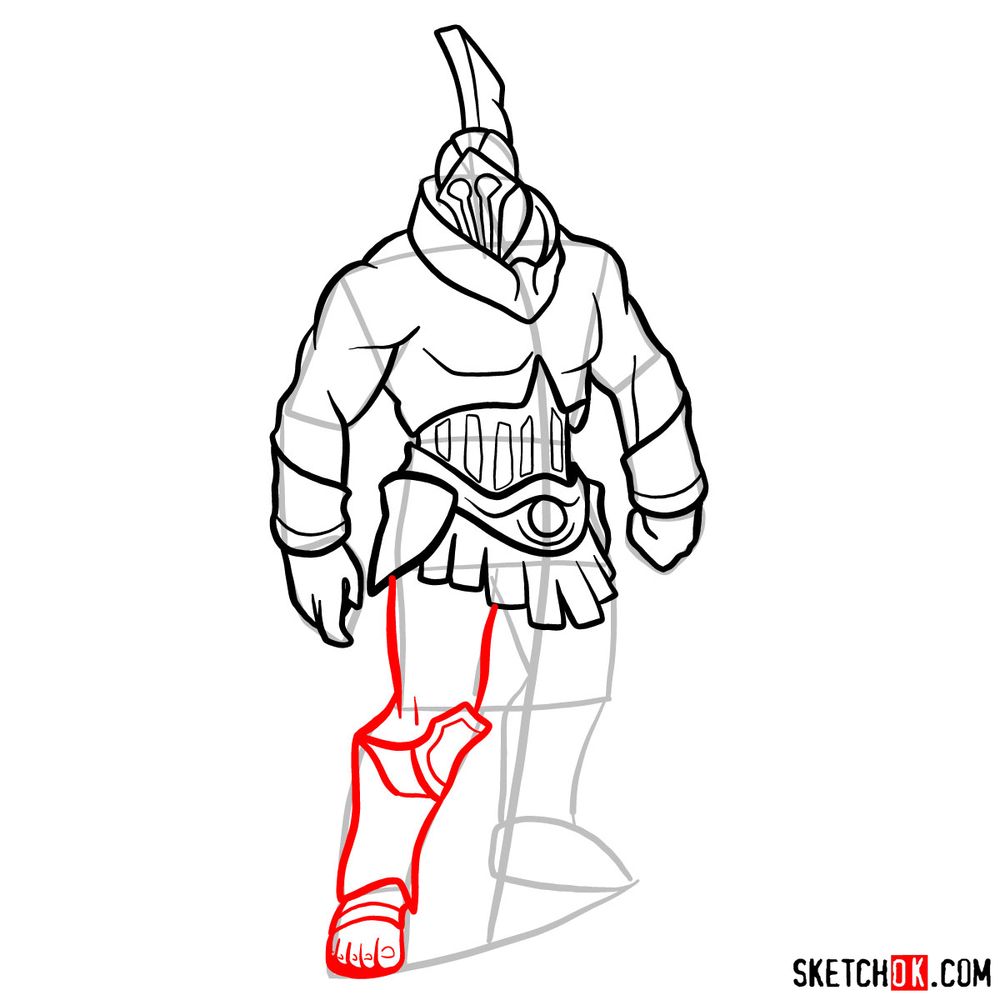
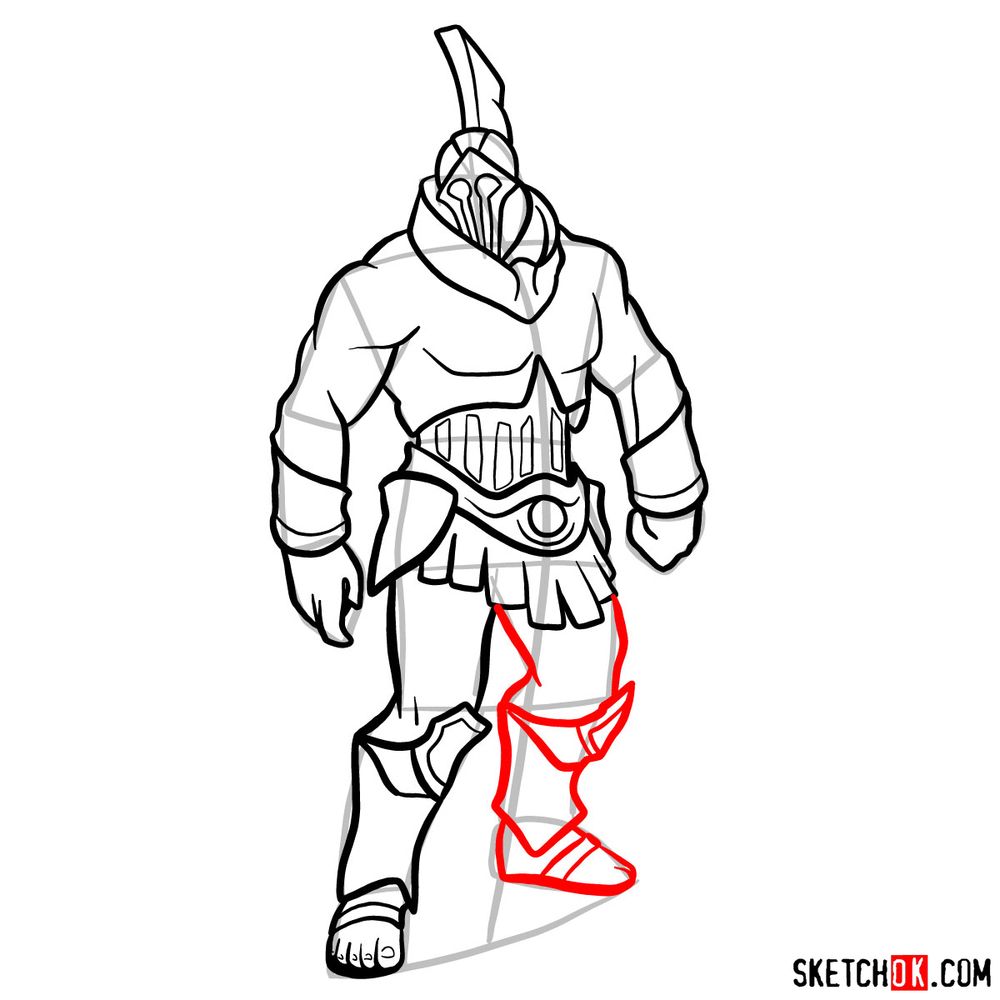
This guide contains 13 step-by-step images that walk you through sketching Talos in his imposing armored stance!
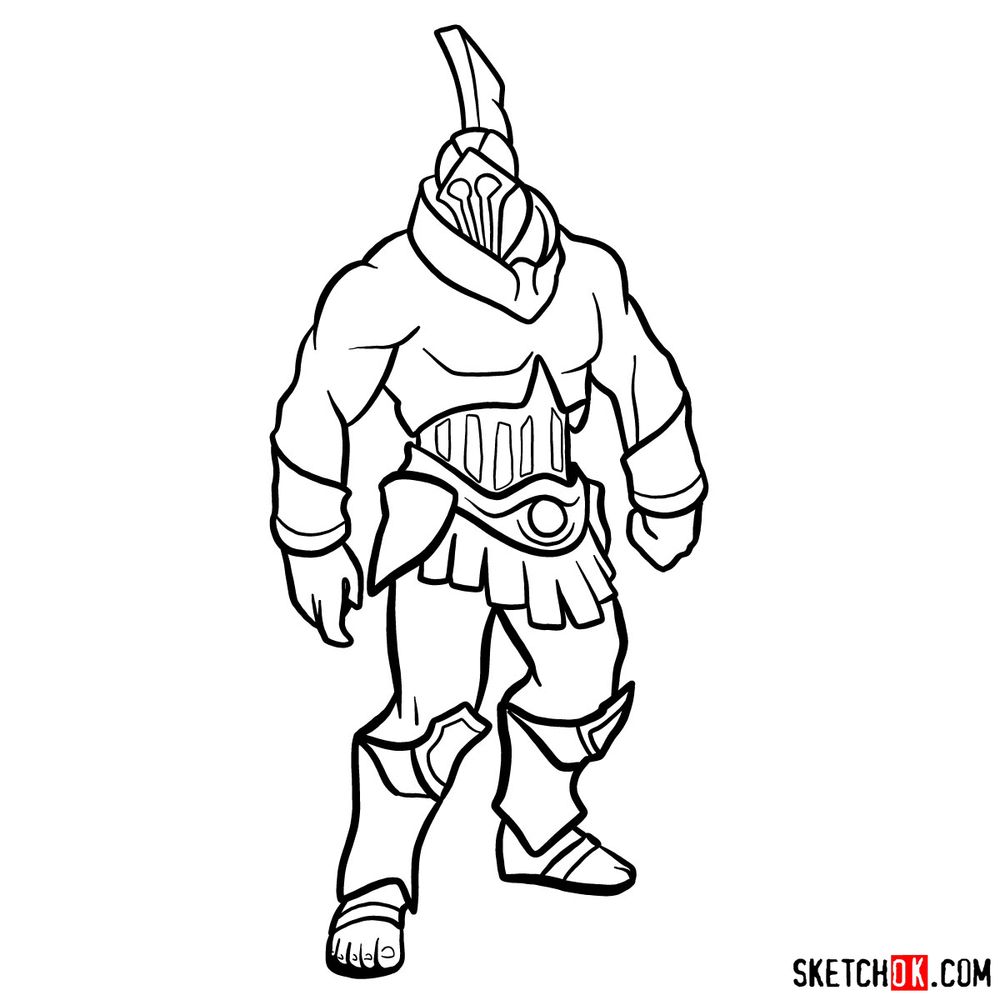
Talos Design Features
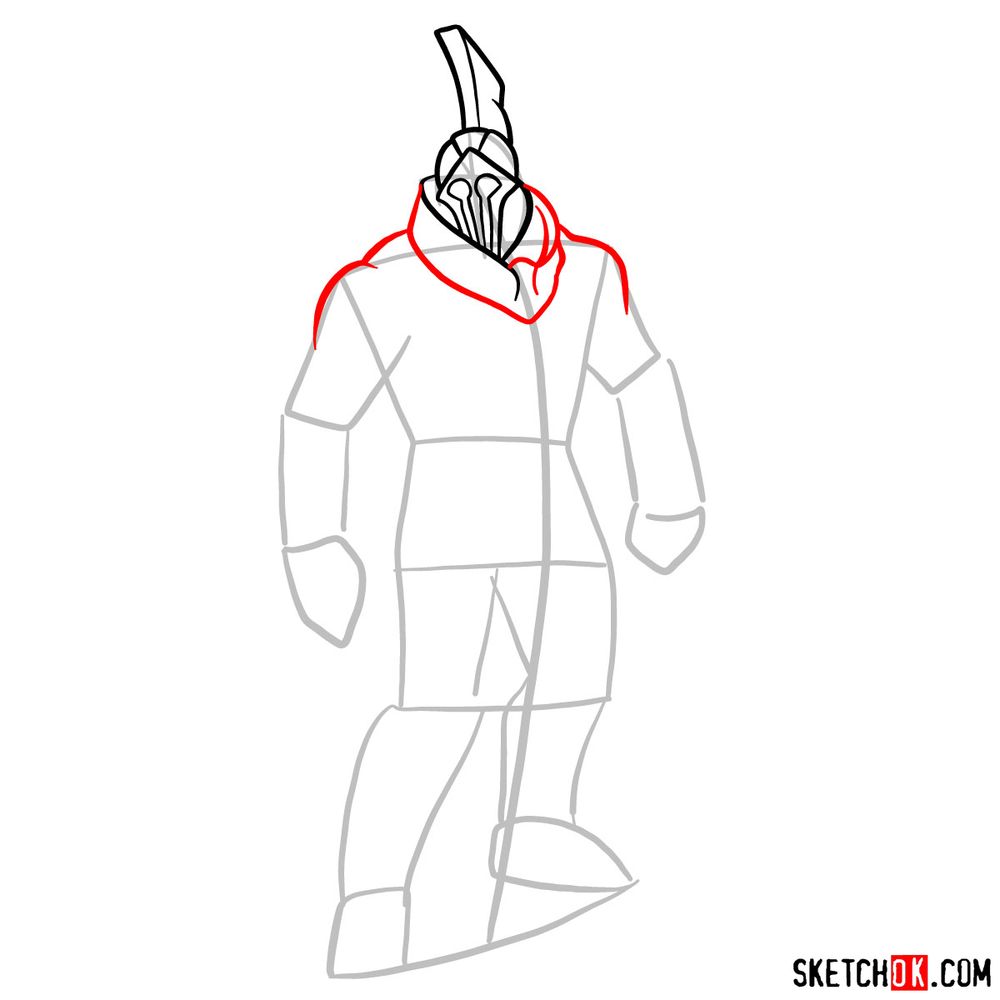
- Greek warrior helmet with tall blade-like crest
- Faceless helmet with vertical slot openings
- Thick neck guard connecting helmet to shoulders
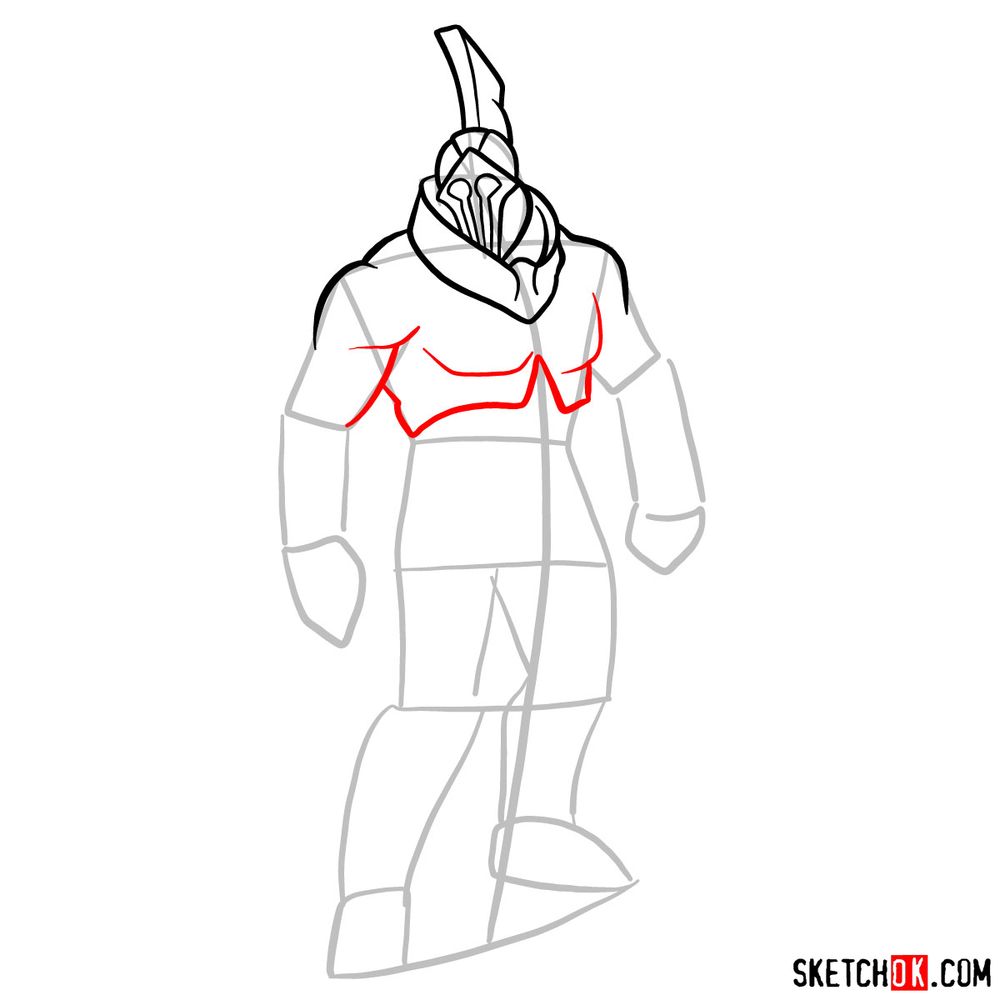
- Massive muscular torso with segmented chest plate
- Decorative belt with circular buckle at waist
- Leather battle skirt with vertical strips
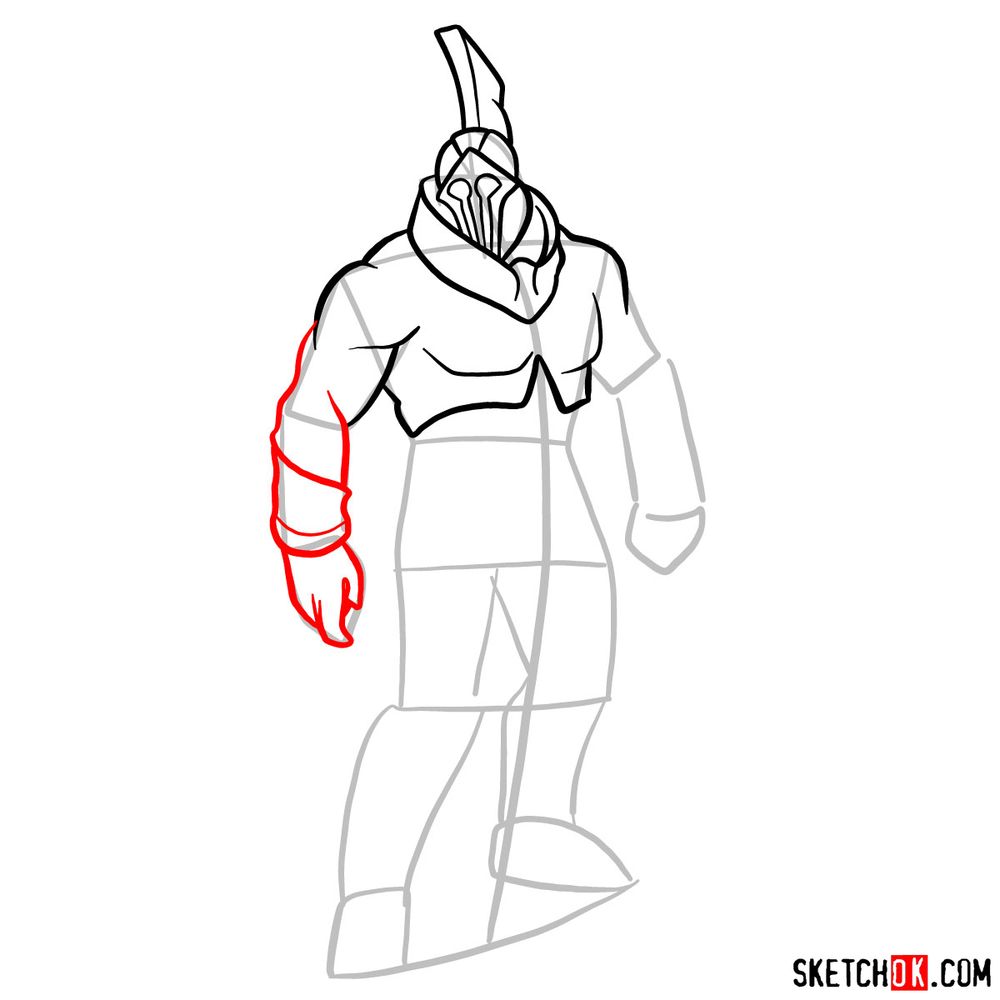
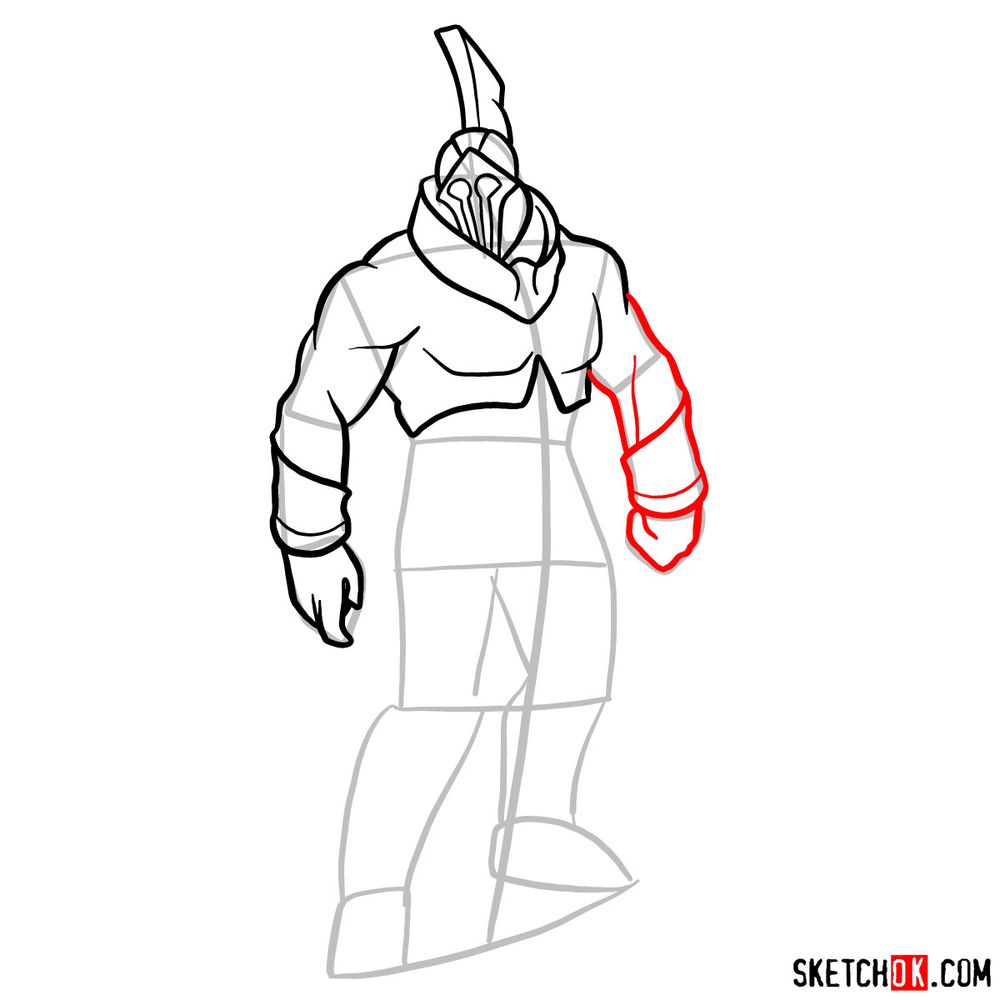
- Wrapped bands around biceps and forearms
- Large hands with thick fingers
- Knee guards with pointed extensions
- Sandal-wrapped feet with exposed toes
Giant automatons and constructs provide excellent subjects for practicing armor detail. For another colossal creature from the series, check out the Perses tutorial featuring the volcanic Titan. The Zeus guide offers a different Greek design with flowing robes instead of armor, while the Kratos tutorial focuses on the protagonist who battles these massive foes.
Reading the Tutorial Steps
The color system below keeps each step easy to follow:
- Red Color: lines added in the current step.
- Black Color: lines completed earlier.
- Gray Color: base sketch for structure.
How to Draw Talos: Step-by-Step Guide
Show Your Bronze Automaton!
That finishes this Talos drawing tutorial. How did the helmet crest and armor plating come together in your sketch? Leave any questions or thoughts in the comments section. Anyone sharing their completed Talos drawing on social media should post the link below so the community can check it out. Seeing various takes on this bronze giant is always interesting!