Home » Game Characters » Friday Night Funkin'

How to draw EXE (Faker Sonic)

The Friday Night Funkin’ mod scene has produced some genuinely unsettling takes on familiar characters, and EXE sits near the top of that list as a corrupted Sonic horror variant turned rhythm game opponent. This tutorial walks through how to draw EXE with the classic hedgehog silhouette intact but reframed for the FNF stage.

What the 34-Step Walkthrough Covers

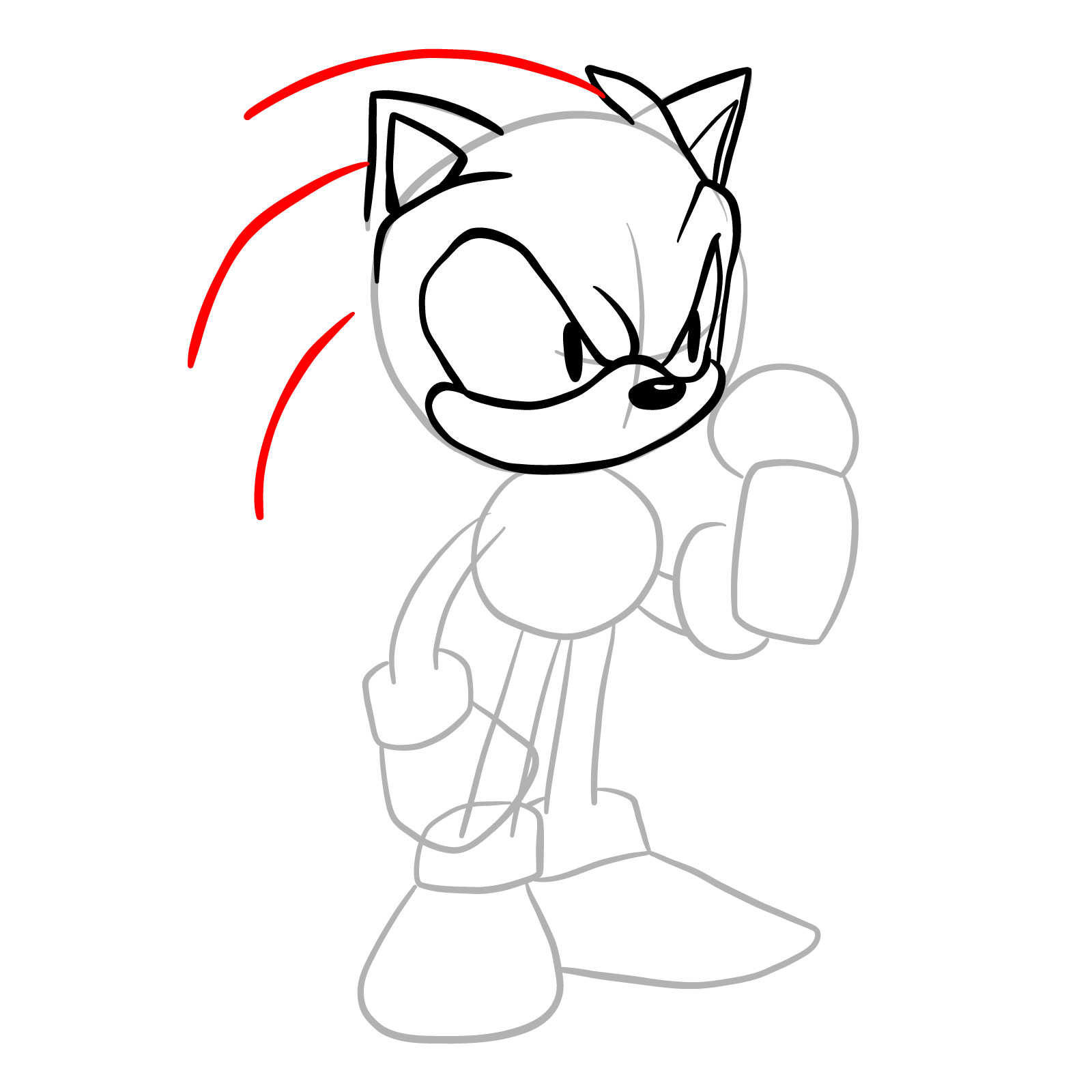
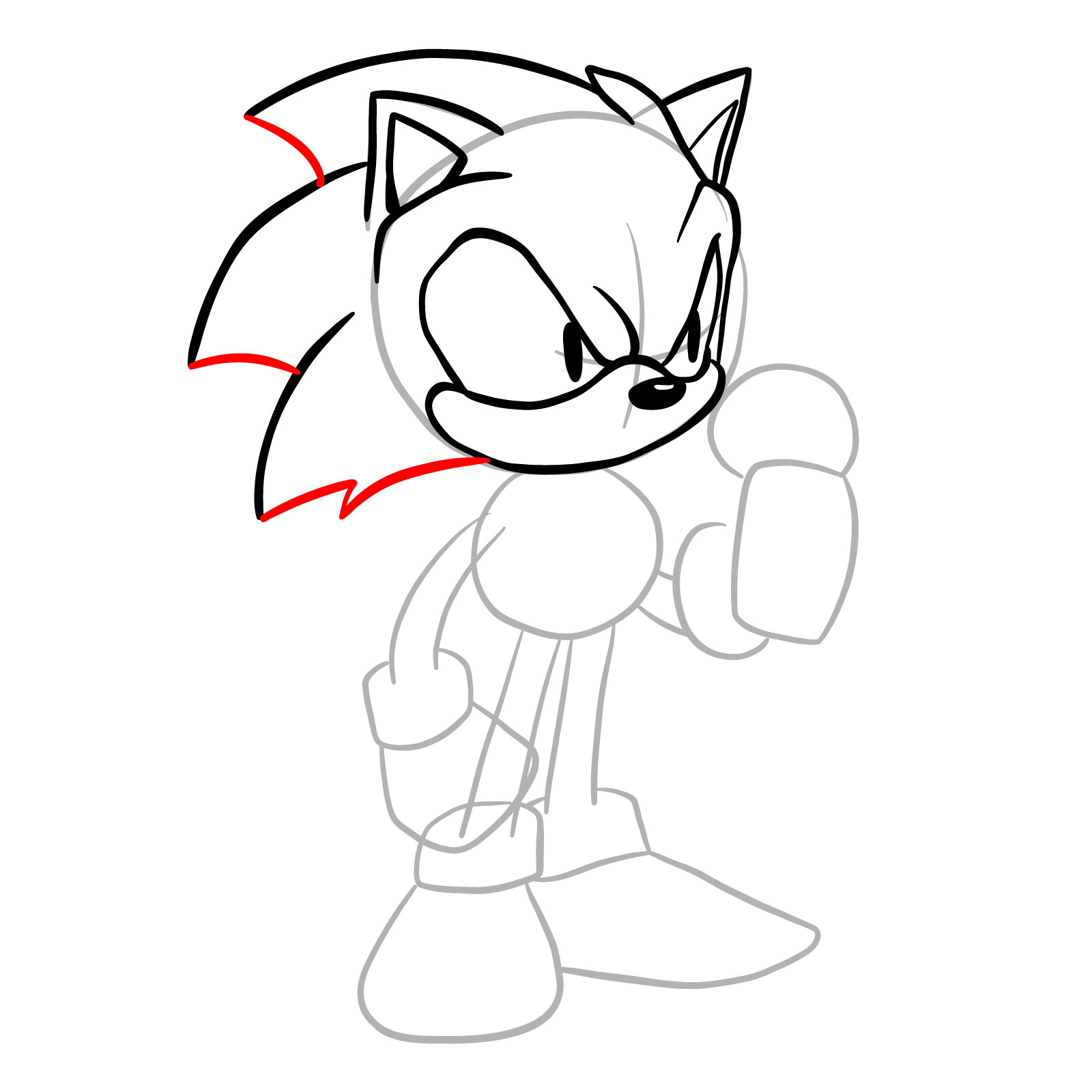
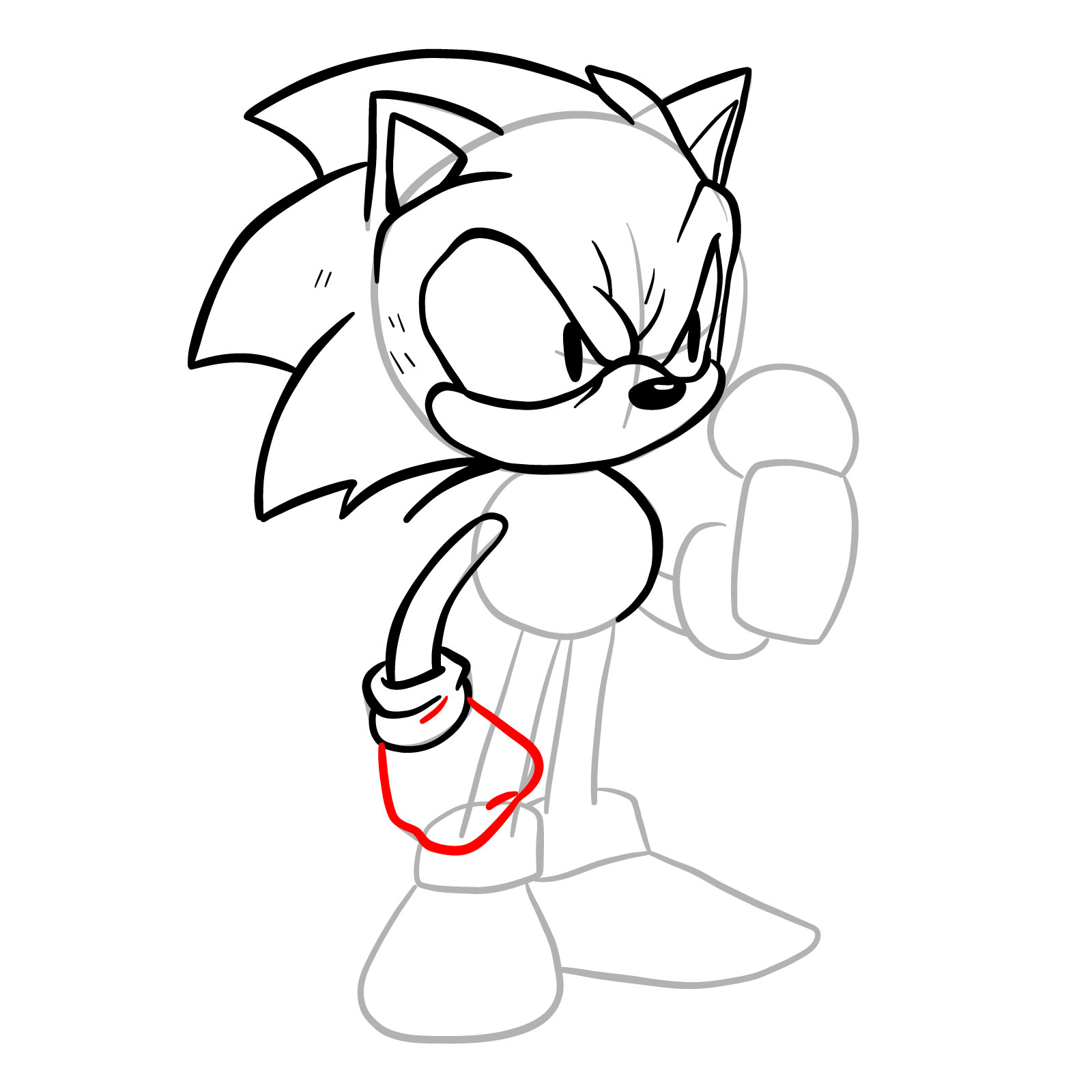
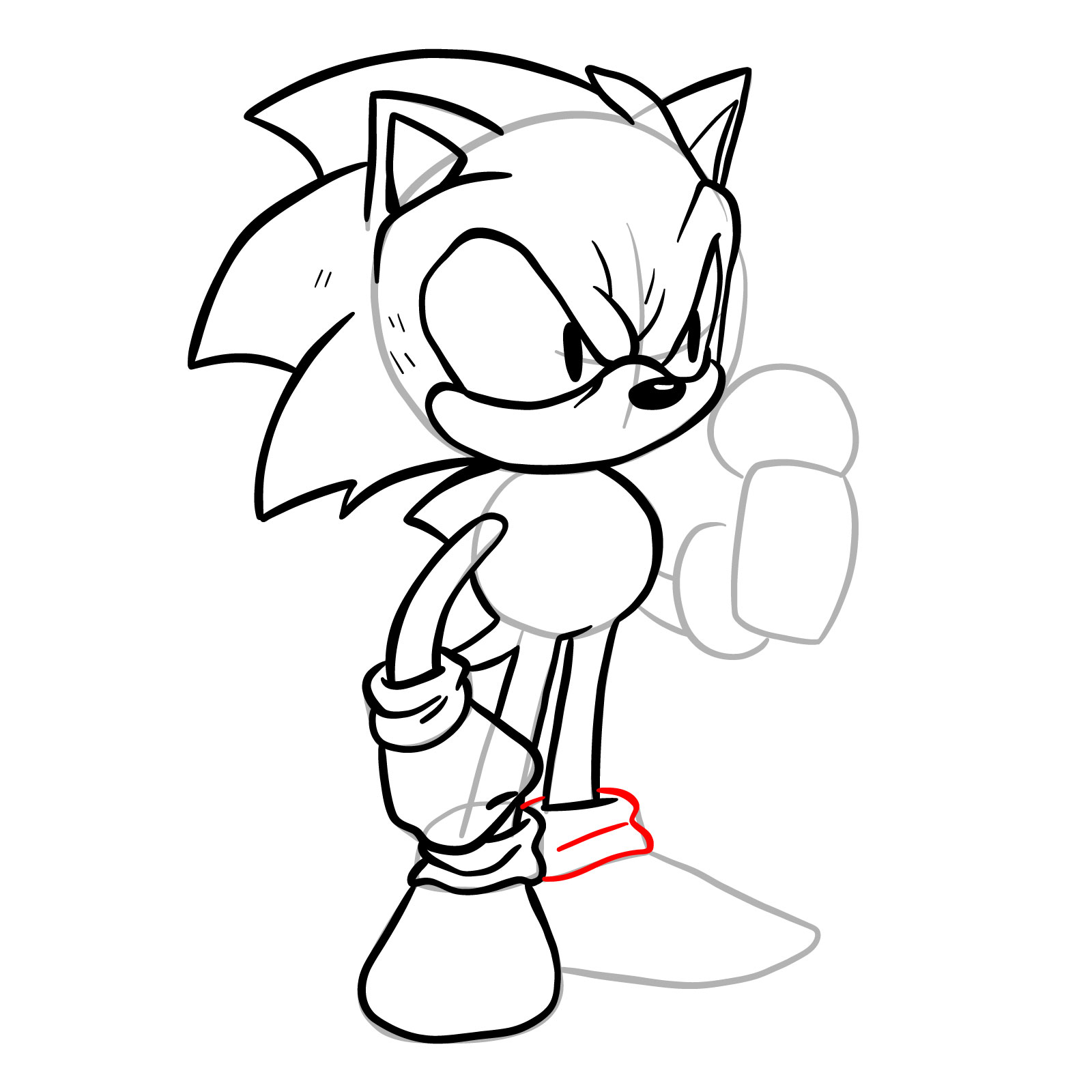
The drawing is a full-body line art build with no color fill, so every one of the 34 steps focuses on clean linework and proportion. The character holds a microphone in a performance stance, which introduces some asymmetry between the two arms that needs careful attention. The large quills fanning out from the back of the head create the widest part of the silhouette and are worth establishing early to keep the overall proportions balanced.

EXE Design at a Glance

  • Spiky head with large swept-back quills
  • Scowling expression with furrowed brows
  • Round belly torso, gloved hands
  • Microphone held in right hand
  • Large sneakers with ankle cuffs

If you want more practice with FNF mod characters in this style, Dorkly Sonic covers similar hedgehog construction, while Pico and Soft Henchman offer different body shape challenges worth working through alongside this one.

Reading the Step Colors

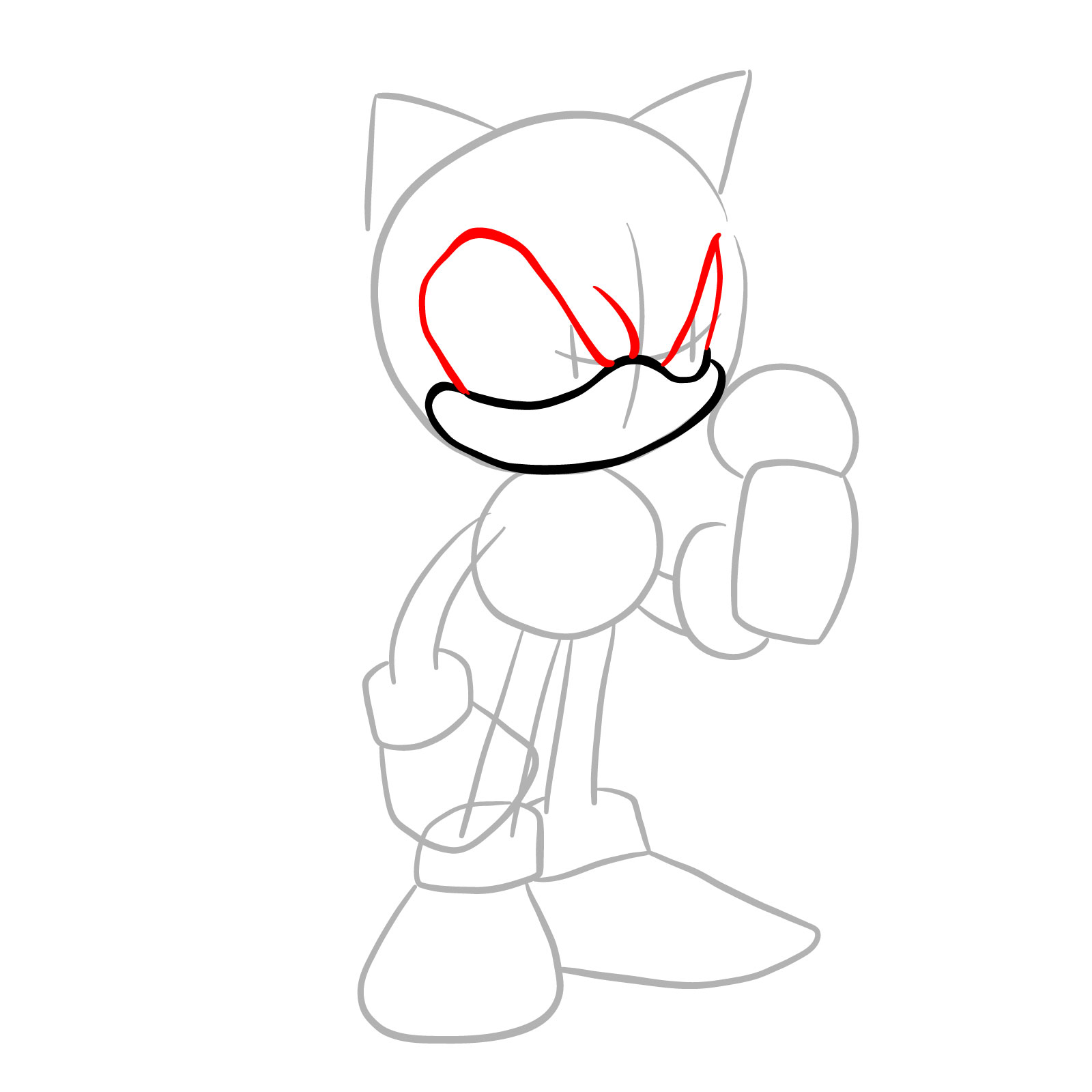
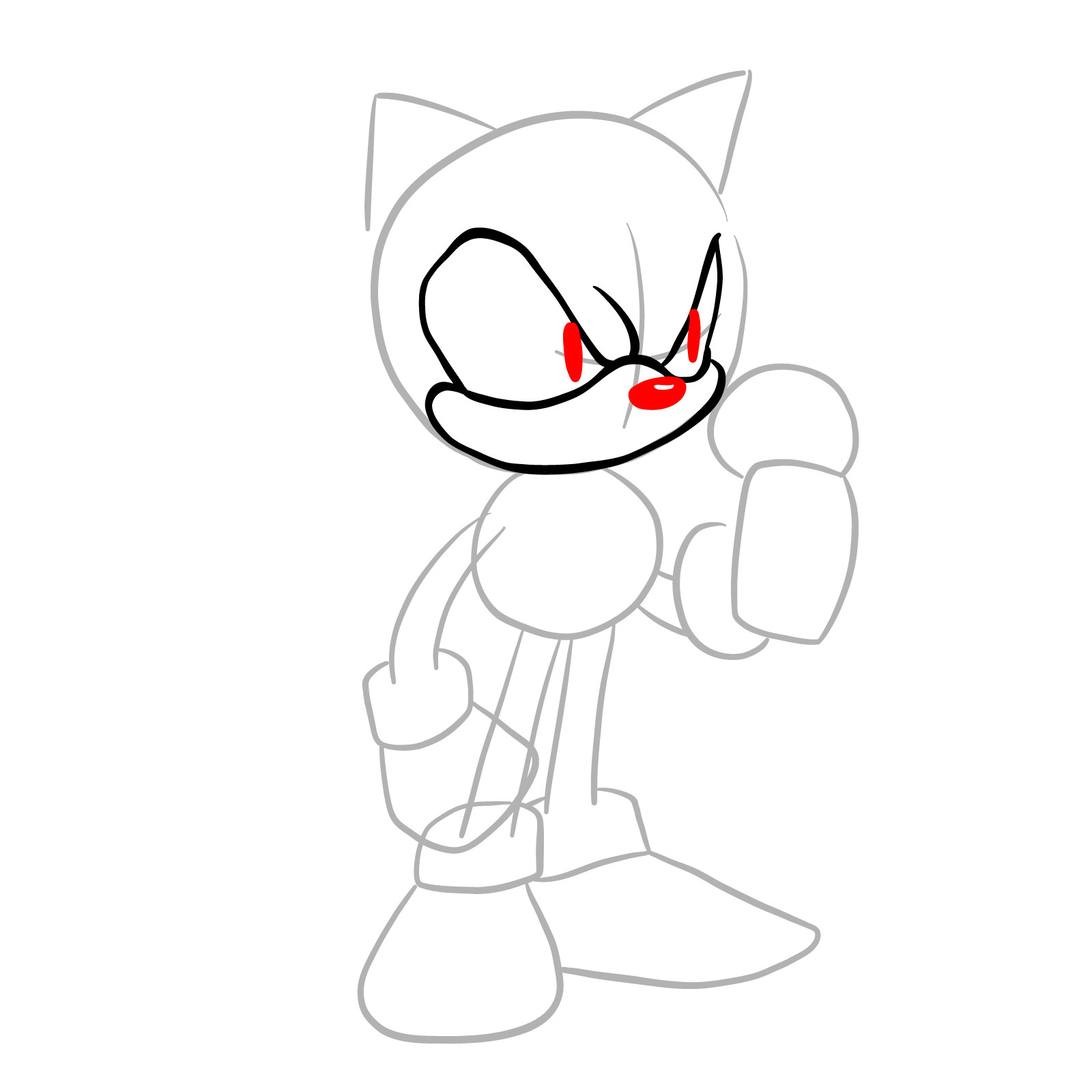
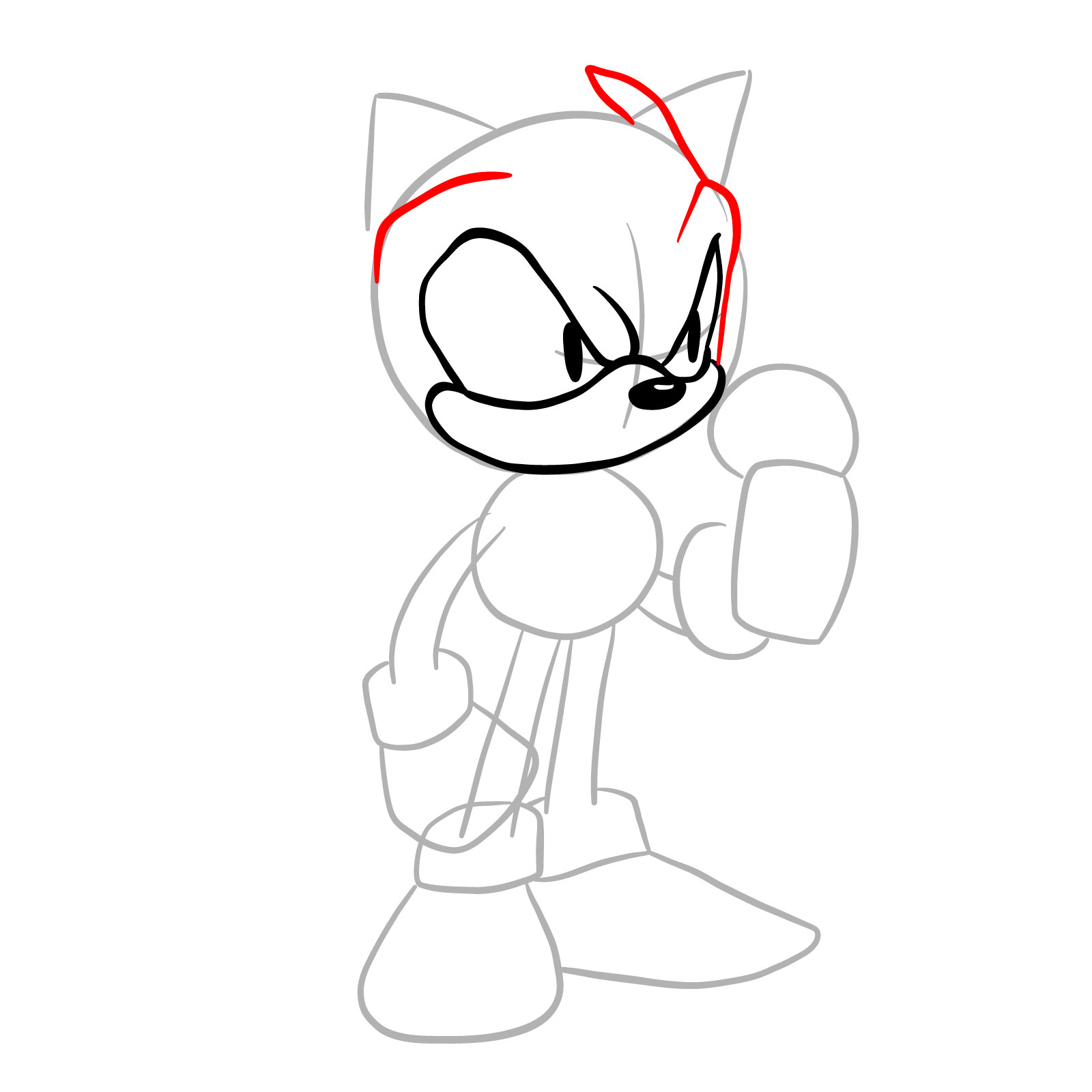
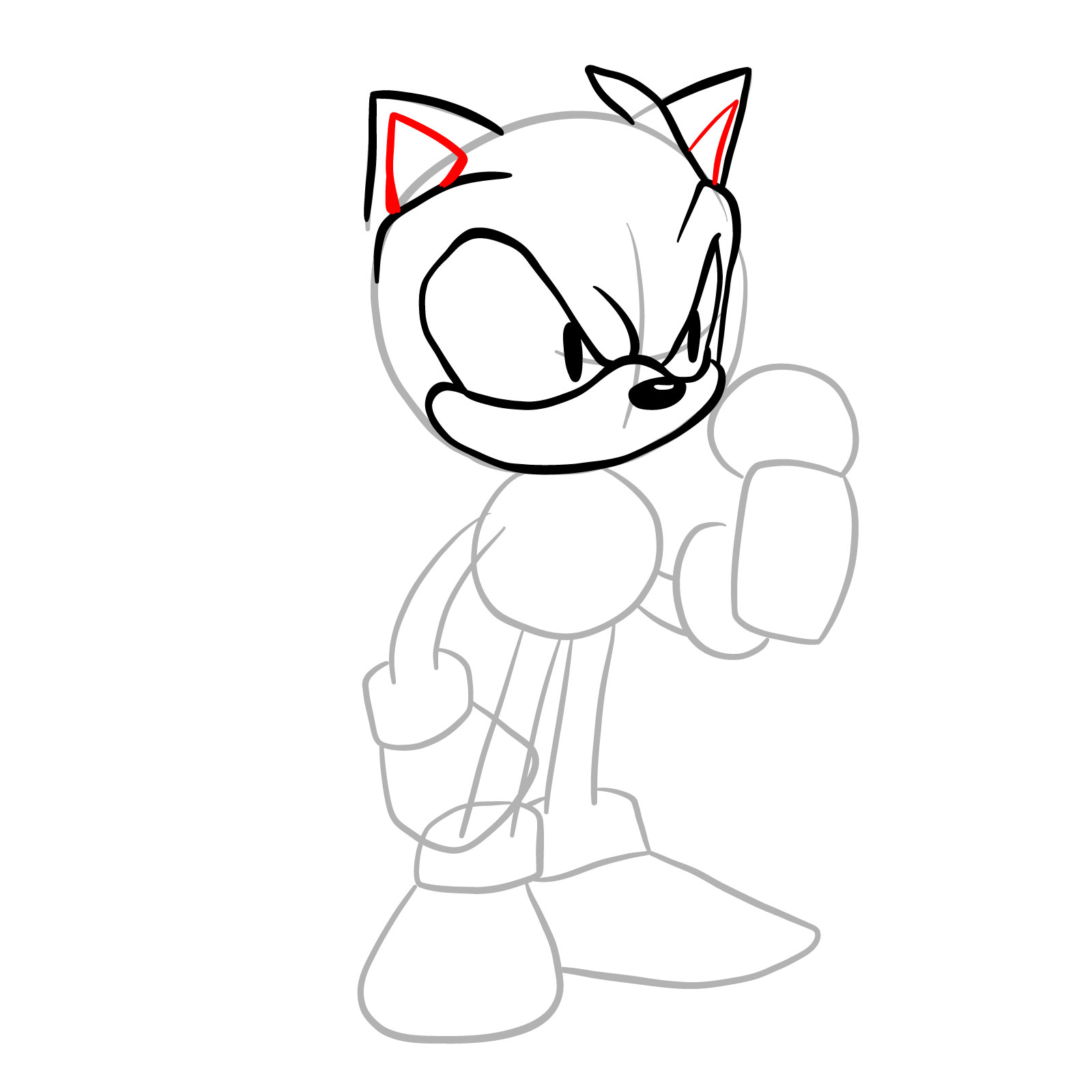
Each step image uses a three-color system to show what is new and what carries over:

  • Red Color: lines added in the current step.
  • Black Color: lines completed earlier.
  • Gray Color: base sketch for structure.

How to Draw EXE: Step-by-Step Tutorial

Step 01

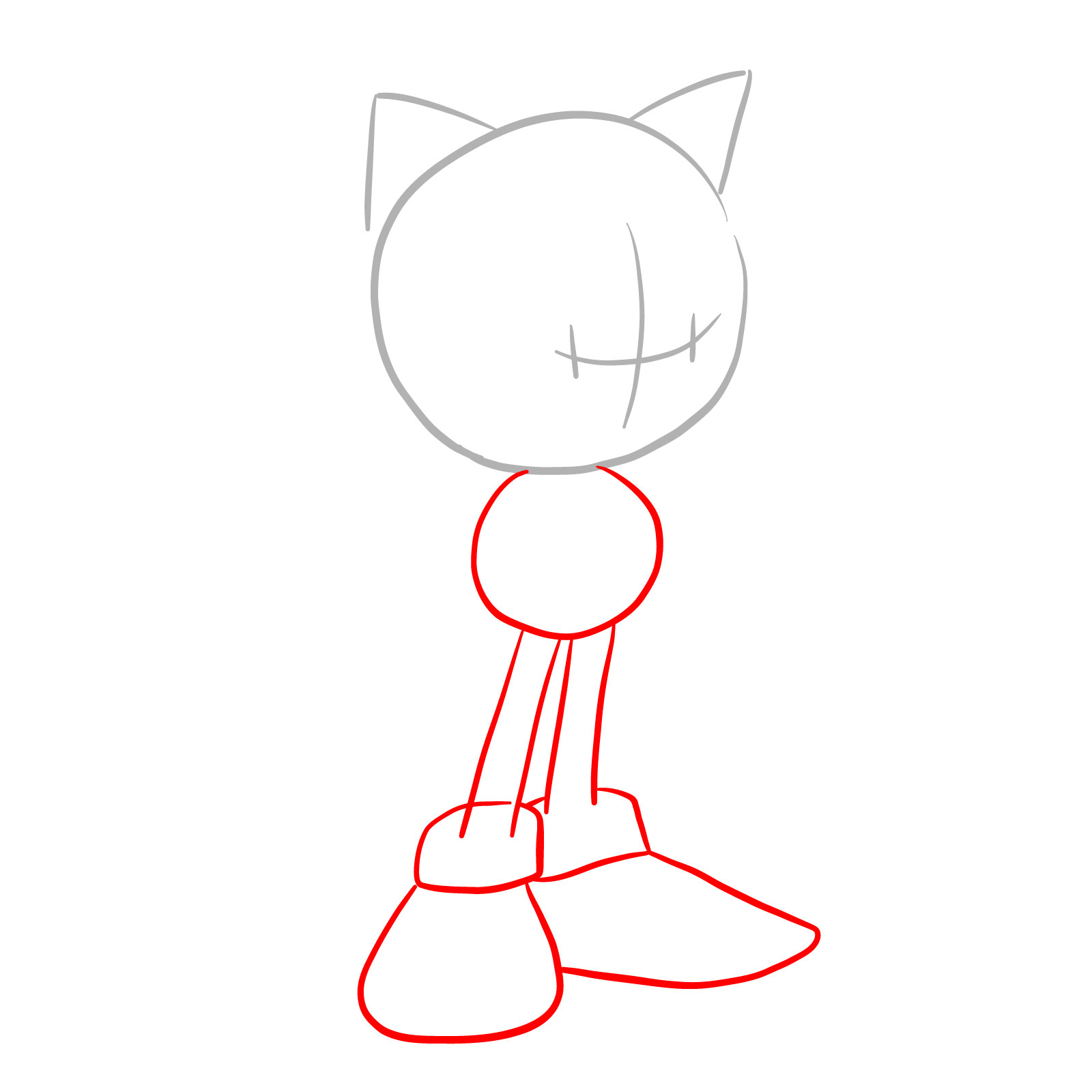
How to draw EXE (Faker Sonic) - step 01

Step 02

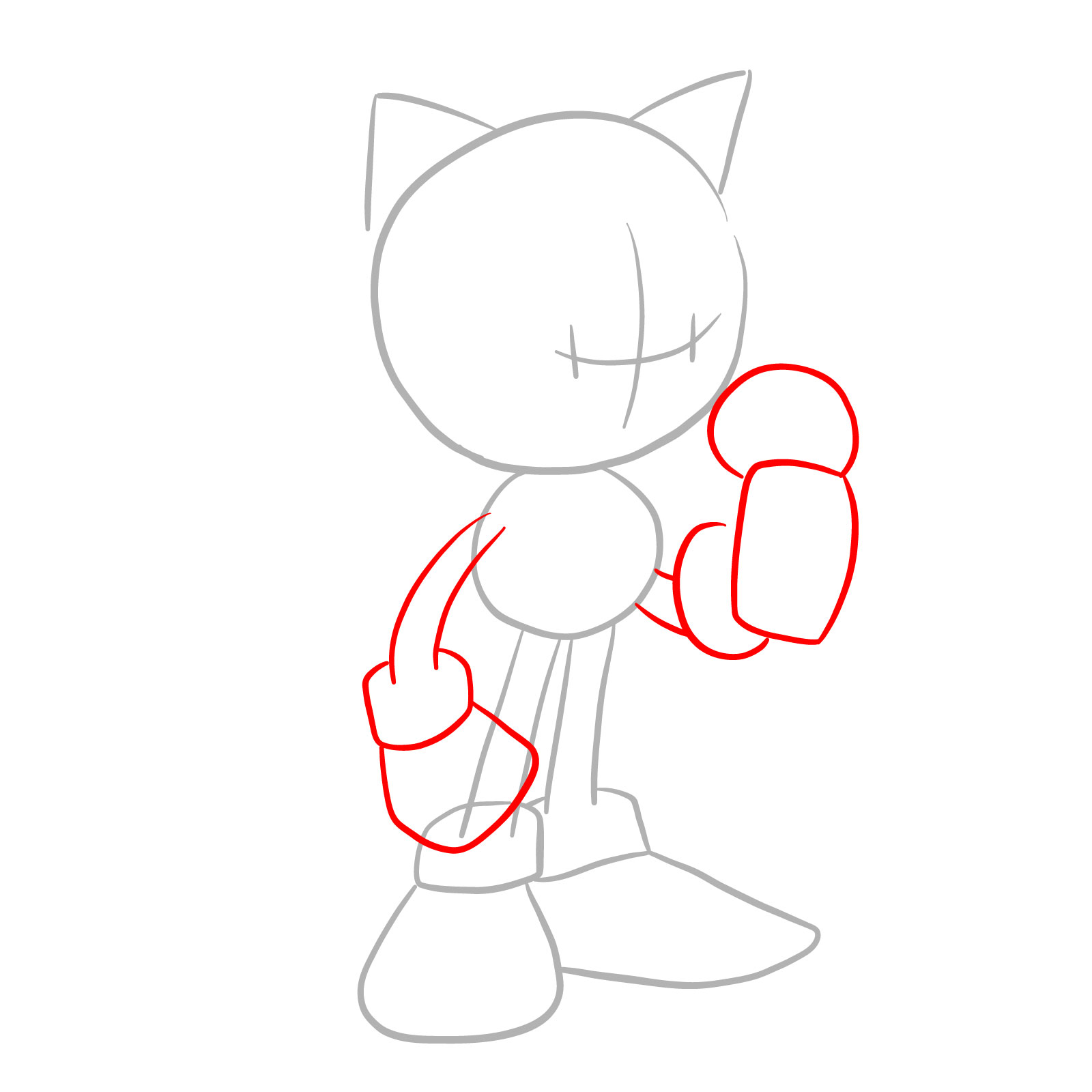
How to draw EXE (Faker Sonic) - step 02

Step 03

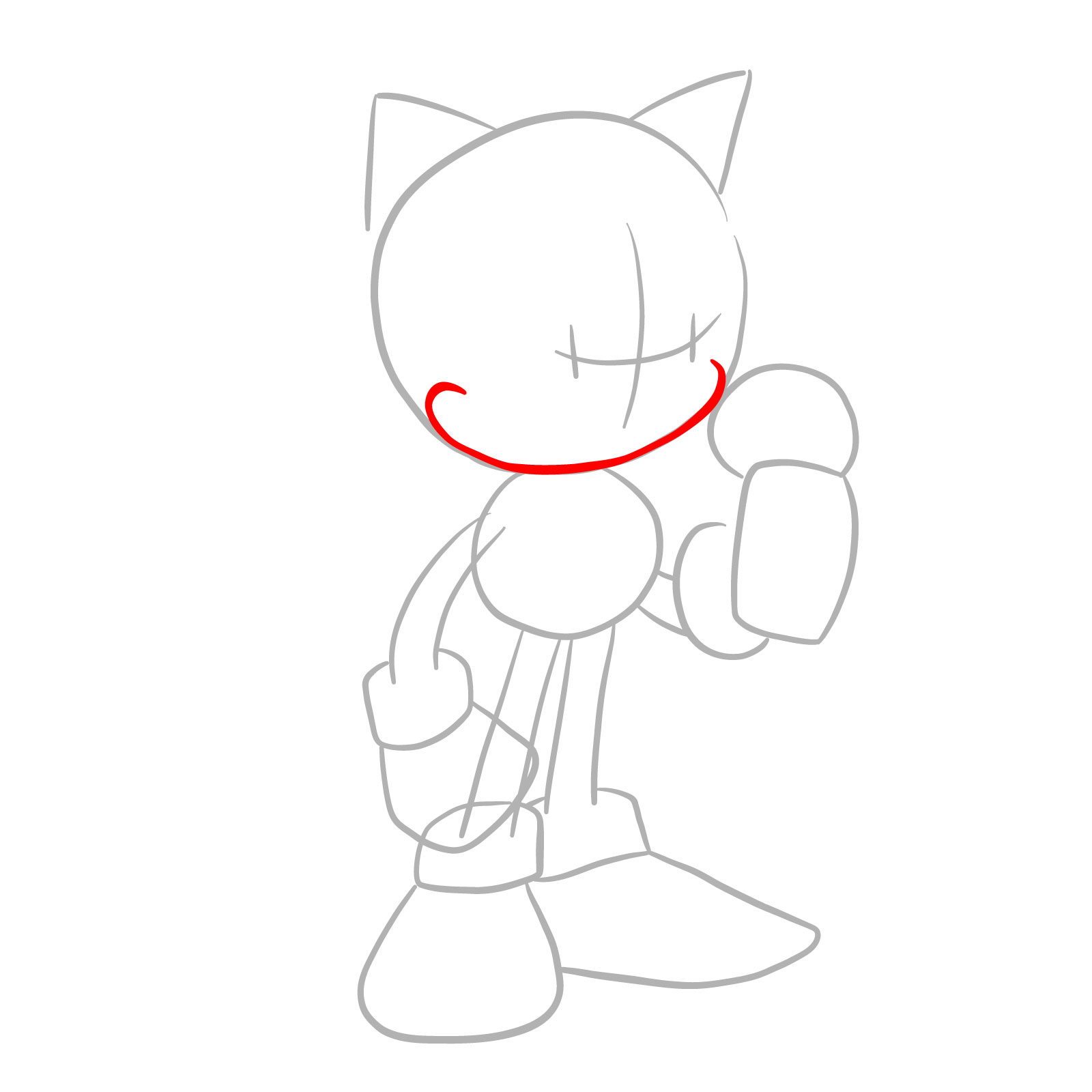
How to draw EXE (Faker Sonic) - step 03

Step 04

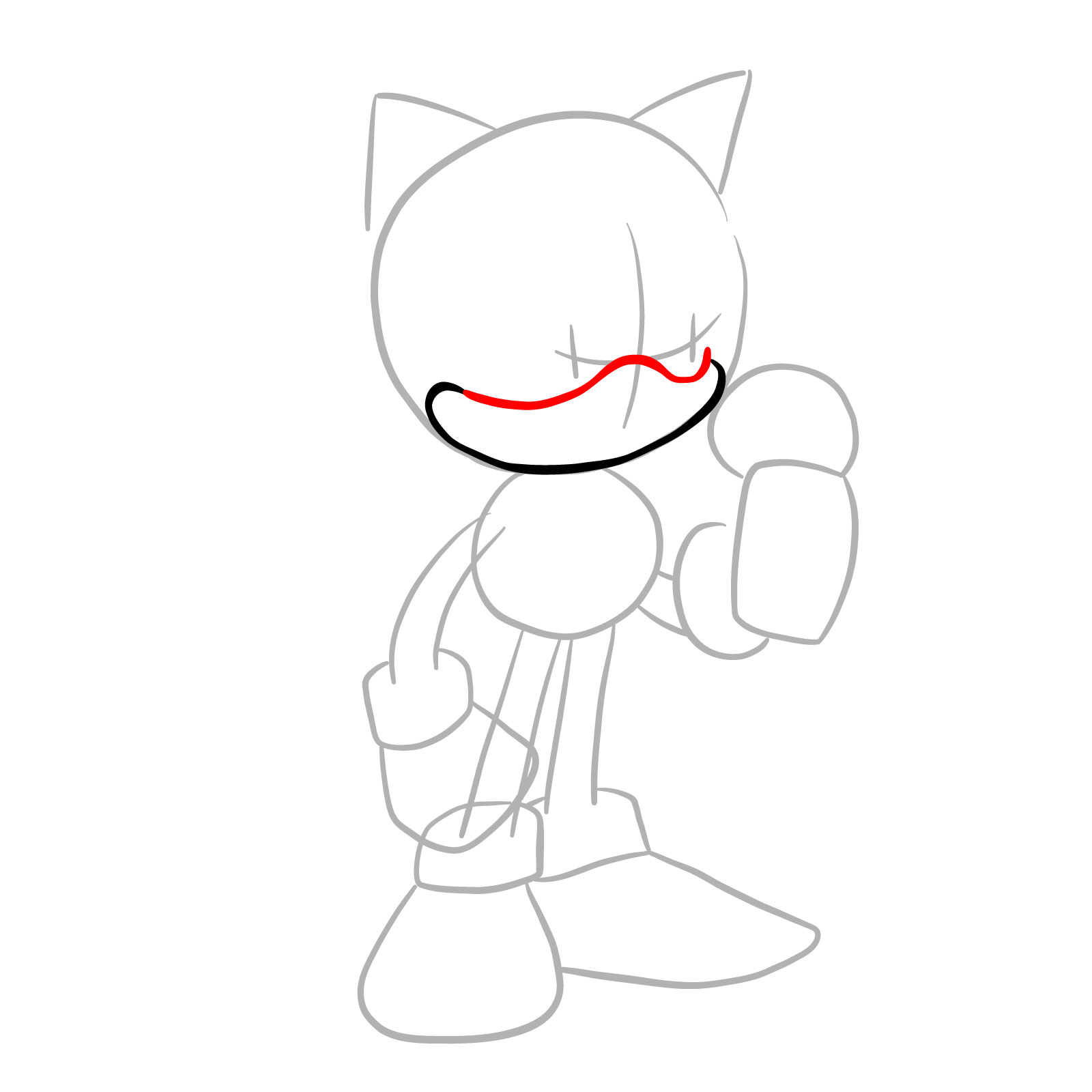
How to draw EXE (Faker Sonic) - step 04

Step 05

How to draw EXE (Faker Sonic) - step 05

Step 06

How to draw EXE (Faker Sonic) - step 06

Step 07

How to draw EXE (Faker Sonic) - step 07

Step 08

How to draw EXE (Faker Sonic) - step 08

Step 09

How to draw EXE (Faker Sonic) - step 09

Step 10

How to draw EXE (Faker Sonic) - step 10

Step 11

How to draw EXE (Faker Sonic) - step 11

Step 12

How to draw EXE (Faker Sonic) - step 12

Step 13

How to draw EXE (Faker Sonic) - step 13

Step 14

How to draw EXE (Faker Sonic) - step 14

Step 15

How to draw EXE (Faker Sonic) - step 15

Step 16

How to draw EXE (Faker Sonic) - step 16

Step 17

How to draw EXE (Faker Sonic) - step 17

Step 18

How to draw EXE (Faker Sonic) - step 18

Step 19

How to draw EXE (Faker Sonic) - step 19

Step 20

How to draw EXE (Faker Sonic) - step 20

Step 21

How to draw EXE (Faker Sonic) - step 21

Step 22

How to draw EXE (Faker Sonic) - step 22

Step 23

How to draw EXE (Faker Sonic) - step 23

Step 24

How to draw EXE (Faker Sonic) - step 24

Step 25

How to draw EXE (Faker Sonic) - step 25

Step 26

How to draw EXE (Faker Sonic) - step 26

Step 27

How to draw EXE (Faker Sonic) - step 27

Step 28

How to draw EXE (Faker Sonic) - step 28

Step 29

How to draw EXE (Faker Sonic) - step 29

Step 30

How to draw EXE (Faker Sonic) - step 30

Step 31

How to draw EXE (Faker Sonic) - step 31

Step 32

How to draw EXE (Faker Sonic) - step 32

Step 33

How to draw EXE (Faker Sonic) - step 33

Step 34

Finished EXE drawing from Friday Night Funkin'
Don't Miss New Tutorials! Follow SketchOk
I publish new step-by-step drawing guides every single day. Follow on your favorite platform so you never miss a tutorial. Thousands of artists are already drawing along and I can't wait you to join in!
PATREON
Love Drawing? Help Me Create More Tutorials
On my Patreon you can grab unique hand-made coloring pages: each one drawn by me personally. Every purchase directly supports the creation of new drawing tutorials. It's the best way to practice your skills, keep the site going, and get something truly original at the same time.
Get Coloring Pages on Patreon

Share Your EXE Drawing When You Finish

Once the linework is done, drop your finished drawing in the comments below. Every new tutorial gets posted to Facebook and Telegram as soon as it goes live, a new YouTube video based on existing guides goes up every single day, and Pinterest stays updated regularly too. If you enjoyed this one, Jeremy Scout and The Spirit are worth checking out next. Supporting the project on Patreon also gets you access to unique hand-drawn coloring pages that are not available anywhere else.

Disclaimer: All original artworks and photos used as references for the creation of these drawing tutorials are the property of their respective owners. If your work has been featured without proper credit, please kindly leave a comment below, and the issue will be promptly addressed. We greatly appreciate your exceptional art. Thank you.

Leave a Comment

FOLLOW