Published on June 1, 2026
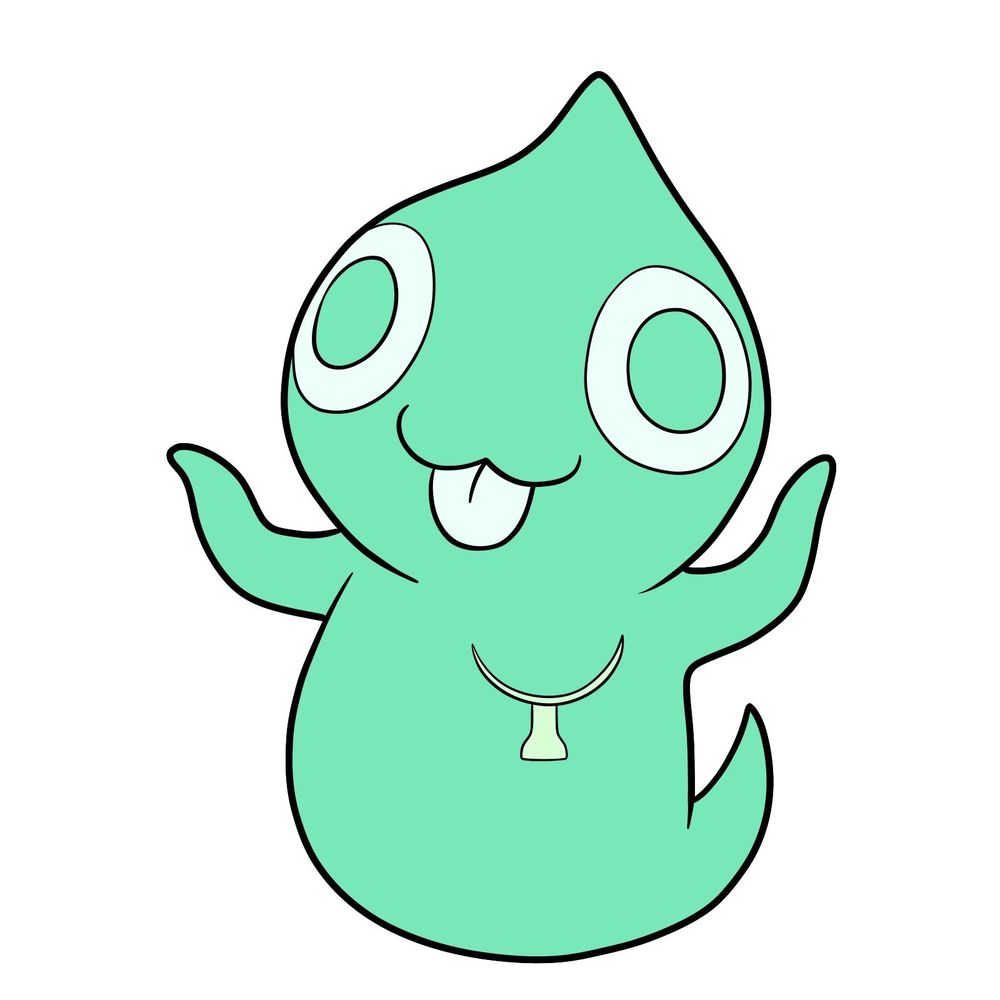
Ghostly barely got a sentence out before Jax vacuumed them up, making this the shortest-lived guide NPC in the entire show. This tutorial covers how to draw Ghostly, the teal ghost who was supposed to explain Mildenhall Manor’s doors in The Amazing Digital Circus.
A Quick Ghost That Deserves a Slow Drawing
The full process takes 12 images, with the final one being the colored result. Ghostly’s shape is soft and blobby, which means getting smooth curves right matters more than sharp detail work. The construction steps focus on nailing the head and rounded body before adding the wobbly arms, tail, and facial features.
Breaking Down Ghostly’s Design
- Light teal, translucent ghost body
- Teardrop-shaped head with pointed top
- Hollow circle eyes with white glow
- Small mouth, no visible nose
- Wobbly stub arms and a split tail
Ghostly shares the Mildenhall Manor episode with Martha Mildenhall, the other ghost from that adventure. For a completely different type of NPC, Ribbit in his waving pose gives you something with more limbs to work with, and Princess Loolilalu adds a candy-themed royal to the mix.
Following the Color-Coded Lines
Each step image uses three distinct colors to keep things organized:
- Red Color: lines added in the current step.
- Black Color: lines completed earlier.
- Gray Color: base sketch for structure.
How to Draw Ghostly: Step-by-Step Walkthrough


At Least Your Drawing Won’t Get Vacuumed
Ghostly is done, and this time nobody interrupted them. Drop a link to your finished sketch in the comments below so the rest of us can see how it turned out. If you want to keep going with TADC characters, Jax is the one who cut Ghostly’s screen time short, and Kinger was right there when it happened. Every new guide gets posted to Facebook and Telegram the same day it goes live, a fresh video goes up on YouTube daily based on existing tutorials, and Pinterest stays updated regularly. You can also support SketchOk on Patreon by grabbing hand-drawn coloring pages.
