Last Updated on May 13, 2026
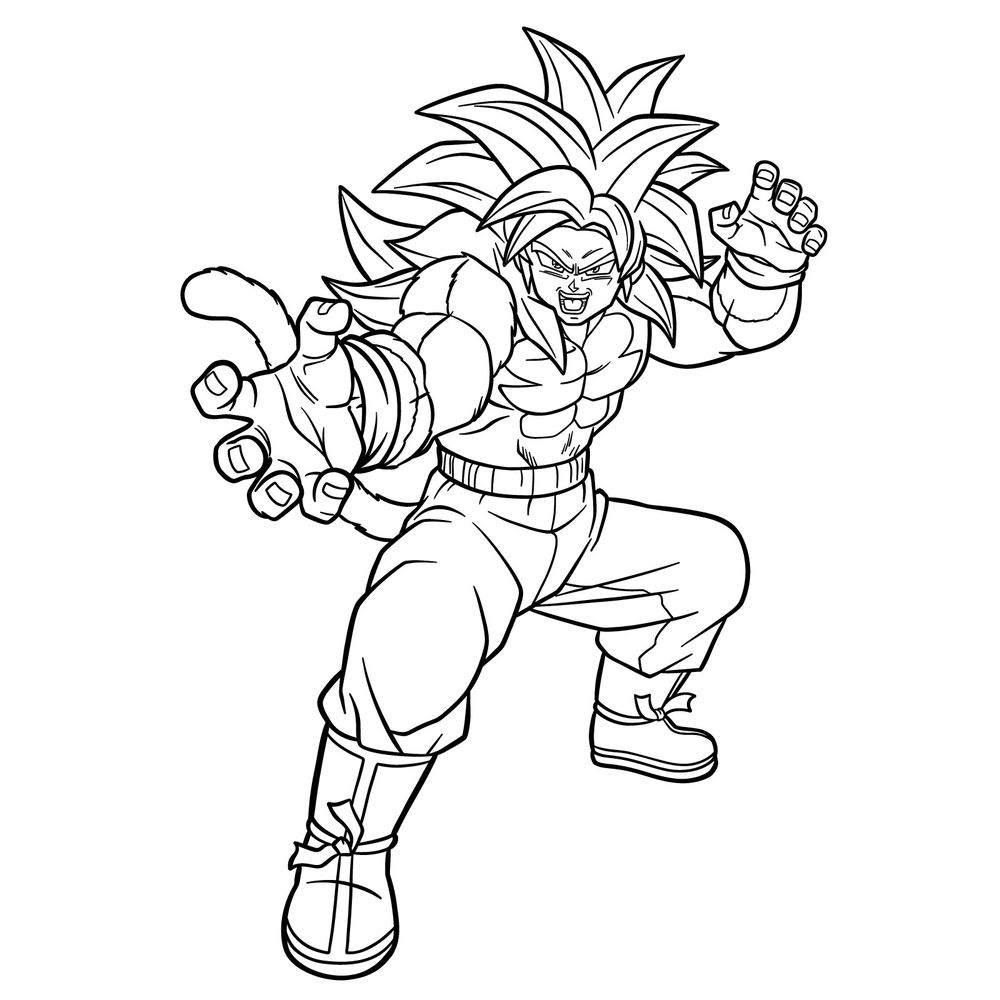
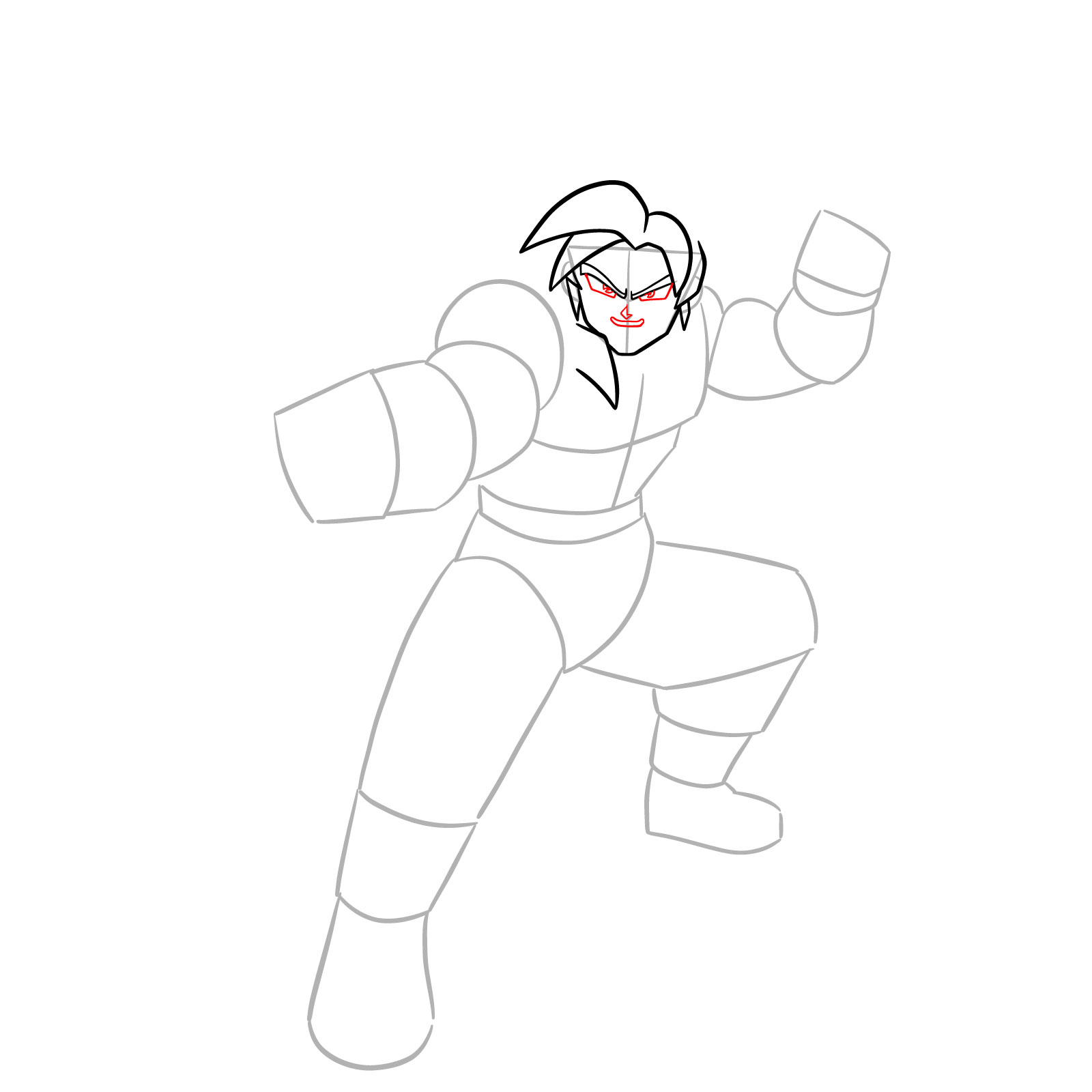
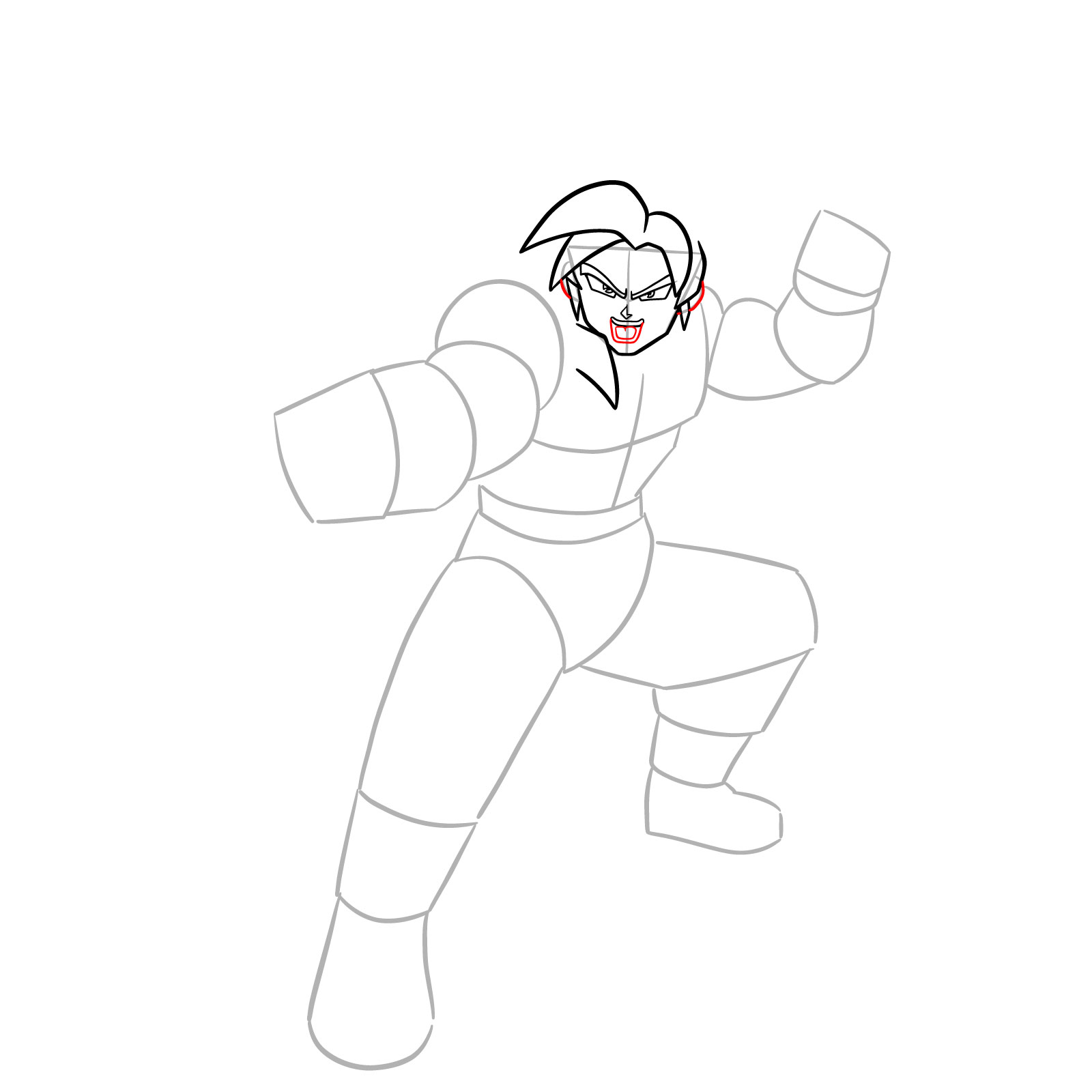
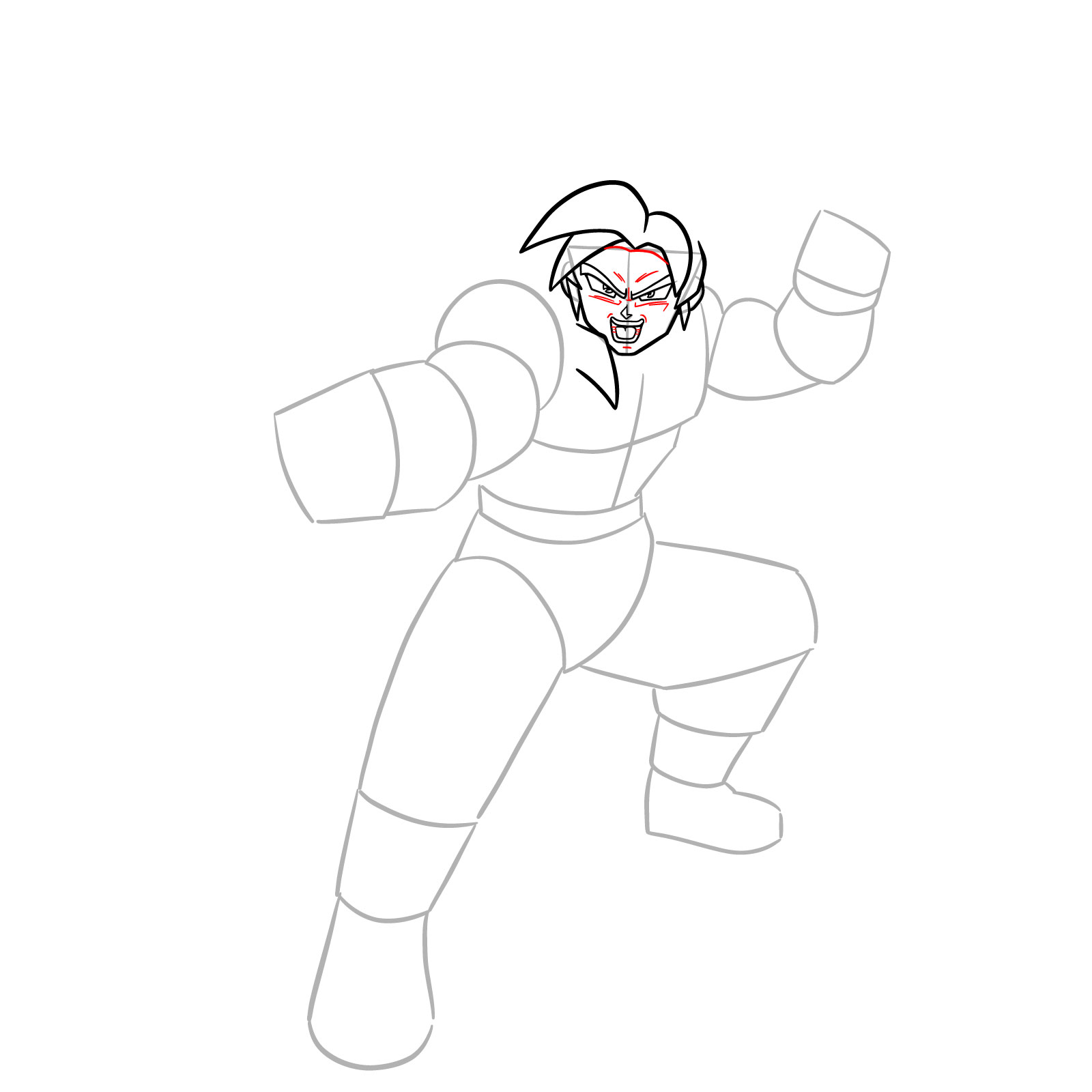
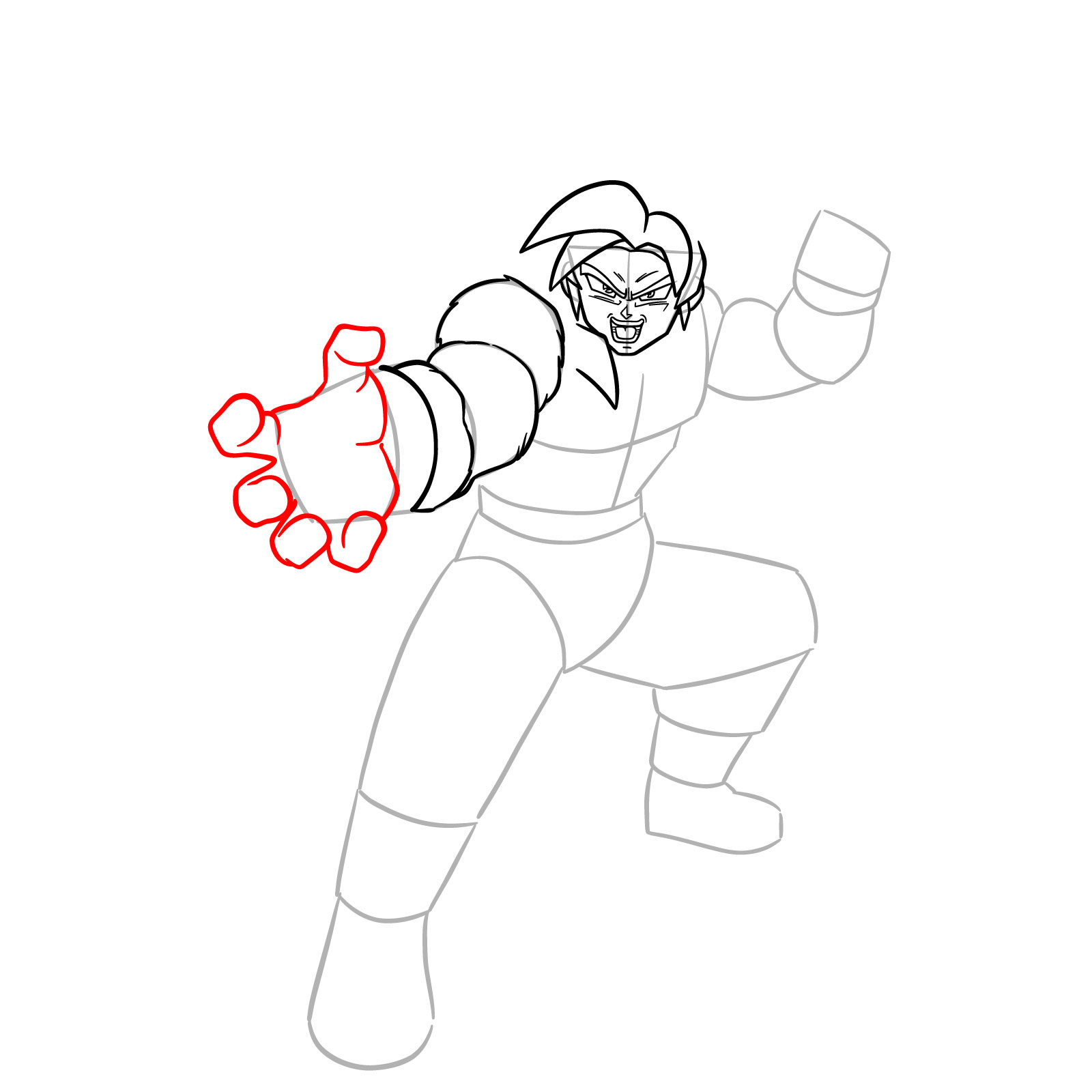
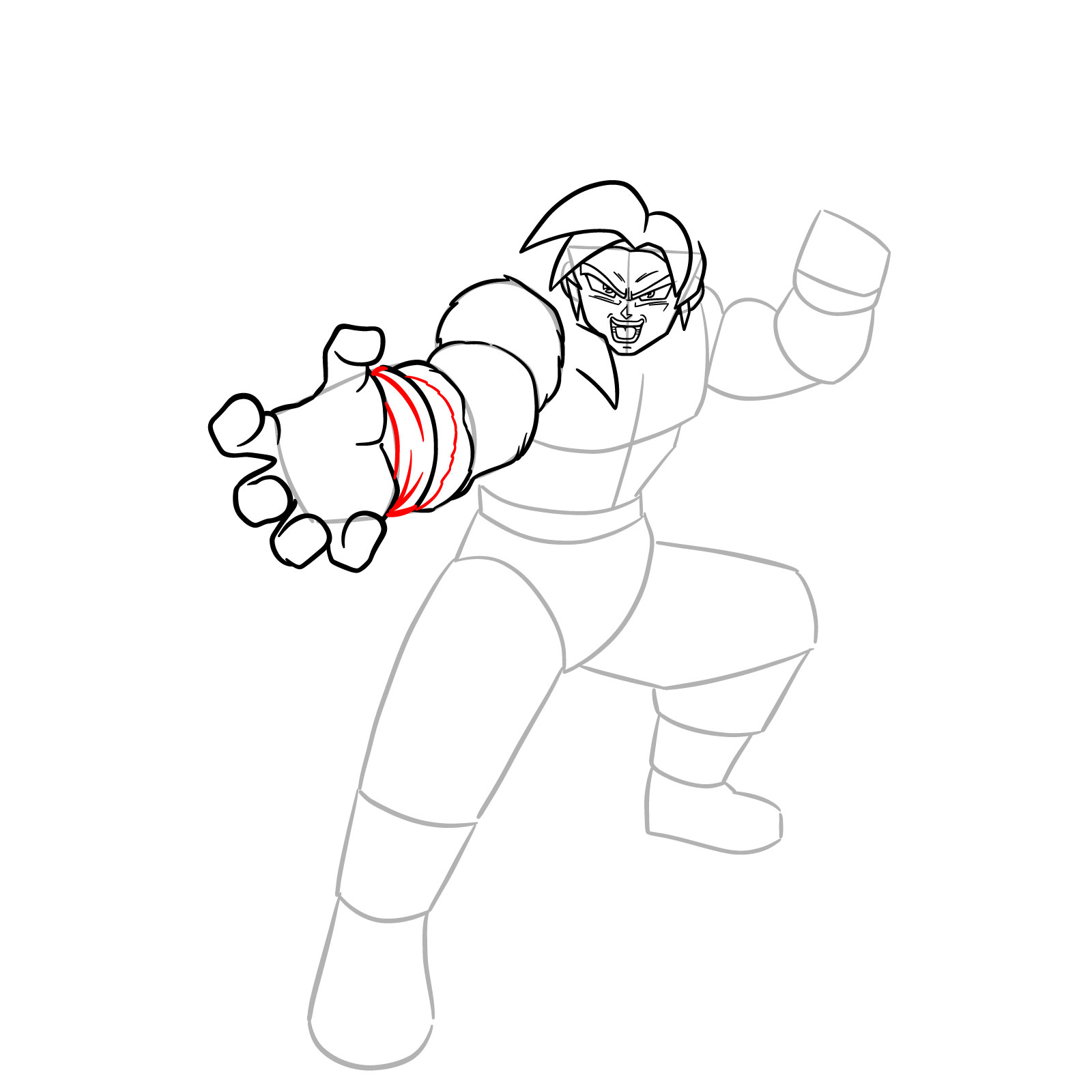
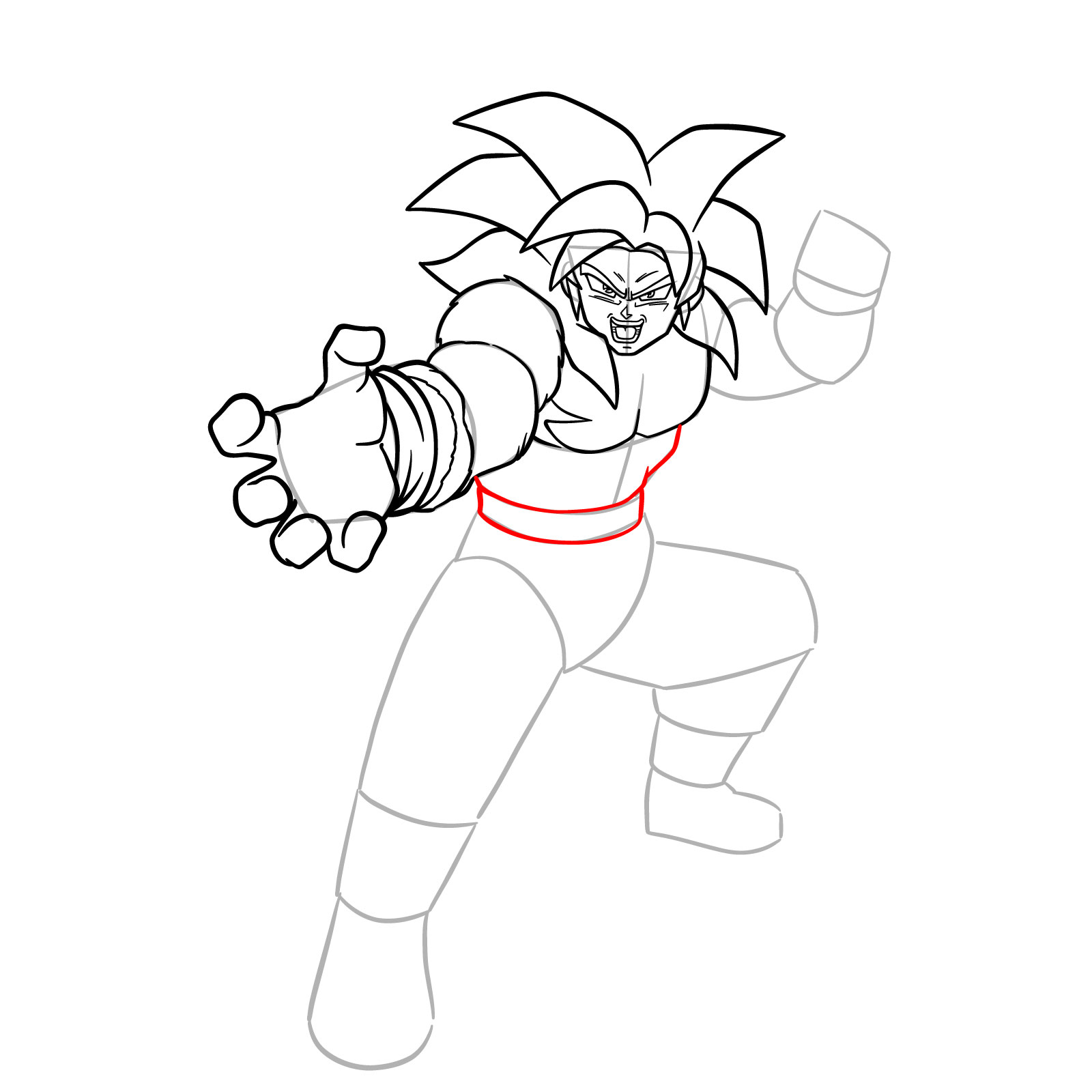
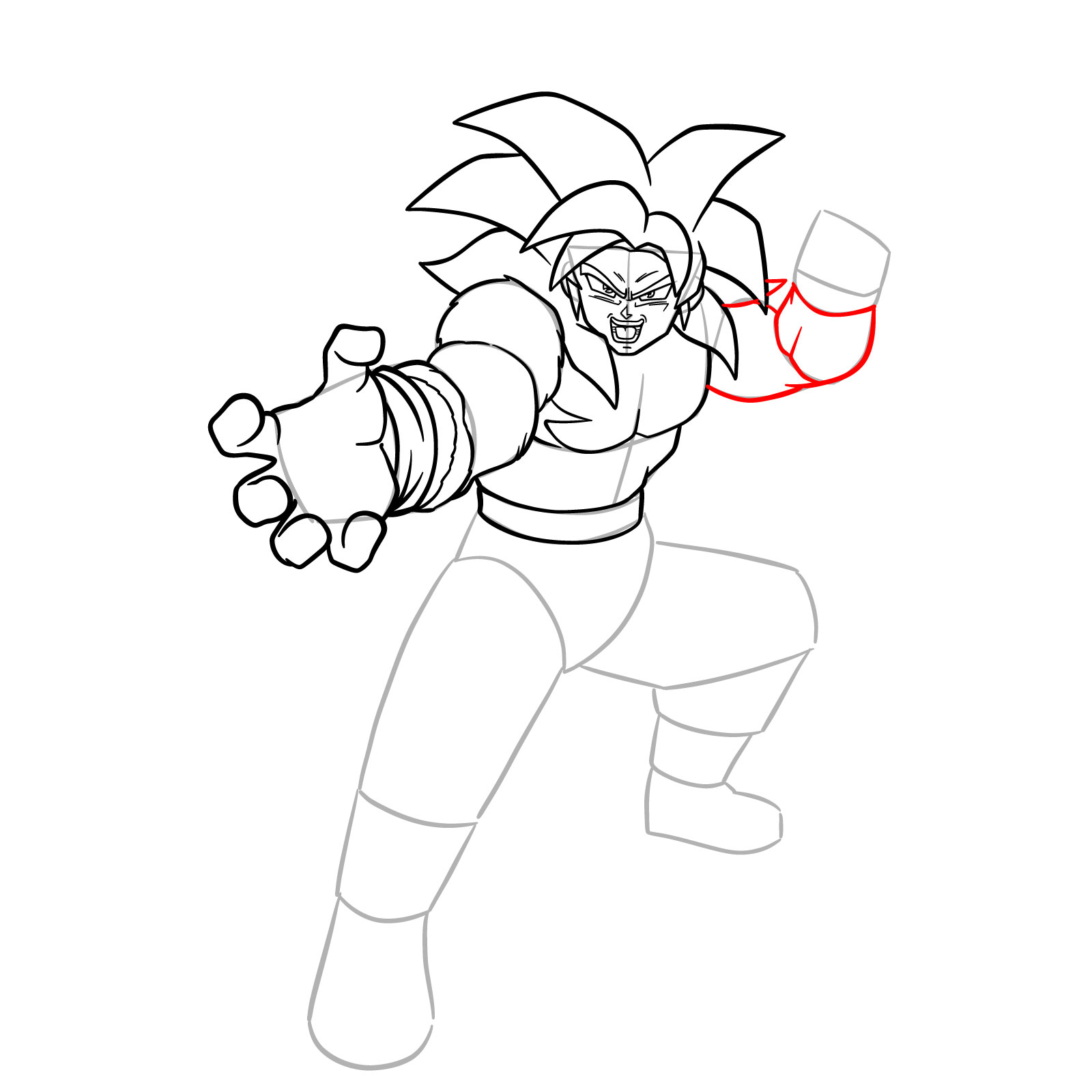
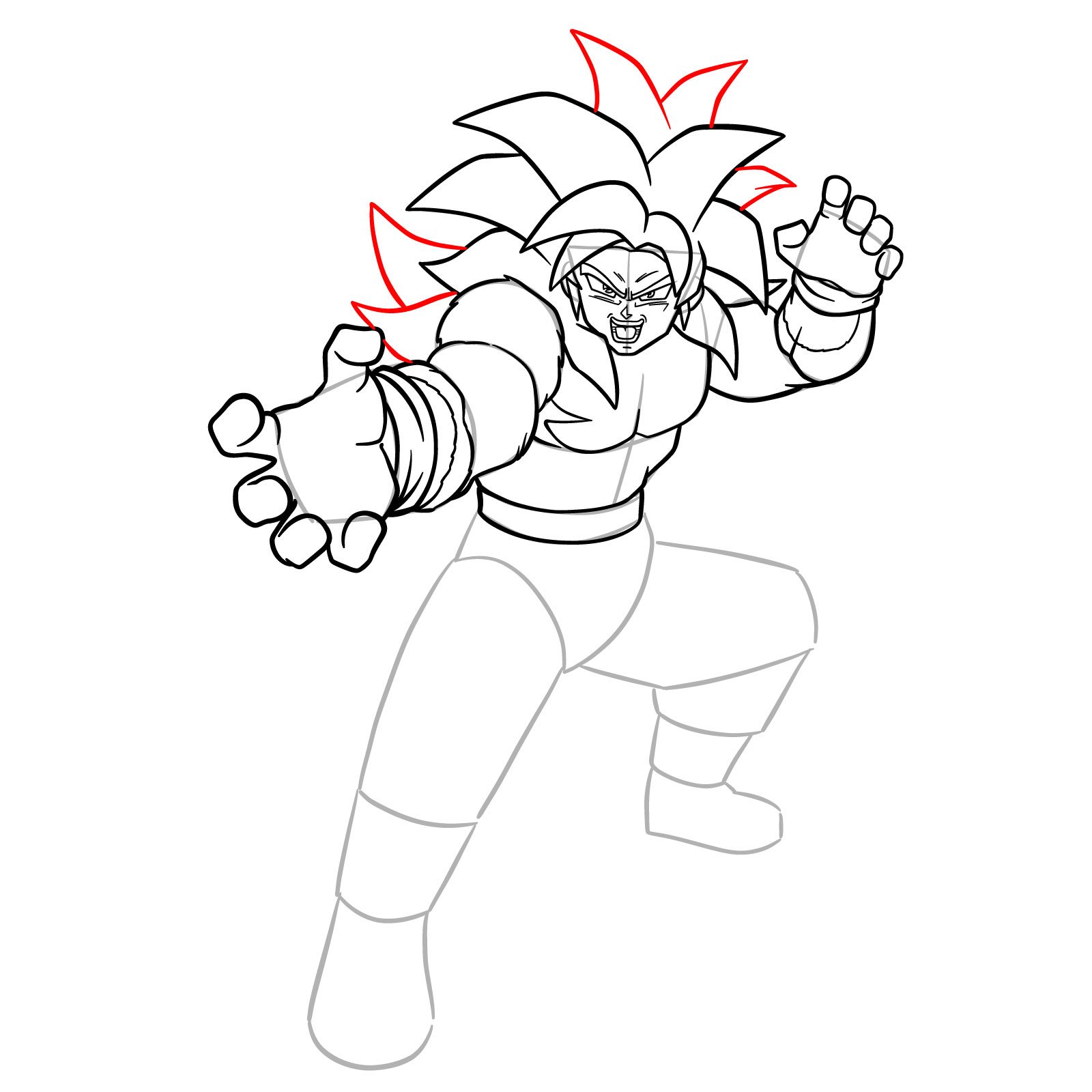
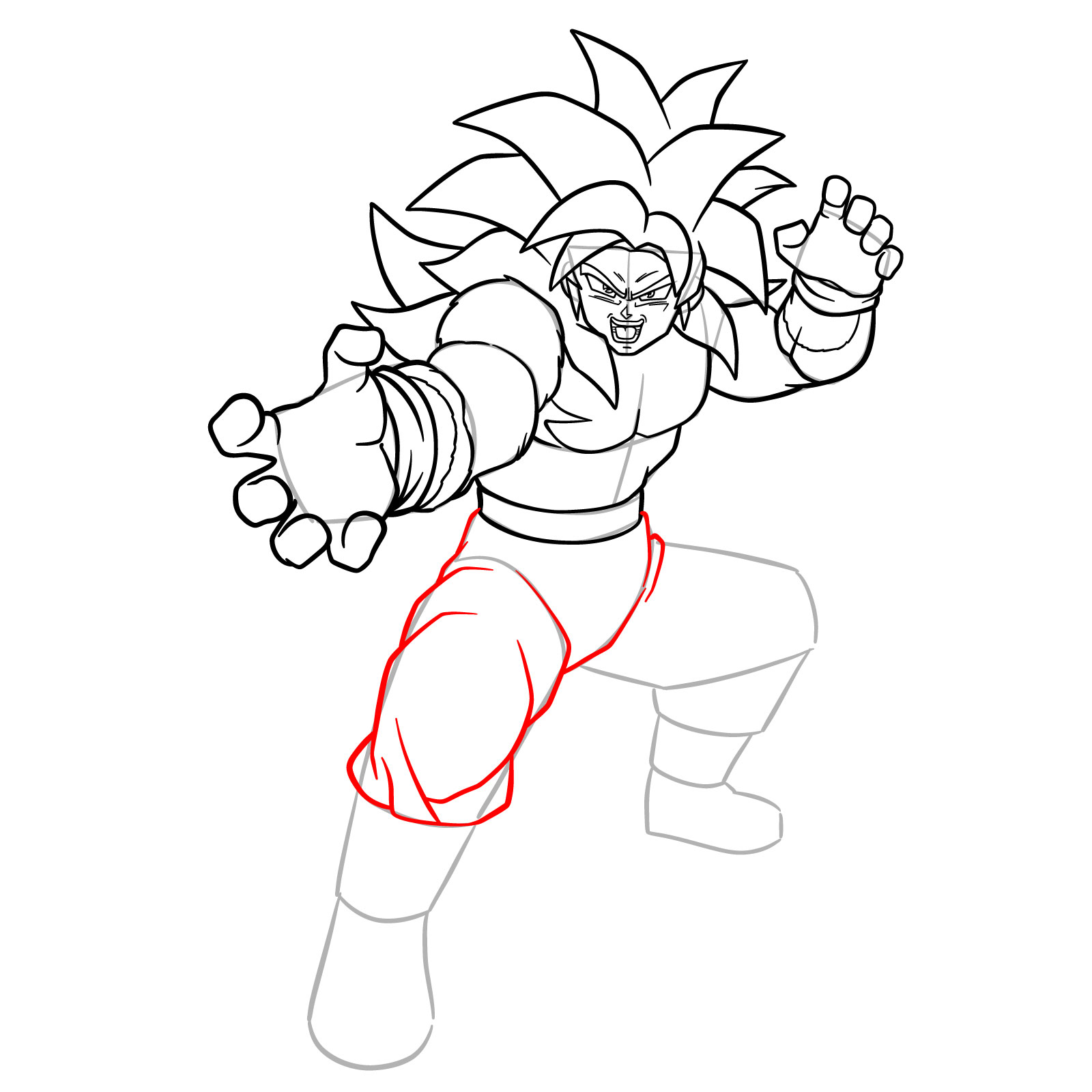
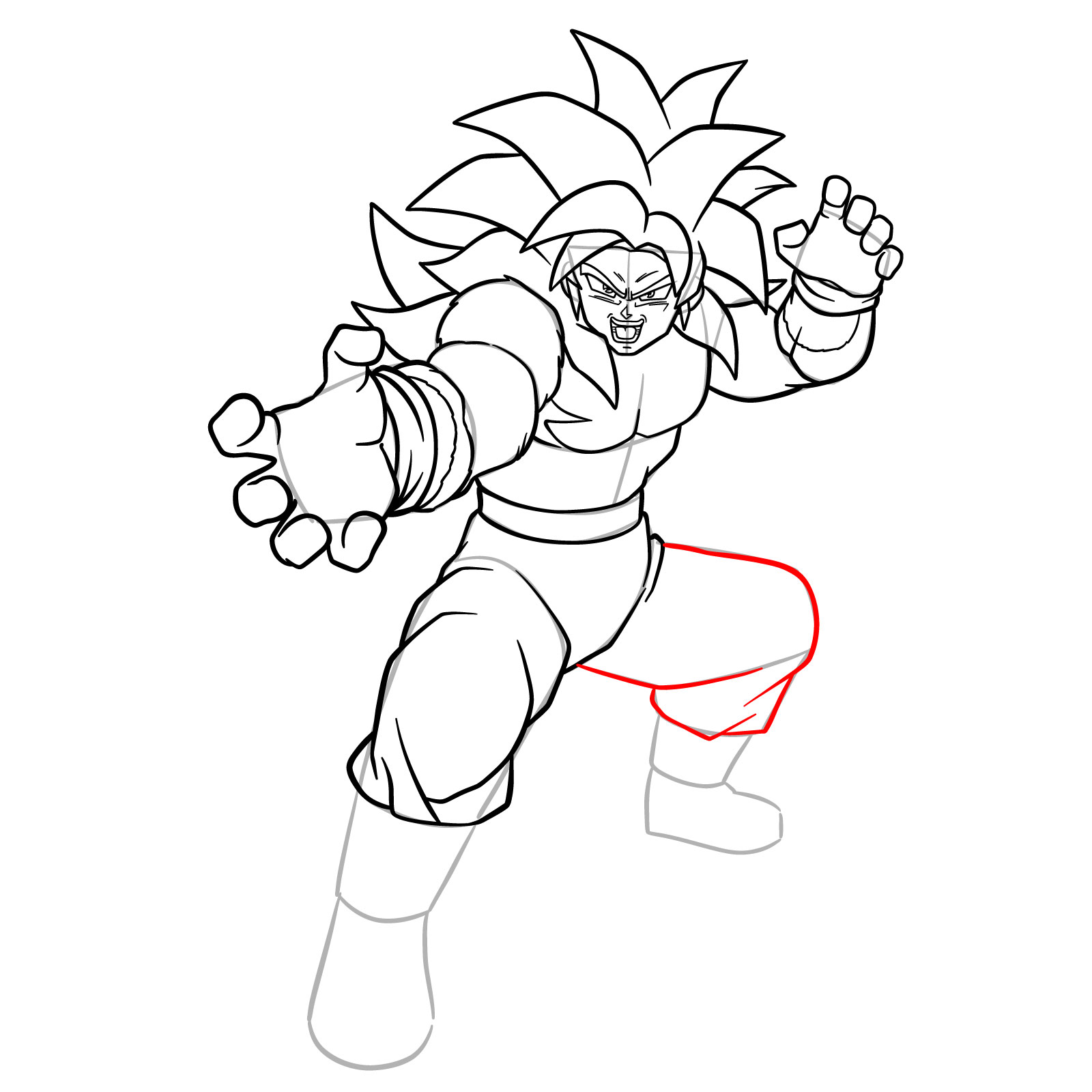
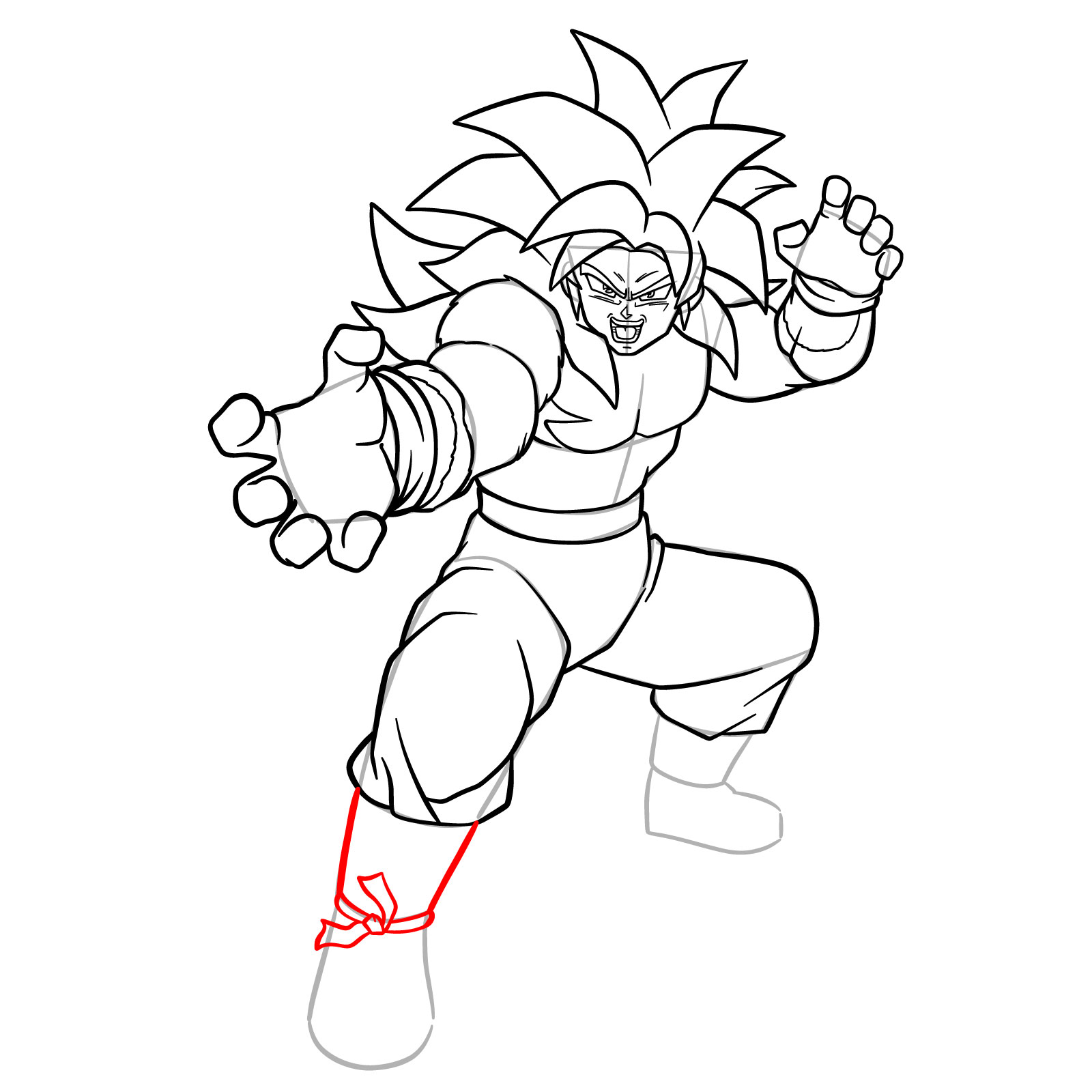
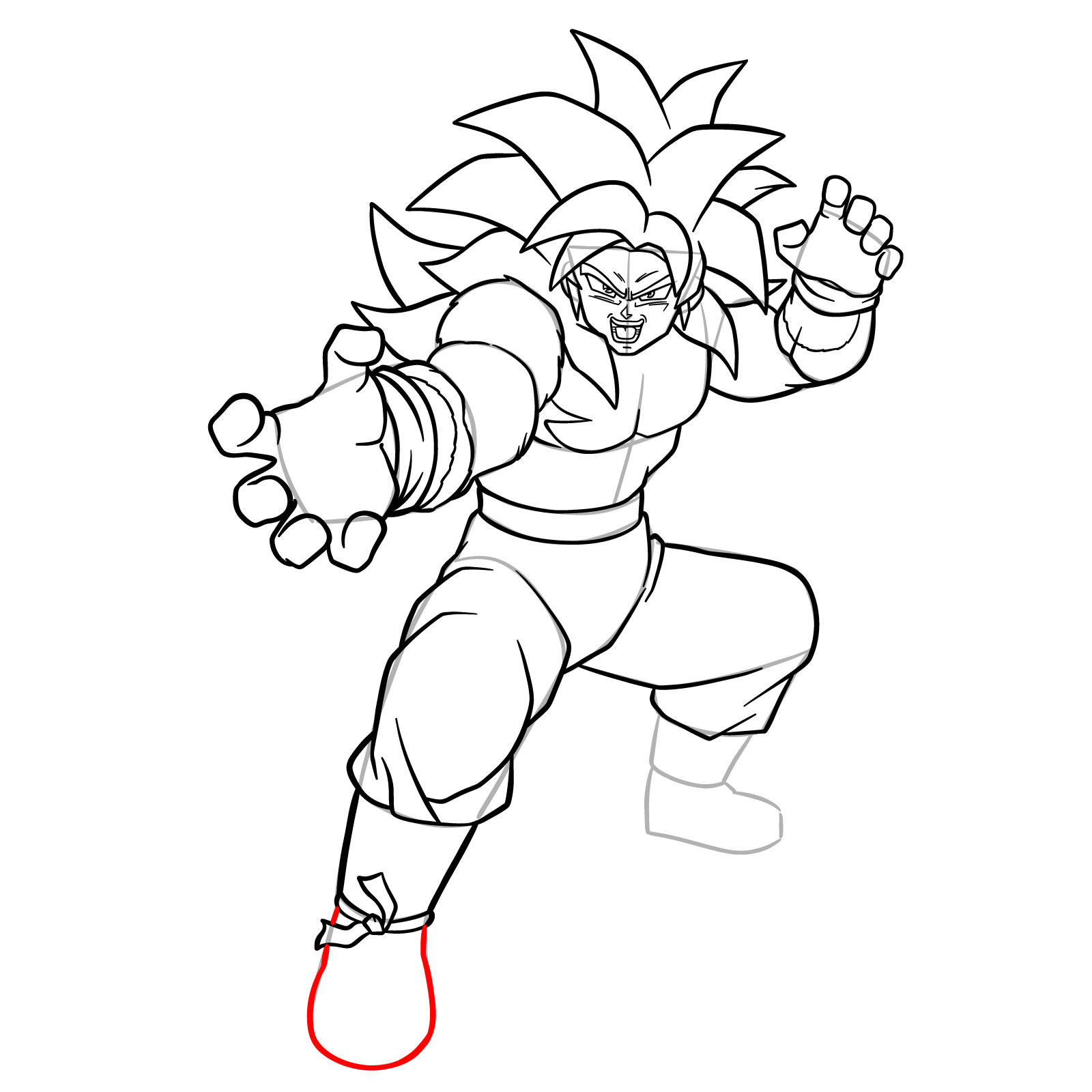
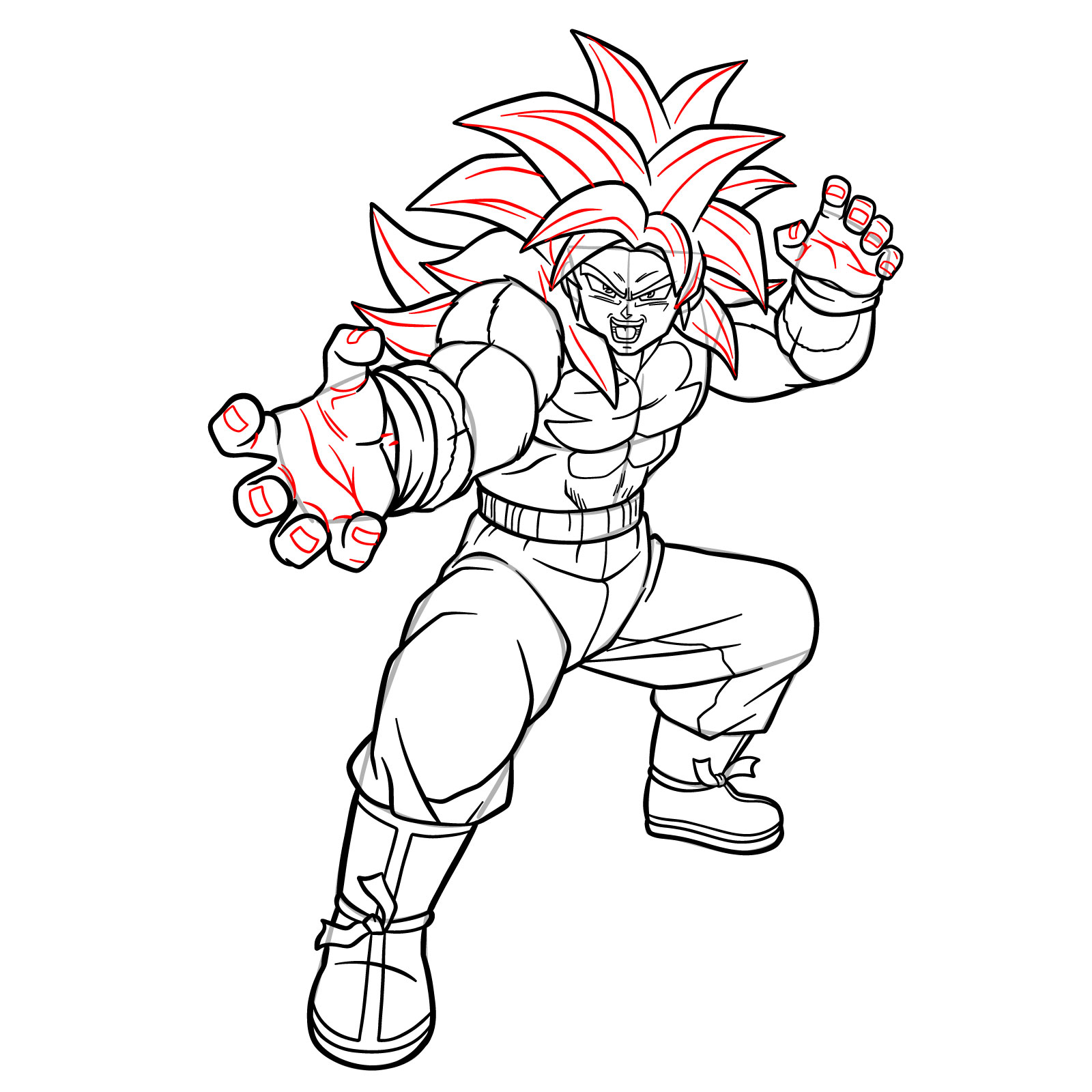
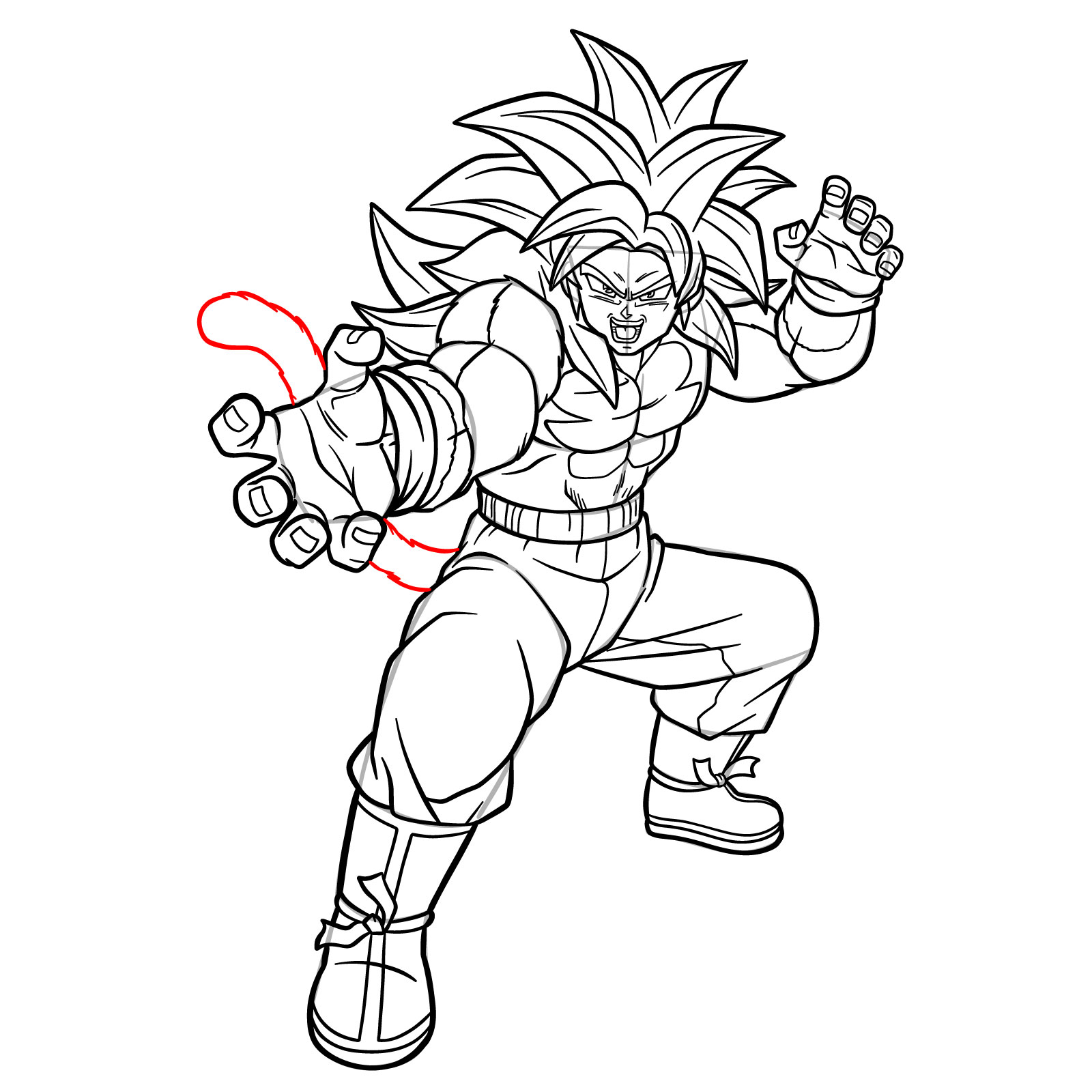
This tutorial focuses on how to draw Goku in his Super Saiyan 4 form from Dragon Ball DAIMA. The version from DAIMA has noticeable design differences compared to GT, and the pose in this guide is dynamic, with one hand extended toward the viewer. That makes the perspective slightly more complex, especially around the hands and foreshortening of the arm. Starting with basic structure helps a lot here.
Things to Watch When Drawing Goku SSJ4
- Spiky red hair pointing in multiple directions with layered depth
- Sharp eyes and open-mouthed expression showing the teeth
- Muscular chest with defined abs and chest lines
- Furry arms and visible wristbands
- Large hand stretched forward, fingers separated in perspective
- Loose pants with folded creases and waistband
- High boots with cuffs and strap details
- Long tail flowing from the back
If you want to keep practicing Dragon Ball characters, you could draw SSJ3 Goku or SS1, Broly and Goku’s Great Ape form next to explore more styles within the same universe.
Step Reference and Color Explanation
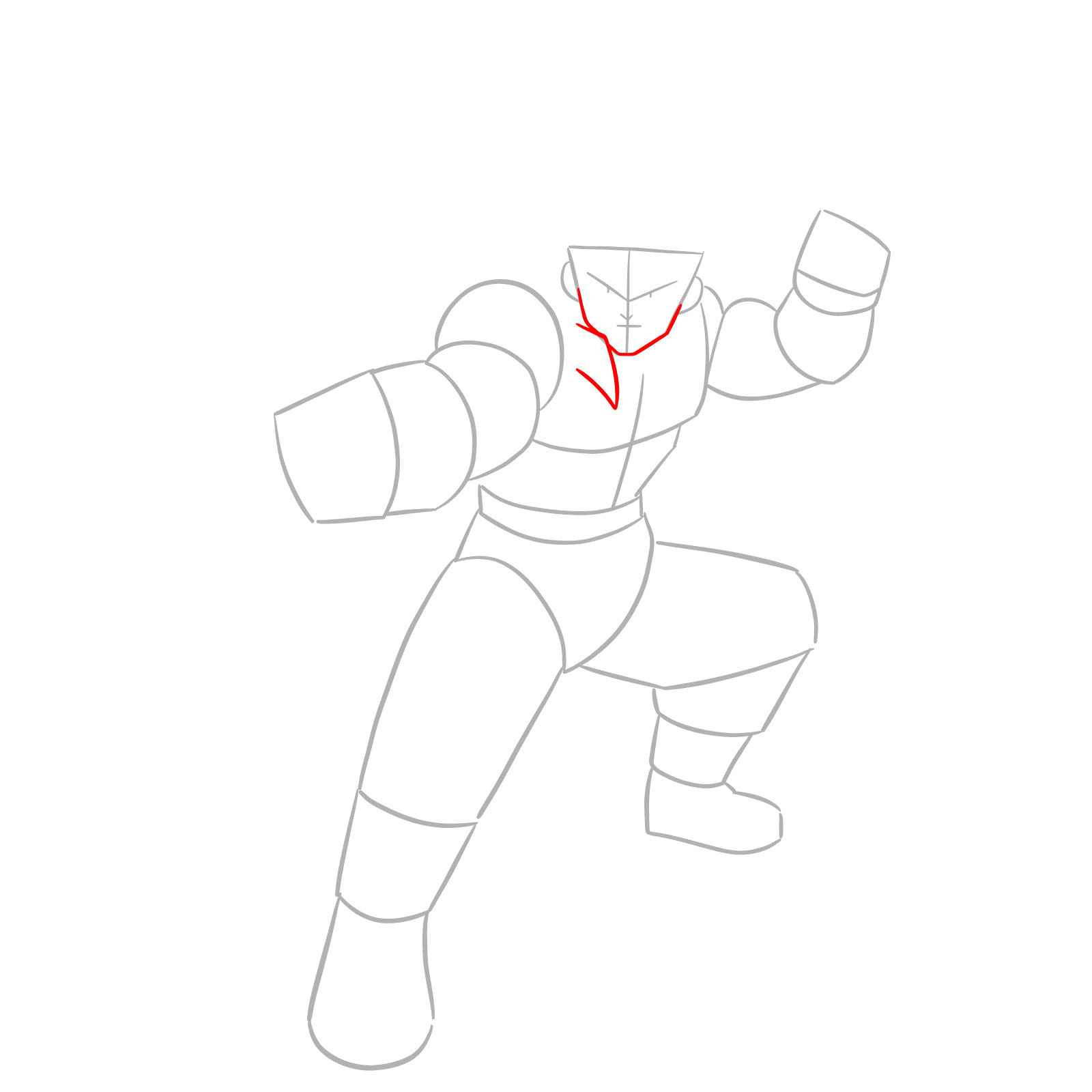
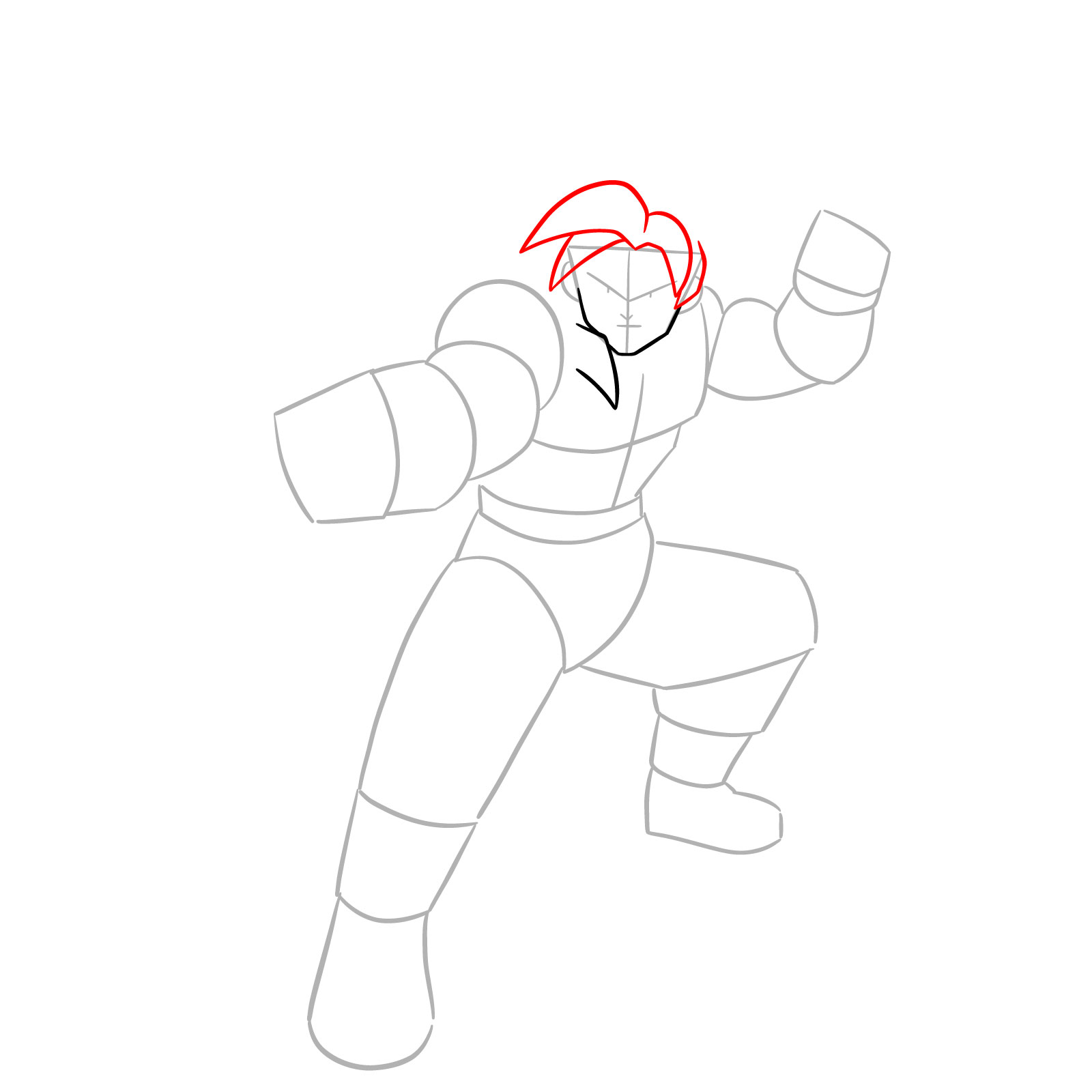
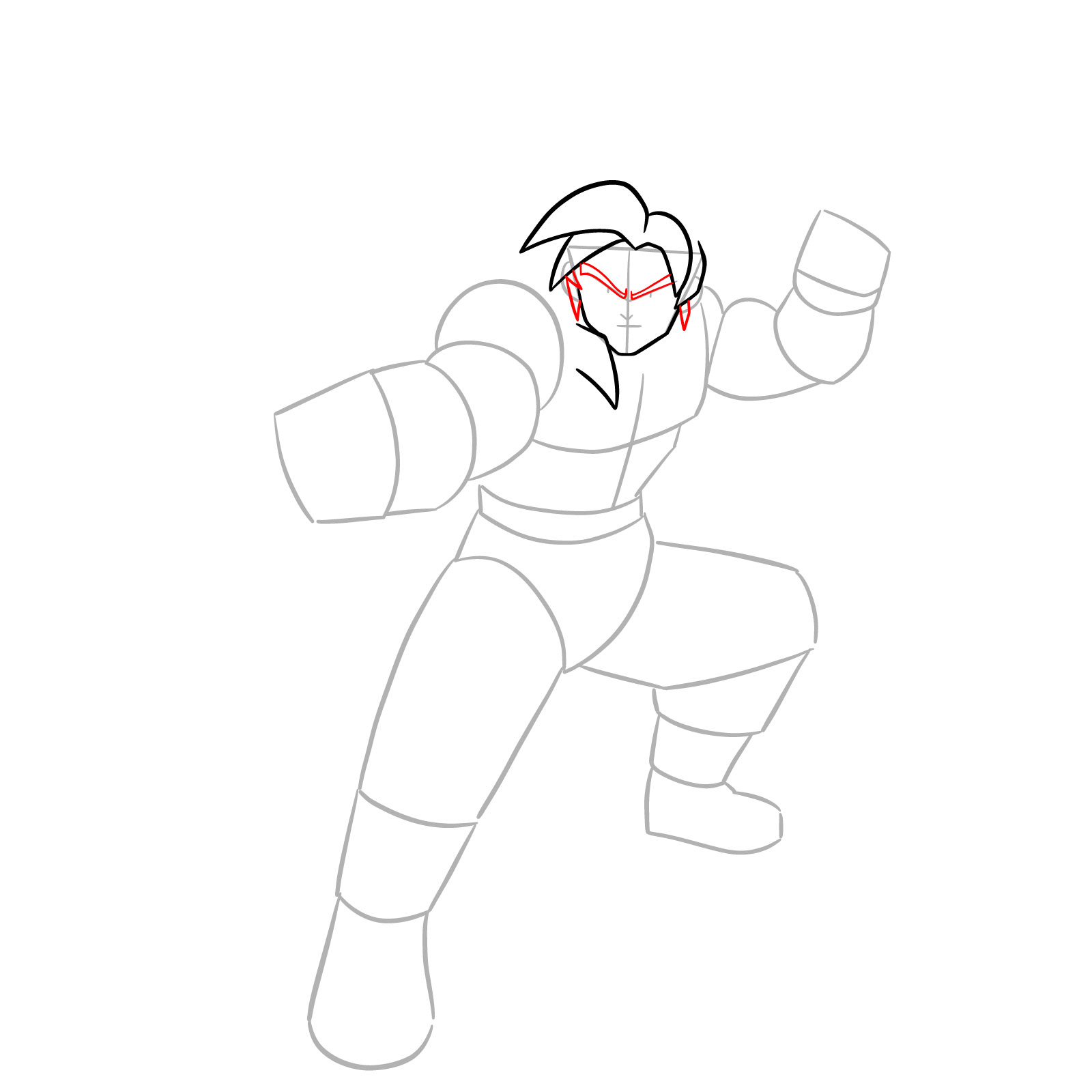
- Red Color: highlights the part to draw in the current step
- Black Color: shows previously drawn lines
- Gray Color: marks the base sketch to guide the full pose
Each step is designed to guide you through building up the full figure with clarity, helping manage proportions and dynamic positioning.










Now that you know how to draw Goku SSJ4, try setting the drawing aside and coming back to it in a couple of days. Redrawing him from memory is one of the best ways to actually lock in the details, especially all that fur texture and the sharper facial lines that define this form. New Dragon Ball guides get added to SketchOk regularly, and you can follow along on Pinterest or check the YouTube channel, where video versions of some guides get uploaded over time.

i like it but want to printout but i don’t know how to print it so please tell me how to print it i know about your website from 2023.pleeeeeeeeease
Hey, thanks for the feedback. You can download the needed image by clicking right mouse button and choosing “Save Image as”. If the image you want to download is WebP format and you can’t print it because of it, change .webp to jpg in the image url before saving it.