Last Updated on May 13, 2026
I’ve been meaning to create Minecraft drawing tutorials for ages, but somehow it kept slipping off my list. With the Minecraft movie currently making waves in theaters, it seemed like the perfect moment finally arrived. So here I am, sharing some insights into how to draw a Zombie from Minecraft. Don’t worry, even though this zombie’s got a bit more action going on, it’s still straightforward enough for any beginner.
Inside the Pixelated Undead
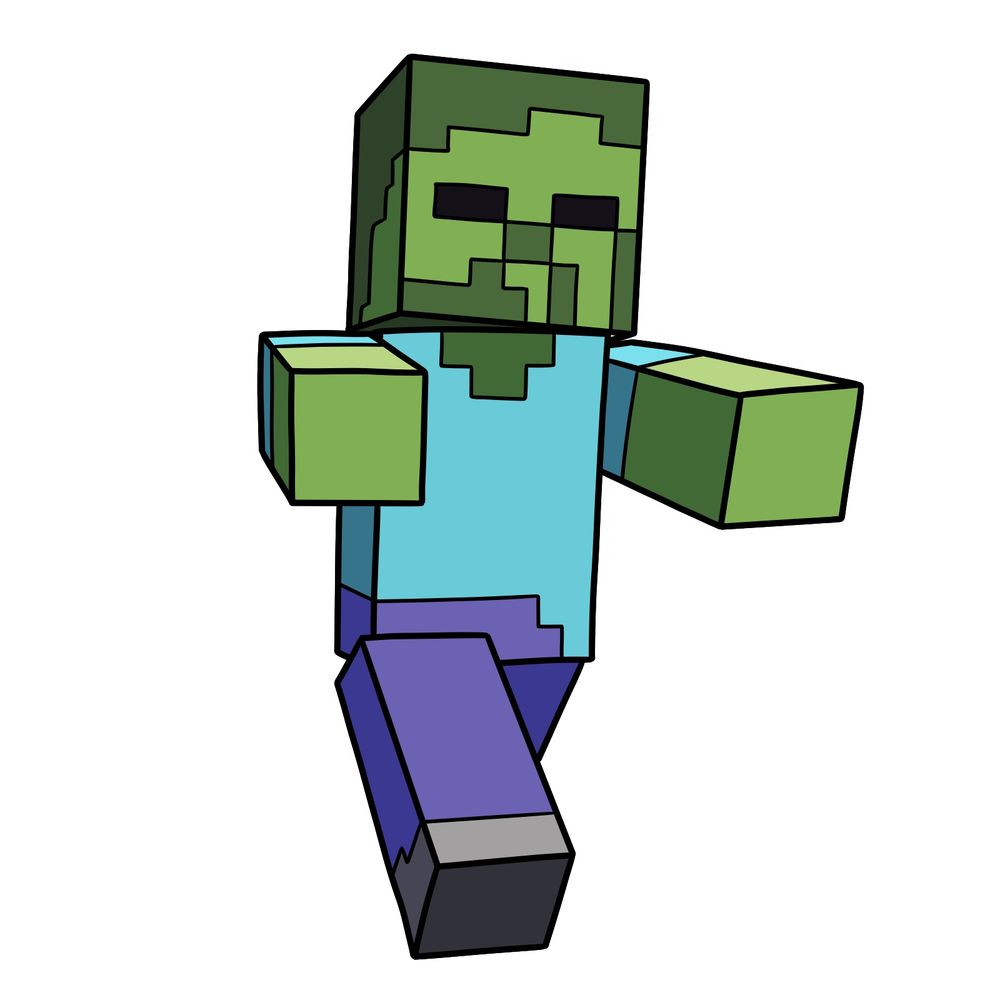
Before you grab your pencil, here’s what makes the Minecraft Zombie, well, a Zombie:
- Typical Minecraft block-shaped form.
- Green skin with different shades showing the pixel pattern.
- Standard blueish-turquoise shirt, similar to Steve’s.
- Purple pants matching classic mob style.
- Solid, dark rectangle eyes – no pupils here.
- Classic zombie walking pose with arms raised forward.
If you’re feeling inspired, consider sketching other Minecraft mobs next, like the Creeper, the Enderman, or even the Icy Ender Creeper.
Mining for Drawing Clarity
When navigating this drawing, here’s how to make sense of the step-by-step images:
- Red Color: Current drawing step.
- Black Color: Previously completed steps.


If you want fresh drawing guides sent straight to you each week, there’s a signup form at the top of this page that’ll do exactly that, so you never have to remember to check back. Now that you know how to draw a Minecraft Zombie, it’s a solid addition to any Minecraft fan art lineup. You can also drop your finished zombie drawing in the comments over on Pinterest, where other readers share their versions too.
