Home » Game Characters » Incredibox Sprunki

How to Draw Mr. Fun Computer – Sprunki Mod Character Drawing

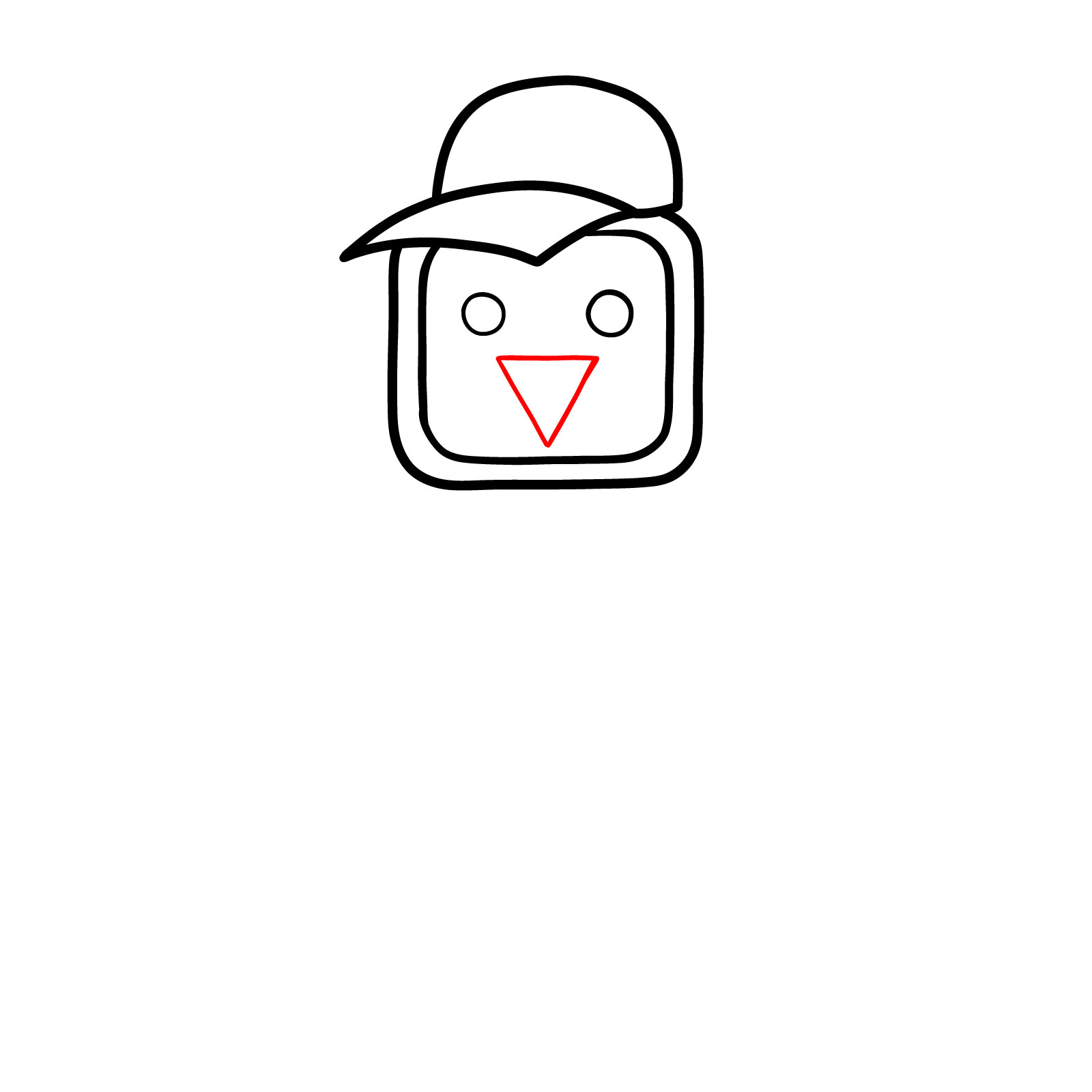
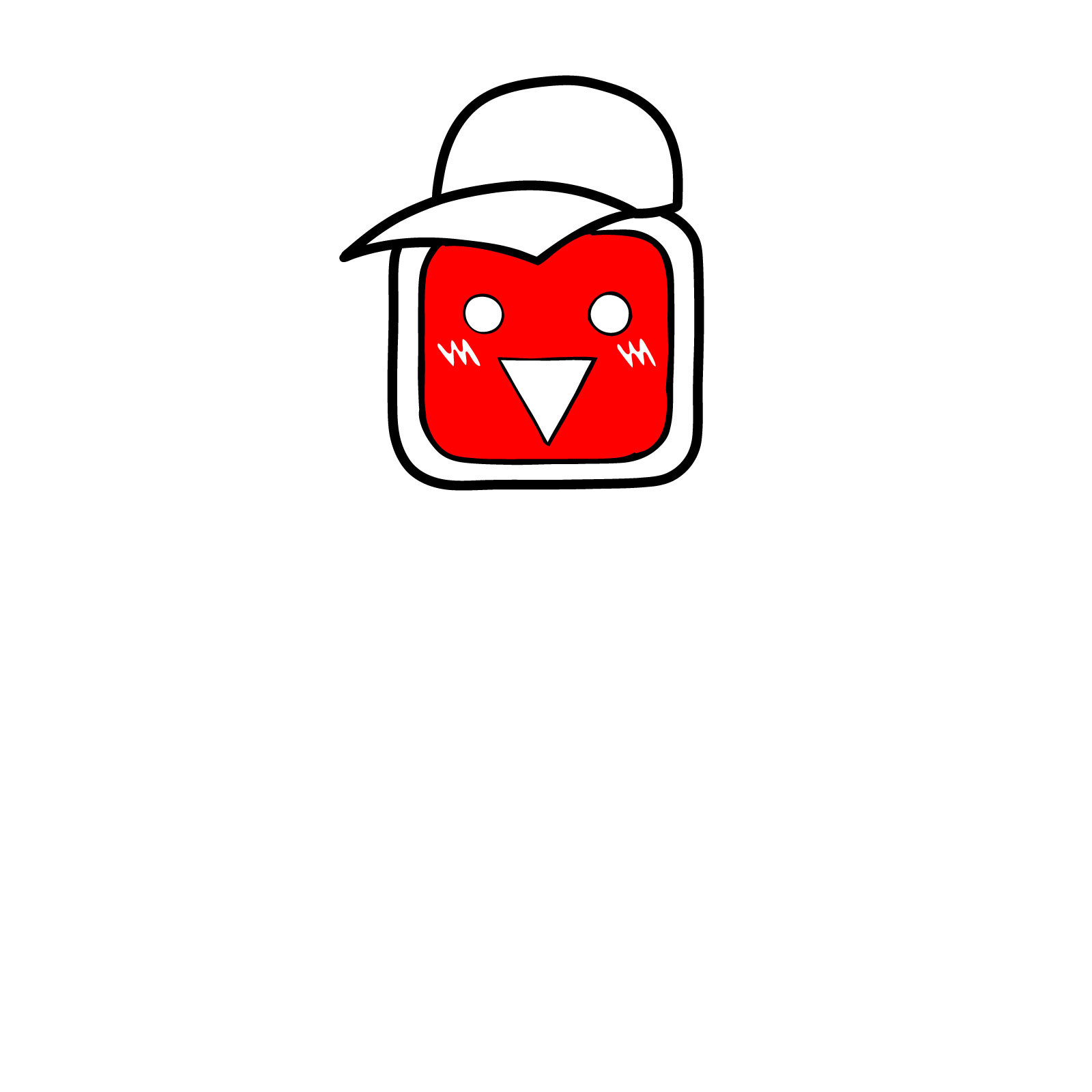
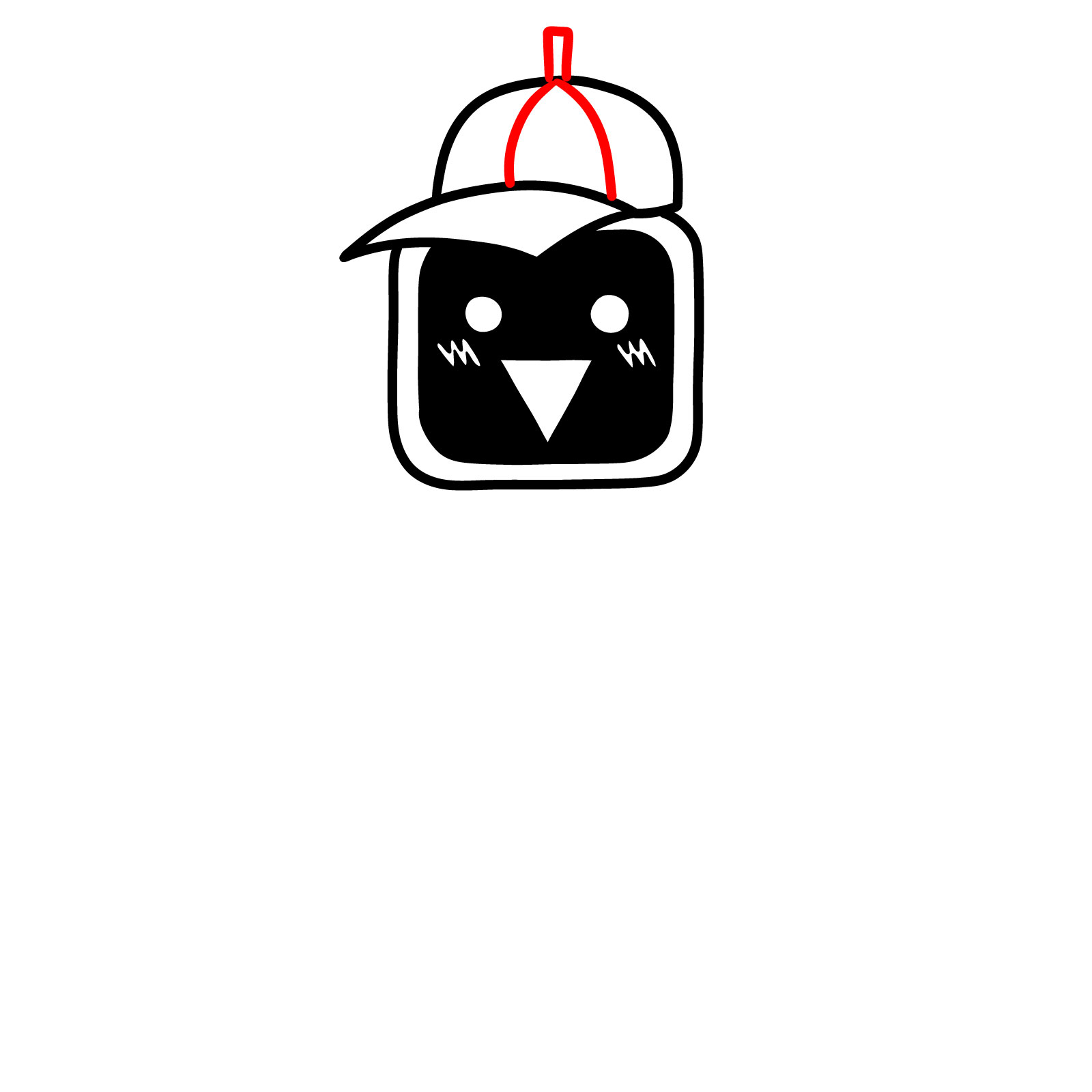
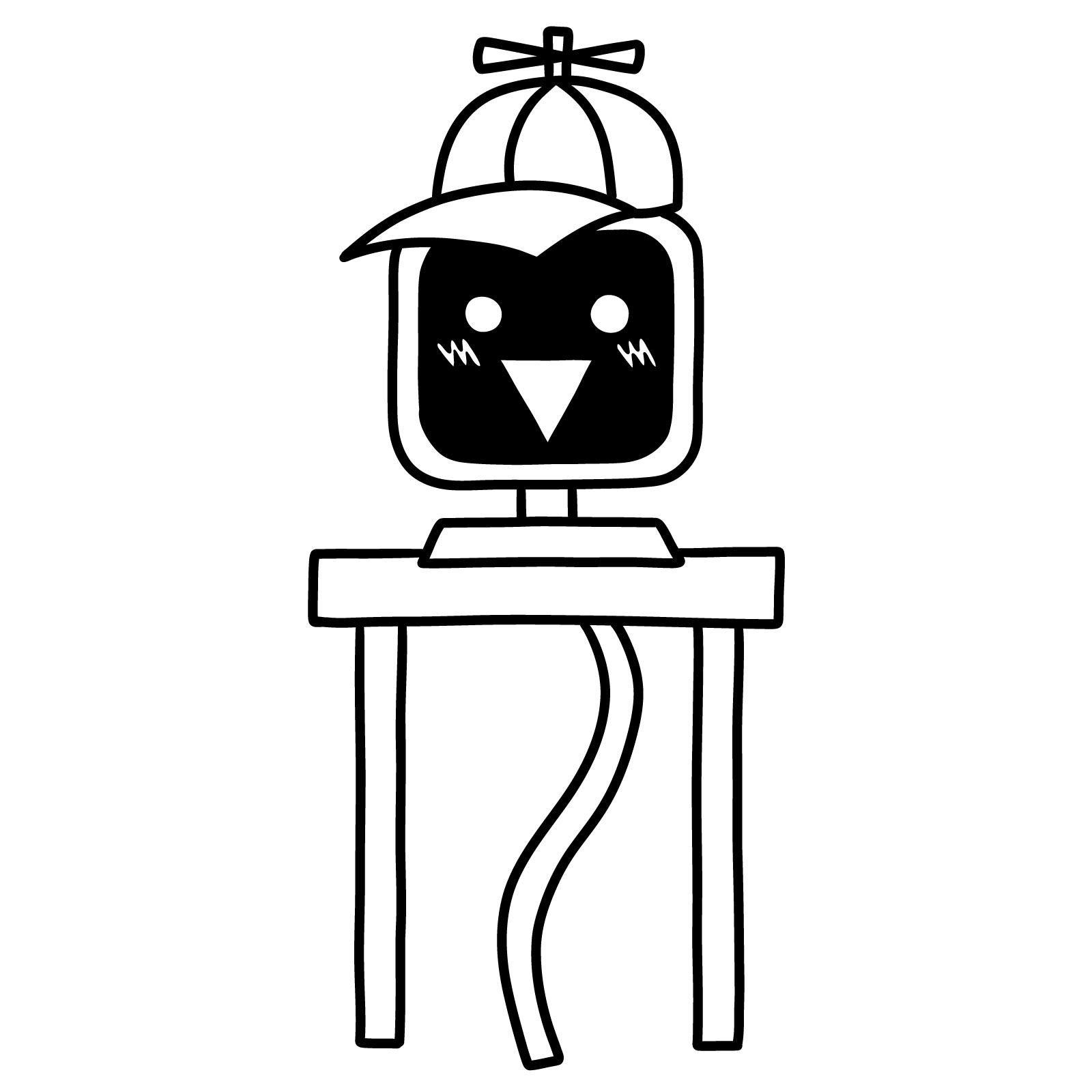
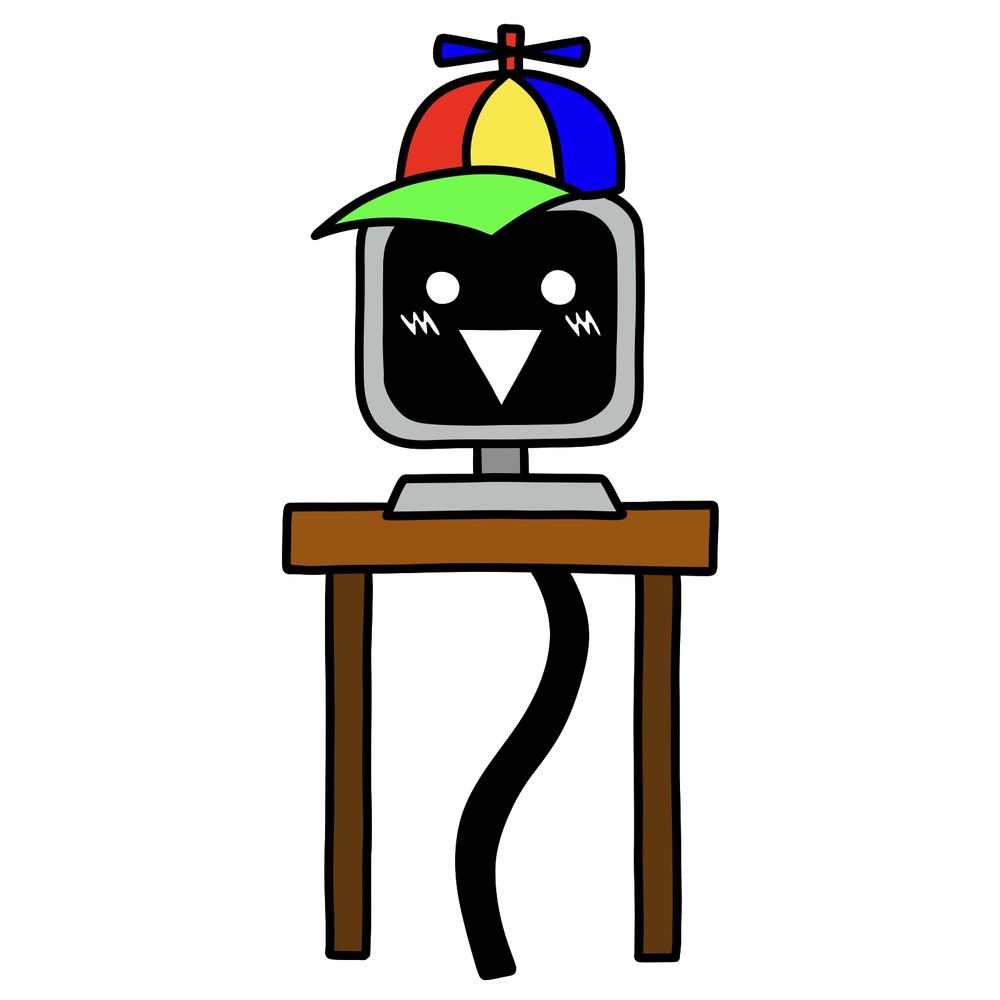
Let’s go through how to draw Mr. Fun Computer from Incredibox Sprunki. This is the 16th character in the mod and also the first vocal. The design is different from most other Sprunki characters since it features a monitor face, desk base, and playful elements like the rainbow propeller hat. This one leans more into a cartoony object character, so it’s a little unique in structure but still very simple.

Basic Design Elements to Watch For

  • Square computer monitor with a dark screen face.
  • Face includes triangle mouth, two circles for eyes, and two cheek blush marks.
  • Bright multicolor hat with a small blue propeller on top.
  • Brown desk with two straight legs supporting the monitor.
  • Long, wavy black cord acting as a tail.

Because the proportions are object-based, drawing him is more about getting the angles right on the monitor and desk than focusing on anatomy. If you’ve already drawn characters like Garnold or Jevin, this will give you some contrast in style.

Understanding the Color Key in the Guide

  • Red Color: These are the new lines you’re supposed to draw in the current step.
  • Black Color: These lines are from the previous steps that are already completed.

Step 01

How to Draw Mr. Fun Computer from Sprunki - step 01

Step 02

How to Draw Mr. Fun Computer from Sprunki - step 02

Step 03

How to Draw Mr. Fun Computer from Sprunki - step 03

Step 04

How to Draw Mr. Fun Computer from Sprunki - step 04

Step 05

How to Draw Mr. Fun Computer from Sprunki - step 05

Step 06

How to Draw Mr. Fun Computer from Sprunki - step 06

Step 07

How to Draw Mr. Fun Computer from Sprunki - step 07

Step 08

How to Draw Mr. Fun Computer from Sprunki - step 08

Step 09

How to Draw Mr. Fun Computer from Sprunki - step 09

Step 10

How to Draw Mr. Fun Computer from Sprunki - step 10

Step 11

How to Draw Mr. Fun Computer from Sprunki - step 11

Step 12

How to Draw Mr. Fun Computer from Sprunki - step 12

Step 13

How to Draw Mr. Fun Computer from Sprunki - step 13

Step 14

How to Draw Mr. Fun Computer from Sprunki - step 14

Step 15

How to Draw Mr. Fun Computer from Sprunki - final step
Don't Miss New Tutorials! Follow SketchOk
I publish new step-by-step drawing guides every single day. Follow on your favorite platform so you never miss a tutorial. Thousands of artists are already drawing along and I can't wait you to join in!
PATREON
Love Drawing? Help Me Create More Tutorials
On my Patreon you can grab unique hand-made coloring pages: each one drawn by me personally. Every purchase directly supports the creation of new drawing tutorials. It's the best way to practice your skills, keep the site going, and get something truly original at the same time.
Get Coloring Pages on Patreon

Now that you’ve worked through how to draw Mr. Fun Computer, let me know in the comments if any step felt unclear or could use a better explanation, since that feedback genuinely helps when the guide gets updated. Mr. Fun Computer has some quirky details, so if something tripped you up, chances are someone else hit the same wall. You can also share your finished version on the SketchOk Pinterest page, where other readers post their drawings in the comments.

Disclaimer: All original artworks and photos used as references for the creation of these drawing tutorials are the property of their respective owners. If your work has been featured without proper credit, please kindly leave a comment below, and the issue will be promptly addressed. We greatly appreciate your exceptional art. Thank you.

Leave a Comment

FOLLOW