Last Updated on May 13, 2026
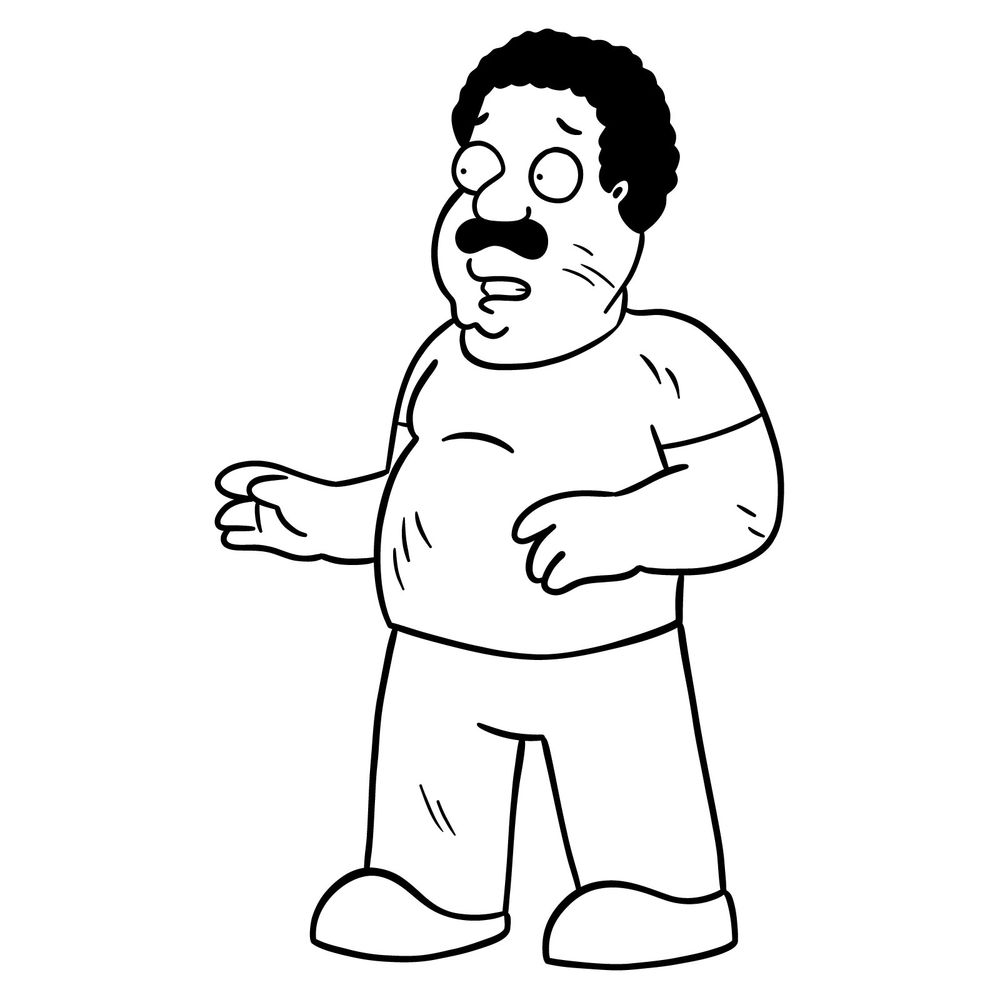
Survivor Cleveland appears in the Darkness Takeover FNF mod with a worried and tense expression, as if reacting to an unknown threat. His posture, scratches, and worn-out clothes give him a battle-worn appearance. In this guide, I’ll go through how to draw Survivor Cleveland in his FNF mod look, focusing on the details that define his cautious stance.
Key Features to Capture in the Drawing
- His facial expression includes wide eyes and a slightly open mouth, showing concern.
- Scratches and scuffs across his face, arms, and clothes add to his survivalist look.
- His t-shirt and pants are slightly wrinkled, with signs of wear.
- His stance is tense, with hands positioned as if reacting to something unexpected.
- His afro and mustache remain unchanged, keeping his recognizable look intact.
If you like drawing FNF mod characters, you might also enjoy sketching other corrupted and glitchy figures from the FNF mods, such as Timmy Turner, Rallo Tubbs, or BF in his glitchy form.
Understanding the Step-by-Step Guide
This guide follows a color-coded system to make the process easier:
- Red Color: Highlights the current step you should focus on.
- Black Color: Represents the lines you have already drawn.
- Gray Color: Shows the basic sketch as a foundation.
By following these steps, you’ll gradually build up the drawing until Survivor Cleveland’s FNF mod look is complete.


Now that you know how to draw Survivor Cleveland, it would be cool to hear what you actually drew him with, whether that’s pencil and paper, a drawing tablet, Procreate, or something else entirely. The range of tools people use for the same tutorial is always interesting to see. Drop your version in the comments on the pinned Pinterest post for this one, it’s a great spot to show off your take on this Friday Night Funkin character.
