Last Updated on May 13, 2026
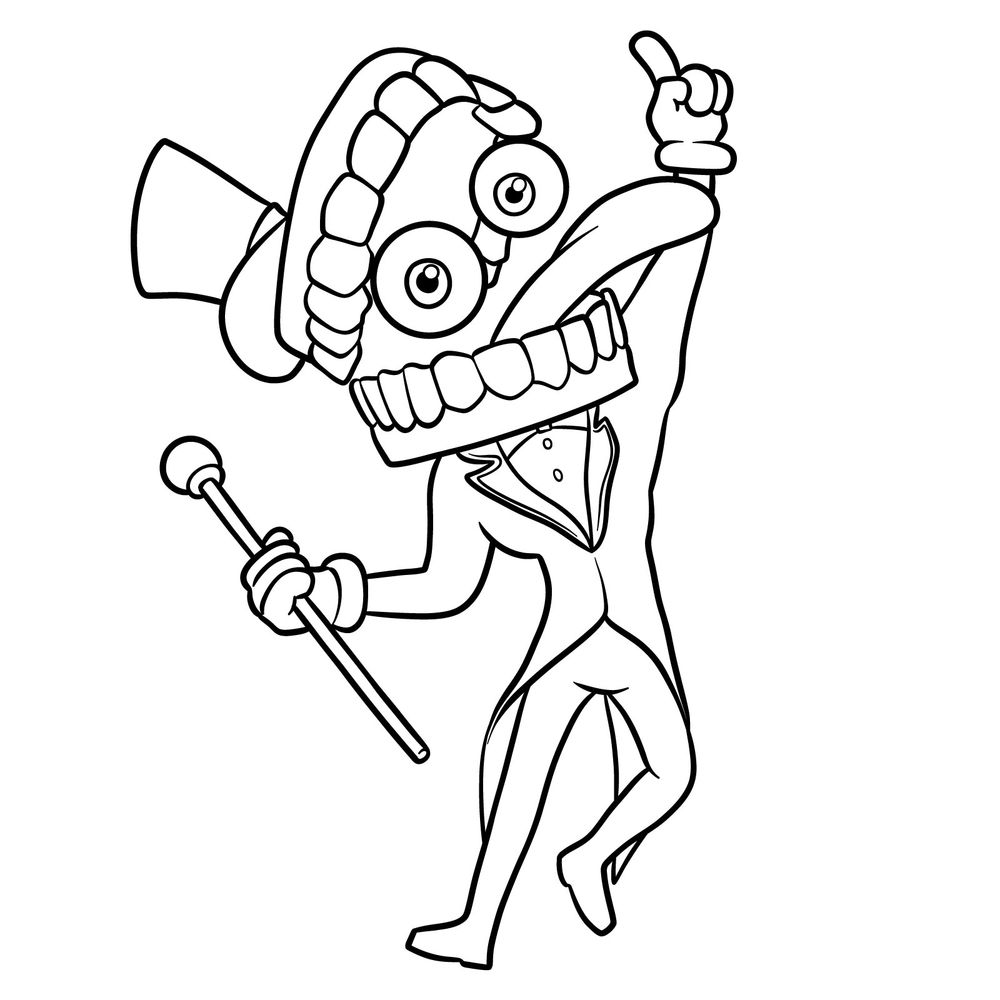
Here’s a clear walkthrough on how to draw Caine from The Amazing Digital Circus in 17 steps. We’ll keep it friendly and precise: cartoony shapes, bold gesture, and a hat and dentures head. Complexity is moderate because of the tilted pose, the tux lapels, and the oversized teeth.
Ringmaster Snapshot: What to Notice First
- Name and role: Caine (Creative Artificial Intelligence Networking Entity), the ringmaster A.I. who runs the circus simulation.
- Head: stacked dentures – large top and bottom rows with rounded teeth and red gums; the head tilts with the pose.
- Eyes: two floating spheres inside the jaw.
- Hat: tall black top hat set at an angle.
- Outfit: pinkish-red tux with gold inner lining, black collar and bow tie, white shirt with two buttons, long coat tails.
- Hands: white gloves; one hand points upward.
- Prop: gold-tipped baton/cane.
When you’re done with Caine, try Pomni, Ragatha, Jax, Gangle, Kinger, or Bubble to build a small The Amazing Digital Circus drawing set. I’ll be adding them one by one as soon as the guides are ready.
How This 17-Step Map Works
- Red Color: the new lines to draw in the current step.
- Black Color: lines you’ve already completed.


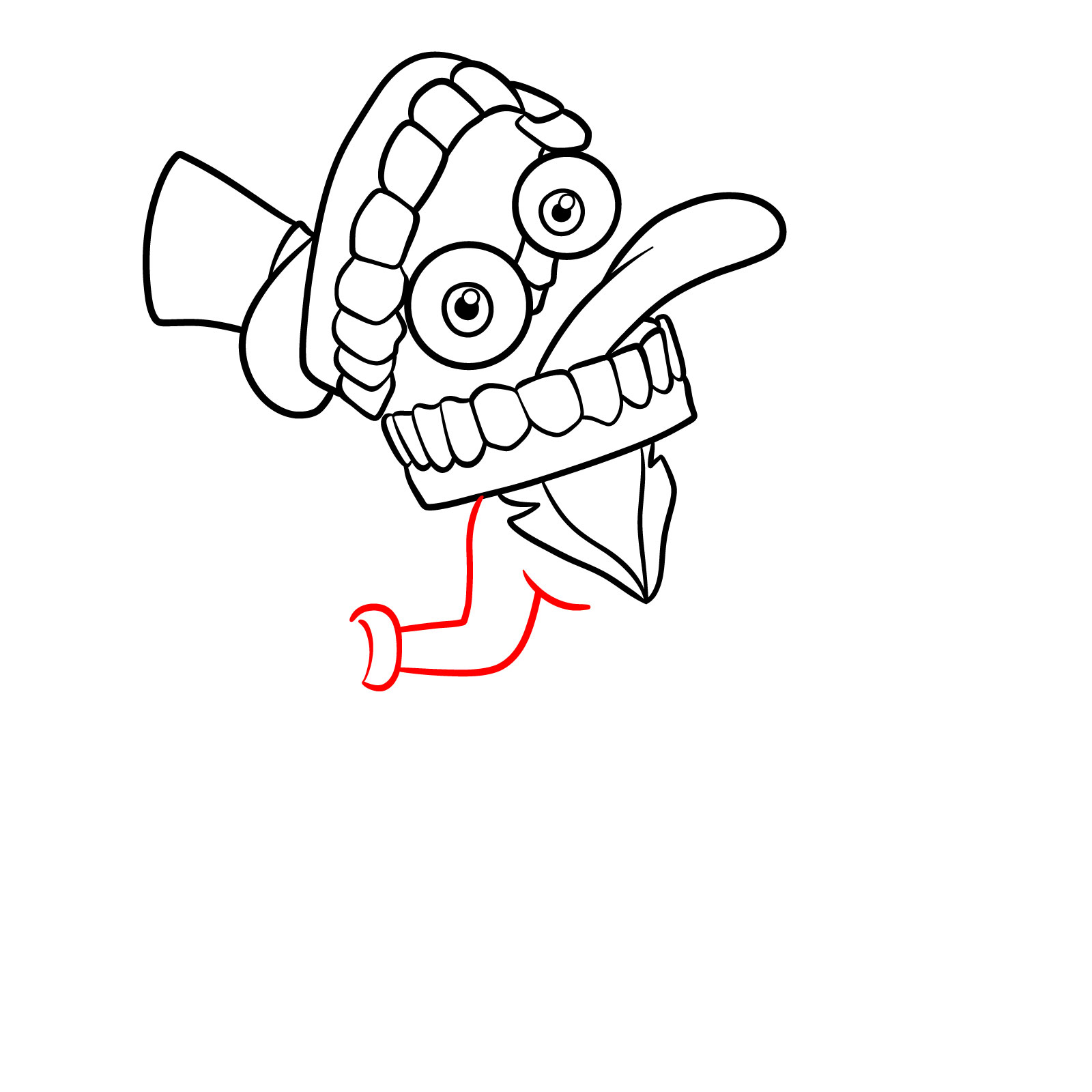
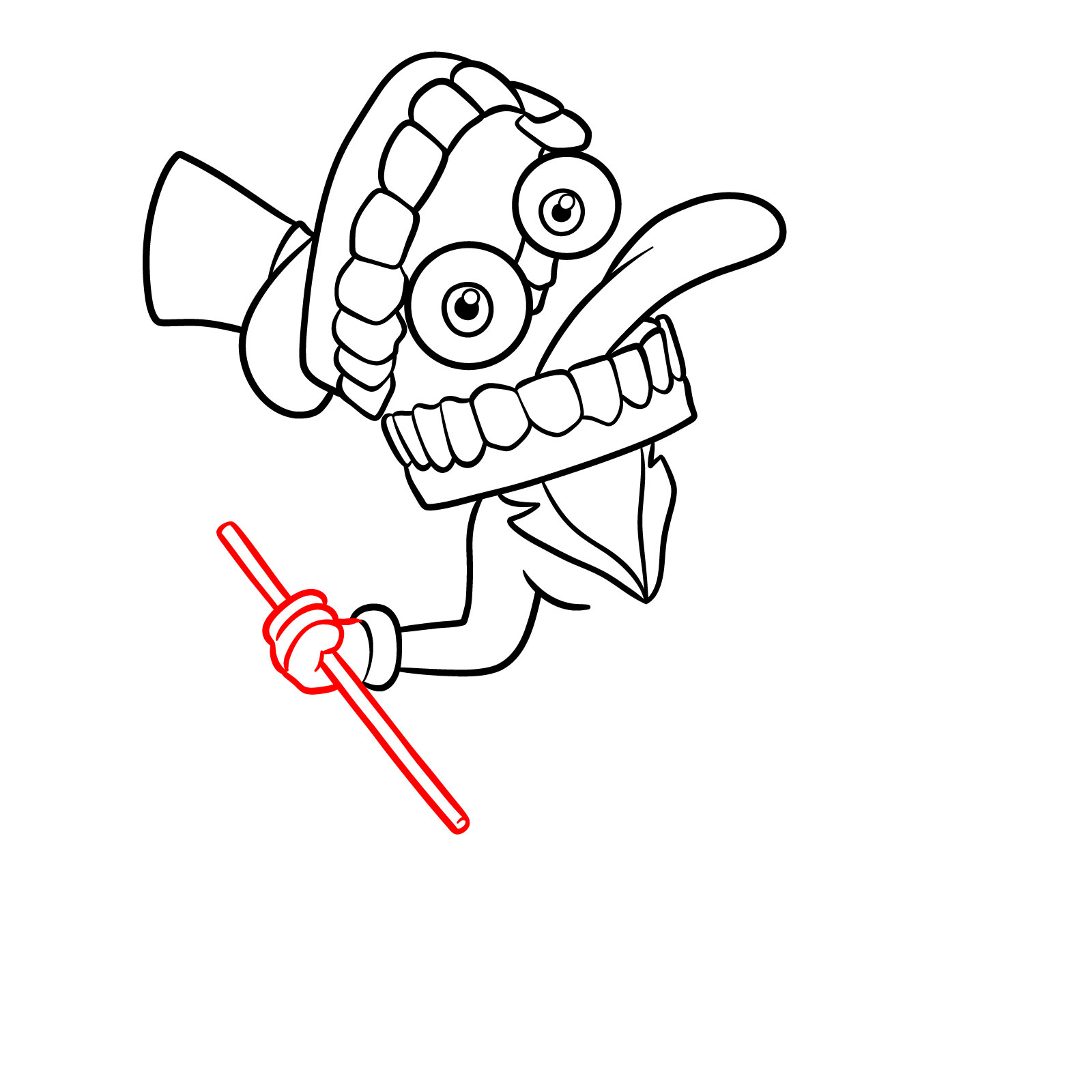


Now that you know how to draw Caine, Creative A.I. Ringmaster, go ahead and finish up your sketch and drop a photo or link in the comments under the pinned post on Pinterest. It’s always fun to see how everyone interprets his over-the-top ringmaster energy. If you want more guides like this one, there’s a signup form at the top of the page for the weekly email digest, and video versions of some guides pop up on the SketchOk YouTube channel too.

please draw pomni
and ragatha
gangle
zooble
can you make God form of caine please
Sure, I’m working on it now