Published on April 9, 2026
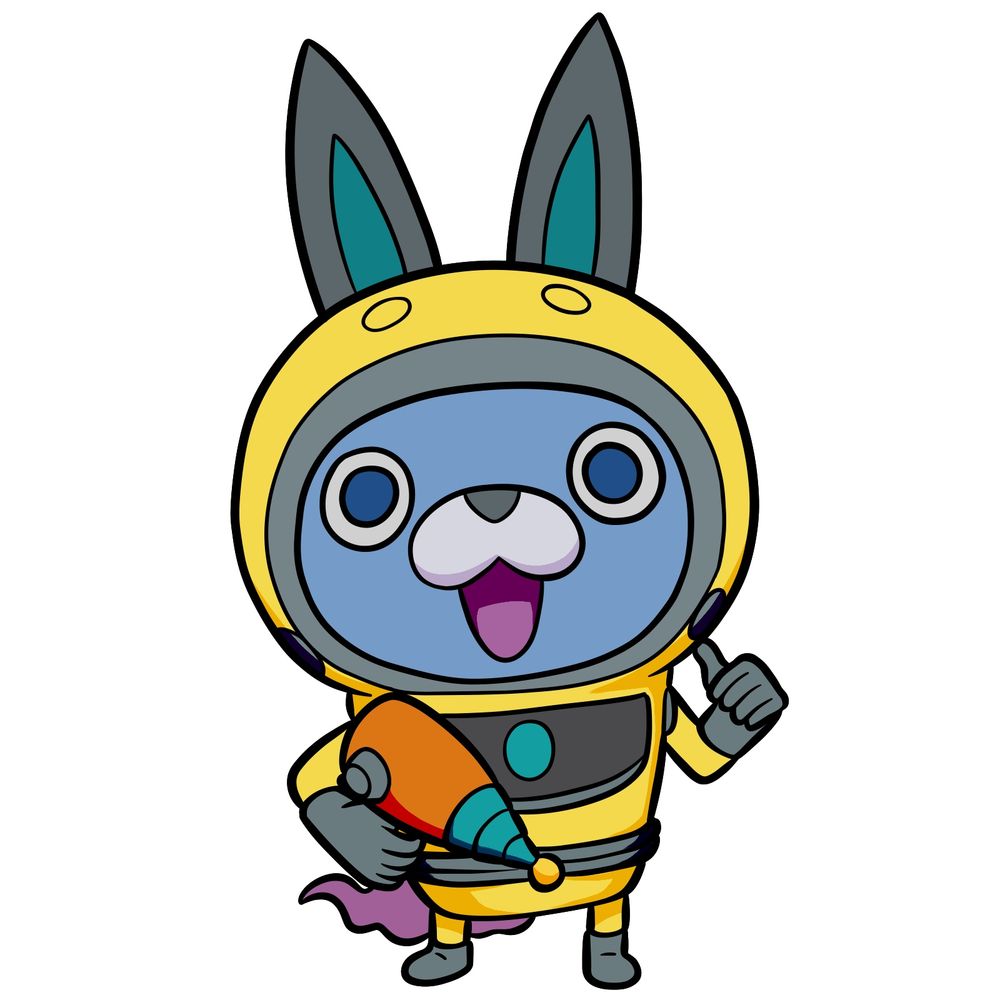
Usapyon is one of the three main mascots of Yo-kai Watch and the face of Yo-kai Watch Blasters: Moon Rabbit Crew, making him one of the more recognizable Yo-kai in the franchise. This tutorial on how to draw Usapyon from Yo-kai Watch covers his standard spacesuit appearance, with the yellow suit, rabbit-eared hood, gray helmet visor, carrot-shaped ray gun, and the wispy purple tail peeking out at the back. It’s a design packed with small details that reward patience during the drawing process.
Usapyon’s Spacesuit Design in 18 Steps
The tutorial runs across 18 steps in total, with the last one being the finished colored result. Each step works through the helmet shape, suit details, carrot ray gun, and accessories at a steady pace that keeps every element organized.
Usapyon’s Standard Suit Appearance
- Yellow spacesuit with gray and black sections
- Rabbit-eared hood with teal inner ears
- Blue face with round white-ringed eyes
- Orange carrot-shaped ray gun
- Wispy purple tail at the back
- Teal oval detail on the chest panel
Usapyon became Hailey Anne Thomas’s partner during Yo-kai Watch 3, so drawing Hailey alongside him makes a natural pair. For other Yo-kai mascots, Jibanyan and Komasan are the obvious companions to add to the collection.
Tracking Your Lines with Step Colors
The tutorial uses a three-color system across every step image to make it clear what’s new and what’s already been drawn:
- Red Color: lines added in the current step.
- Black Color: lines completed earlier.
- Gray Color: base sketch for structure.
How to Draw Usapyon from Yo-kai Watch: Step-by-Step


Got Your Usapyon Sketch Done? Share It
That covers the full step by step process for how to draw Usapyon from Yo-kai Watch in his standard yellow spacesuit. If your version came out well, drop a link to it in the comments so others can check it out. To keep building out the Yo-kai Watch roster, Fubuki Himekawa and Hovernyan are both worth trying next. Keep drawing and posting your results.
Follow SketchOk on social media to catch every new step by step tutorial as it goes live:
