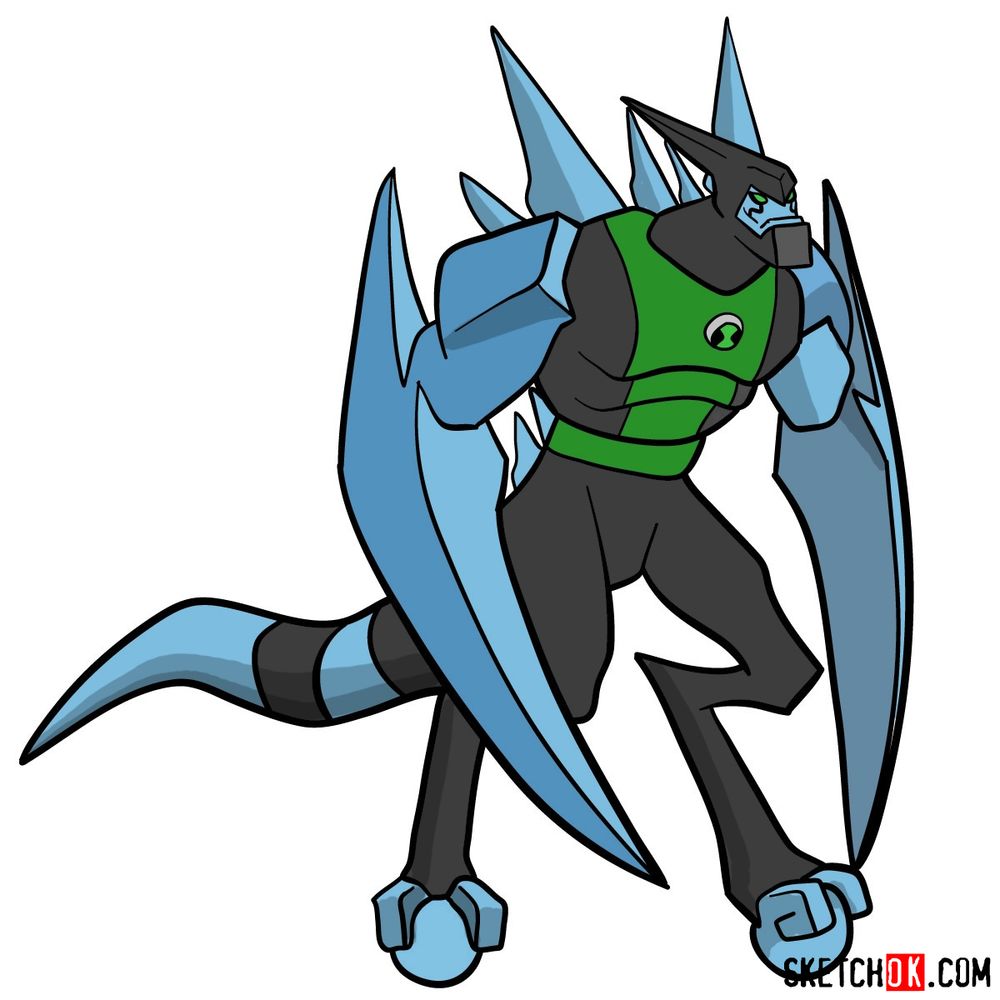
Speed meets style in this original series fan favorite. This tutorial explains how to draw XLR8 from Ben 10, the Kineceleran who can move faster than the eye can track. XLR8 was part of the original ten aliens and remained popular throughout every incarnation of the series thanks to his sleek design. His raptor-like body with that distinctive helmet visor and wheeled feet gives artists a chance to capture motion even in a still image.
Sketching XLR8 Full Body
This guide breaks into 18 steps, covering XLR8’s aerodynamic form from his pointed helmet down to those ball-shaped wheels he uses to zoom around.
XLR8’s Design Features
- Black helmet with pointed back and visor
- Green face visible through visor opening
- Narrow green eyes with focused expression
- Blue armor plating on shoulders and arms
- Large blue blade-like protrusions on back
- Green chest piece with Omnitrix symbol
- Black bodysuit covering torso and legs
- Blue clawed hands with three fingers
- Long blue striped tail extending behind
- Spherical blue wheels instead of feet
Drawing XLR8 requires getting those angular armor shapes and blade protrusions right. For another speed-based alien, the Fasttrack Omniverse tutorial offers a different approach to the concept. The Gwendolyn Tennyson OS guide shows a character from the same era, and Diamondhead Omniverse Reboot provides practice with angular crystalline shapes.
Color System for Each Step
Track your progress with these markers:
- Red Color: lines added in the current step.
- Black Color: lines completed earlier.
- Gray Color: base sketch for structure.
How to Draw XLR8: Complete Step-by-Step Guide


Share Your XLR8 Drawing!
That wraps up this tutorial on how to draw XLR8 from Ben 10. Did the helmet visor and wheeled feet turn out well? Leave a comment about your experience or post a link to your finished artwork online. Comparing different versions of this speedster alien is always fun, and feedback from the Ben 10 community helps everyone sharpen their angular design drawing skills.
This isn’t XLR8 though, this is just a weird combo of Diamondhead and XLR8.
I’m not familiar with it. Thank you for the comment and letting me know that.
I also think so